> ## Documentation Index
> Fetch the complete documentation index at: https://docs.ycloud.com/llms.txt
> Use this file to discover all available pages before exploring further.
# Trigger
## What is Trigger?
When a user wants to create a new Rule-based Agent, the page will first prompt "Add a trigger," which indicates the need to add a trigger keyword for the Rule-based Agent.
 ## Trigger:
### Exact Matching
* A trigger occurs only when the user's reply exactly matches any of the set keywords.
* Suitable for scenarios involving specific coupon codes or invitation codes.
## Trigger:
### Exact Matching
* A trigger occurs only when the user's reply exactly matches any of the set keywords.
* Suitable for scenarios involving specific coupon codes or invitation codes.
 ### Containing
* A trigger occurs if the user's reply contains any of the set trigger keywords.
### Containing
* A trigger occurs if the user's reply contains any of the set trigger keywords.
 ## Natural language trigger
Choosing natural language trigger and specific keyword triggers are not mutually exclusive. After setting natural language triggers, you can still add specific trigger keywords to activate the corresponding rule-based agent.
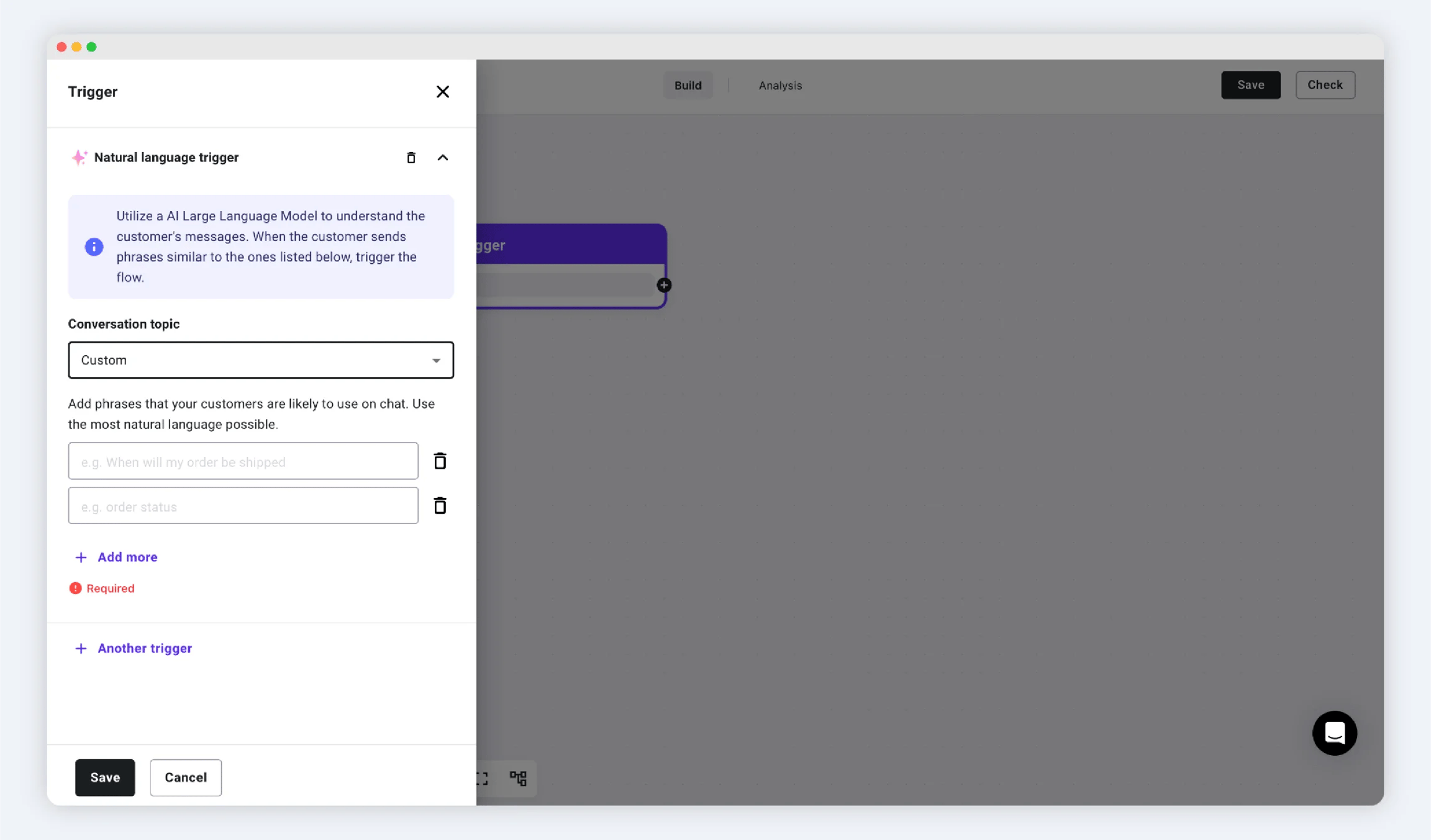
Use AI large language models to understand user-triggered rule-based agent keywords without needing to input specific trigger keywords.
You can select default trigger topics in the YCloud system under "Conversation topic," such as greeting, checking order status, transferring to an agent, etc.; or you can choose to customize specific topics. Additionally, you can add other keywords below that you think are necessary to better recognize the customer's intent and trigger the corresponding rule-based agent flow.
## Natural language trigger
Choosing natural language trigger and specific keyword triggers are not mutually exclusive. After setting natural language triggers, you can still add specific trigger keywords to activate the corresponding rule-based agent.
Use AI large language models to understand user-triggered rule-based agent keywords without needing to input specific trigger keywords.
You can select default trigger topics in the YCloud system under "Conversation topic," such as greeting, checking order status, transferring to an agent, etc.; or you can choose to customize specific topics. Additionally, you can add other keywords below that you think are necessary to better recognize the customer's intent and trigger the corresponding rule-based agent flow.
 ## Click button trigger
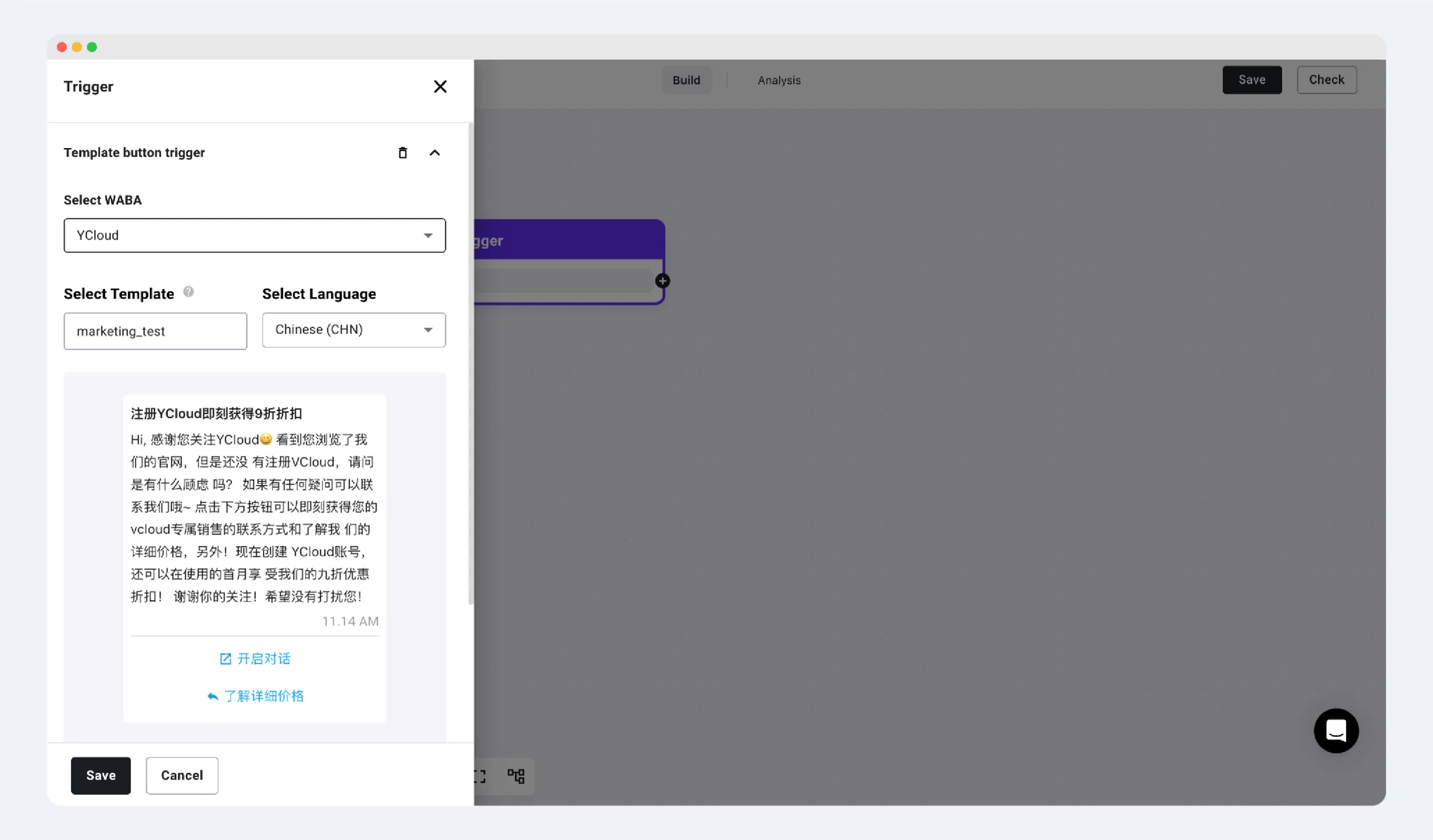
To trigger the rule-based agent, it is essential to use template messages with quick reply buttons.
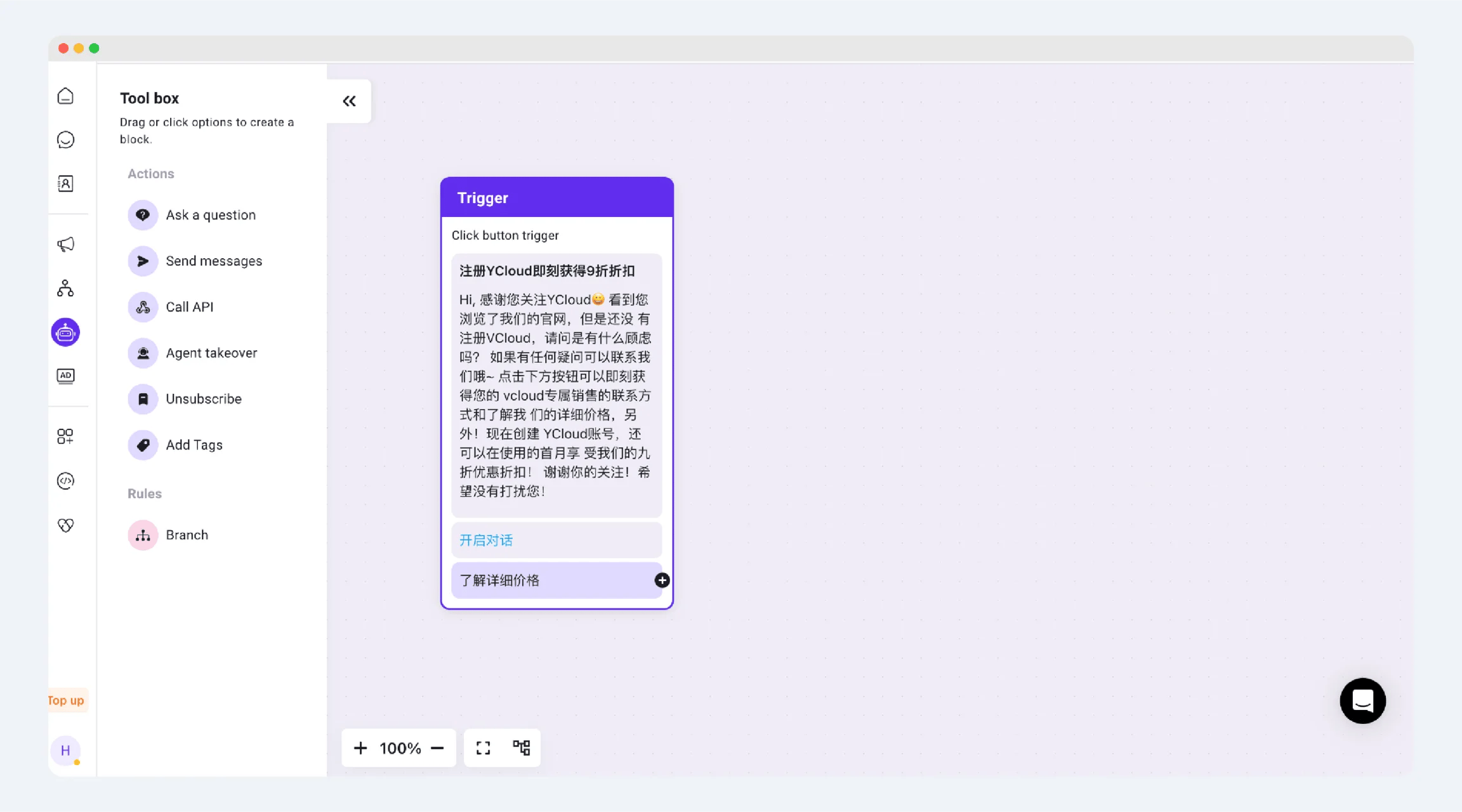
This is applicable when a business sends marketing/utility type messages with quick reply buttons to users. When the user clicks the corresponding button, it will redirect them to the corresponding rule-based agent flow, where interactions with the user will take place.
## Click button trigger
To trigger the rule-based agent, it is essential to use template messages with quick reply buttons.
This is applicable when a business sends marketing/utility type messages with quick reply buttons to users. When the user clicks the corresponding button, it will redirect them to the corresponding rule-based agent flow, where interactions with the user will take place.
 This documentation is built and hosted on [Mintlify](https://mintlify.com), a developer documentation platform.