> ## Documentation Index
> Fetch the complete documentation index at: https://docs.ycloud.com/llms.txt
> Use this file to discover all available pages before exploring further.
# Analyze Campaign data
> Review delivery, engagement, and reply data for a completed WhatsApp Campaign.
After a WhatsApp Campaign is complete, use **Analytics** to review its delivery and engagement data. Use **Logs** to inspect records behind an individual status or button.
## 1. Open Campaign Analytics
Go to **Campaign** and find the completed Campaign. In the **Action** column, select **Analytics**.
 ## 2. Review and export data
Use **Analytics** to view the Campaign summary. Select a status or a tracked button to open **Logs** with the related records.
If you have permission to export Campaign logs, select **Export** in **Logs**. Complete verification if prompted, choose the time zone for exported timestamps, and wait for the export to finish.
## 2. Review and export data
Use **Analytics** to view the Campaign summary. Select a status or a tracked button to open **Logs** with the related records.
If you have permission to export Campaign logs, select **Export** in **Logs**. Complete verification if prompted, choose the time zone for exported timestamps, and wait for the export to finish.
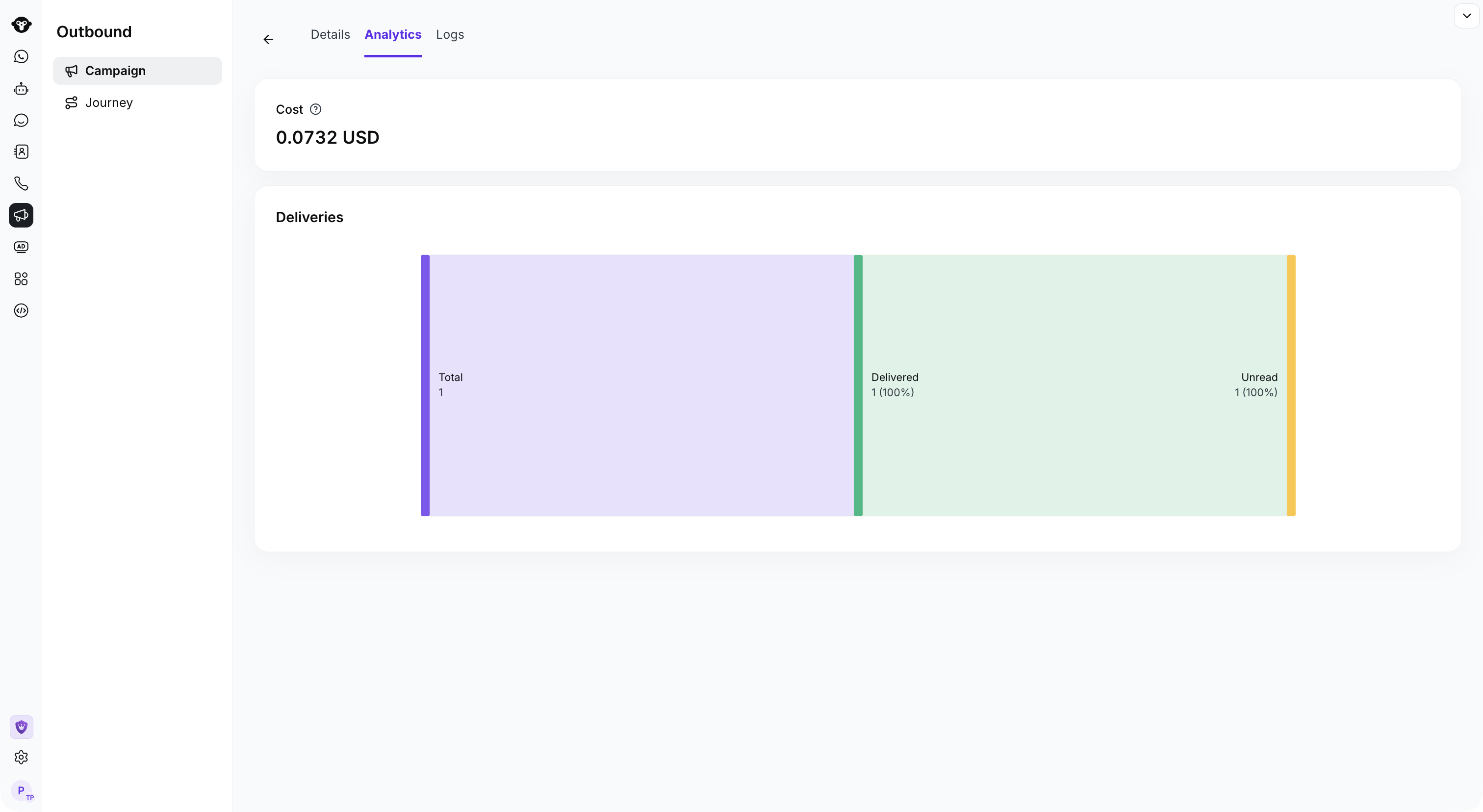 ## Campaign metrics
| Metric | What it shows |
| - | - |
| **Total** | The total number of messages included in the Campaign summary. |
| **Processing** | Messages sent by WhatsApp that do not yet have a final delivery result. The status can later change. |
| **Delivered** | Messages with a delivery result. This count includes messages that are also recorded as Read. |
| **Failed** | Messages that could not be delivered. Open the related logs to review available failure details. |
| **Read** | Messages recorded as read. Read data depends on the recipient's read-receipt settings. |
| **Replied** | Replies recorded for the Campaign. Open Logs to review the first recorded reply. |
These metrics are not mutually exclusive. For example, a message recorded as Read is also included in Delivered, so do not add the displayed metric values together.
This documentation is built and hosted on [Mintlify](https://mintlify.com), a developer documentation platform.
## Campaign metrics
| Metric | What it shows |
| - | - |
| **Total** | The total number of messages included in the Campaign summary. |
| **Processing** | Messages sent by WhatsApp that do not yet have a final delivery result. The status can later change. |
| **Delivered** | Messages with a delivery result. This count includes messages that are also recorded as Read. |
| **Failed** | Messages that could not be delivered. Open the related logs to review available failure details. |
| **Read** | Messages recorded as read. Read data depends on the recipient's read-receipt settings. |
| **Replied** | Replies recorded for the Campaign. Open Logs to review the first recorded reply. |
These metrics are not mutually exclusive. For example, a message recorded as Read is also included in Delivered, so do not add the displayed metric values together.
This documentation is built and hosted on [Mintlify](https://mintlify.com), a developer documentation platform.