> ## Documentation Index
> Fetch the complete documentation index at: https://docs.ycloud.com/llms.txt
> Use this file to discover all available pages before exploring further.
# Remove WhatsApp business accounts
> Remove a connected WhatsApp Business Account from YCloud.
YCloud does not currently support removing a connected WhatsApp Business Account (WABA) directly from the YCloud dashboard.
If you confirm that the WABA should be removed, use one of the following methods.
## Option 1: Remove the connection in Meta
Open [WhatsApp Accounts in Meta Business Settings](https://business.facebook.com/latest/settings/whatsapp_account), select the relevant business portfolio, and use either of these options:
* Remove YCloud's access to the business portfolio.
* Remove the WABA directly from the business portfolio.
If the WABA has sent messages within the past 30 days, it cannot be removed immediately. Wait until the 30-day period has passed so that YCloud can complete the related billing settlement, then try the removal again.
## Option 2: Contact YCloud Support
Contact YCloud Support and provide the WABA ID that you want to remove. The support team will review the account and assist with the removal process.
A WABA with a **Disabled** status does not consume a YCloud channel slot.
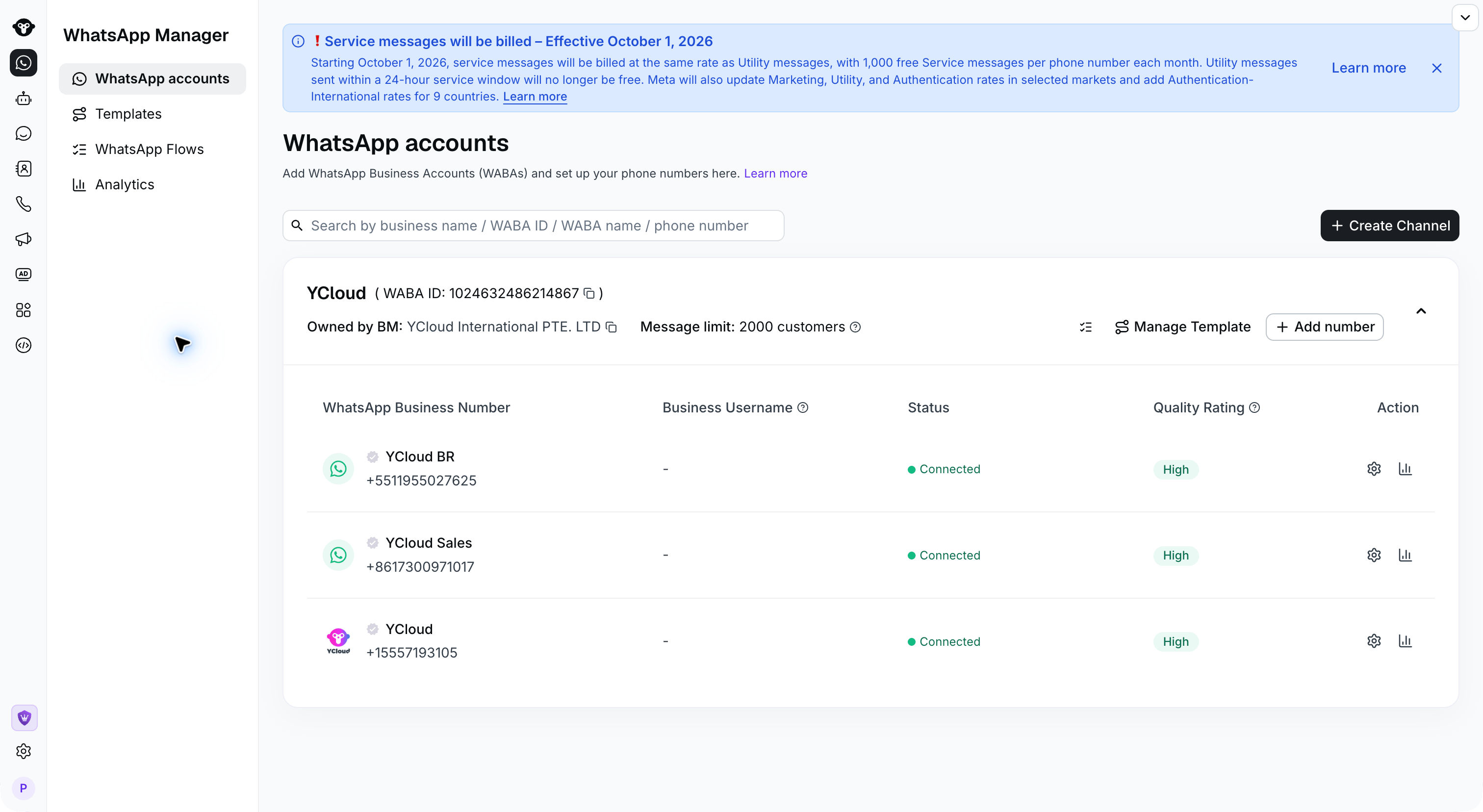 Find the **WABA ID** beside the account name on **WhatsApp accounts** before contacting support.
## Frequently asked questions
The removal status may take some time to synchronize between Meta and YCloud. Wait for the synchronization to complete and check again later.
If the WABA is still visible after 24 hours, contact YCloud Support for assistance.
This documentation is built and hosted on [Mintlify](https://mintlify.com), a developer documentation platform.
Find the **WABA ID** beside the account name on **WhatsApp accounts** before contacting support.
## Frequently asked questions
The removal status may take some time to synchronize between Meta and YCloud. Wait for the synchronization to complete and check again later.
If the WABA is still visible after 24 hours, contact YCloud Support for assistance.
This documentation is built and hosted on [Mintlify](https://mintlify.com), a developer documentation platform.