> ## Documentation Index
> Fetch the complete documentation index at: https://docs.ycloud.com/llms.txt
> Use this file to discover all available pages before exploring further.
# CTWA Analysis
> CTWA Analytics is a compilation of CTWA ad metrics, displaying the performance of advertisers' marketing efforts through various charts and tables.
# CTWA Analysis
Use CTWA Analysis to review Click to WhatsApp ad performance, conversations, and reported results. Start in YCloud, then check the corresponding advertising platform when you need platform-level data.
## View CTWA data in YCloud
In YCloud, go to **CTWA** > **Ad Manage** and select the connected ad account that you want to review. You can view one ad account at a time.
A customer must click the ad and send a WhatsApp message before the resulting conversation can appear in YCloud.
### Meta ads
For a Meta ad account, review data such as spend, impressions, clicks, and conversations started. Select an ad to open **View Leads** or **Track Events** for the event details associated with that ad.
If available for the selected event, use **View Leads** to review and export the recorded lead details.
To report qualified Lead or Purchase results to Meta, see [Report CTWA Ad Results to Meta](/en/documentation/ctwa-click-to-whatsapp-ad/meta-ctwa-ads/report-ctwa-ad-results-to-meta).
### TikTok ads
For a TikTok ad account, select the account in **CTWA** > **Ad Manage** to review its data in YCloud. Open **Track Events** or **View Leads** for an ad when you need more detailed event records or lead data.
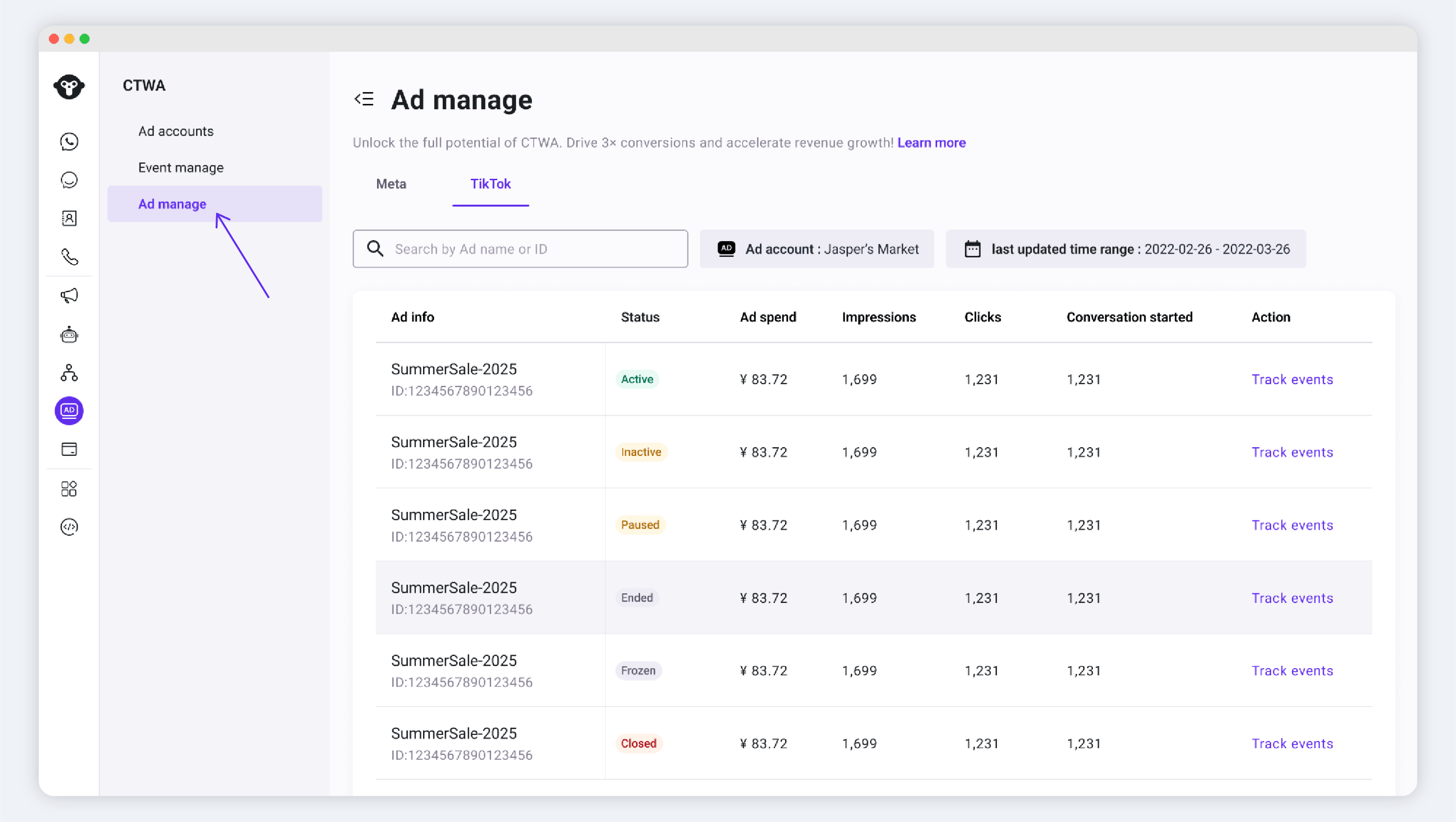
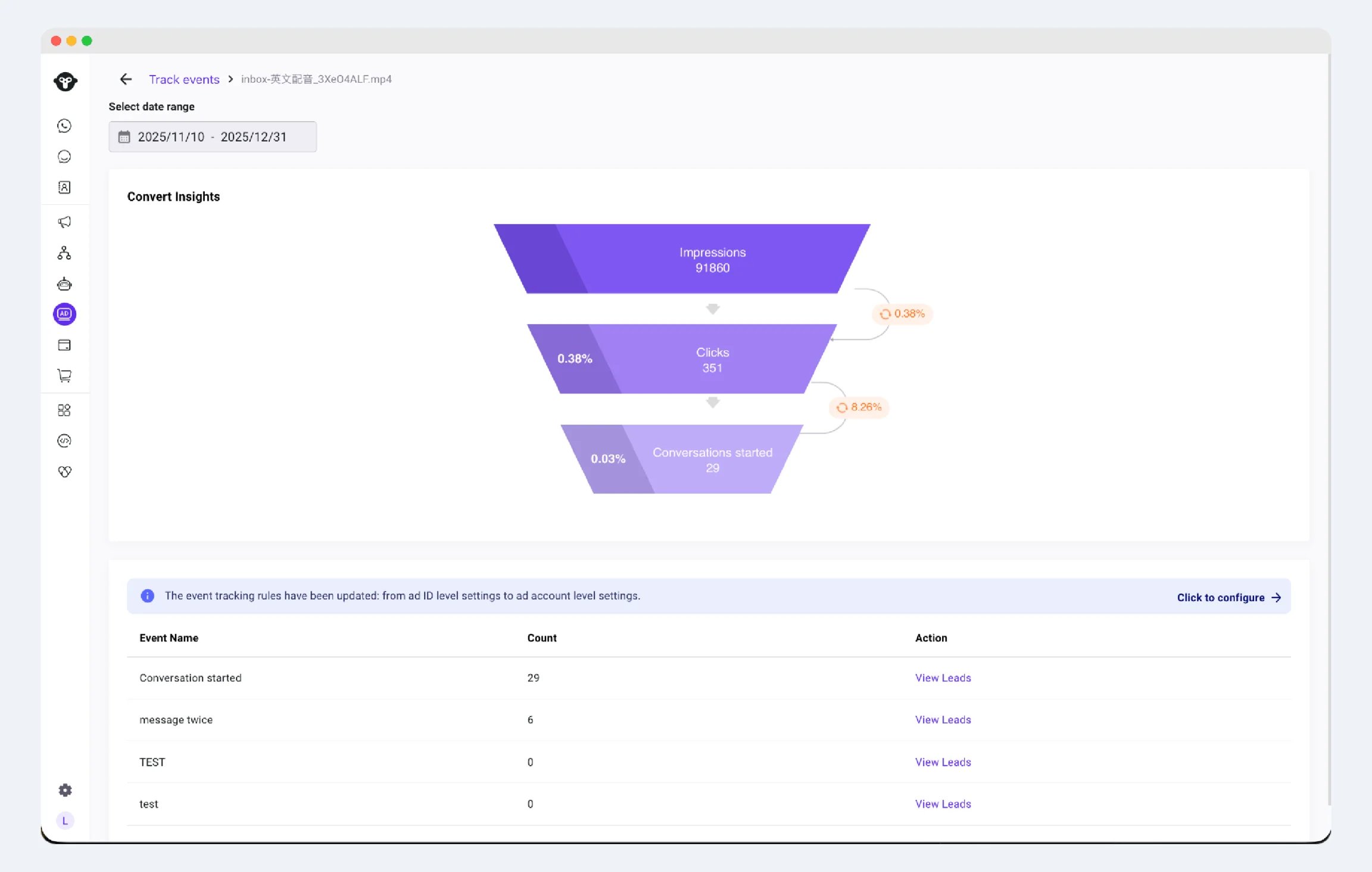
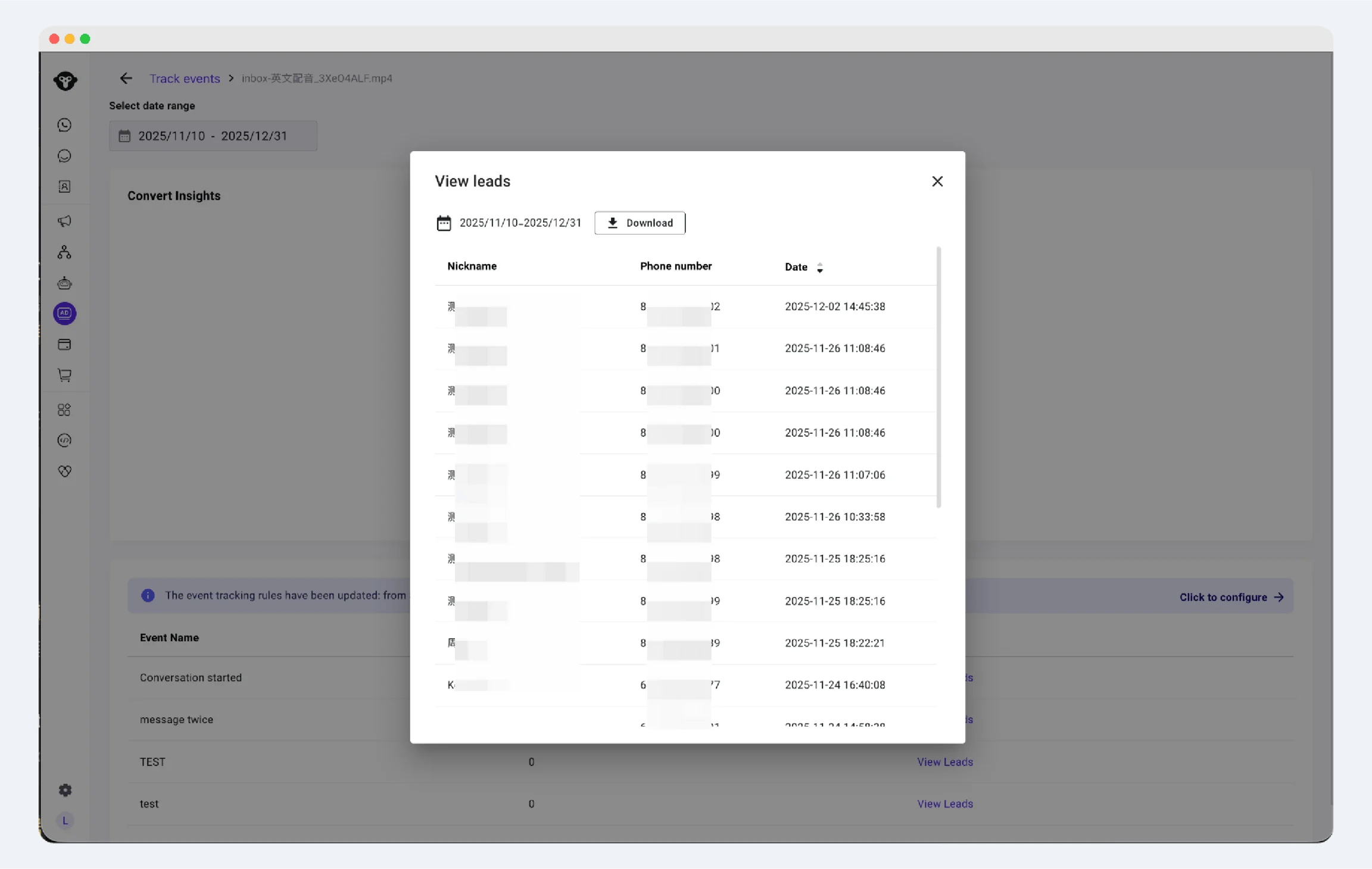 To configure which results YCloud sends to TikTok, see [Set Up TikTok Conversion Reporting](/en/documentation/ctwa-click-to-whatsapp-ad/tiktok-messaging-ad/report-ad-results-to-tiktok).
## View data in Meta Ads Manager
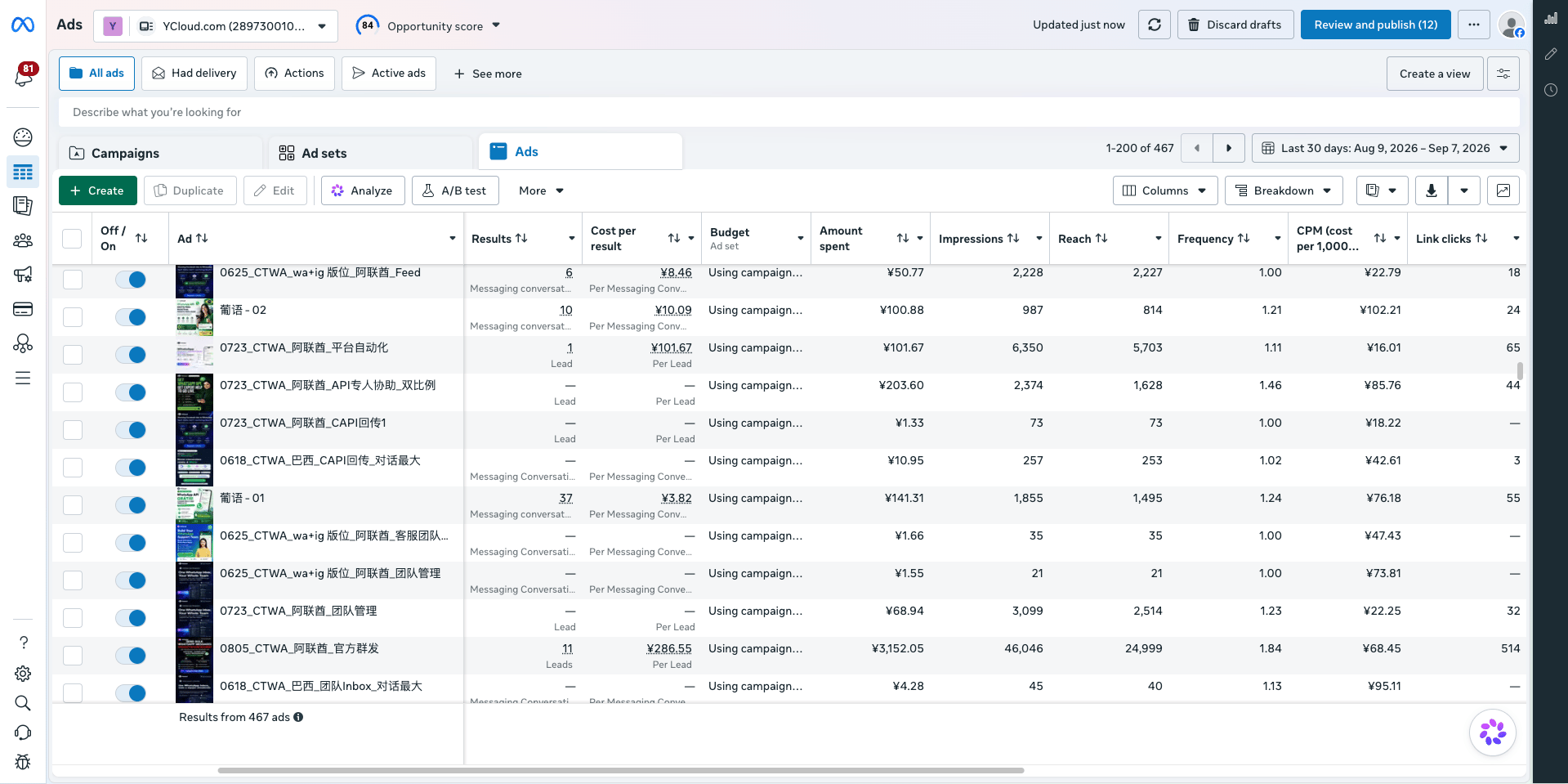
Open the relevant campaign, ad set, or ad in Meta Ads Manager to review platform-level delivery data, such as spend, impressions, clicks, and results.
To configure which results YCloud sends to TikTok, see [Set Up TikTok Conversion Reporting](/en/documentation/ctwa-click-to-whatsapp-ad/tiktok-messaging-ad/report-ad-results-to-tiktok).
## View data in Meta Ads Manager
Open the relevant campaign, ad set, or ad in Meta Ads Manager to review platform-level delivery data, such as spend, impressions, clicks, and results.
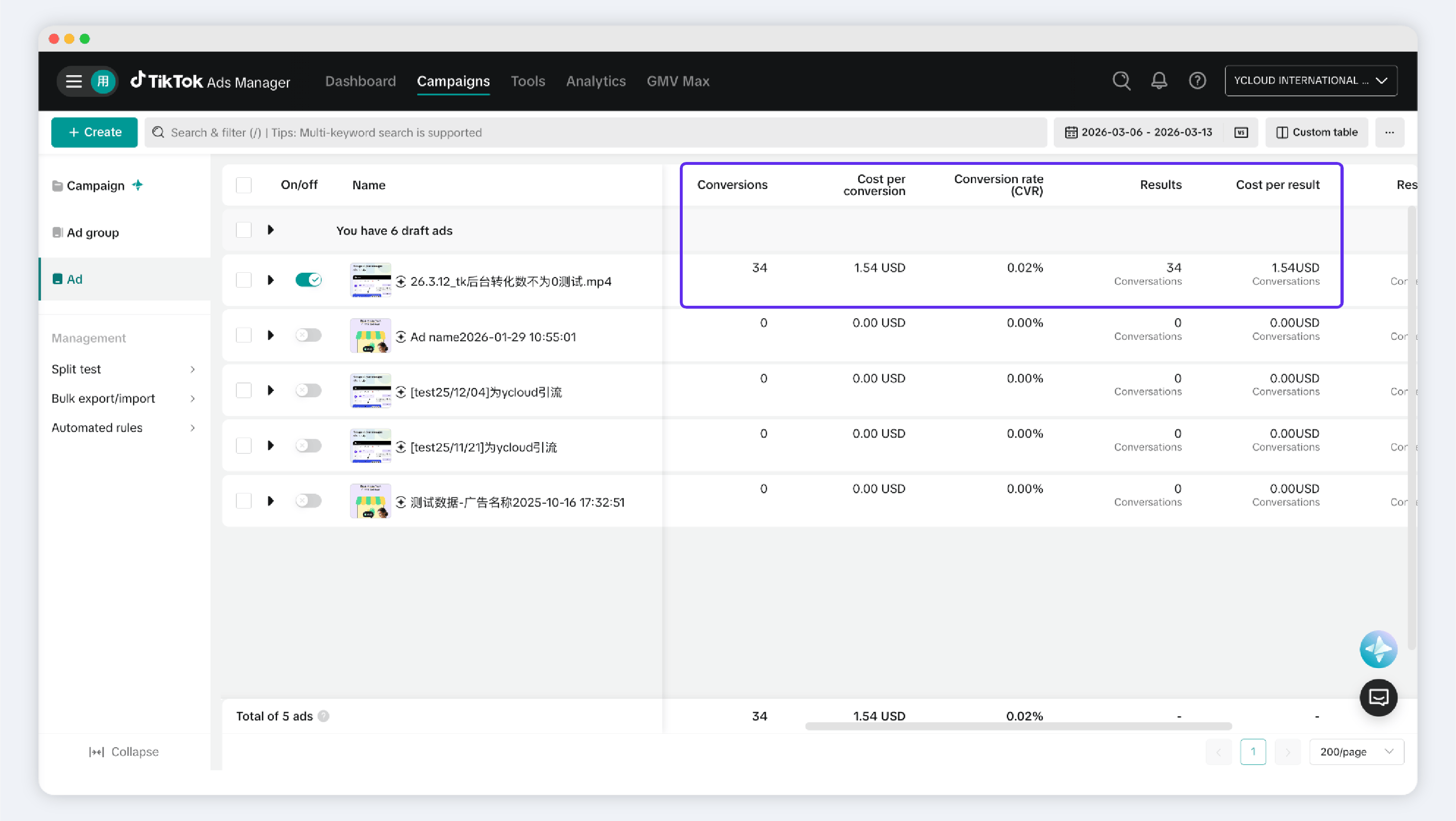
 ## View data in TikTok Ads Manager
In TikTok Ads Manager, open the relevant campaign, ad group, or ad to review platform-level delivery data, such as spend, impressions, clicks, and conversations.
## View data in TikTok Ads Manager
In TikTok Ads Manager, open the relevant campaign, ad group, or ad to review platform-level delivery data, such as spend, impressions, clicks, and conversations.
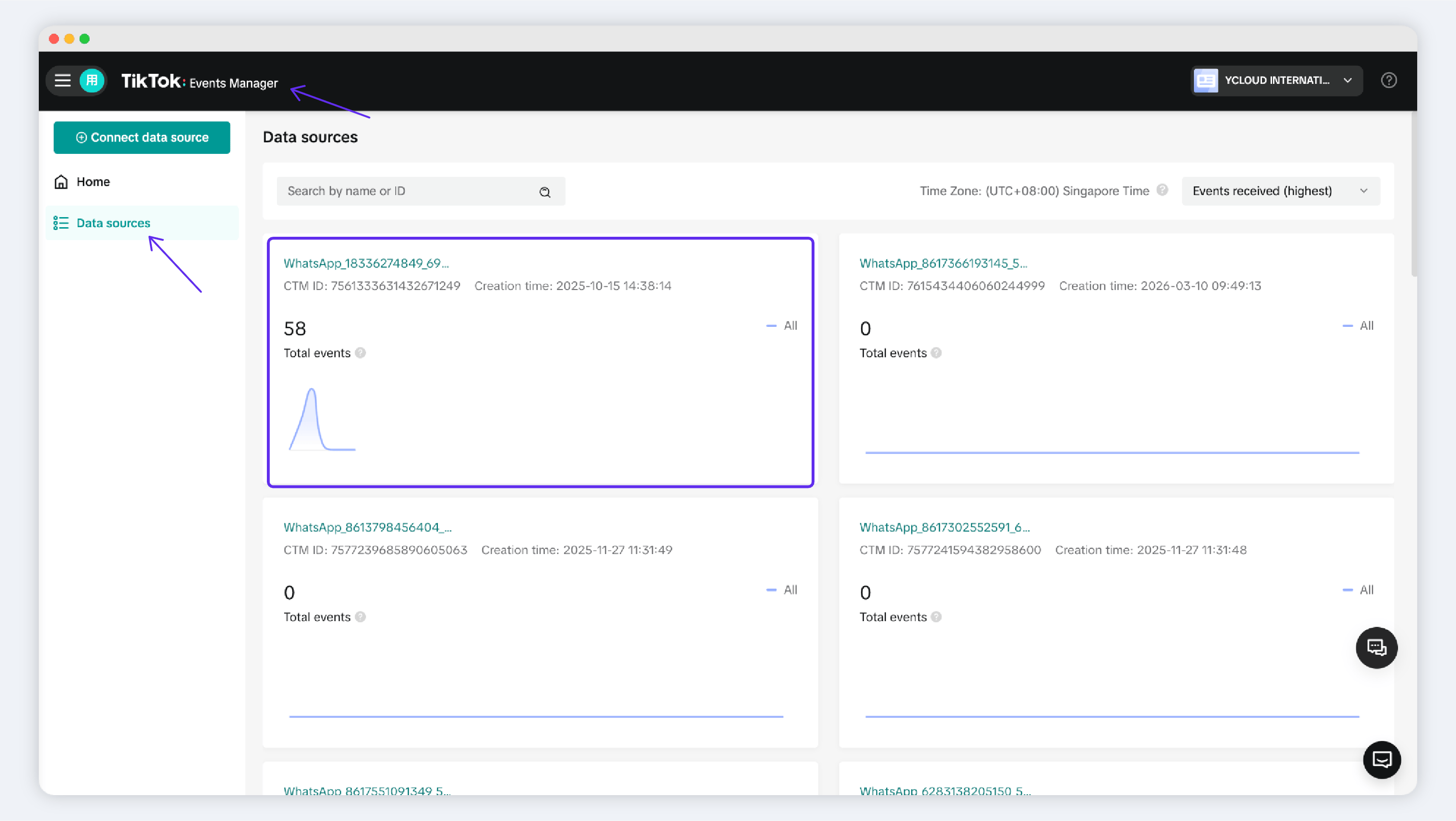
 To review events reported by YCloud, open TikTok Events Manager and select the messaging event source for the relevant WhatsApp Business number. These data sources may be named `WhatsApp + [Phone Number]`.
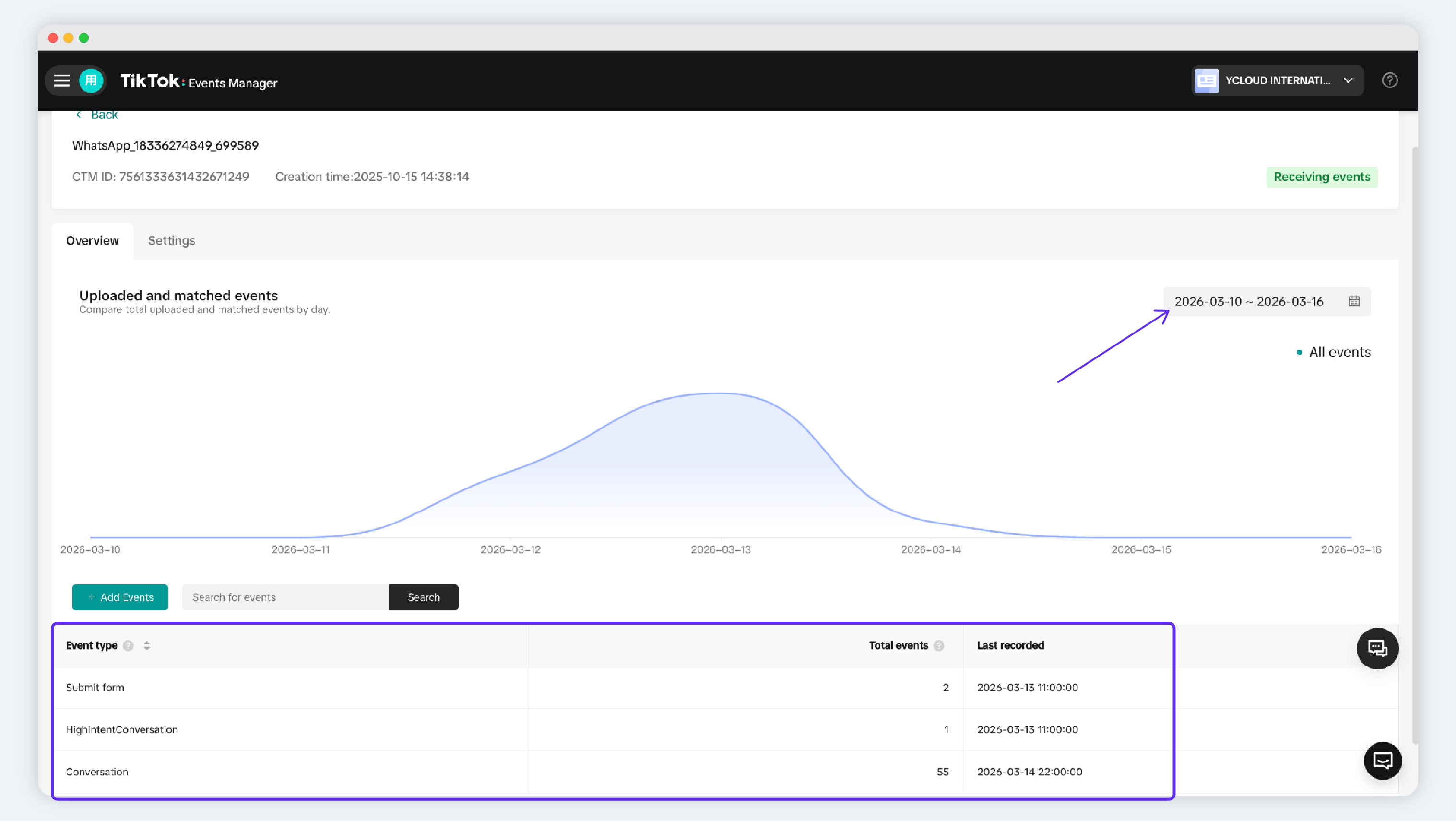
 Open the event source to view its reported event history.
 ## Frequently Asked Questions
The **Conversations** metric in the ad list in **Meta Ads Manager** and the conversation data in **CTWA** > **Ad Manage** use different attribution scopes.
In **CTWA** > **Ad Manage**, YCloud displays and counts WhatsApp conversations that Meta identifies as coming from a specific ad. This happens when a customer clicks the ad, enters WhatsApp, and starts a conversation, and Meta sends YCloud the matching ad information.
Meta Ads Manager can also count conversations under Meta's own attribution rules. For example, a customer may view your ad without clicking it, then later start a conversation from your business profile or another entry point. Meta may attribute that conversation to your ad. However, if the data Meta sends to YCloud does not include the matching ad information, YCloud cannot associate the conversation with that ad, so it is not included in YCloud's ad data.
You can add the reported signals as columns in Meta Ads Manager:
1. In the ad table, open the **Columns: Performance** dropdown.
## Frequently Asked Questions
The **Conversations** metric in the ad list in **Meta Ads Manager** and the conversation data in **CTWA** > **Ad Manage** use different attribution scopes.
In **CTWA** > **Ad Manage**, YCloud displays and counts WhatsApp conversations that Meta identifies as coming from a specific ad. This happens when a customer clicks the ad, enters WhatsApp, and starts a conversation, and Meta sends YCloud the matching ad information.
Meta Ads Manager can also count conversations under Meta's own attribution rules. For example, a customer may view your ad without clicking it, then later start a conversation from your business profile or another entry point. Meta may attribute that conversation to your ad. However, if the data Meta sends to YCloud does not include the matching ad information, YCloud cannot associate the conversation with that ad, so it is not included in YCloud's ad data.
You can add the reported signals as columns in Meta Ads Manager:
1. In the ad table, open the **Columns: Performance** dropdown.
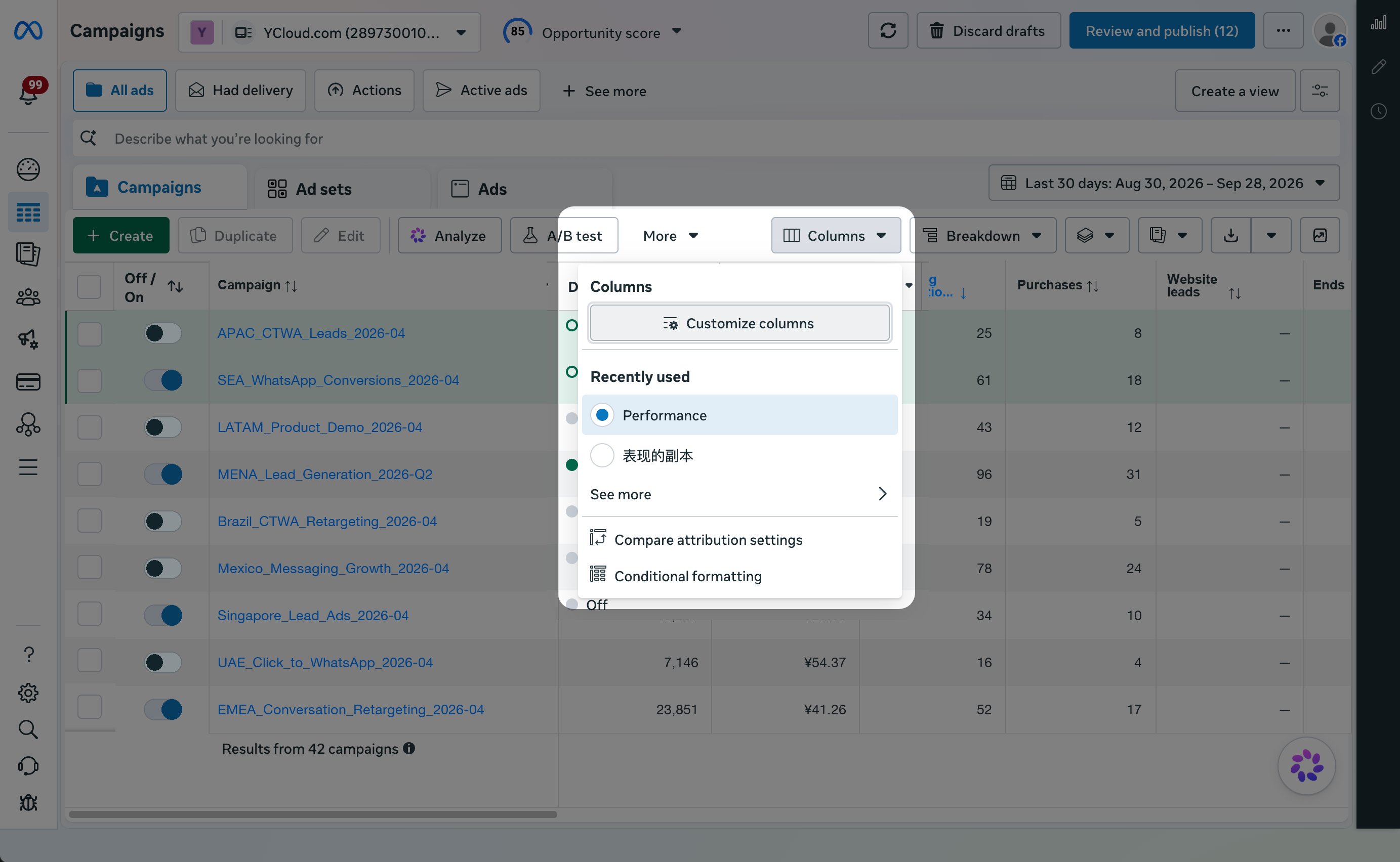 2. Select **Customize columns**.
3. Search for and select **Leads** and **Purchases**.
4. Select **Save**.
2. Select **Customize columns**.
3. Search for and select **Leads** and **Purchases**.
4. Select **Save**.
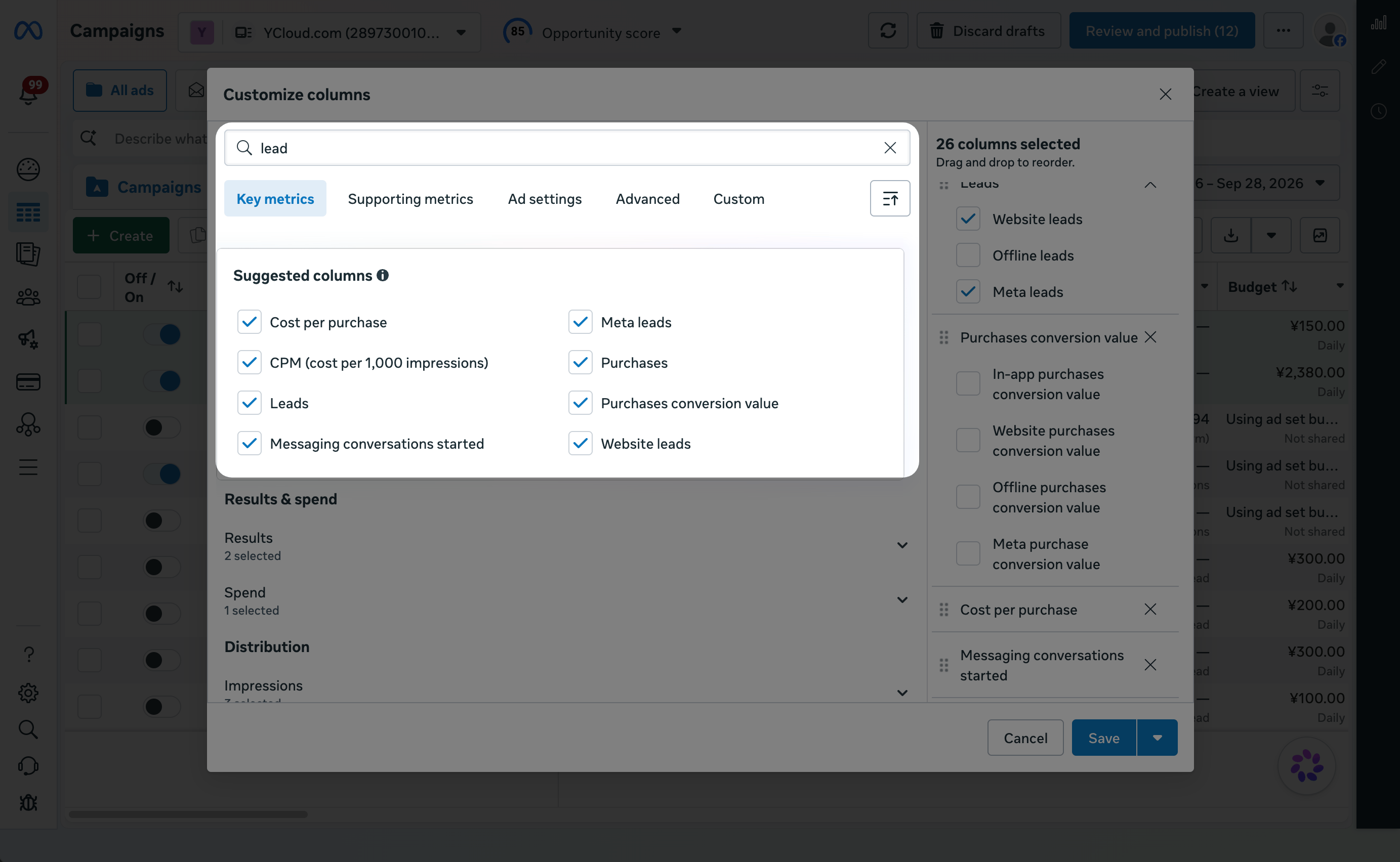 The ad table now displays your reported Lead and Purchase results. To use the same column setup later, select **Save as preset** before you select **Save**.
This documentation is built and hosted on [Mintlify](https://mintlify.com), a developer documentation platform.
The ad table now displays your reported Lead and Purchase results. To use the same column setup later, select **Save as preset** before you select **Save**.
This documentation is built and hosted on [Mintlify](https://mintlify.com), a developer documentation platform.