> ## Documentation Index
> Fetch the complete documentation index at: https://docs.ycloud.com/llms.txt
> Use this file to discover all available pages before exploring further.
# Receive CTWA Visitors
> Once you have successfully set up a Click to WhatsApp ad campaign to generate traffic and leads, visitors will initiate conversations with you via WhatsApp. As an official WhatsApp Business Solutions
After your Meta or TikTok Click to WhatsApp ad starts delivering, a customer who clicks the ad and sends a WhatsApp message creates a conversation in YCloud. Use YCloud to view, assign, and respond to these ad-driven conversations.
## View and reply to ad conversations
Open **Inbox** to view and reply to new conversations from your ads. For the Inbox interface, replies, and transfers, see [Quick start with Inbox](/en/documentation/inbox/quick-start-with-inbox).
## Check whether a conversation came from an ad
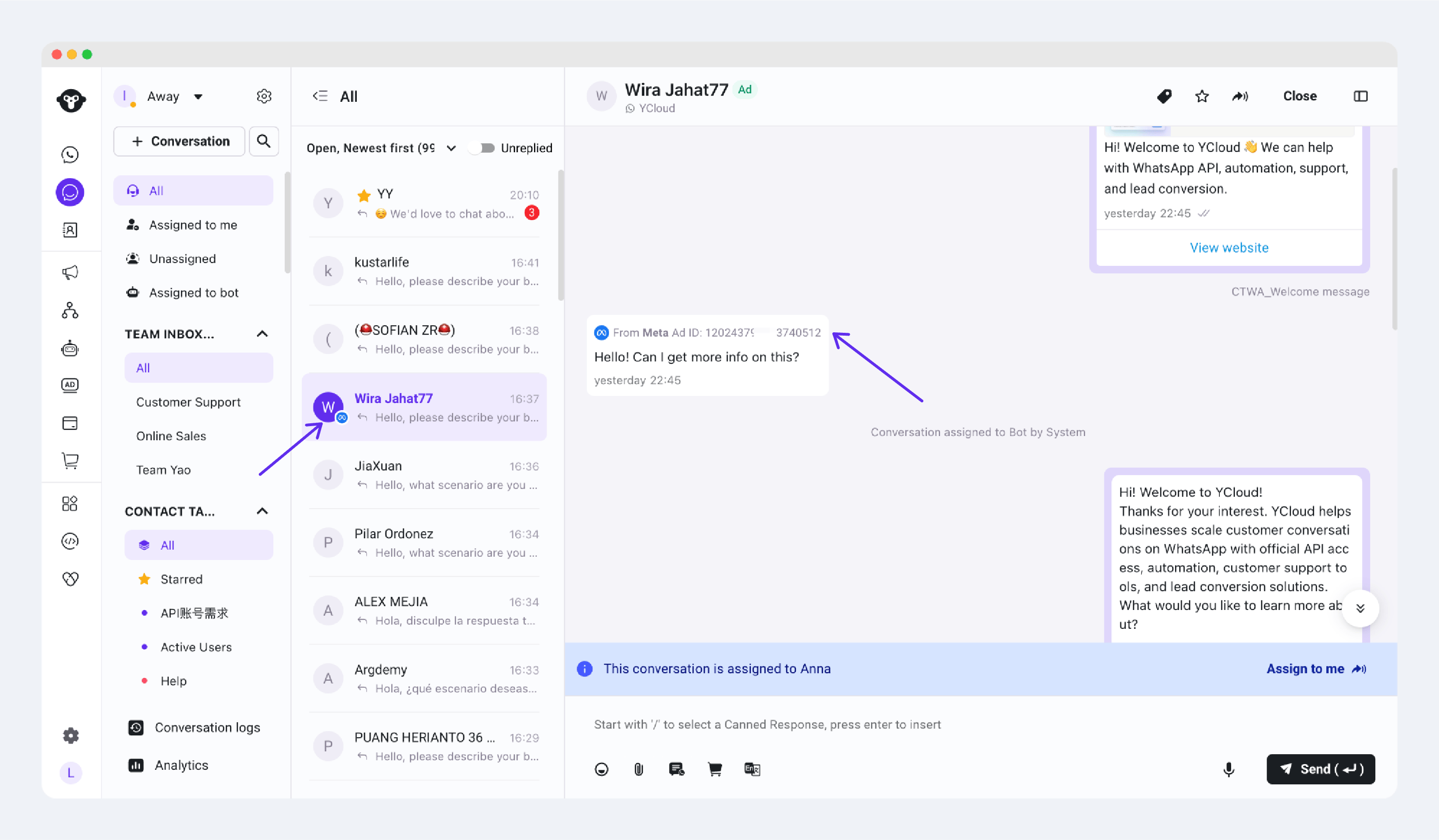
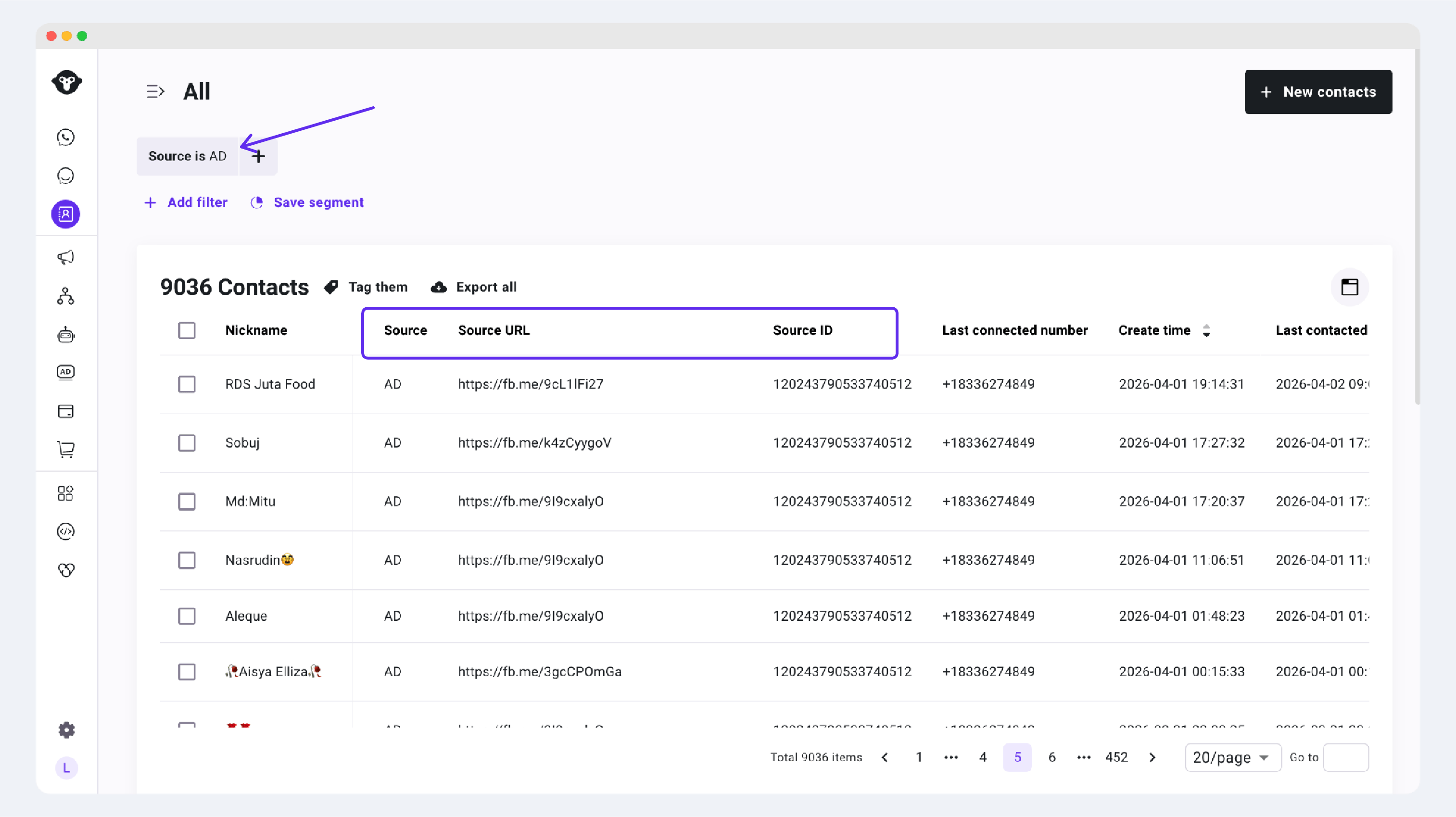
For a newly created contact, the contact record stores the available ad-source information. Check the fields that apply to the platform where you ran the ad.
### Meta ads
For a new contact from a Meta ad:
* `Source = AD`: The contact came from an ad.
* `Source URL`: The ad source link.
* `Source ID`: The ad source ID.
 ### TikTok ads
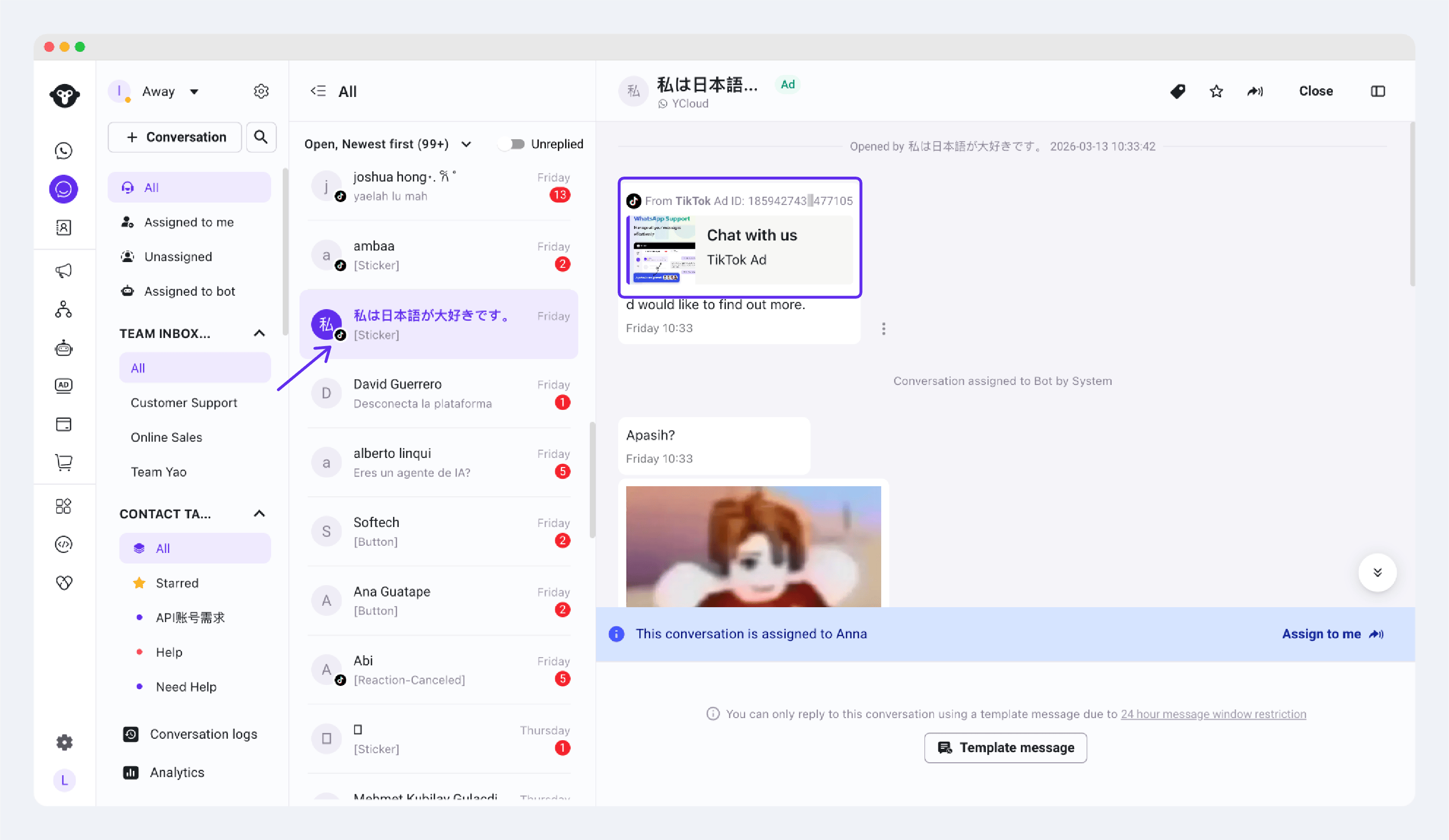
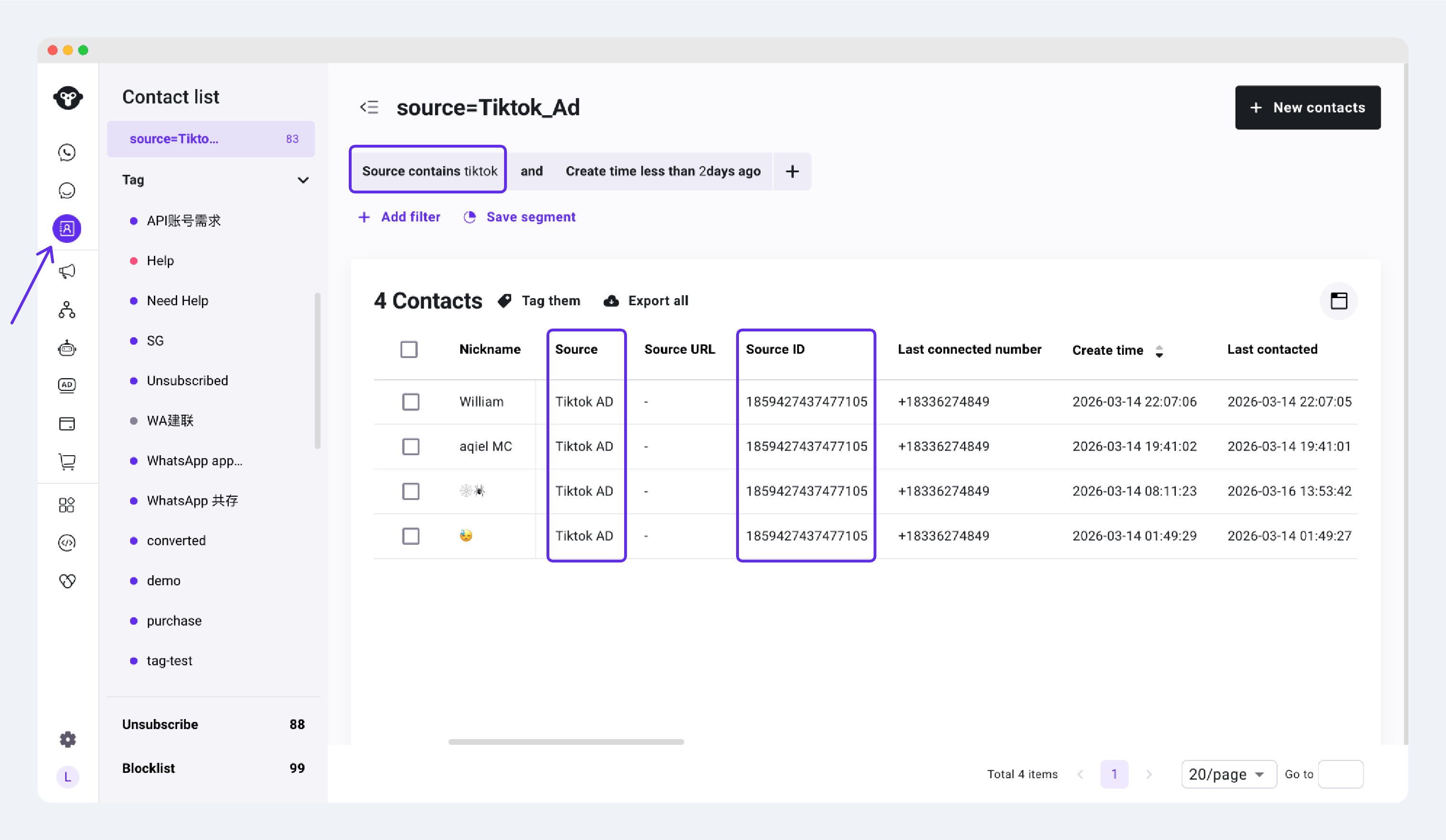
For a new contact from a TikTok ad:
* The Inbox conversation shows a TikTok ad source indicator.
* `Source = TikTok AD`: The contact came from a TikTok ad.
* `Source ID`: The TikTok ad ID associated with the contact.
### TikTok ads
For a new contact from a TikTok ad:
* The Inbox conversation shows a TikTok ad source indicator.
* `Source = TikTok AD`: The contact came from a TikTok ad.
* `Source ID`: The TikTok ad ID associated with the contact.
 ## If you cannot find an ad conversation in YCloud
Check the following:
1. The ad has been approved and is delivering.
2. The WhatsApp Business number selected in the ad is connected to YCloud.
3. At least one customer has clicked the ad and sent a WhatsApp message.
Clicking an ad alone does not create an Inbox conversation. The customer must send a message in WhatsApp.
## Set up conversation assignment rules
Set [Conversation Assignment Rules](/en/documentation/channels/whatsapp-accounts-management/phone-number-management/conversation-assignment-rules) before your ads start, so new conversations can be assigned to an agent, a team, an AI Agent, or remain unassigned.
## Use an AI Agent for lead capture
To automatically welcome ad visitors and collect details such as their name, contact information, or needs, see [AI Agent lead capture best practices](/en/documentation/agents/ai-agent/best-practices/best-practices-for-ycloud-ai-agent).
## Next step
Use [CTWA Analysis](/en/documentation/ctwa-click-to-whatsapp-ad/ctwa-analysis) to review Meta or TikTok ad performance, conversations, and reported results.
This documentation is built and hosted on [Mintlify](https://mintlify.com), a developer documentation platform.
## If you cannot find an ad conversation in YCloud
Check the following:
1. The ad has been approved and is delivering.
2. The WhatsApp Business number selected in the ad is connected to YCloud.
3. At least one customer has clicked the ad and sent a WhatsApp message.
Clicking an ad alone does not create an Inbox conversation. The customer must send a message in WhatsApp.
## Set up conversation assignment rules
Set [Conversation Assignment Rules](/en/documentation/channels/whatsapp-accounts-management/phone-number-management/conversation-assignment-rules) before your ads start, so new conversations can be assigned to an agent, a team, an AI Agent, or remain unassigned.
## Use an AI Agent for lead capture
To automatically welcome ad visitors and collect details such as their name, contact information, or needs, see [AI Agent lead capture best practices](/en/documentation/agents/ai-agent/best-practices/best-practices-for-ycloud-ai-agent).
## Next step
Use [CTWA Analysis](/en/documentation/ctwa-click-to-whatsapp-ad/ctwa-analysis) to review Meta or TikTok ad performance, conversations, and reported results.
This documentation is built and hosted on [Mintlify](https://mintlify.com), a developer documentation platform.