> ## Documentation Index
> Fetch the complete documentation index at: https://docs.ycloud.com/llms.txt
> Use this file to discover all available pages before exploring further.
# Connect TikTok Ad Account
> This guide walks you through: configuring your TikTok advertising operations via YCloud and getting them up and running.
# Connect TikTok Ad Account
Authorize the TikTok ad account in YCloud, then link the WhatsApp Business number that the ads will use.
Before you start, make sure the WhatsApp Business number is already connected to YCloud. The TikTok user who authorizes the account needs access to the ad account you intend to use.
## Connect the ad account
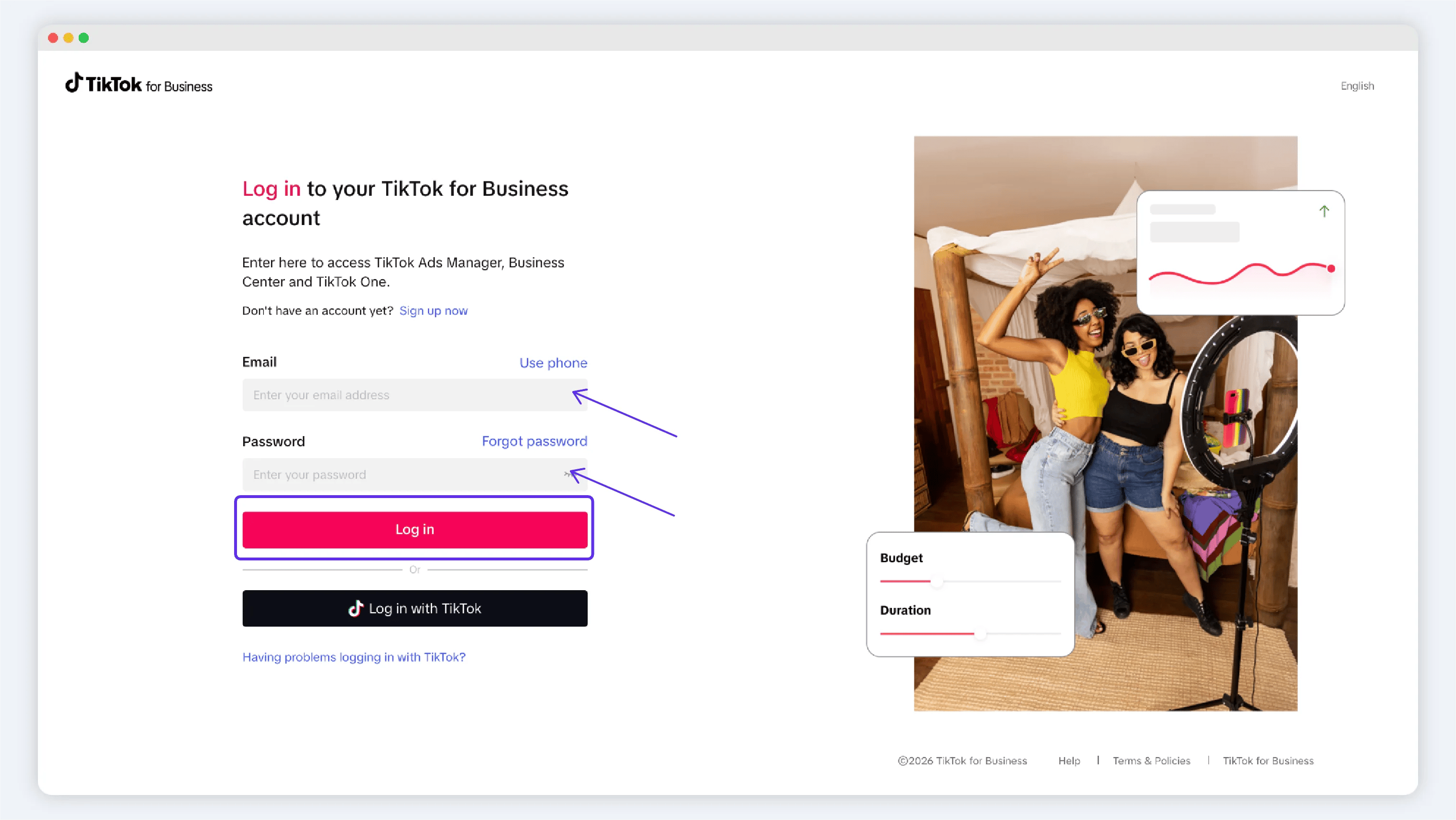
1. In YCloud, open **CTWA** and start the TikTok ad-account connection flow.
2. Sign in to TikTok in the authorization window and approve access for the account you will use.
3. Return to YCloud and confirm that the target ad account appears in the account list.

 ## Link a WhatsApp Business number
Link the number before you create the ad. YCloud uses the linked number to create and manage the related TikTok messaging event-set configuration.
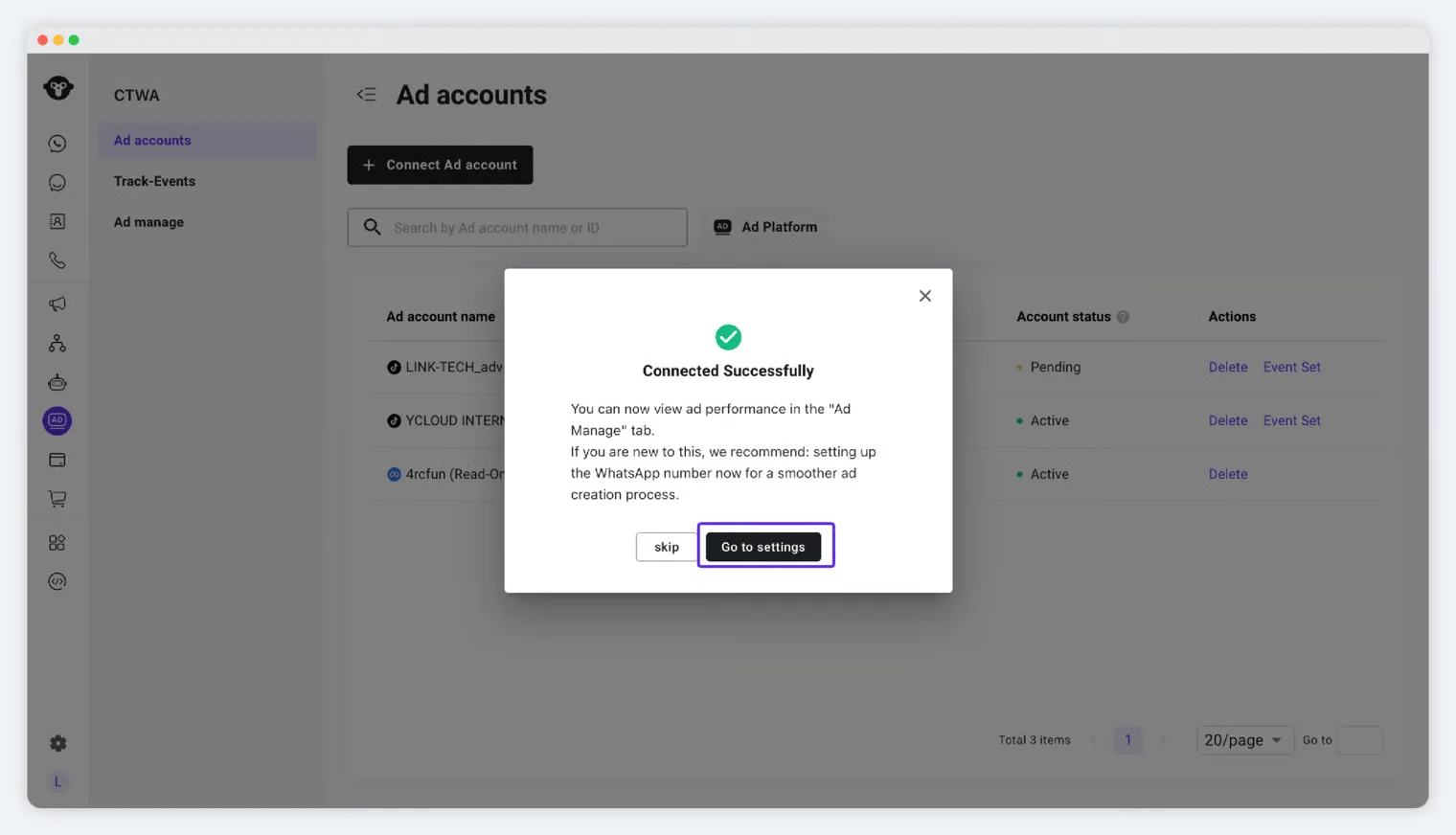
1. From the connected account, open the event-set or number-linking flow.
2. Confirm the TikTok ad account.
3. Select the WhatsApp Business number that will receive ad-driven conversations.
4. Submit the configuration and confirm that the event set was created.
## Link a WhatsApp Business number
Link the number before you create the ad. YCloud uses the linked number to create and manage the related TikTok messaging event-set configuration.
1. From the connected account, open the event-set or number-linking flow.
2. Confirm the TikTok ad account.
3. Select the WhatsApp Business number that will receive ad-driven conversations.
4. Submit the configuration and confirm that the event set was created.
 ## Know the number status
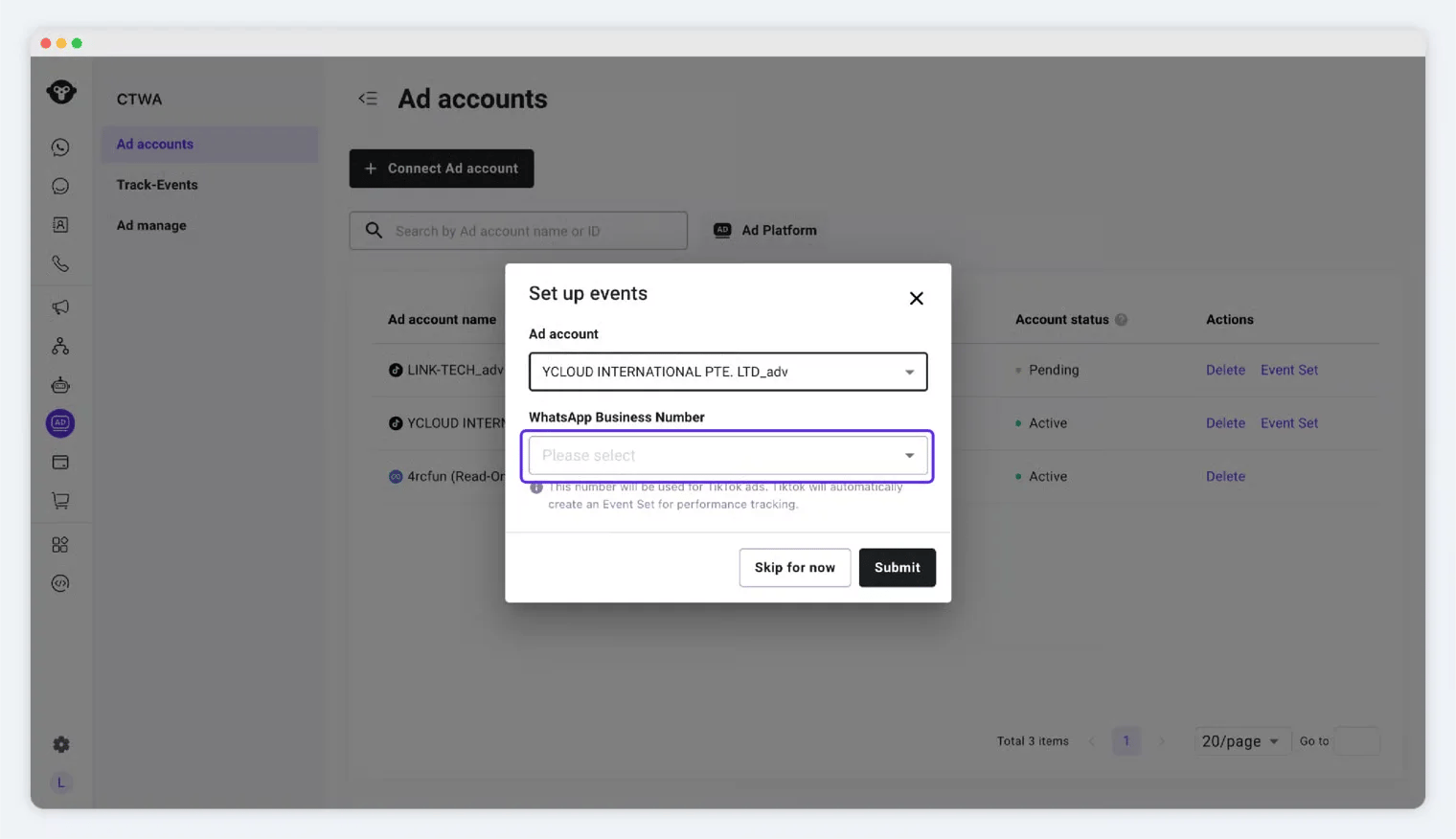
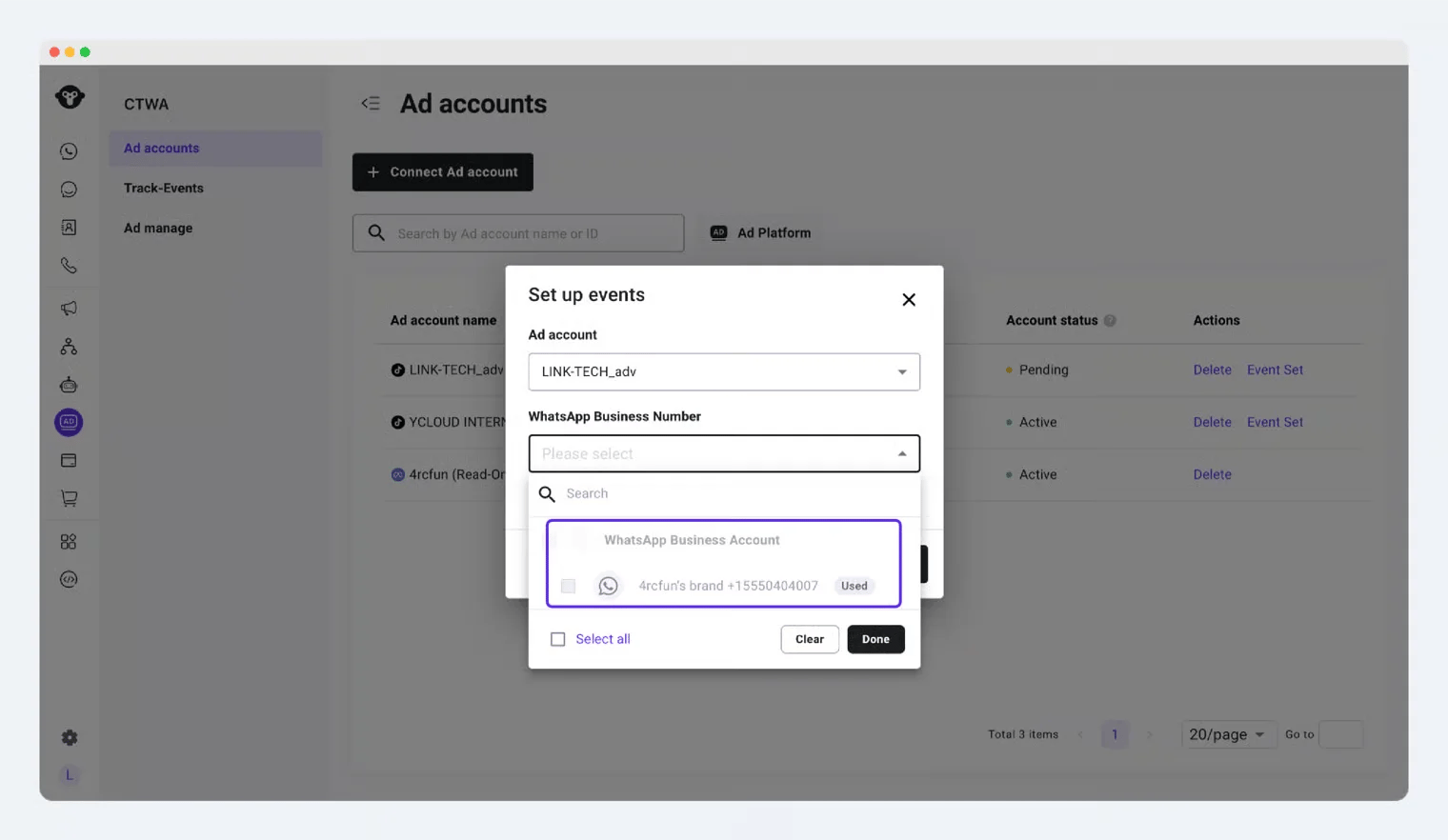
Under the same TikTok ad account, a WhatsApp Business number that is already linked is shown as **Used**. Select a different available number instead of trying to create a second link for the same number.
## Know the number status
Under the same TikTok ad account, a WhatsApp Business number that is already linked is shown as **Used**. Select a different available number instead of trying to create a second link for the same number.
 This documentation is built and hosted on [Mintlify](https://mintlify.com), a developer documentation platform.