> ## Documentation Index
> Fetch the complete documentation index at: https://docs.ycloud.com/llms.txt
> Use this file to discover all available pages before exploring further.
# How Sales Teams Use Inbox
> Organize ownership, routing, automation, and follow-up for sales teams.
Inbox, as a powerful tool, can significantly improve sales team efficiency and customer management results. The following best practices will help sales teams make the most of Inbox.
## Sales Manager
### Create the WABA account and invite Sales
* Create a WABA account
* Assign a Phone number to each Sales and add it to the WABA account
* Invite Sales with the Sales role
This setup ensures customer information is isolated between each Sales while the company can manage all Sales customers.
### Set assignment rules
* If your contacts already has been assigned to specific agents (which means, already have owners), select the assignment rule "Assign to owner", so their conversations will automatically be assigned to their owner agents.
 * If contacts are new, and you want to assign them evenly to your sales agents, then create a sales team and add your members. Choose the way you want the conversations be assigned among them and go back to the phone number settings, assign to this team.
 * Enable advanced assignment rules: when a conversation comes in, the system will check whether the customer has an Owner. If there is an Owner, this conversation will be forcibly assigned to that Owner
This setup allows conversations to be automatically assigned to the corresponding Sales, and imported customers to be assigned to the designated Sales according to the Owner.
### Set up automation (optional)
Configure automated welcome messages and automatic message replies for the number according to business needs. For details, see [Automation](https://docs.ycloud.com/zh/docs/whatsapp-accounts-account-management/phone-number-management/auto-reply-and-auto-close)
### Set the number name
It is recommended to name each number: xxx brand - Sales xxx
This gives a professional and trustworthy impression.
### Set tags
Set company-wide tags to help manage and classify customers. You can classify customers based on factors such as lead source, purchase intent, and communication stage. Set corresponding tags for different customer categories, such as "high intent", "medium intent", and "low intent". At the same time, set reply priorities based on customer classification to ensure that high-intent customers receive the most timely responses.
### Set Contact attributes
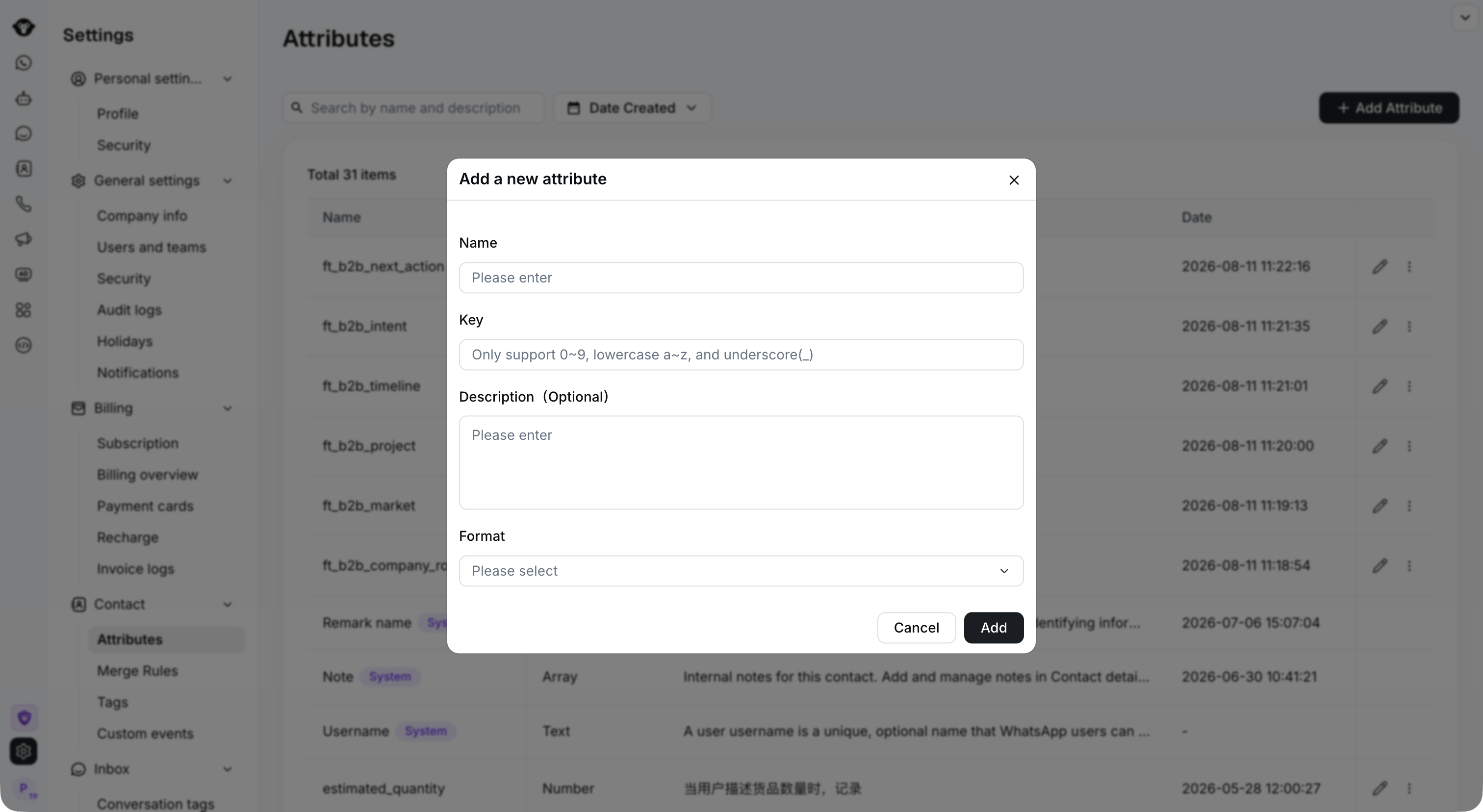
Define the information that the team focuses on tracking and add it as Contact attributes. For example: define "Notes" with the field type "Text". Sales can record this information in chat. Better understand customer information
* Enable advanced assignment rules: when a conversation comes in, the system will check whether the customer has an Owner. If there is an Owner, this conversation will be forcibly assigned to that Owner
This setup allows conversations to be automatically assigned to the corresponding Sales, and imported customers to be assigned to the designated Sales according to the Owner.
### Set up automation (optional)
Configure automated welcome messages and automatic message replies for the number according to business needs. For details, see [Automation](https://docs.ycloud.com/zh/docs/whatsapp-accounts-account-management/phone-number-management/auto-reply-and-auto-close)
### Set the number name
It is recommended to name each number: xxx brand - Sales xxx
This gives a professional and trustworthy impression.
### Set tags
Set company-wide tags to help manage and classify customers. You can classify customers based on factors such as lead source, purchase intent, and communication stage. Set corresponding tags for different customer categories, such as "high intent", "medium intent", and "low intent". At the same time, set reply priorities based on customer classification to ensure that high-intent customers receive the most timely responses.
### Set Contact attributes
Define the information that the team focuses on tracking and add it as Contact attributes. For example: define "Notes" with the field type "Text". Sales can record this information in chat. Better understand customer information
 ### Import customers
Import customers in bulk and assign them to the corresponding Sales by configuring the owner field
## Sales
### Add your own customers in Contact
Add customers manually or through bulk import
PS: Sales can only see conversations assigned to them and those whose Owner belongs to them.
### Import customers
Import customers in bulk and assign them to the corresponding Sales by configuring the owner field
## Sales
### Add your own customers in Contact
Add customers manually or through bulk import
PS: Sales can only see conversations assigned to them and those whose Owner belongs to them.
 ### Make full use of customer details
Avoid template-like replies. When communicating with customers, record important customer information and make full use of the customer information already recorded in Inbox to provide personalized solutions and suggestions, so that customers feel valued and cared for.
### Use Chat Links to get more customers
Promote the Chat Links and QR codes associated with your personal number, and publish them on major social platforms.
This documentation is built and hosted on [Mintlify](https://mintlify.com), a developer documentation platform.
### Make full use of customer details
Avoid template-like replies. When communicating with customers, record important customer information and make full use of the customer information already recorded in Inbox to provide personalized solutions and suggestions, so that customers feel valued and cared for.
### Use Chat Links to get more customers
Promote the Chat Links and QR codes associated with your personal number, and publish them on major social platforms.
This documentation is built and hosted on [Mintlify](https://mintlify.com), a developer documentation platform.