> ## Documentation Index
> Fetch the complete documentation index at: https://docs.ycloud.com/llms.txt
> Use this file to discover all available pages before exploring further.
# Notify customers about canceled or fulfilled orders
> Send WhatsApp notifications when a Shopify order is canceled or fulfilled.
# Notify customers about canceled or fulfilled orders
Send WhatsApp notifications when Shopify records that an order is canceled or fulfilled. Configure the two workflows separately so each status has the right message.
## Before you start
* Connect your Shopify store to YCloud.
* Prepare an approved WhatsApp template for each order status.
* Select the WhatsApp Business phone number that will send the notifications.
## Configure each workflow
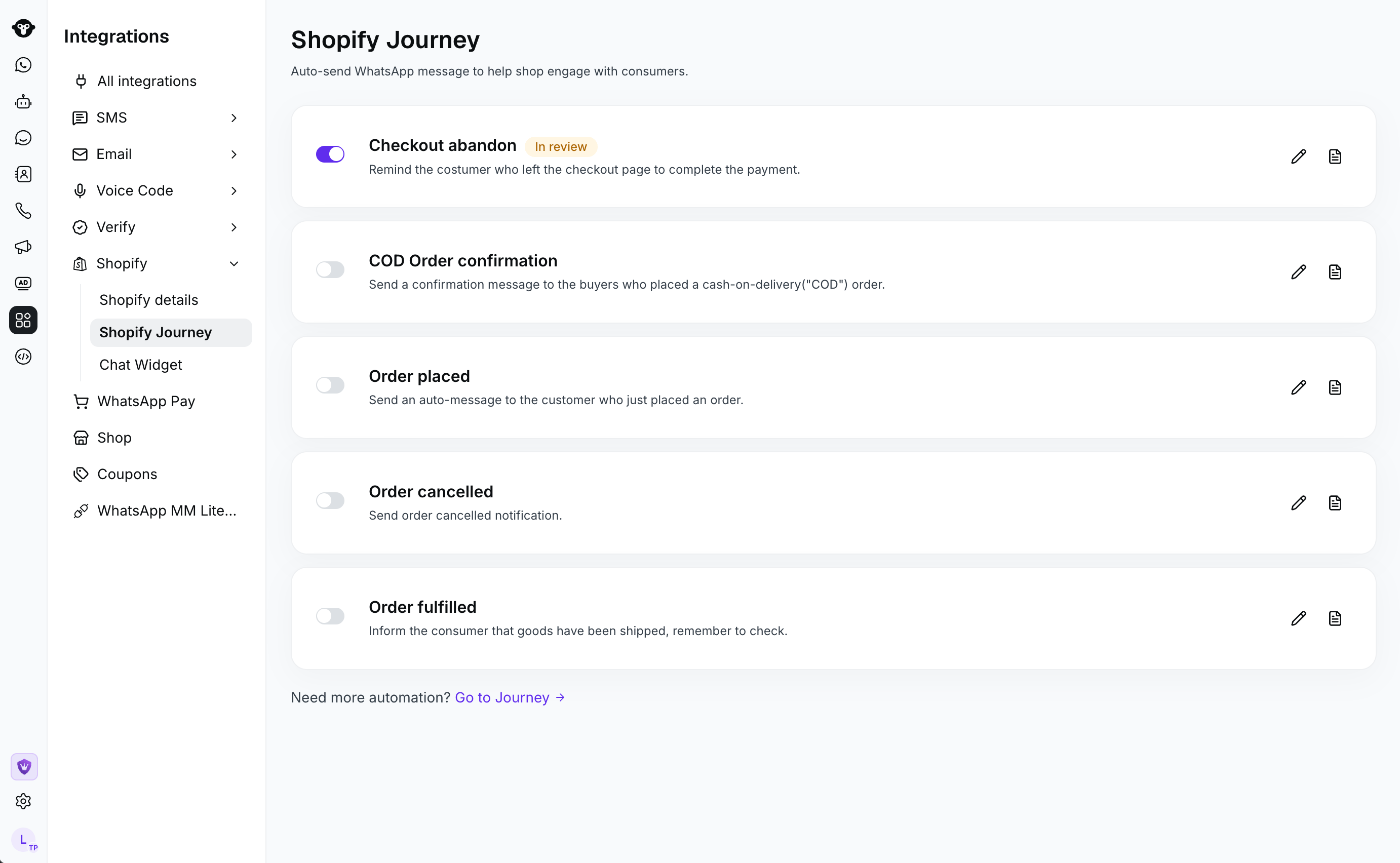
1. In YCloud, go to **Integrations** > **Shopify** > **Shopify Journey**. Open either the canceled-order or fulfilled-order workflow.
 2. Select the **Sender** and **Send template** for that order status.
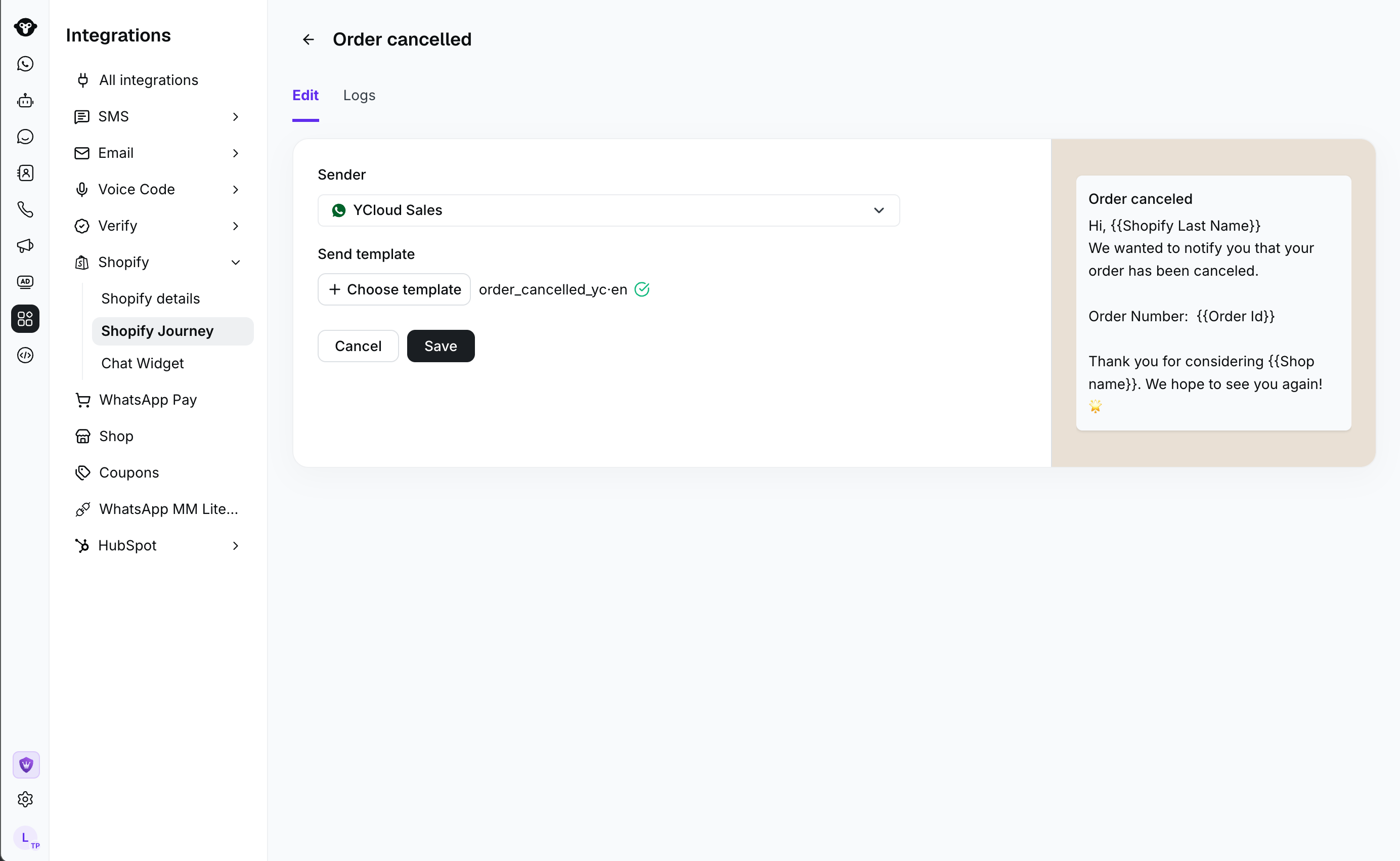 3. Select **Save**, then activate the workflow. Repeat these steps for the other order status.
## Review activity
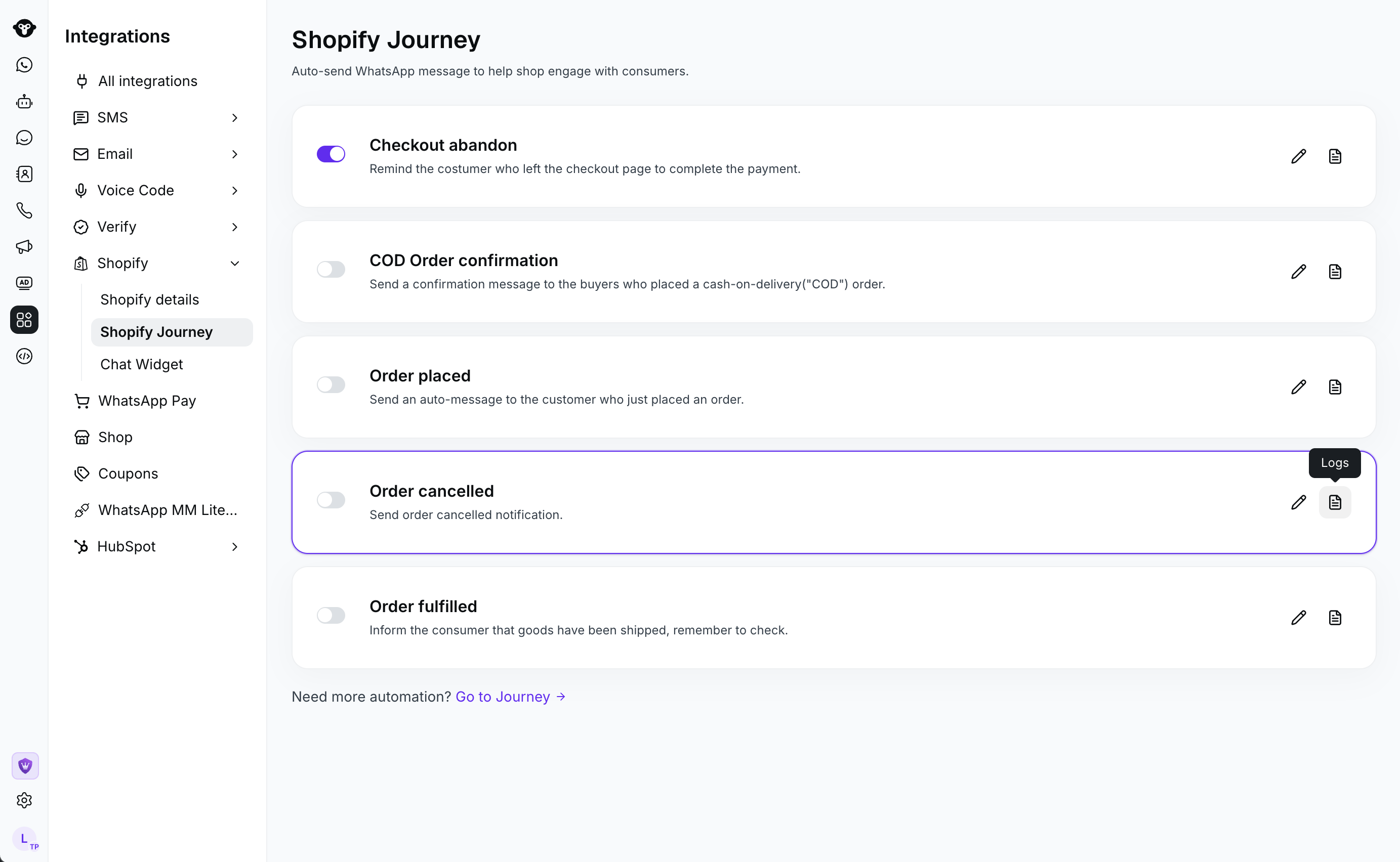
Open **Logs** to review notification activity.
3. Select **Save**, then activate the workflow. Repeat these steps for the other order status.
## Review activity
Open **Logs** to review notification activity.
 ## Recommendations
* Use a canceled-order template that clearly states the next customer action, such as contacting support when needed.
* Use a fulfilled-order template to set clear expectations about fulfillment or delivery.
* Activate both workflows only after you have reviewed each sender and template.
## Frequently Asked Questions
Yes. Configure each workflow separately so you can use a message that matches the order status.
Open **Logs** within the relevant Shopify Journey workflow.
This documentation is built and hosted on [Mintlify](https://mintlify.com), a developer documentation platform.
## Recommendations
* Use a canceled-order template that clearly states the next customer action, such as contacting support when needed.
* Use a fulfilled-order template to set clear expectations about fulfillment or delivery.
* Activate both workflows only after you have reviewed each sender and template.
## Frequently Asked Questions
Yes. Configure each workflow separately so you can use a message that matches the order status.
Open **Logs** within the relevant Shopify Journey workflow.
This documentation is built and hosted on [Mintlify](https://mintlify.com), a developer documentation platform.