> ## Documentation Index
> Fetch the complete documentation index at: https://docs.ycloud.com/llms.txt
> Use this file to discover all available pages before exploring further.
# Limited-time offer templates
> Present a time-bound marketing offer and test expiry behavior before sending.
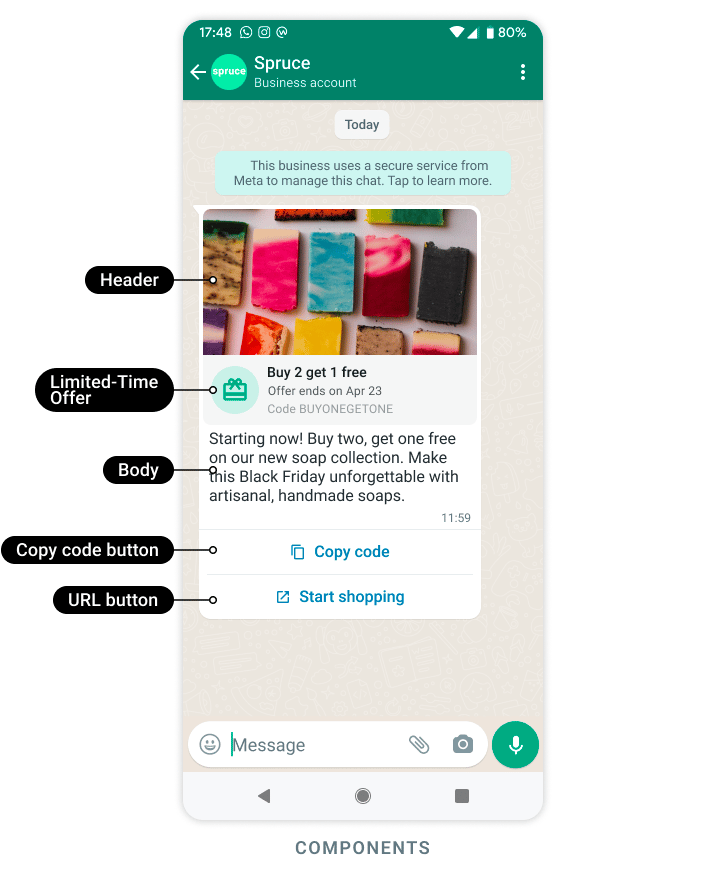
A limited-time offer template presents a marketing promotion with an expiry indication and, where configured, a copyable offer code.
Source: [Meta official example](https://developers.facebook.com/documentation/business-messaging/whatsapp/templates/marketing-templates/limited-time-offer-templates/).
Use it when the offer has a genuine deadline. The message's visual expiry is a customer-facing signal; your promotion system must enforce the actual redemption rules.
## Prepare the offer before the template
Decide:
* The benefit and eligible products or services.
* The start and end time, including the business timezone.
* Whether the code is shared or recipient-specific.
* The supported landing page or redemption flow.
* What customers see if they open the offer after expiry.
* How much time to allow for delayed delivery.
Do not send an offer minutes before its deadline if a reasonable customer cannot complete it in time.
## Configure the approved structure
In YCloud's marketing template editor, select the supported limited-time offer format and configure its available header, body, offer details, and buttons.
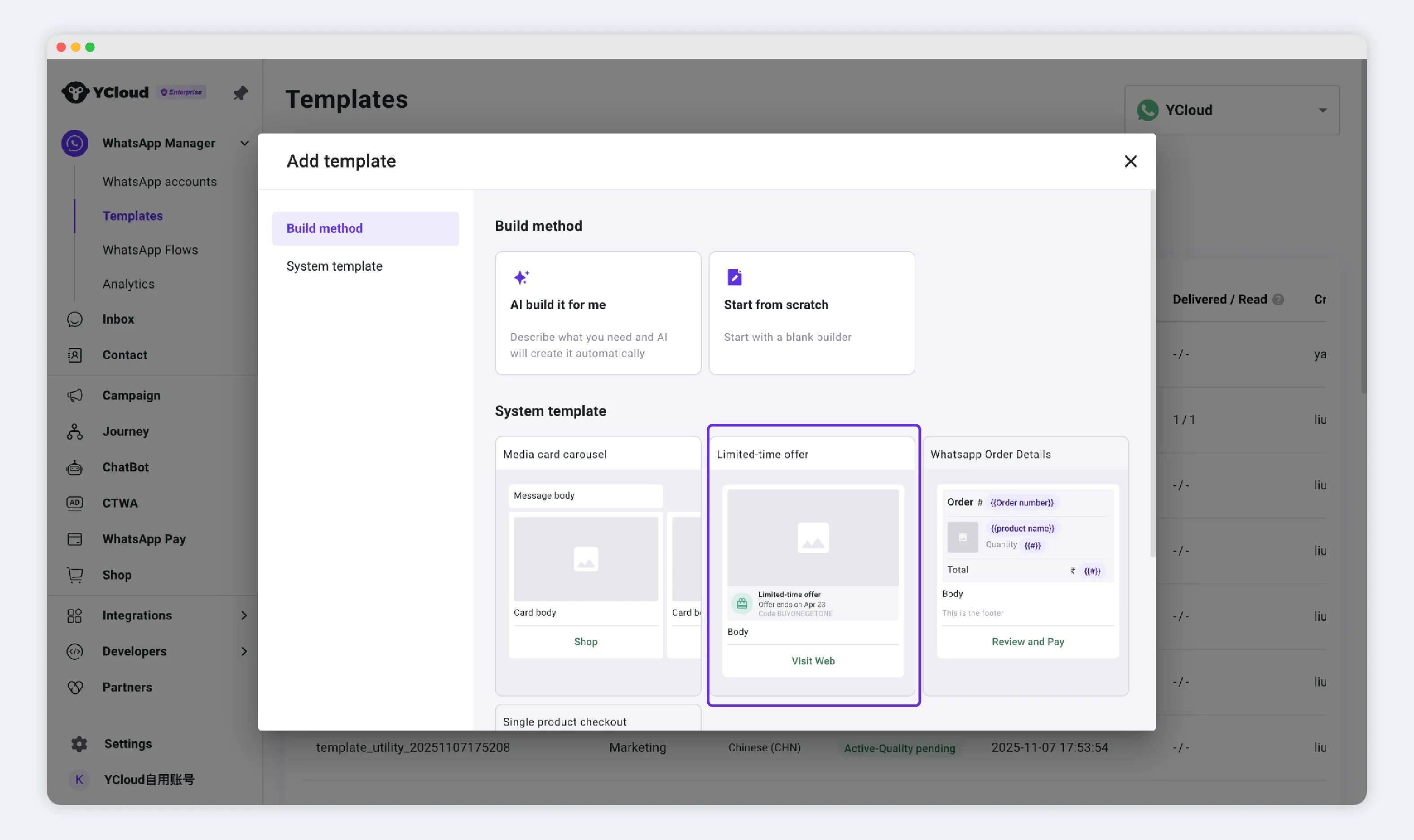 Creation establishes the offer component and whether it includes expiration information. Sending supplies the live expiration value and any code, media, or body variables.
If both the body and copy button contain the code, make them identical. A countdown does not correct contradictory dates written in the body.
## Use milliseconds for API expiry
In YCloud's sending contract, the limited-time-offer parameter uses `expiration_time_ms`: an **absolute UNIX timestamp in milliseconds**.
It is not a duration such as “24 hours,” and it is not a UNIX timestamp in seconds.
For example, **30 September 2026 at 16:00 UTC** has a millisecond timestamp of `1790784000000`. The following is a **component fragment**, not a complete request:
```json theme={"theme":{"light":"github-light","dark":"github-dark"}}
{
"type": "limited_time_offer",
"parameters": [
{
"type": "limited_time_offer",
"limited_time_offer": {
"expiration_time_ms": 1790784000000
}
}
]
}
```
Generate this value from a timezone-aware date in your sending system. Validate it against your promotion database and check that it is still in the future before sending.
## Test both sides of the deadline
Creation establishes the offer component and whether it includes expiration information. Sending supplies the live expiration value and any code, media, or body variables.
If both the body and copy button contain the code, make them identical. A countdown does not correct contradictory dates written in the body.
## Use milliseconds for API expiry
In YCloud's sending contract, the limited-time-offer parameter uses `expiration_time_ms`: an **absolute UNIX timestamp in milliseconds**.
It is not a duration such as “24 hours,” and it is not a UNIX timestamp in seconds.
For example, **30 September 2026 at 16:00 UTC** has a millisecond timestamp of `1790784000000`. The following is a **component fragment**, not a complete request:
```json theme={"theme":{"light":"github-light","dark":"github-dark"}}
{
"type": "limited_time_offer",
"parameters": [
{
"type": "limited_time_offer",
"limited_time_offer": {
"expiration_time_ms": 1790784000000
}
}
]
}
```
Generate this value from a timezone-aware date in your sending system. Validate it against your promotion database and check that it is still in the future before sending.
## Test both sides of the deadline
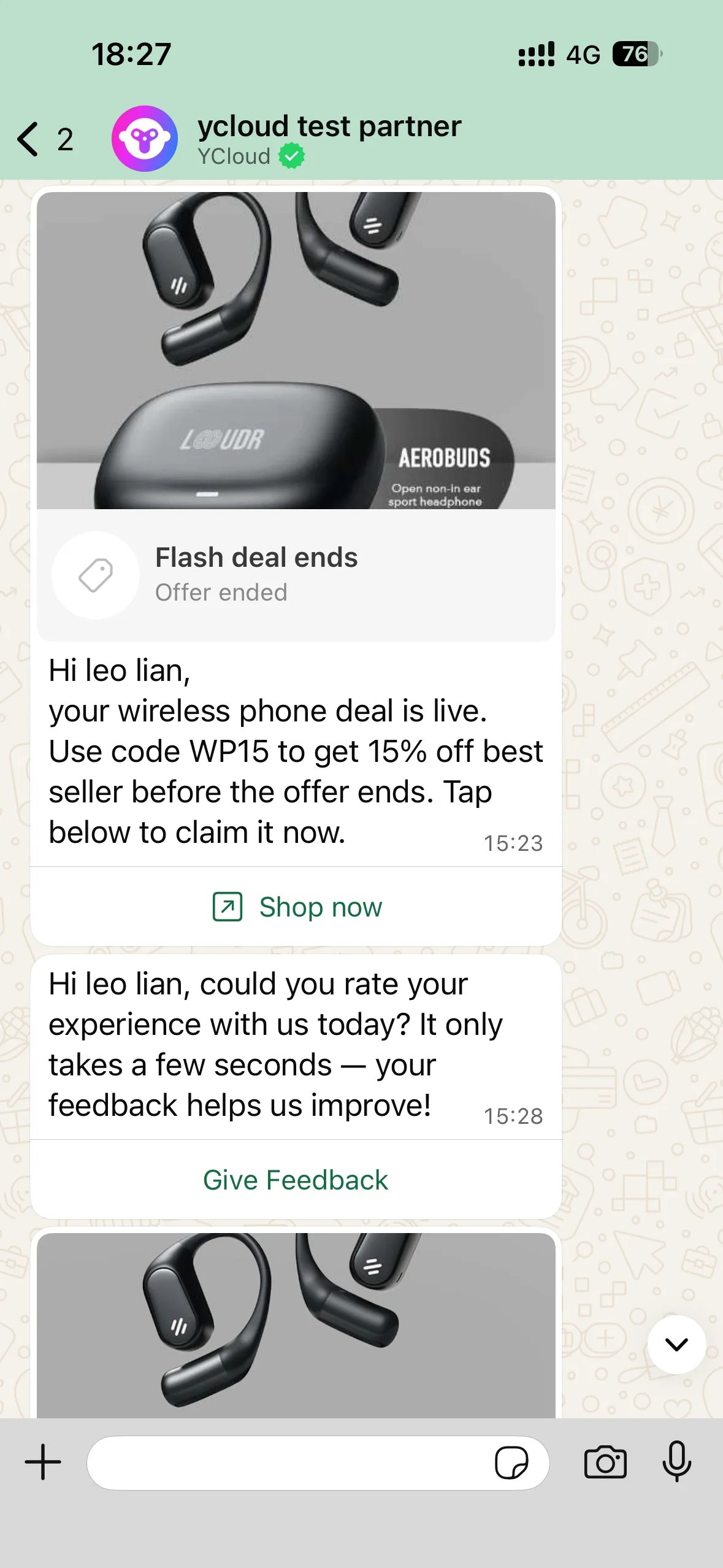 Test before expiry, close to expiry, and afterward. Check the displayed deadline, copied code, destination, and server-side redemption result. Rendering can differ by WhatsApp client, so include the phone platforms used by your audience.
If the message appears expired immediately, first inspect the timestamp units, timezone conversion, and source deadline. If redemption still works after expiry, fix the promotion system; changing the message display alone does not enforce the offer.
## Send and measure
After approval, use a supported [Campaign](/en/documentation/campaign/create-a-whatsapp-marketing-campaign), [Inbox](/en/documentation/inbox/initiate-new-chat), or [API](/en/api-reference/guides/whatsapp-platform/send-whatsapp-message) workflow.
Apply [marketing consent and delivery controls](/en/documentation/whatsapp-business-platform/messaging/message-templates/marketing-templates). Measure delivered messages, destination visits, and successful redemptions separately.
Source: [Meta limited-time offer templates](https://developers.facebook.com/docs/whatsapp/business-management-api/message-templates/limited-time-offer-templates/).
This documentation is built and hosted on [Mintlify](https://mintlify.com), a developer documentation platform.
Test before expiry, close to expiry, and afterward. Check the displayed deadline, copied code, destination, and server-side redemption result. Rendering can differ by WhatsApp client, so include the phone platforms used by your audience.
If the message appears expired immediately, first inspect the timestamp units, timezone conversion, and source deadline. If redemption still works after expiry, fix the promotion system; changing the message display alone does not enforce the offer.
## Send and measure
After approval, use a supported [Campaign](/en/documentation/campaign/create-a-whatsapp-marketing-campaign), [Inbox](/en/documentation/inbox/initiate-new-chat), or [API](/en/api-reference/guides/whatsapp-platform/send-whatsapp-message) workflow.
Apply [marketing consent and delivery controls](/en/documentation/whatsapp-business-platform/messaging/message-templates/marketing-templates). Measure delivered messages, destination visits, and successful redemptions separately.
Source: [Meta limited-time offer templates](https://developers.facebook.com/docs/whatsapp/business-management-api/message-templates/limited-time-offer-templates/).
This documentation is built and hosted on [Mintlify](https://mintlify.com), a developer documentation platform.