> ## Documentation Index
> Fetch the complete documentation index at: https://docs.ycloud.com/llms.txt
> Use this file to discover all available pages before exploring further.
# Managing Customer's WABA and Numbers
## Viewing WABA and Numbers
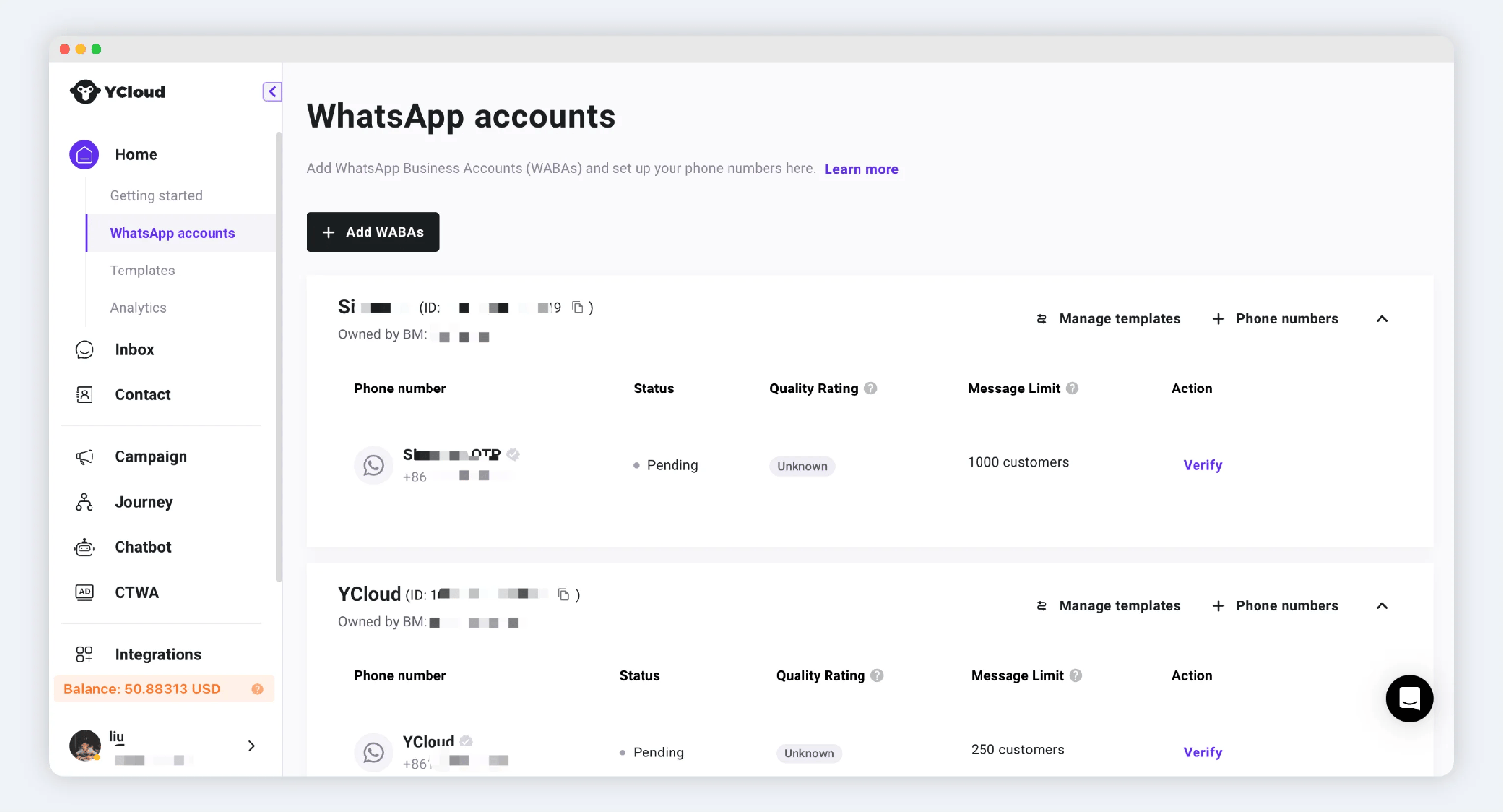
Once you enter the YCloud workspace, under the [WhatsApp Accounts](https://www.ycloud.com/console/#/app/dashboard/account) tab, you will see all your customers' WABA and numbers.
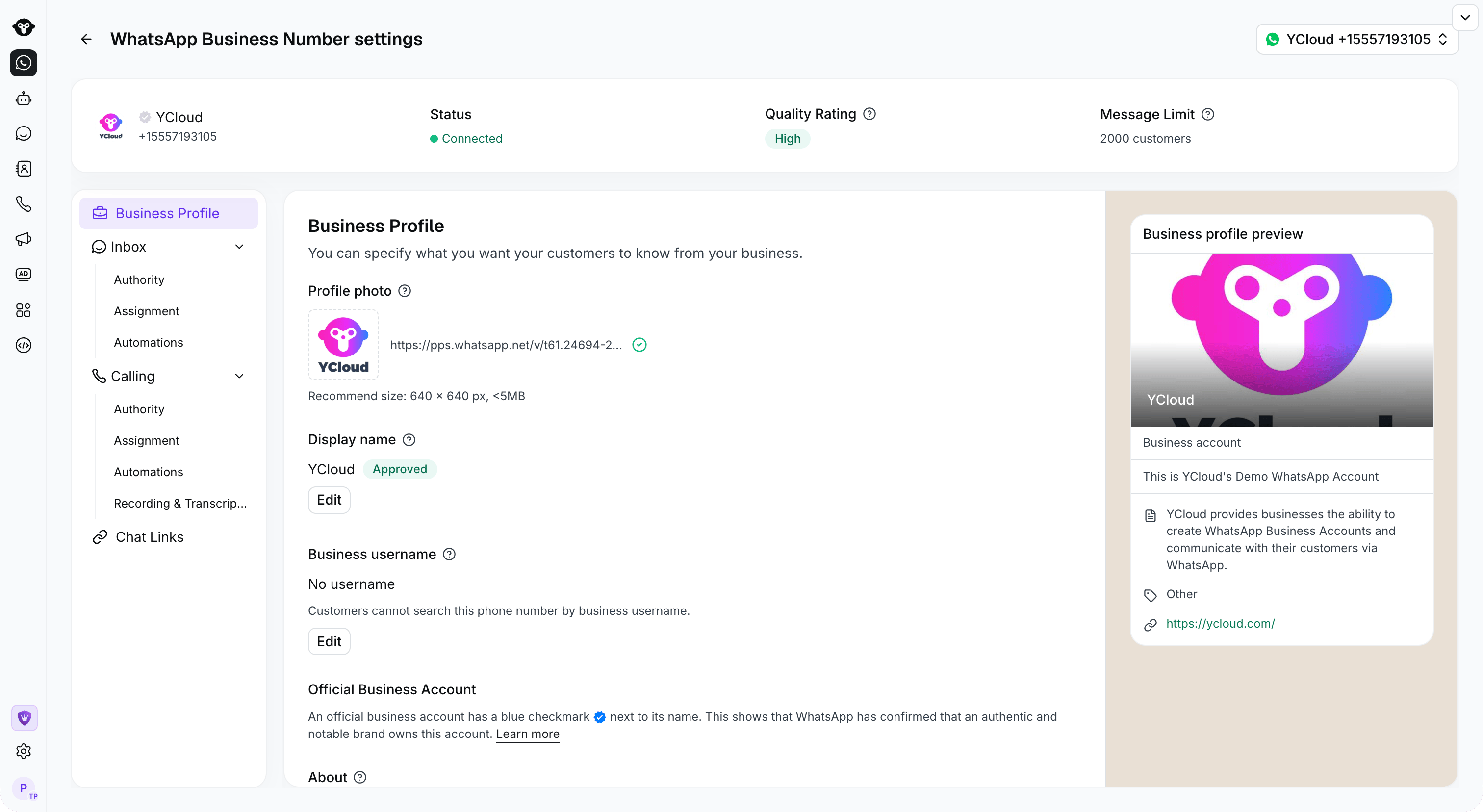
 Open a number's **WhatsApp Business Number settings** to view its status and business profile.
 ## Managing via API
Please refer to:
[Open video or external resource](https://docs.ycloud.com/reference/whatsapp_business_account-list)
[Open video or external resource](https://docs.ycloud.com/reference/whatsapp_phone_number-list)
This documentation is built and hosted on [Mintlify](https://mintlify.com), a developer documentation platform.
## Managing via API
Please refer to:
[Open video or external resource](https://docs.ycloud.com/reference/whatsapp_business_account-list)
[Open video or external resource](https://docs.ycloud.com/reference/whatsapp_phone_number-list)
This documentation is built and hosted on [Mintlify](https://mintlify.com), a developer documentation platform.