> ## Documentation Index
> Fetch the complete documentation index at: https://docs.ycloud.com/llms.txt
> Use this file to discover all available pages before exploring further.
# Configuración de etiquetas de contactos
En cuanto a la configuración de etiquetas, admitimos dos métodos para agregarlas. Puedes elegir cualquiera de los siguientes métodos:
1. Puedes ver y editar etiquetas en **Settings > Contact > Tags**.
2. Puedes etiquetar usuarios en la sección Contact list, o puedes etiquetar usuarios en la herramienta Inbox.
## Agregar etiquetas en Settings
### Paso 1
Inicia sesión en tu [cuenta de YCloud](https://www.ycloud.com/console/#/entry/login) y navega a **Settings > Contact > Tags**.
 ### Paso 2
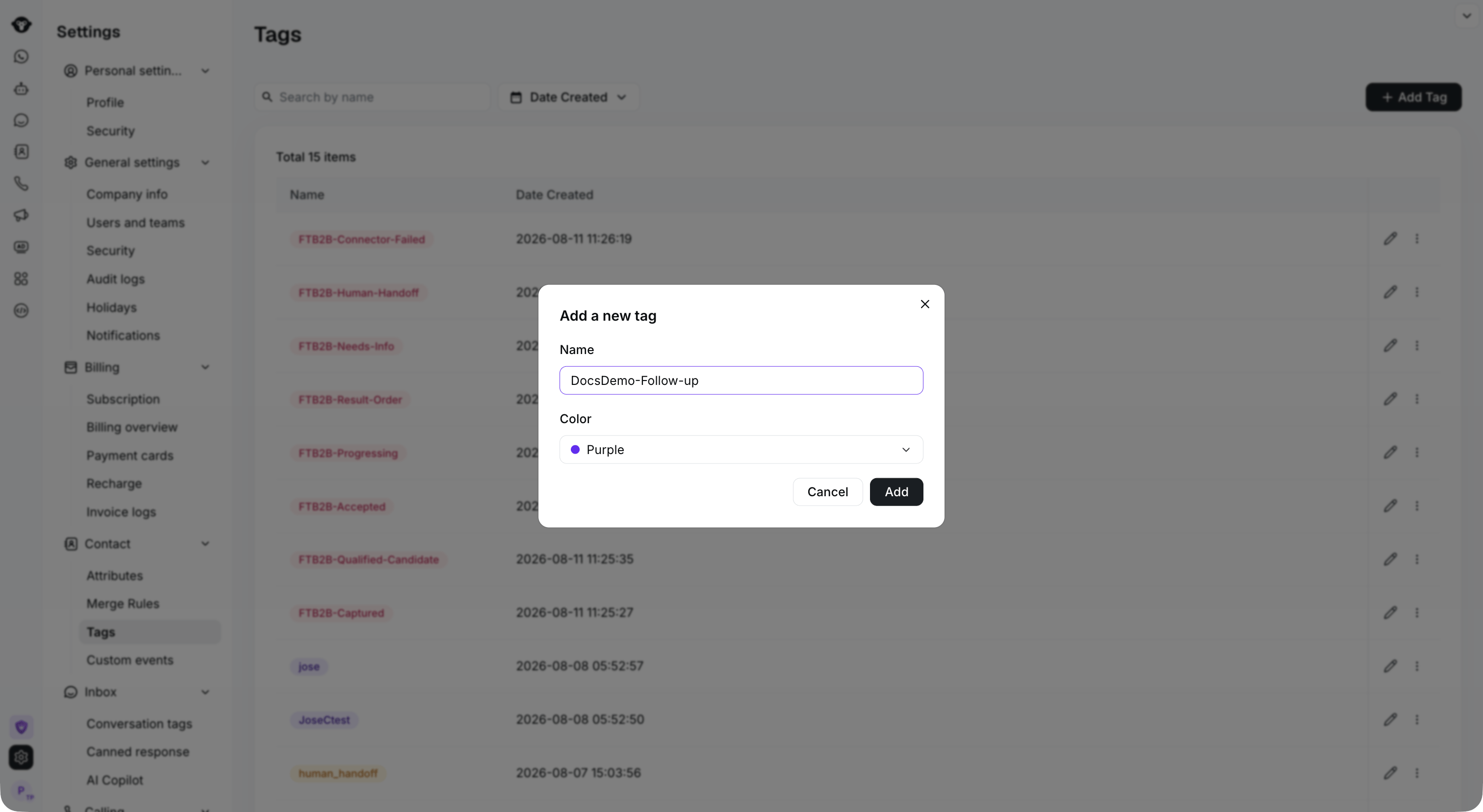
Haz clic en **Add Tag**, ingresa un nombre, elige un color y haz clic en **Add** para completar la operación. Después de agregarla correctamente, puedes editar y eliminar la etiqueta.
### Paso 2
Haz clic en **Add Tag**, ingresa un nombre, elige un color y haz clic en **Add** para completar la operación. Después de agregarla correctamente, puedes editar y eliminar la etiqueta.
 ## Agregar en Contact list
### Paso 1
Inicia sesión en tu [cuenta de YCloud](https://www.ycloud.com/console/#/entry/login), abre **Contact > Contact list**. Selecciona uno o más contactos y luego haz clic en **Tag them**.
## Agregar en Contact list
### Paso 1
Inicia sesión en tu [cuenta de YCloud](https://www.ycloud.com/console/#/entry/login), abre **Contact > Contact list**. Selecciona uno o más contactos y luego haz clic en **Tag them**.
 ### Paso 2
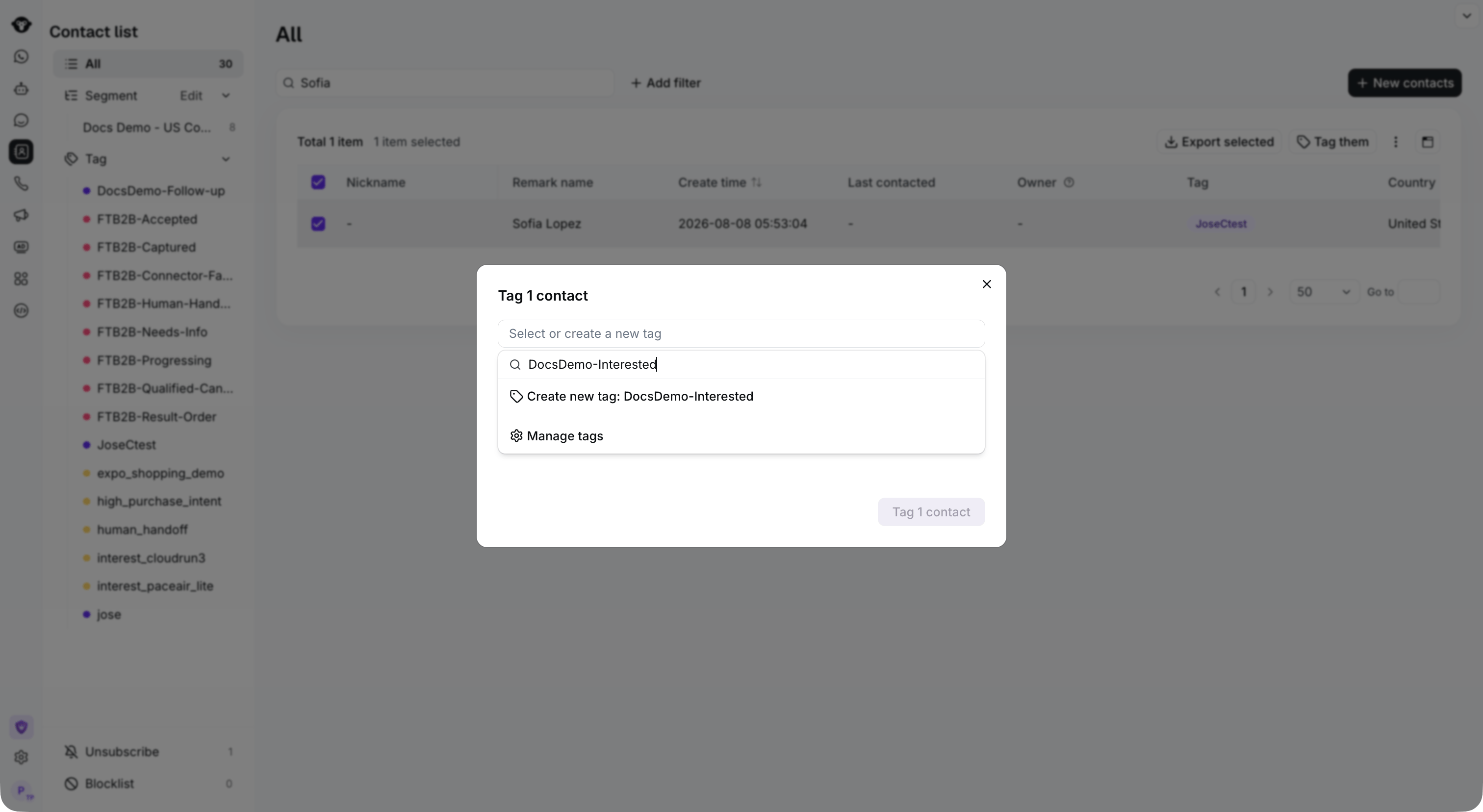
Abre **Select or create a new tag**. Busca una etiqueta existente o ingresa un nuevo nombre y selecciona **Create new tag**. Luego haz clic en **Tag 1 contact** (el recuento refleja tu selección) para aplicar la etiqueta.
### Paso 2
Abre **Select or create a new tag**. Busca una etiqueta existente o ingresa un nuevo nombre y selecciona **Create new tag**. Luego haz clic en **Tag 1 contact** (el recuento refleja tu selección) para aplicar la etiqueta.
 This documentation is built and hosted on [Mintlify](https://mintlify.com), a developer documentation platform.