> ## Documentation Index
> Fetch the complete documentation index at: https://docs.ycloud.com/llms.txt
> Use this file to discover all available pages before exploring further.

# Настройки профиля номера телефона

Профиль номера телефона включает такие данные, как фото профиля и информация о компании.

## Шаг 1. Перейдите в настройки профиля

Перейдите на страницу [Аккаунты WhatsApp](https://www.ycloud.com/console/#/app/dashboard/account) и нажмите на «Настройки» соответствующего номера телефона.
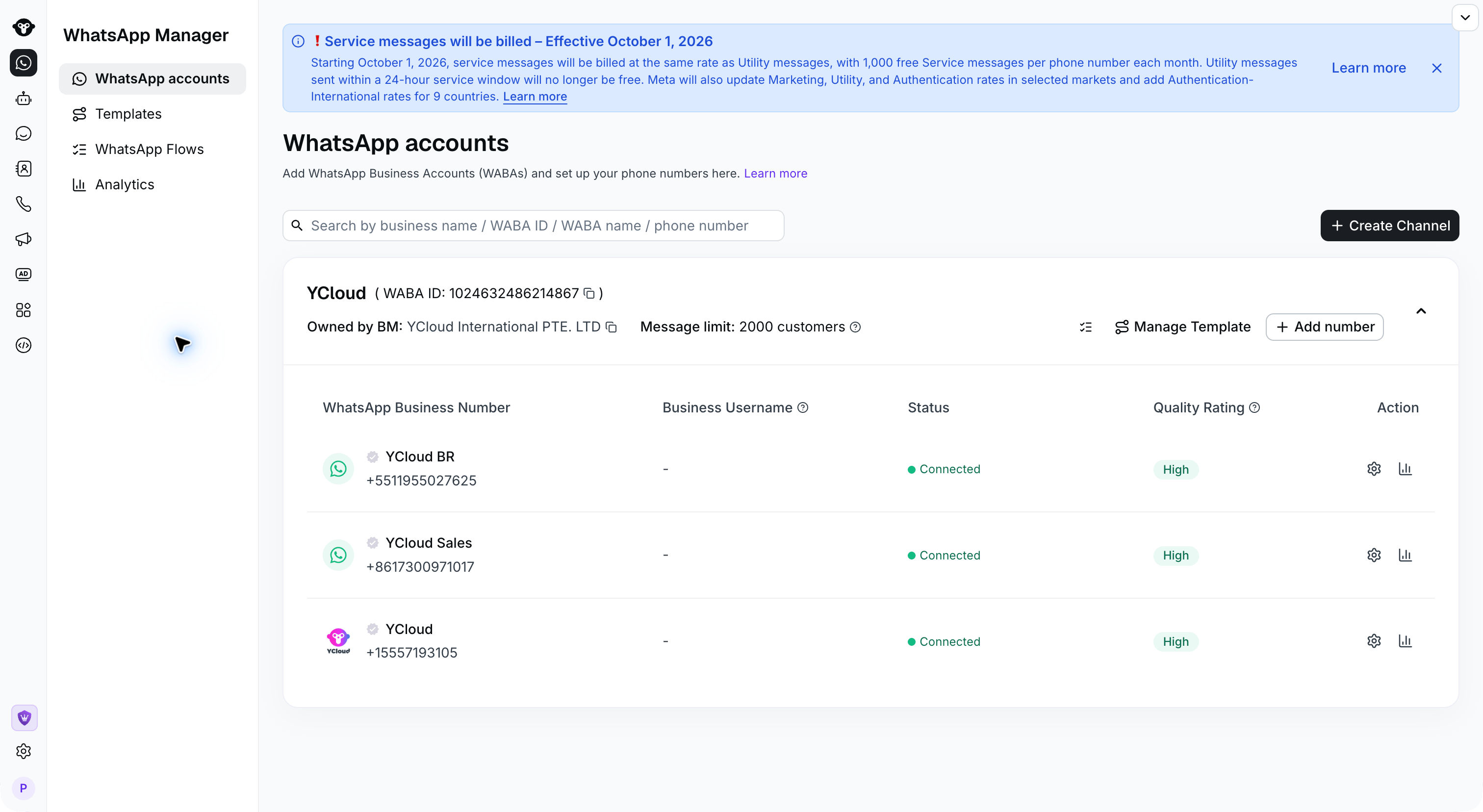
<img src="https://mintcdn.com/lchnan/OHXF2GuR7cl6iMeG/product-assets/channels-2026-09-22/whatsapp-accounts.png?fit=max&auto=format&n=OHXF2GuR7cl6iMeG&q=85&s=34239908e4589a9858c9682b55d747e9" alt="Аккаунты WhatsApp с действиями настроек для каждого номера телефона" width="3024" height="1656" data-path="product-assets/channels-2026-09-22/whatsapp-accounts.png" />

Шаг 2. Отредактируйте профиль

Откройте **Бизнес-профиль** , чтобы изменить информацию. Прокрутите вниз до описания и контактных данных, а затем сохраните изменения.

<Frame caption="Review the profile photo and business identity in Business Profile.">
  <img src="https://mintcdn.com/lchnan/TsMGu8UTNQaUw-Rc/product-assets/english-help-2026-09-23/profile-annotated.svg?fit=max&auto=format&n=TsMGu8UTNQaUw-Rc&q=85&s=f906f56c33b37f33aabf6c5a2dd2be3e" alt="Настройки бизнес-профиля и предварительный просмотр для клиентов для демонстрационного номера YCloud." width="3024" height="1656" data-path="product-assets/english-help-2026-09-23/profile-annotated.svg" />
</Frame>

<Frame caption="Scroll down to edit your description and business contact information.">
  <img src="https://mintcdn.com/lchnan/TsMGu8UTNQaUw-Rc/product-assets/english-help-2026-09-23/profile-contact-annotated.svg?fit=max&auto=format&n=TsMGu8UTNQaUw-Rc&q=85&s=6c7aa869c32026af7c9cca9c529ddef8" alt="Поля описания, адреса, электронной почты и веб-сайта в бизнес-профиле." width="3024" height="1656" data-path="product-assets/english-help-2026-09-23/profile-contact-annotated.svg" />
</Frame>


This documentation is built and hosted on [Mintlify](https://mintlify.com), a developer documentation platform.