> ## Documentation Index
> Fetch the complete documentation index at: https://docs.ycloud.com/llms.txt
> Use this file to discover all available pages before exploring further.
# AI 性能
> 监控 AI Agent 处理会话、使用资源以及转接客户的情况。
使用 **Performance** 了解 AI Agent 处理会话的情况以及客户可能需要人工支持的环节。
## 打开 AI 性能
1. 打开要查看的 AI Agent。
2. 在左侧边栏中选择 **Performance** 。
3. 选择 **Time range** ,如果需要,还可以选择一个或多个 **WhatsApp business numbers**。
页面上的所有指标均基于所选筛选条件。百分比变化是将所选时段与上一相同长度的时段进行对比。值为 `--` 表示对比数据不可用。
 ## 查看信号指标
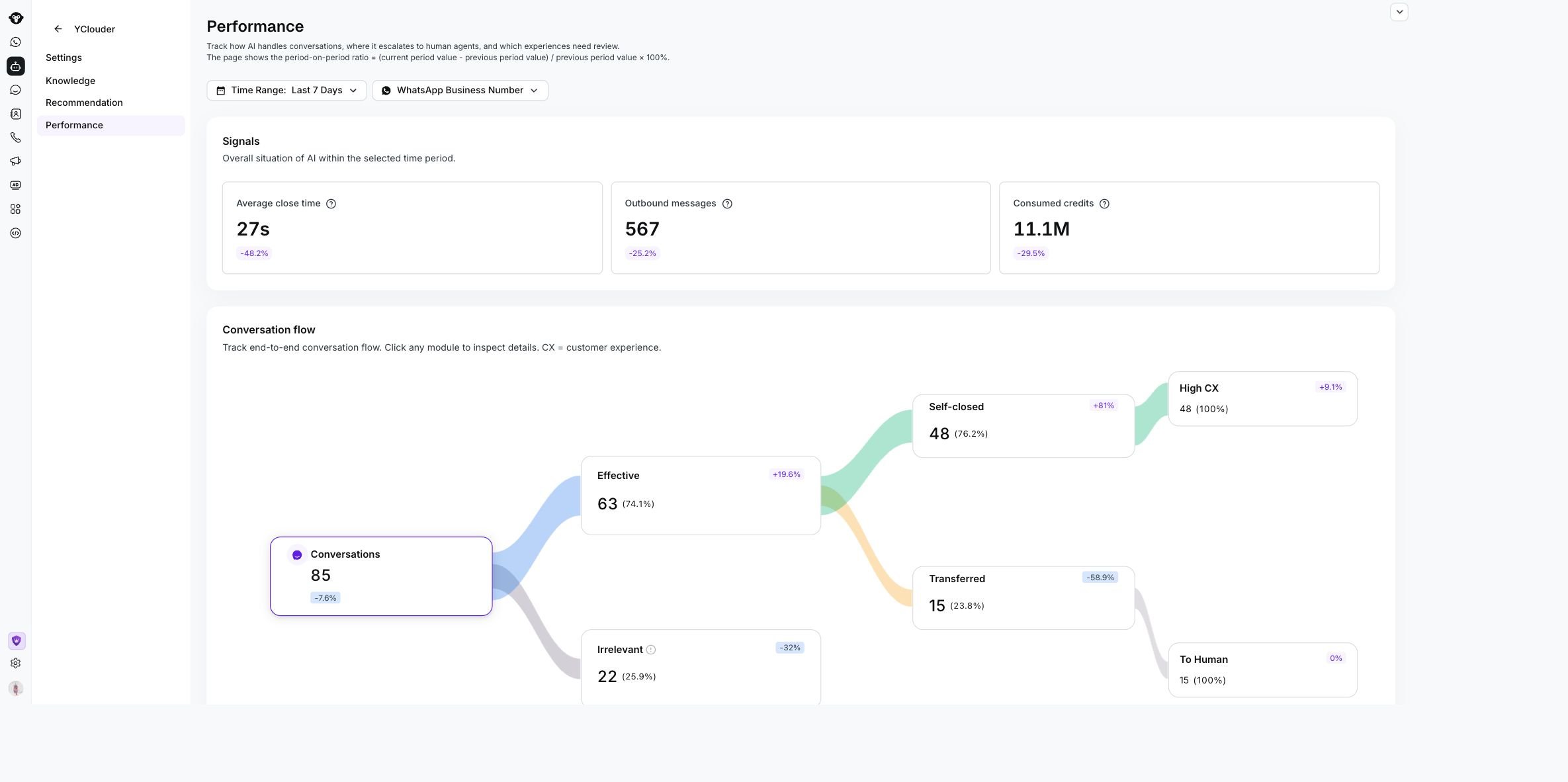
**Signals** 汇总了 AI Agent 的活动和资源使用情况。
| 指标 | 说明 |
| - | - |
| **Average close time** | 从第一条消息到 AI Agent 结束会话的平均时间 |
| **Outbound messages** | 所选时段内由 AI Agent 发送的消息数 |
| **Consumed credits** | 处理会话所消耗的 AI 积分总数 |
## 跟踪会话结果
**Conversation flow** 显示会话在 AI Agent 中的流转情况。它包括总会话数以及所选数据适用的结果,例如 **Effective**、 **Irrelevant**、 **Self-closed**、 **Transferred**、 **High CX** 和 **To Human**。
点击任意会话节点即可打开匹配的会话列表。使用该列表可查看联系人、会话摘要和日期,然后打开会话查看其完整历史记录。
## 查看信号指标
**Signals** 汇总了 AI Agent 的活动和资源使用情况。
| 指标 | 说明 |
| - | - |
| **Average close time** | 从第一条消息到 AI Agent 结束会话的平均时间 |
| **Outbound messages** | 所选时段内由 AI Agent 发送的消息数 |
| **Consumed credits** | 处理会话所消耗的 AI 积分总数 |
## 跟踪会话结果
**Conversation flow** 显示会话在 AI Agent 中的流转情况。它包括总会话数以及所选数据适用的结果,例如 **Effective**、 **Irrelevant**、 **Self-closed**、 **Transferred**、 **High CX** 和 **To Human**。
点击任意会话节点即可打开匹配的会话列表。使用该列表可查看联系人、会话摘要和日期,然后打开会话查看其完整历史记录。
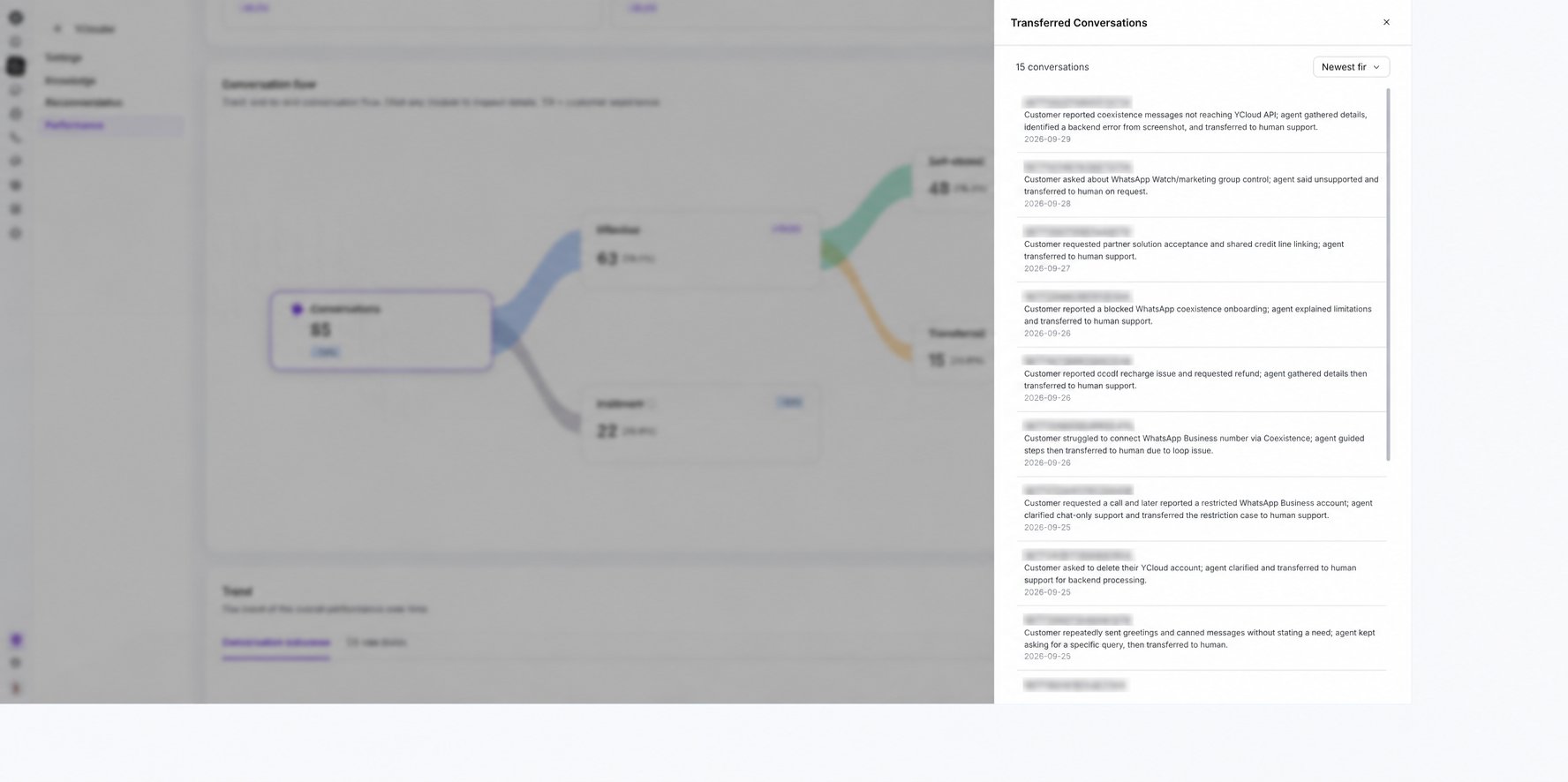 建议从 **Transferred** 和 **Irrelevant** 会话开始排查。它们通常能指明 AI Agent 的知识或技能需要改进的地方。
## 对比趋势
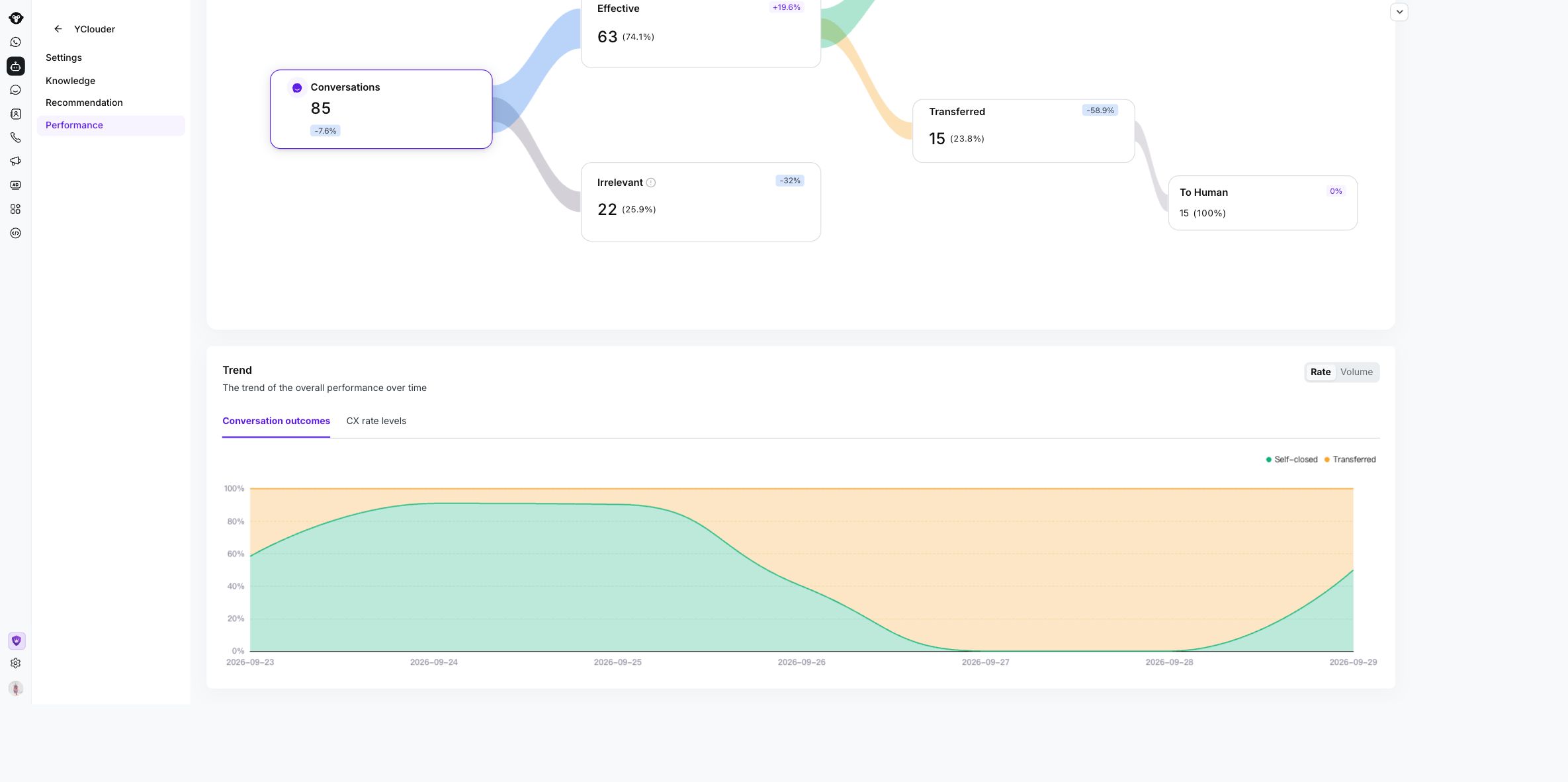
使用 **Trend** 查看指标随时间的变化情况。
* 在 **Rate** 与 **Volume** 之间切换。
* 使用 **Conversation outcomes** 对比自主关闭率和转接率。
* 使用 **CX rate levels** 查看客户体验趋势。
建议从 **Transferred** 和 **Irrelevant** 会话开始排查。它们通常能指明 AI Agent 的知识或技能需要改进的地方。
## 对比趋势
使用 **Trend** 查看指标随时间的变化情况。
* 在 **Rate** 与 **Volume** 之间切换。
* 使用 **Conversation outcomes** 对比自主关闭率和转接率。
* 使用 **CX rate levels** 查看客户体验趋势。
 更改时间范围或 WhatsApp 商业号码将使用新选择刷新页面。
This documentation is built and hosted on [Mintlify](https://mintlify.com), a developer documentation platform.
更改时间范围或 WhatsApp 商业号码将使用新选择刷新页面。
This documentation is built and hosted on [Mintlify](https://mintlify.com), a developer documentation platform.