> ## Documentation Index
> Fetch the complete documentation index at: https://docs.ycloud.com/llms.txt
> Use this file to discover all available pages before exploring further.

# 基于规则的 Agent 分析

> 查看基于规则的 Agent 的流程触发情况和按钮回复。

使用分析功能了解客户如何与基于规则的 Agent 进行互动。

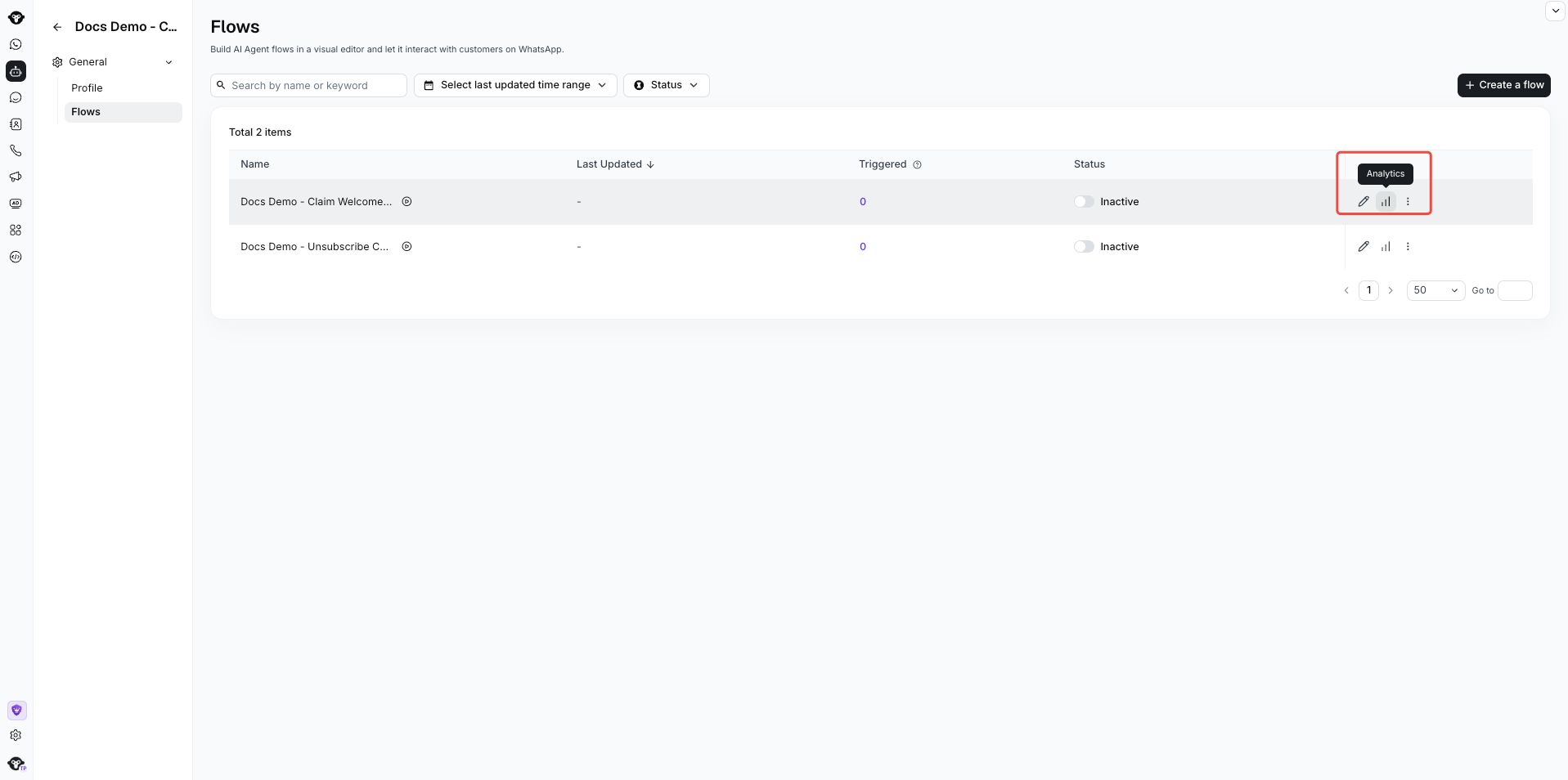
打开您的基于规则的 Agent，选择 **Flows**，打开一个流程，然后选择 **Analysis**。

<Frame caption="Select Analytics for a flow to open its Analysis workspace.">
  <img src="https://mintcdn.com/lchnan/INCfGITGB_rYG20v/product-assets/rule-based-agent/flow-analytics-entry.png?fit=max&auto=format&n=INCfGITGB_rYG20v&q=85&s=19496c1ce6cb4395bd64d9cc2ca23b9a" alt="高亮显示分析操作的基于规则的 Agent 流程列表" width="1917" height="954" data-path="product-assets/rule-based-agent/flow-analytics-entry.png" />
</Frame>

您可以查看两类数据：

## 查看流程触发情况

在 **Flow overview** 中，使用时间和客户国家/地区等筛选条件查看流程被触发的频率。折线图展示了触发趋势以及进入该流程的客户。
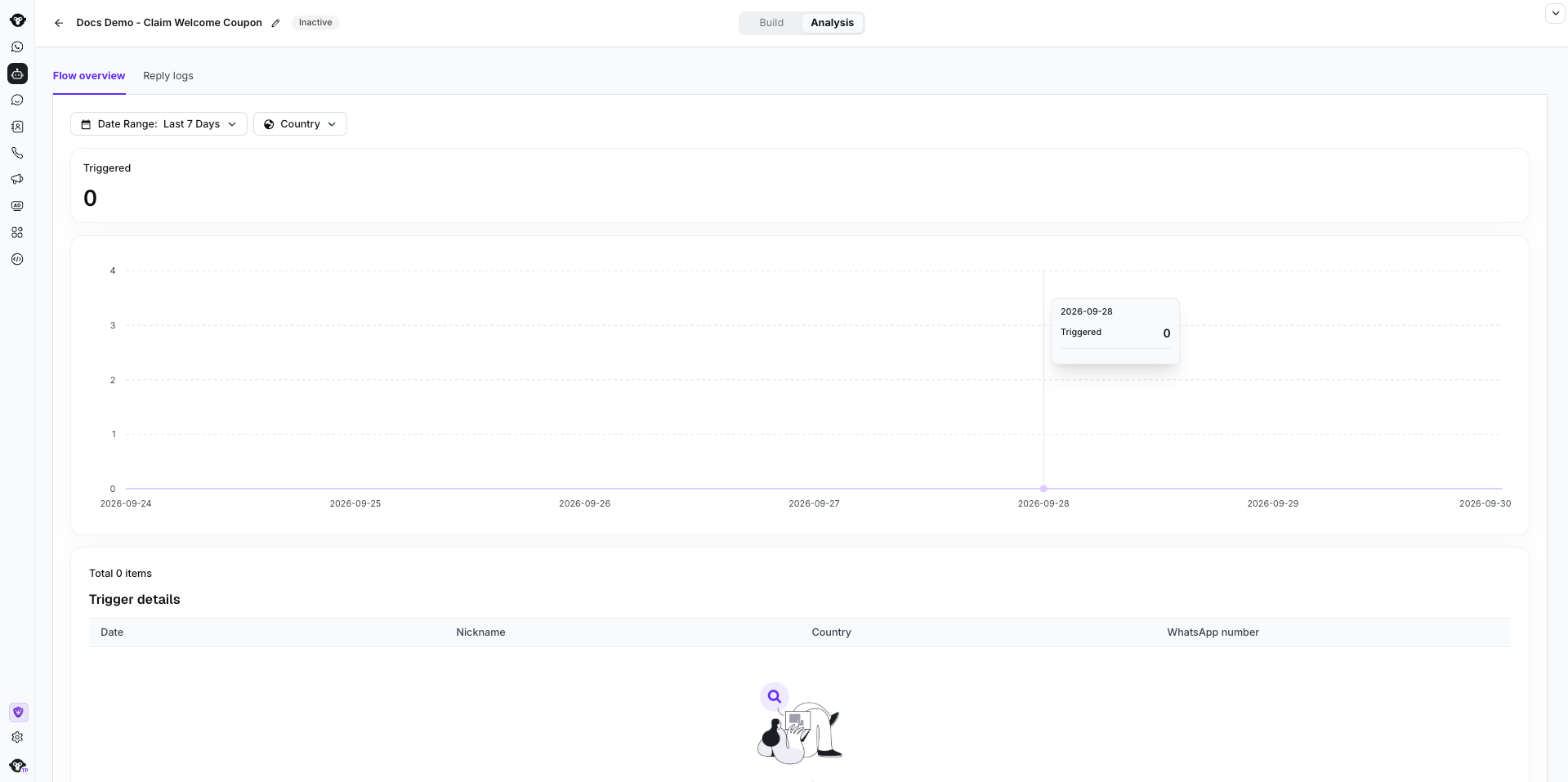
<Frame caption="Filter flow triggers by date and country. This inactive demonstration flow has no triggers.">
  <img src="https://mintcdn.com/lchnan/INCfGITGB_rYG20v/product-assets/rule-based-agent/flow-analytics-overview.png?fit=max&auto=format&n=INCfGITGB_rYG20v&q=85&s=8fed18f745d01e0e91a54b0020dd110b" alt="包含日期和国家/地区筛选条件、触发次数、趋势图以及触发详情的基于规则的 Agent 流程概览" width="1919" height="957" data-path="product-assets/rule-based-agent/flow-analytics-overview.png" />
</Frame>

## 查看按钮回复

在 **Reply logs** 中，查看客户在 **Ask a question** 组件中选择了哪些按钮。选择 **Export** 可在 YCloud 外部分析结果。
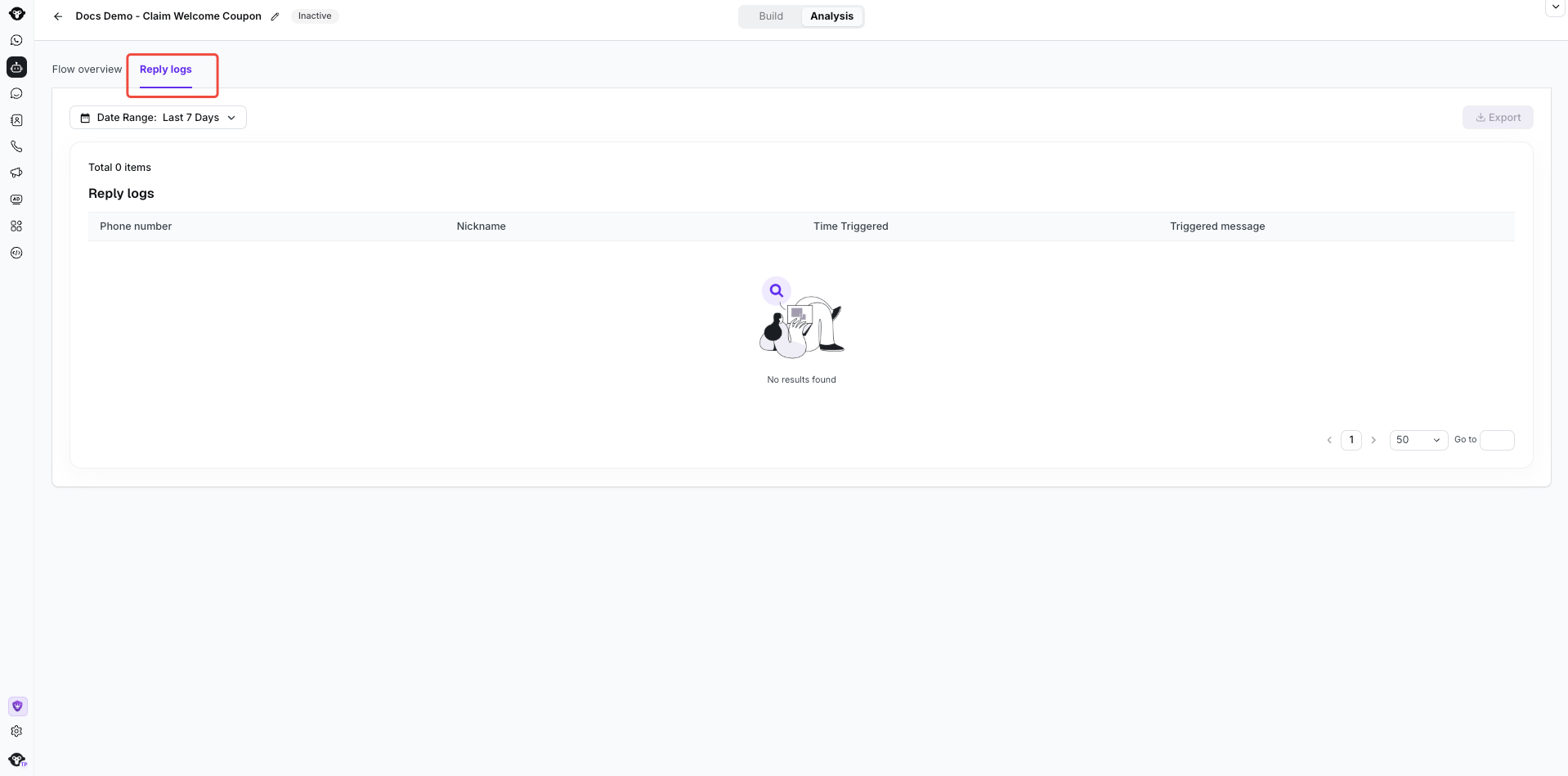
<Frame caption="Open Analysis > Reply logs and choose a date range. This inactive example has no replies, so Export is disabled.">
  <img src="https://mintcdn.com/lchnan/INCfGITGB_rYG20v/product-assets/rule-based-agent/flow-reply-logs.png?fit=max&auto=format&n=INCfGITGB_rYG20v&q=85&s=813e6045502838d0da917174036ca68f" alt="高亮显示 Reply logs 标签页、日期筛选条件、表头且无结果的基于规则的 Agent 回复日志页面" width="1918" height="949" data-path="product-assets/rule-based-agent/flow-reply-logs.png" />
</Frame>


This documentation is built and hosted on [Mintlify](https://mintlify.com), a developer documentation platform.