> ## Documentation Index
> Fetch the complete documentation index at: https://docs.ycloud.com/llms.txt
> Use this file to discover all available pages before exploring further.

# 管理员指南

> 设置客服、通话权限、分配规则、标签和日志。

## 添加团队成员

<Info>
  如果该团队成员已加入您的 YCloud 组织，请跳过此部分。
</Info>

### 第 1 步：邀请团队成员

1. 前往 **设置 > 用户与团队 > [用户](https://www.ycloud.com/console/#/app/globalSettings/general/usersAndTeams)**。
2. 点击 **邀请用户**。
3. 输入用户的邮箱地址，分配角色和所需的权限，然后点击 **添加**。
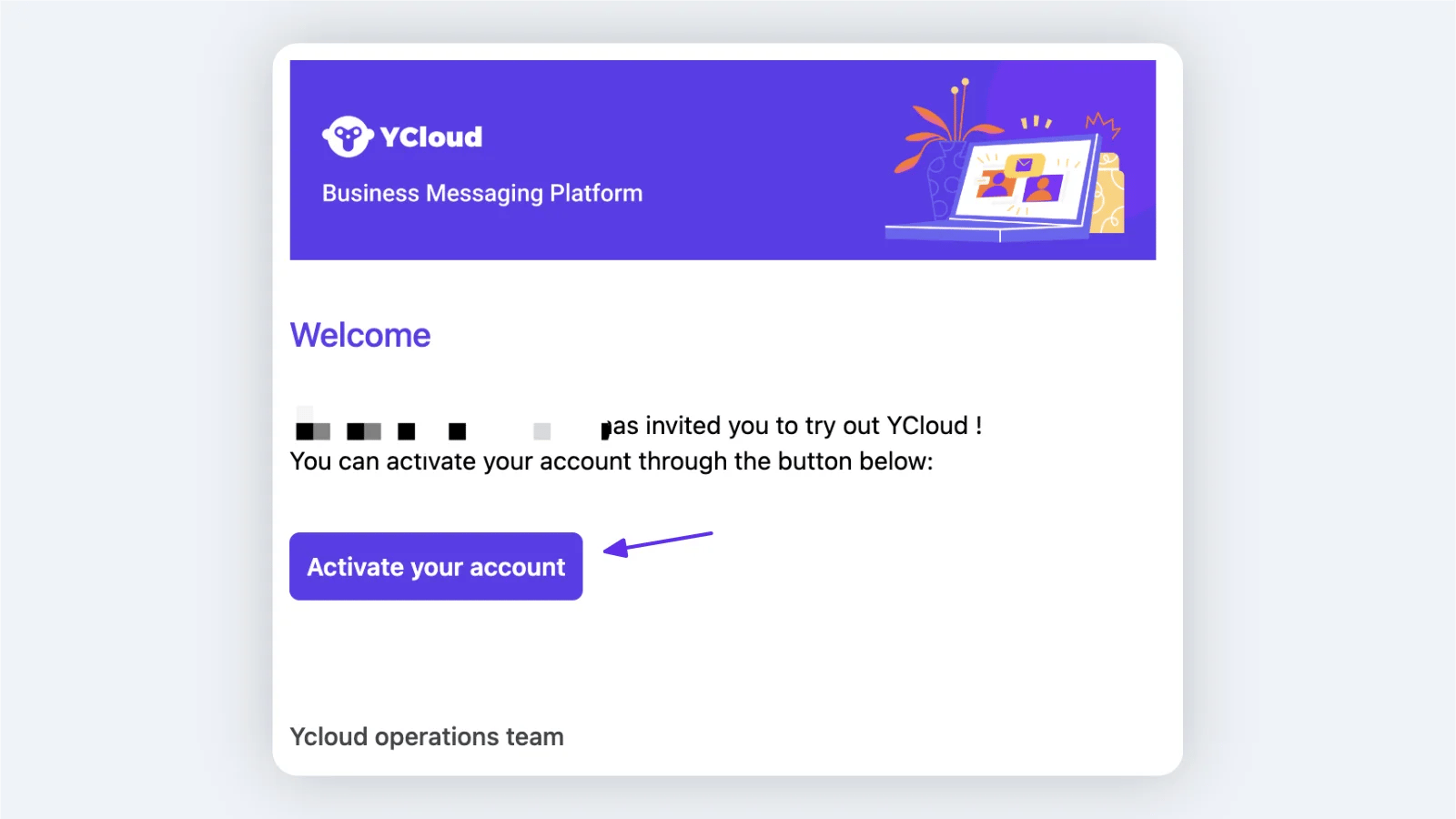
4. YCloud 会向受邀用户发送一封激活邮件。

<Frame caption="Open Settings > Users and teams, then select Invite user.">
  <img src="https://mintcdn.com/lchnan/4TSqTiiIpS59tkT7/product-assets/english-help-context-2026-09-25/users-invite-entry-annotated.svg?fit=max&auto=format&n=4TSqTiiIpS59tkT7&q=85&s=645d5f1e09dfbfa3cbab92939ab9b1b5" alt="带有“邀请用户”按钮和已筛选成员列表的“用户与团队”页面。" width="3024" height="1656" data-path="product-assets/english-help-context-2026-09-25/users-invite-entry-annotated.svg" />
</Frame>

<Frame caption="Enter the email address and select the role before sending the invitation. This example has not been submitted.">
  <img src="https://mintcdn.com/lchnan/4TSqTiiIpS59tkT7/product-assets/english-help-context-2026-09-25/users-invite-dialog-annotated.svg?fit=max&auto=format&n=4TSqTiiIpS59tkT7&q=85&s=ed37696e6ba02c345730946721837d4a" alt="包含虚构邮箱地址和操作员角色的完整“邀请新用户”对话框。" width="3024" height="1656" data-path="product-assets/english-help-context-2026-09-25/users-invite-dialog-annotated.svg" />
</Frame>

### 第 2 步：激活账户

受邀用户打开激活邮件并点击 **激活账户**。他们无需在 YCloud 网站上单独注册账户。
<Frame>
  <img src="https://mintcdn.com/lchnan/WD-ixrYVrqB7b7aQ/product-assets/4872cdf92f-image-739.webp?fit=max&auto=format&n=WD-ixrYVrqB7b7aQ&q=85&s=6bc05329164d3b82ce7d81b2b397b210" alt="YCloud 账户激活邮件" width="1600" height="900" data-path="product-assets/4872cdf92f-image-739.webp" />
</Frame>

## 为商业号码配置通话

前往 **WhatsApp 账户**，找到对应的商业号码，点击其设置图标，然后打开 **通话** 部分。

<Frame caption="Open the business number settings and select Calling > Authority.">
  <img src="https://mintcdn.com/lchnan/4TSqTiiIpS59tkT7/product-assets/english-help-context-2026-09-25/calling-authority-annotated.svg?fit=max&auto=format&n=4TSqTiiIpS59tkT7&q=85&s=000605d556e9589ed3f847ebf64f9458" alt="选定“通话 > 权限”及现有通话配置的 WhatsApp 商业号码设置。" data-og-width="3024" width="3024" data-og-height="1656" height="1656" data-path="product-assets/english-help-context-2026-09-25/calling-authority-annotated.svg" data-optimize="true" data-opv="3" srcset="https://mintcdn.com/lchnan/4TSqTiiIpS59tkT7/product-assets/english-help-context-2026-09-25/calling-authority-annotated.svg?w=280&fit=max&auto=format&n=4TSqTiiIpS59tkT7&q=85&s=108474c94a4c86ca9395326fda4db701 280w, https://mintcdn.com/lchnan/4TSqTiiIpS59tkT7/product-assets/english-help-context-2026-09-25/calling-authority-annotated.svg?w=560&fit=max&auto=format&n=4TSqTiiIpS59tkT7&q=85&s=679159324dc737480702e0523fe14c09 560w, https://mintcdn.com/lchnan/4TSqTiiIpS59tkT7/product-assets/english-help-context-2026-09-25/calling-authority-annotated.svg?w=840&fit=max&auto=format&n=4TSqTiiIpS59tkT7&q=85&s=a26f90d870e9ab852543713c4edf986f 840w, https://mintcdn.com/lchnan/4TSqTiiIpS59tkT7/product-assets/english-help-context-2026-09-25/calling-authority-annotated.svg?w=1100&fit=max&auto=format&n=4TSqTiiIpS59tkT7&q=85&s=50e32cc56c5615323e7acbea861a92e1 1100w, https://mintcdn.com/lchnan/4TSqTiiIpS59tkT7/product-assets/english-help-context-2026-09-25/calling-authority-annotated.svg?w=1650&fit=max&auto=format&n=4TSqTiiIpS59tkT7&q=85&s=e2a4b4142236769aaff0a5c8602125d5 1650w, https://mintcdn.com/lchnan/4TSqTiiIpS59tkT7/product-assets/english-help-context-2026-09-25/calling-authority-annotated.svg?w=2500&fit=max&auto=format&n=4TSqTiiIpS59tkT7&q=85&s=dfb18e80ab61ea7a3893311d34f6d24d 2500w" />
</Frame>

### 权限

打开 **通话 > 权限** 以管理所选号码的通话功能。

* **通话功能：** 为该号码启用呼入和呼出通话。
* **呼入通话：** 启用后，客户可以呼叫该商业号码。
* **通话图标可见性：** 在 WhatsApp 对话和商业资料中显示通话图标。如果隐藏，客户仍可通过包含通话按钮的消息发起呼叫。
* **呼出权限：** 选择可以在 YCloud 控制台中使用此商业号码拨打呼出电话的客服。

### 分配

打开 **通话 > 分配** 以添加符合条件的客服或团队，并配置呼入电话的分配方式。

您可以启用 **优先将通话分配给客户在收件箱中的负责人（若可用）**。收件箱负责人也必须包含在通话客服列表中；否则，通话将遵循默认规则。

选择一个默认分配规则：

1. **将通话随机分配给在线可用的客服。**
2. **优先将通话分配给当天通话量最低的在线可用客服。**

<Frame caption="Review eligible agents and teams, then choose the default assignment rule.">
  <img src="https://mintcdn.com/lchnan/4TSqTiiIpS59tkT7/product-assets/english-help-context-2026-09-25/calling-assignment-annotated.svg?fit=max&auto=format&n=4TSqTiiIpS59tkT7&q=85&s=38cc8db7b208318b4684b04c33f06d56" alt="包含一名符合条件客服、收件箱负责人优先级和默认分配规则的完整通话分配页面。" width="3024" height="1656" data-path="product-assets/english-help-context-2026-09-25/calling-assignment-annotated.svg" />
</Frame>

### 录音与转录

管理员可以配置是否对每个商业号码的新通话进行录音、转录或两者兼有。他们还可以设置向通话参与者显示的播报语言和目的。有关设置说明，请参阅 [录音与转录](/zh/documentation/calling/recording-and-transcription)。

### 通话标签

主管可以管理用于对通话记录进行分类的标签。前往 **设置 > 通话 > 通话标签** 以添加、编辑、搜索或删除标签。

<Frame caption="Go to Settings > Calling > Calling tags to manage the tags used in call records.">
  <img src="https://mintcdn.com/lchnan/4TSqTiiIpS59tkT7/product-assets/english-help-context-2026-09-25/calling-tags-annotated.svg?fit=max&auto=format&n=4TSqTiiIpS59tkT7&q=85&s=5418f5e4adb2ac62698c411fc76c010b" alt="设置中包含已保存“Docs Demo - Follow-up”标签的通话标签页面。" width="3024" height="1656" data-path="product-assets/english-help-context-2026-09-25/calling-tags-annotated.svg" />
</Frame>

### 通话日志

打开 **通话 > 通话日志** 查看历史通话。使用筛选条件查找记录，并选择一条记录查看其详情。

<Frame caption="Use the filters to find calls. This demonstration search has no matching records.">
  <img src="https://mintcdn.com/lchnan/4TSqTiiIpS59tkT7/product-assets/english-help-context-2026-09-25/calling-log-filters-annotated.svg?fit=max&auto=format&n=4TSqTiiIpS59tkT7&q=85&s=9765f6080f8bbf431830d02a619e0fbb" alt="按 Docs Demo 和“呼出”筛选且无匹配记录的完整通话日志页面。" width="3024" height="1656" data-path="product-assets/english-help-context-2026-09-25/calling-log-filters-annotated.svg" />
</Frame>


This documentation is built and hosted on [Mintlify](https://mintlify.com), a developer documentation platform.