> ## Documentation Index
> Fetch the complete documentation index at: https://docs.ycloud.com/llms.txt
> Use this file to discover all available pages before exploring further.
# 跟踪按钮点击
> 为模板 URL 按钮启用 YCloud 点击跟踪并查看活动的点击数据。
通过 YCloud 点击跟踪,您可以在 WhatsApp 活动完成后查看受跟踪 URL 按钮的收件人级别点击数据。这与 **Meta 点击跟踪**不同,后者在模板级别报告网站点击量。
## 1. 启用 YCloud 点击跟踪
在创建或编辑符合条件的模板时,添加 URL 按钮并启用 **YCloud 点击跟踪**。输入收件人应打开的 URL。目标 URL 不能包含模板变量。
启用跟踪后,YCloud 会为该按钮使用跟踪链接。该选项仅在您的账户已启用且模板支持时可用。
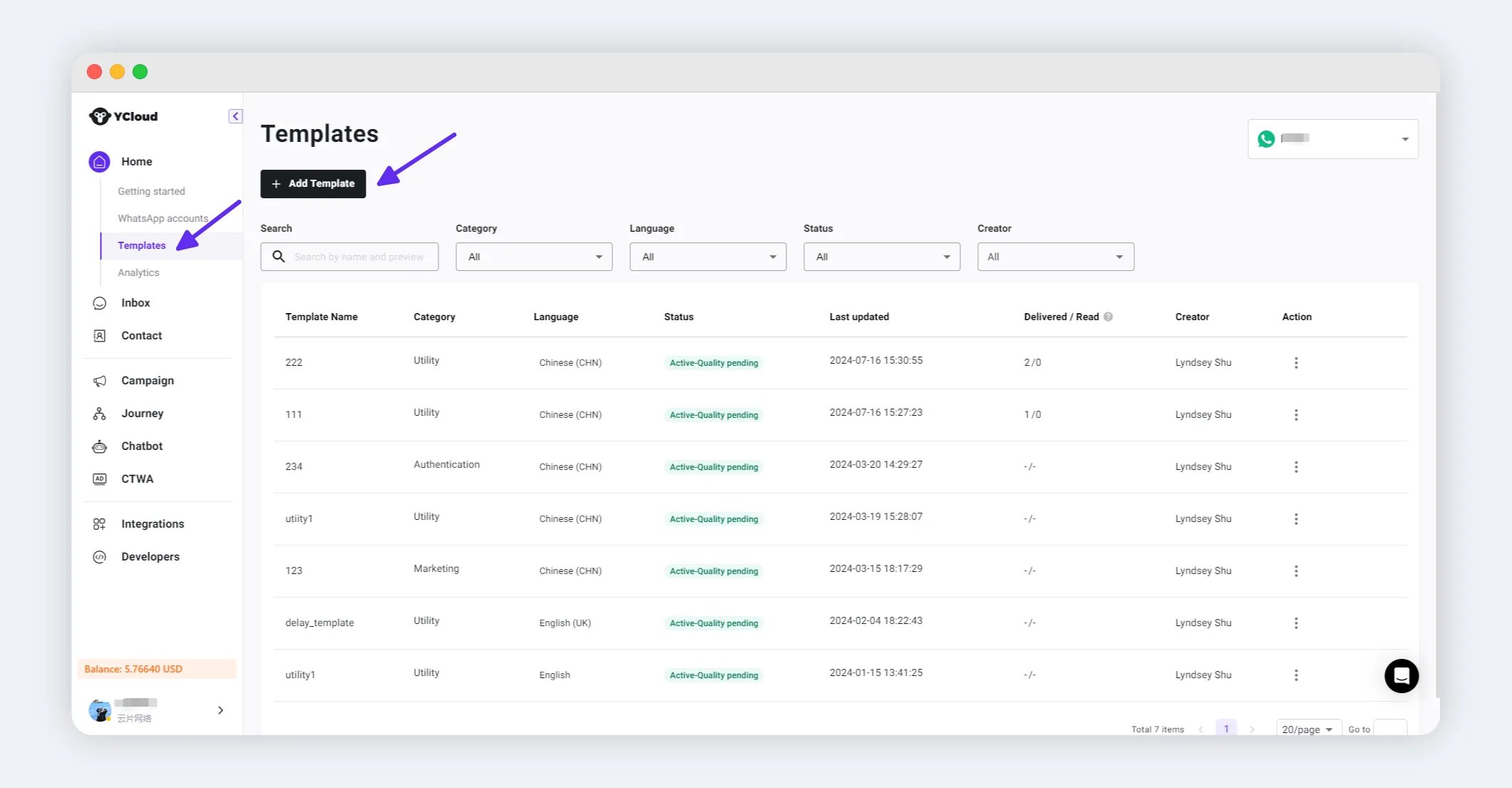

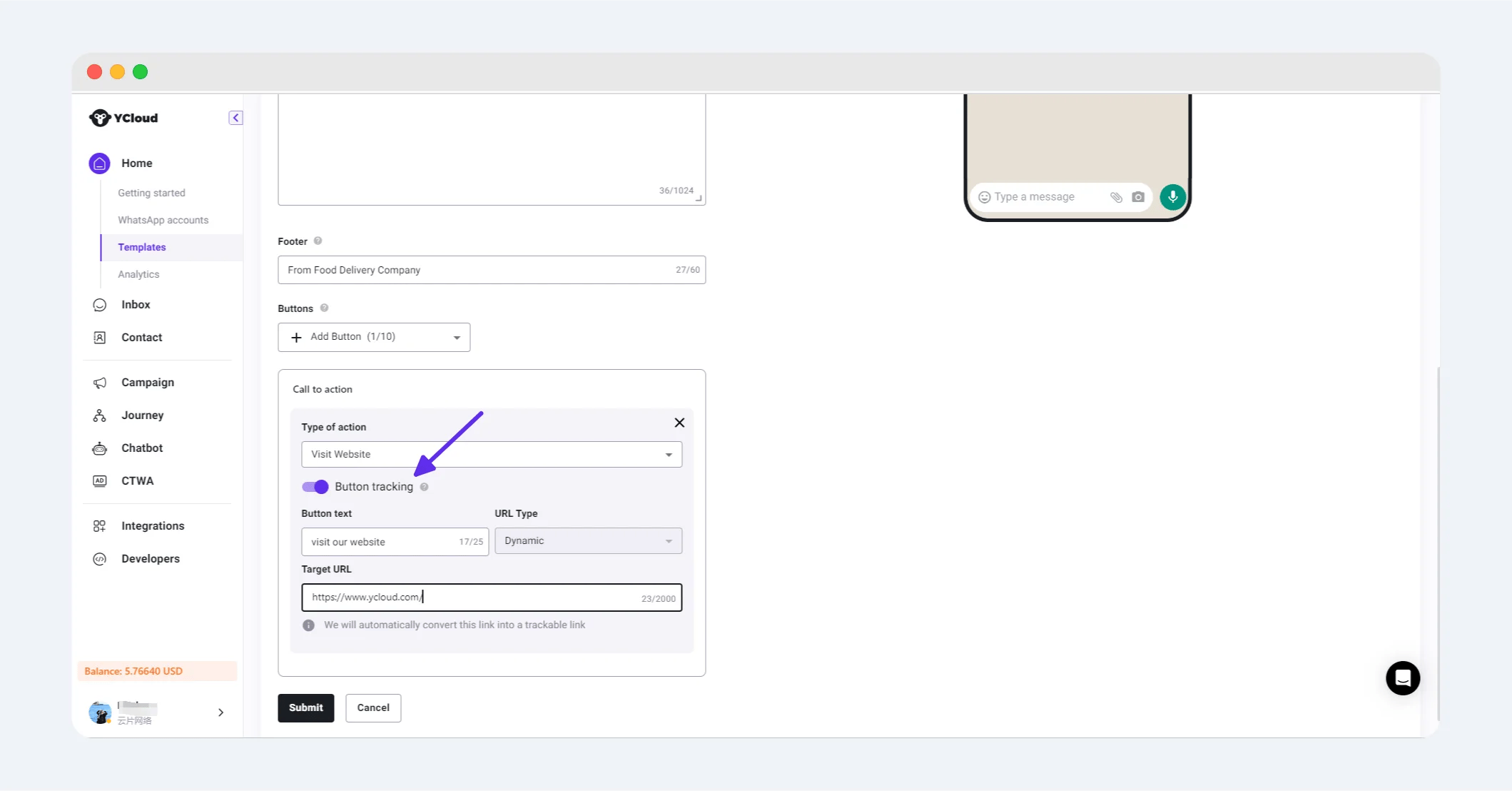 如需创建模板的帮助,请参阅[创建模板](/zh/documentation/channels/whatsapp-accounts-management/template-management/create-template/index)。
## 2. 使用模板发送活动
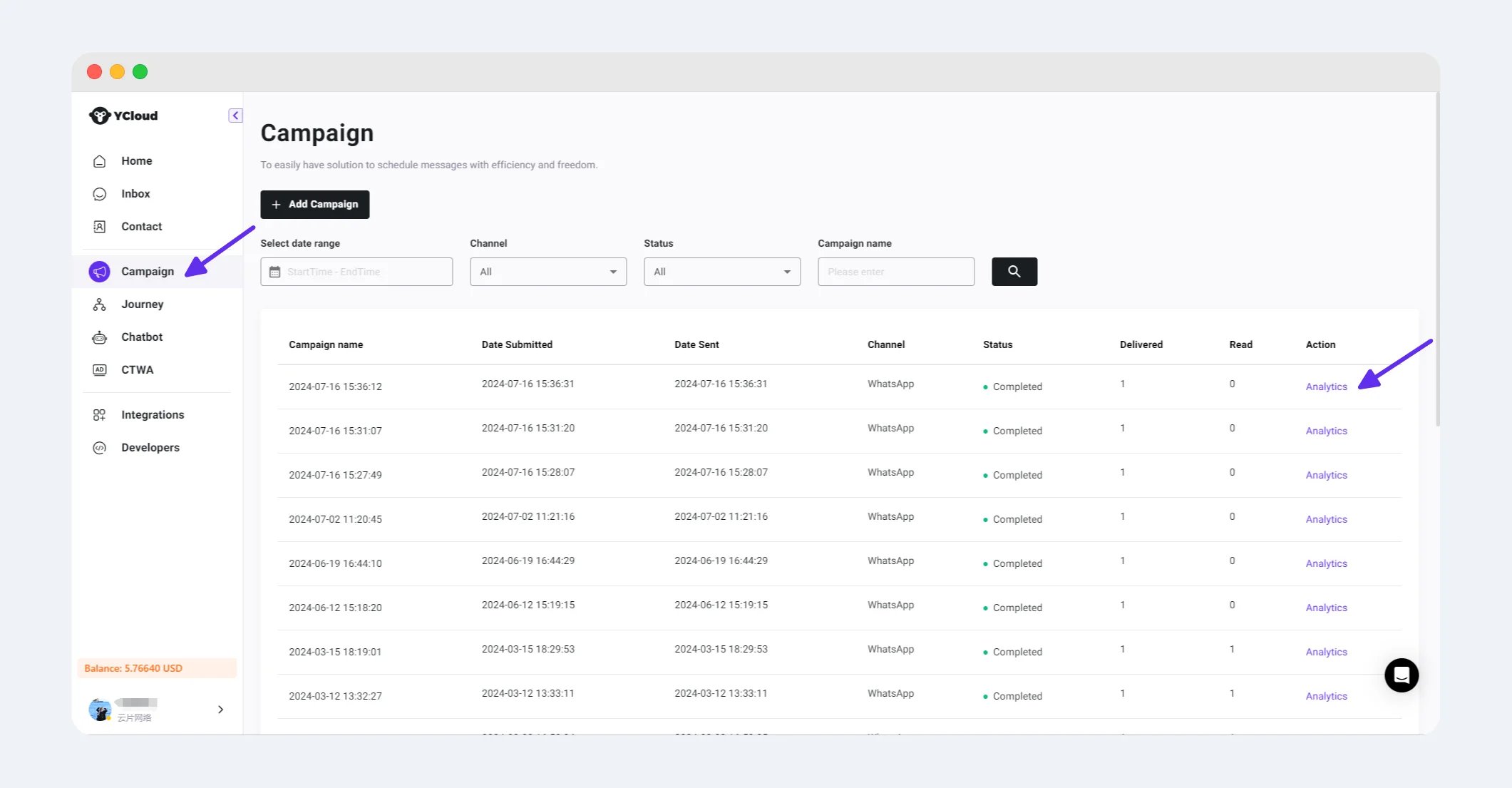
创建 WhatsApp 活动并选择已启用点击跟踪的模板。完成收件人、变量和审核步骤,然后提交活动。
有关完整的活动流程,请参阅[创建 WhatsApp 营销活动](/zh/documentation/campaign/create-a-whatsapp-marketing-campaign)。
## 3. 查看按钮点击数据
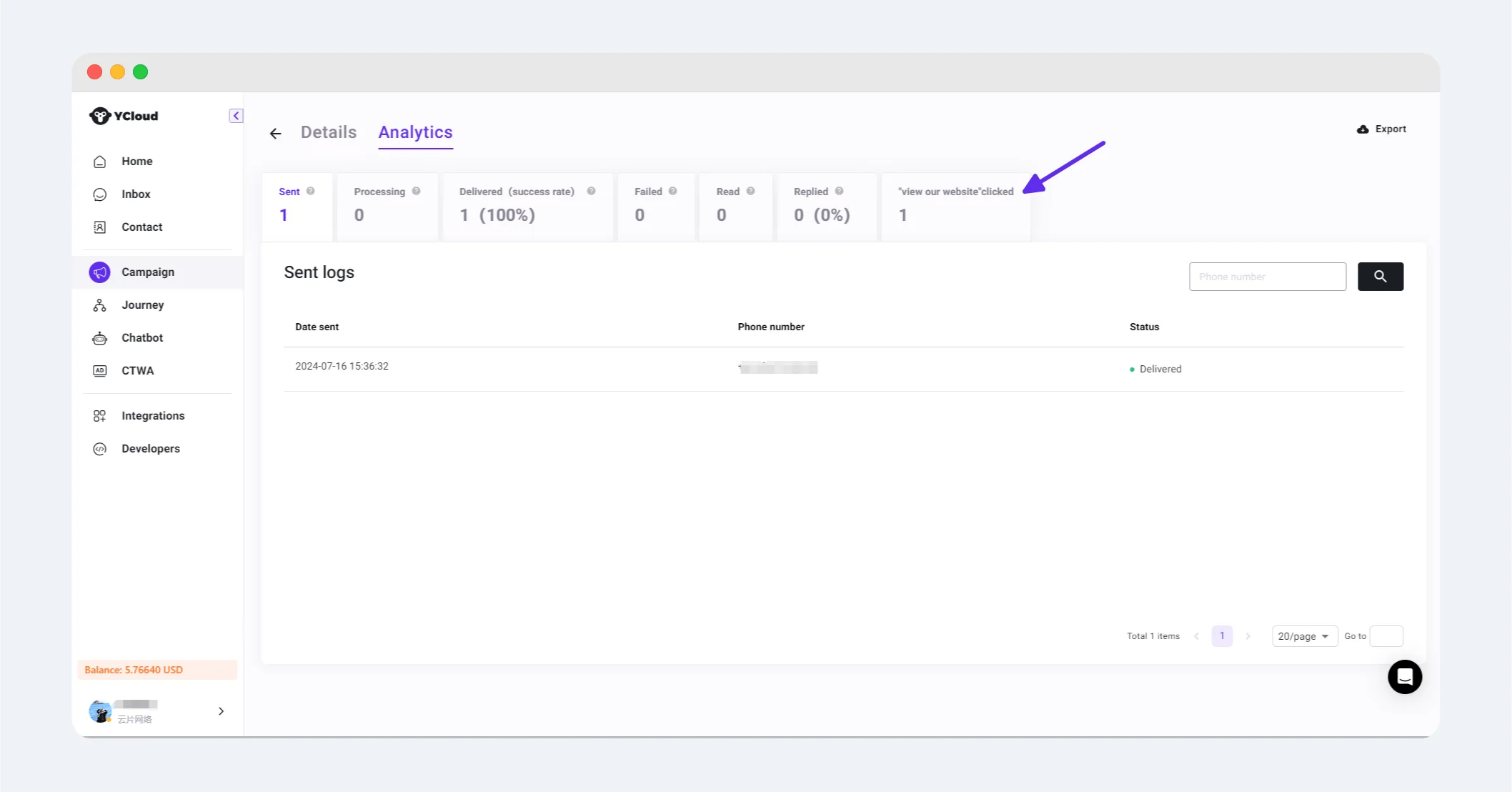
活动完成后,打开其 **分析** 页面。 **按钮点击次数** 部分会显示受跟踪按钮的点击次数。
选择一个按钮卡片以打开该按钮的 **日志** 并查看相关的收件人级别点击记录。
如需创建模板的帮助,请参阅[创建模板](/zh/documentation/channels/whatsapp-accounts-management/template-management/create-template/index)。
## 2. 使用模板发送活动
创建 WhatsApp 活动并选择已启用点击跟踪的模板。完成收件人、变量和审核步骤,然后提交活动。
有关完整的活动流程,请参阅[创建 WhatsApp 营销活动](/zh/documentation/campaign/create-a-whatsapp-marketing-campaign)。
## 3. 查看按钮点击数据
活动完成后,打开其 **分析** 页面。 **按钮点击次数** 部分会显示受跟踪按钮的点击次数。
选择一个按钮卡片以打开该按钮的 **日志** 并查看相关的收件人级别点击记录。
 This documentation is built and hosted on [Mintlify](https://mintlify.com), a developer documentation platform.