> ## Documentation Index
> Fetch the complete documentation index at: https://docs.ycloud.com/llms.txt
> Use this file to discover all available pages before exploring further.
# 添加号码
> 在现有的 WABA 上注册其他电话号码
每个 Meta 业务资产组合 (BM) 对其可注册的 WhatsApp 商业电话号码数量都有一定限制。在添加号码之前,请确认您的业务可用的注册配额。有关当前规则,请参阅 [电话号码注册限制](/zh/documentation/whatsapp-business-platform/accounts-and-business-identity/business-phone-numbers#phone-number-registration-limits)。
## 步骤 1:
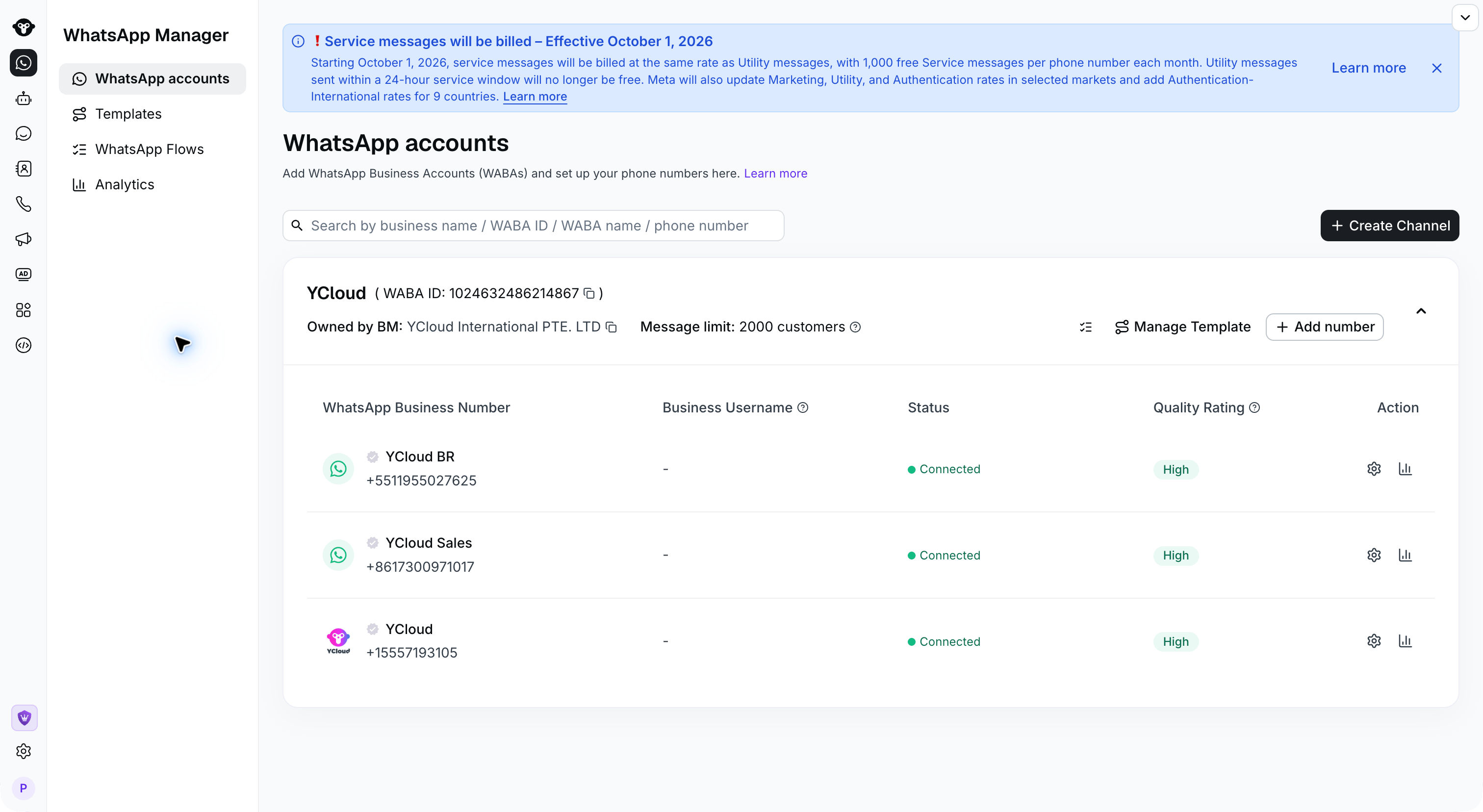
前往 [WhatsApp 账户](https://www.ycloud.com/console/#/app/dashboard/account) 页面,选择要添加号码的 WABA
在要使用的 WABA 上点击 **添加号码** 。
 ## 步骤 2:
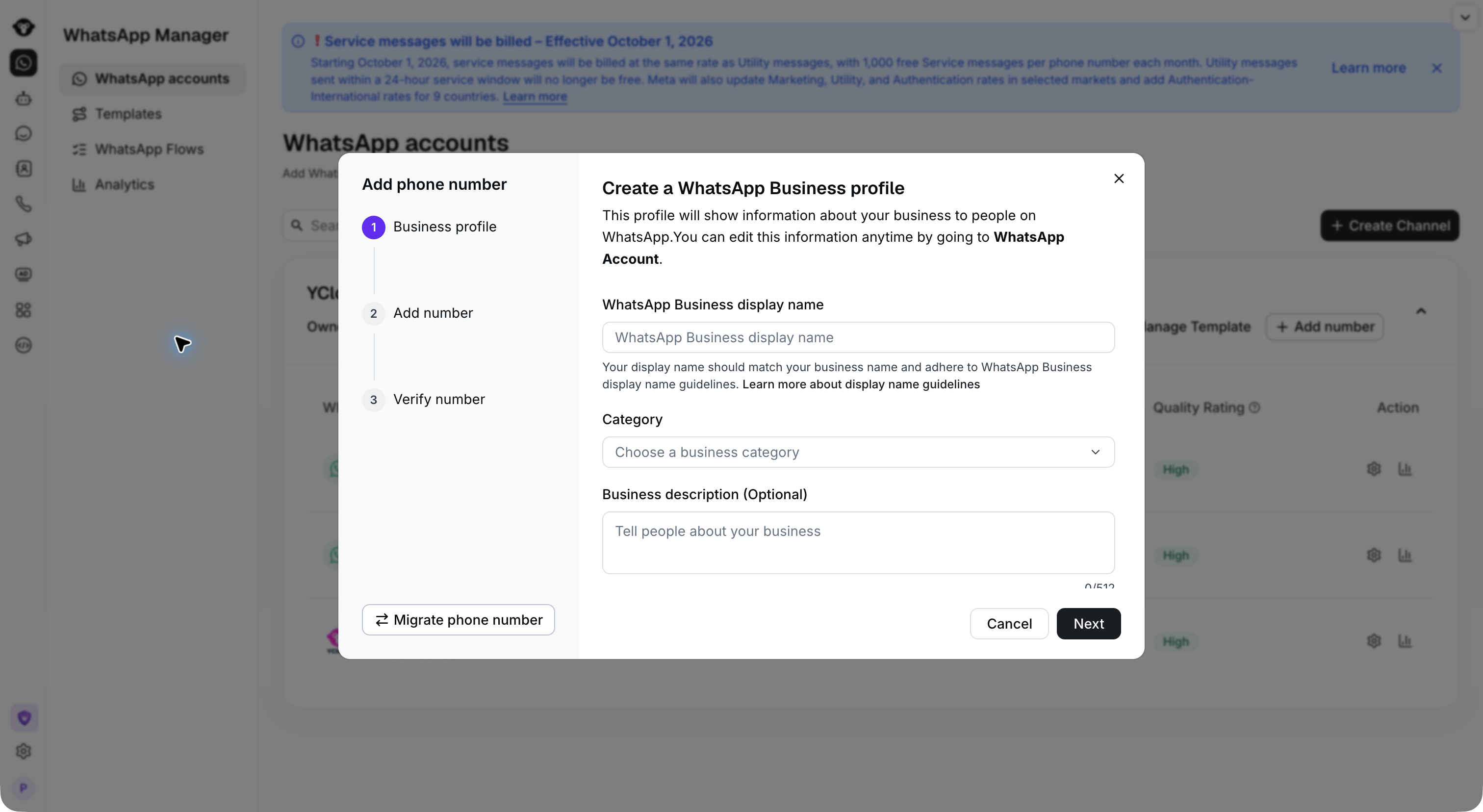
输入商家资料信息:
1. **WhatsApp Business 显示名称**:输入客户将看到的名称。请使用与您的公司或品牌相关的名称。
2. **类别**:选择您的商业类别。
3. **商业描述(可选)**:添加您的业务描述。
点击 **下一步** 继续。
## 步骤 2:
输入商家资料信息:
1. **WhatsApp Business 显示名称**:输入客户将看到的名称。请使用与您的公司或品牌相关的名称。
2. **类别**:选择您的商业类别。
3. **商业描述(可选)**:添加您的业务描述。
点击 **下一步** 继续。
 ## 步骤 3:
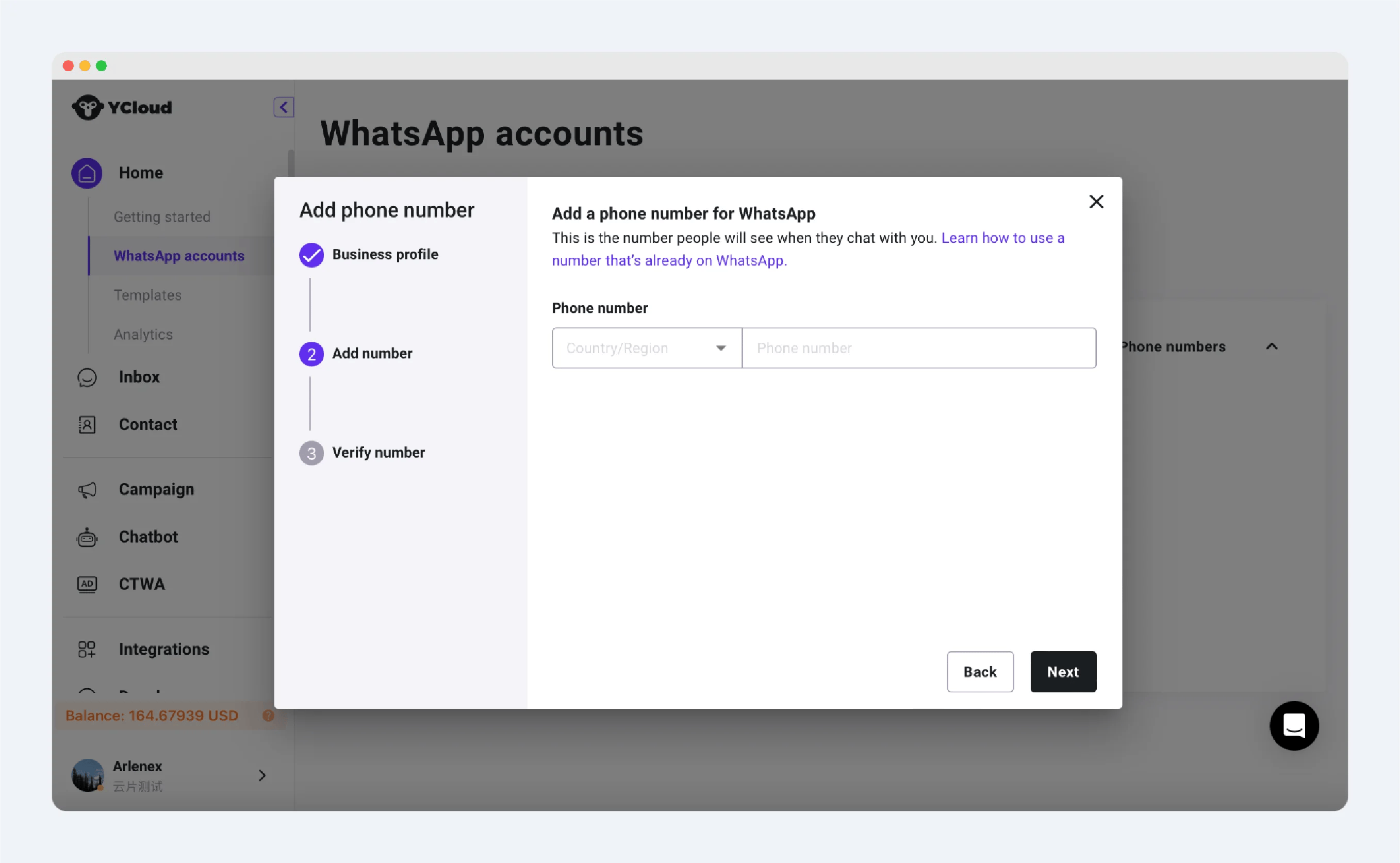
输入电话号码,然后点击继续。
## 步骤 3:
输入电话号码,然后点击继续。
 ## 步骤 4:
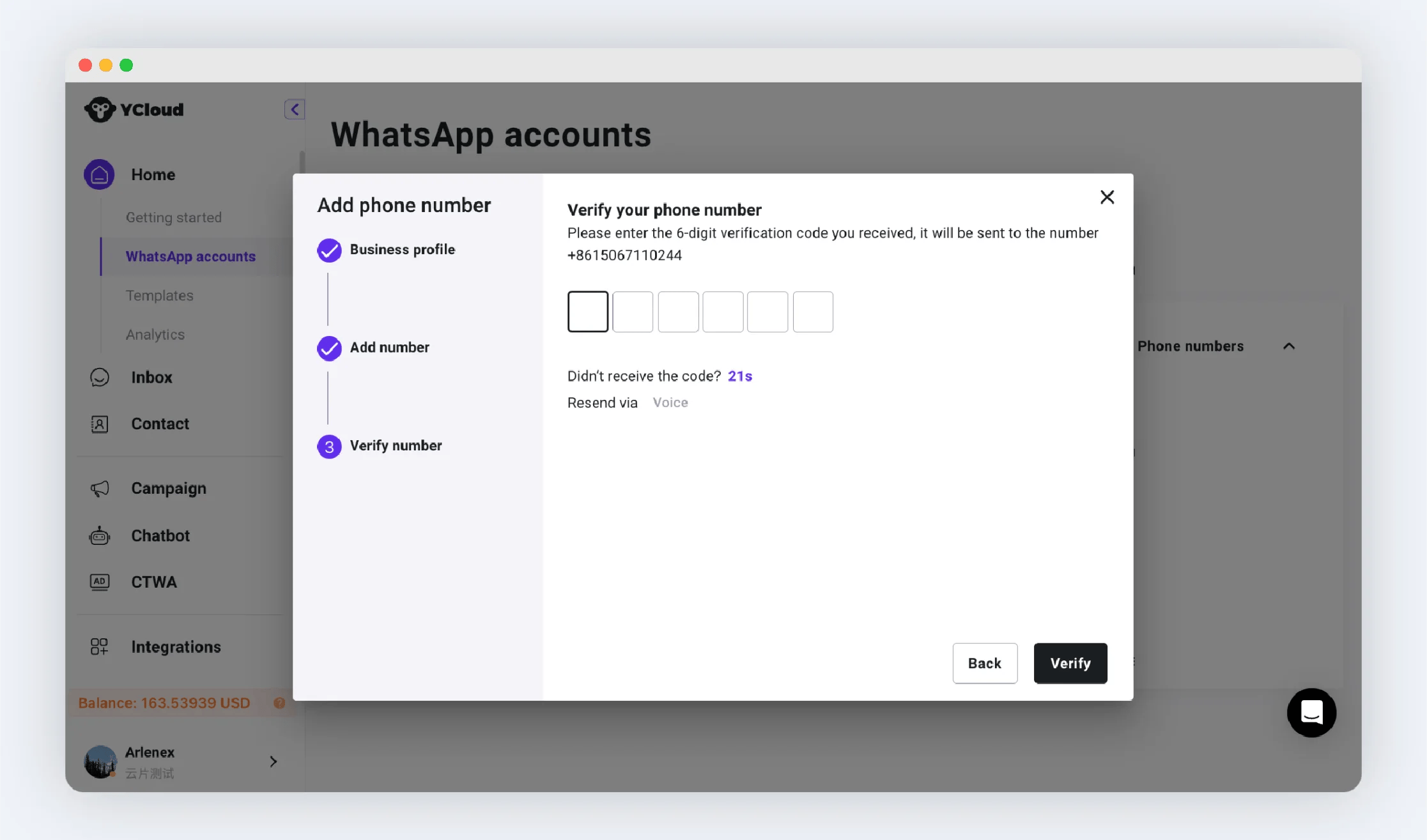
输入该电话号码收到的验证码,然后点击验证以完成连接。
## 步骤 4:
输入该电话号码收到的验证码,然后点击验证以完成连接。
 ## 延伸阅读
连接号码后,建议[设置号码资料](/zh/documentation/channels/whatsapp-accounts-management/phone-number-management/phone-number-profile-settings)
## 常见问题:
如果绑定失败,您可以根据提示确定错误原因,可能包括:
1. 已达到可绑定的最大号码数量。未验证的企业最多只能绑定 2 个电话号码。如果您需要绑定更多号码,请完成企业认证。
2. 该号码已在 WhatsApp 注册。
1. 该号码可能已在 WhatsApp 应用或 WhatsApp Business 应用中注册。建议更换号码或在应用内注销该号码。注意:注销后聊天记录将无法转移。
2. WhatsApp Business API 账户。建议迁移此号码,而不是重新添加。
尝试通过语音通话接收验证码。如果仍无法接收,建议更换新号码。
[查看号码迁移](/zh/documentation/channels/whatsapp-accounts-management/business-accounts/number-migration)
This documentation is built and hosted on [Mintlify](https://mintlify.com), a developer documentation platform.
## 延伸阅读
连接号码后,建议[设置号码资料](/zh/documentation/channels/whatsapp-accounts-management/phone-number-management/phone-number-profile-settings)
## 常见问题:
如果绑定失败,您可以根据提示确定错误原因,可能包括:
1. 已达到可绑定的最大号码数量。未验证的企业最多只能绑定 2 个电话号码。如果您需要绑定更多号码,请完成企业认证。
2. 该号码已在 WhatsApp 注册。
1. 该号码可能已在 WhatsApp 应用或 WhatsApp Business 应用中注册。建议更换号码或在应用内注销该号码。注意:注销后聊天记录将无法转移。
2. WhatsApp Business API 账户。建议迁移此号码,而不是重新添加。
尝试通过语音通话接收验证码。如果仍无法接收,建议更换新号码。
[查看号码迁移](/zh/documentation/channels/whatsapp-accounts-management/business-accounts/number-migration)
This documentation is built and hosted on [Mintlify](https://mintlify.com), a developer documentation platform.