> ## Documentation Index
> Fetch the complete documentation index at: https://docs.ycloud.com/llms.txt
> Use this file to discover all available pages before exploring further.

# 取消关联 WhatsApp Business App

## 观看教学视频👇

### 取消关联 WhatsApp Business App

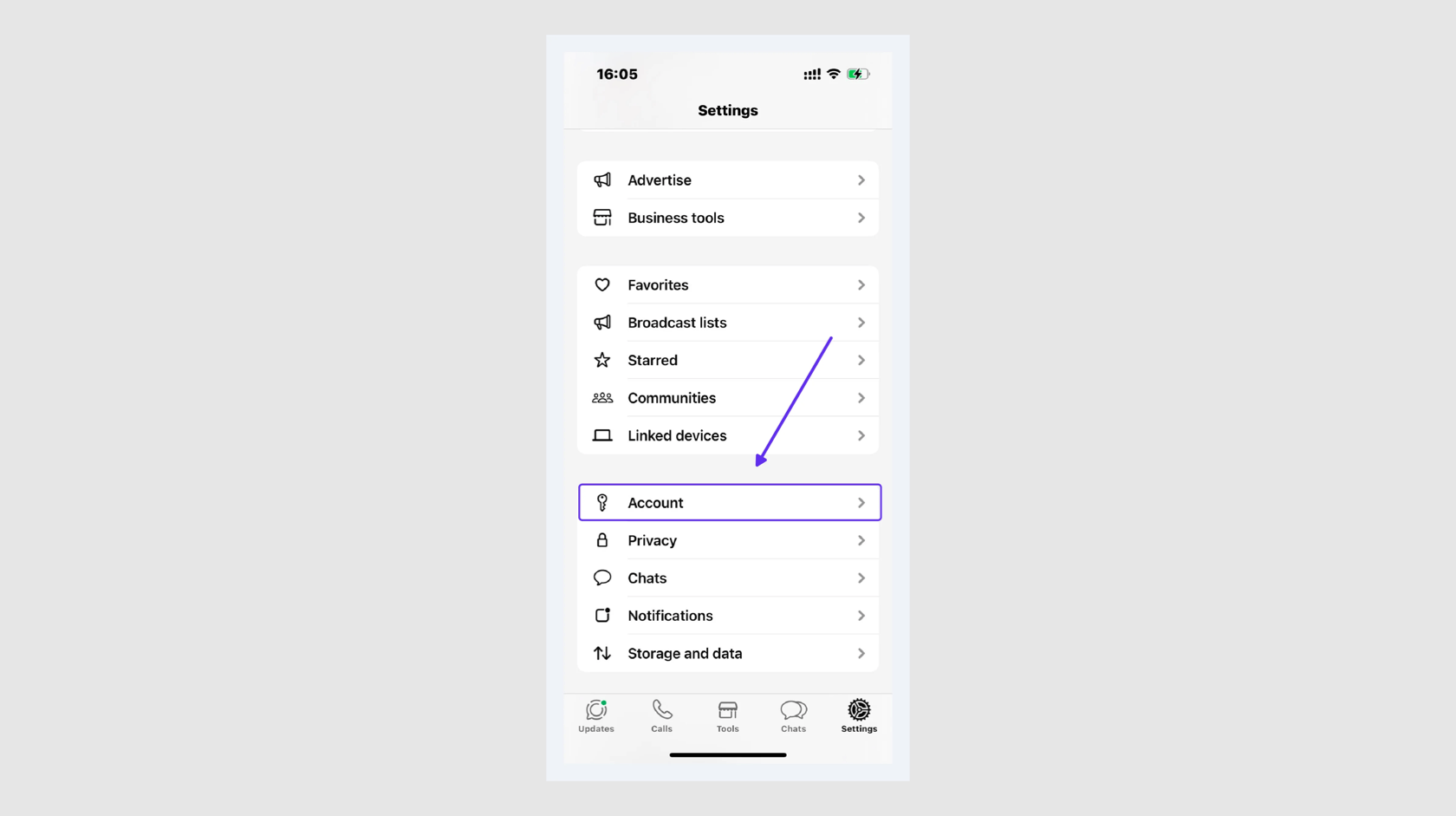
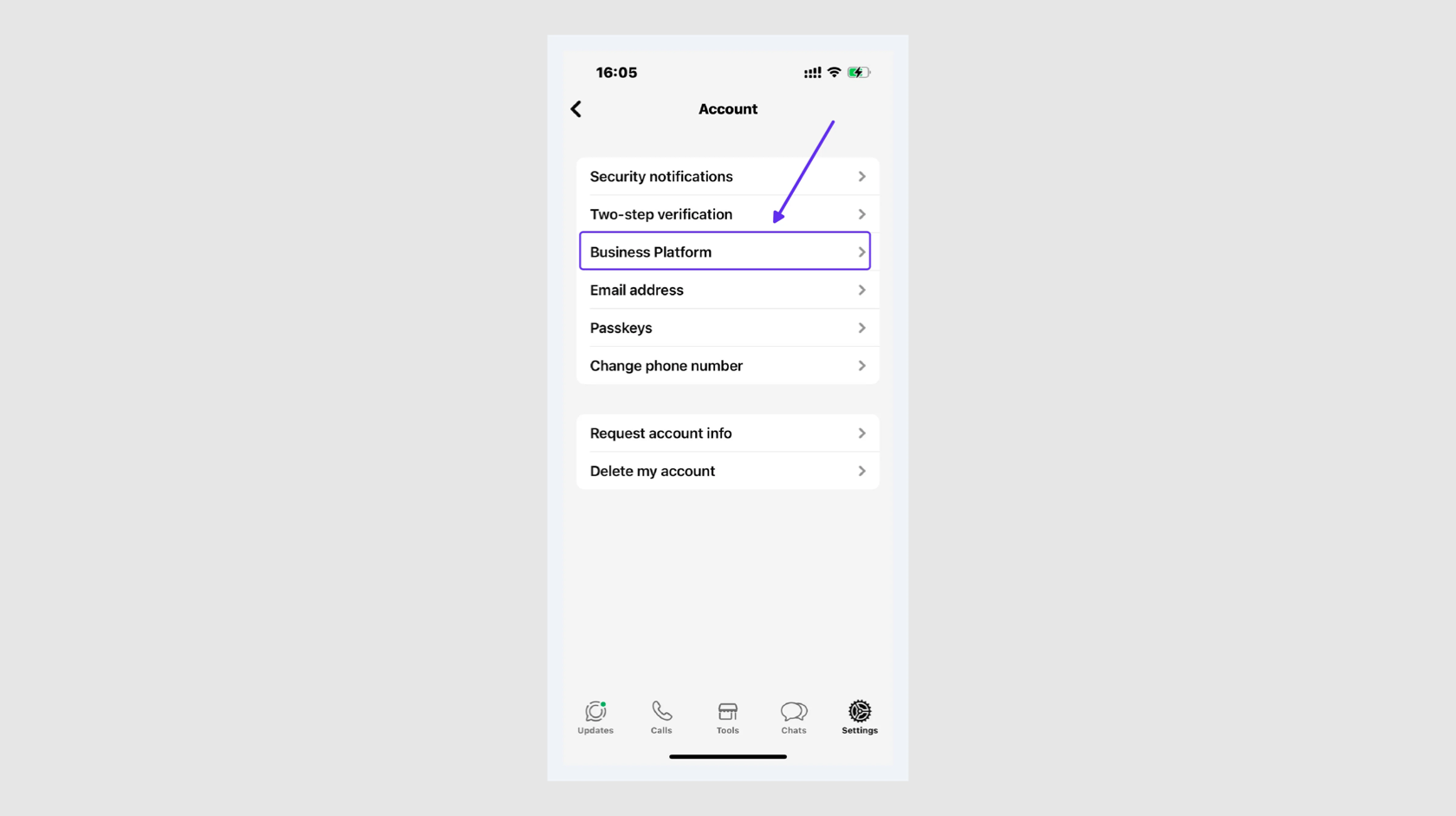
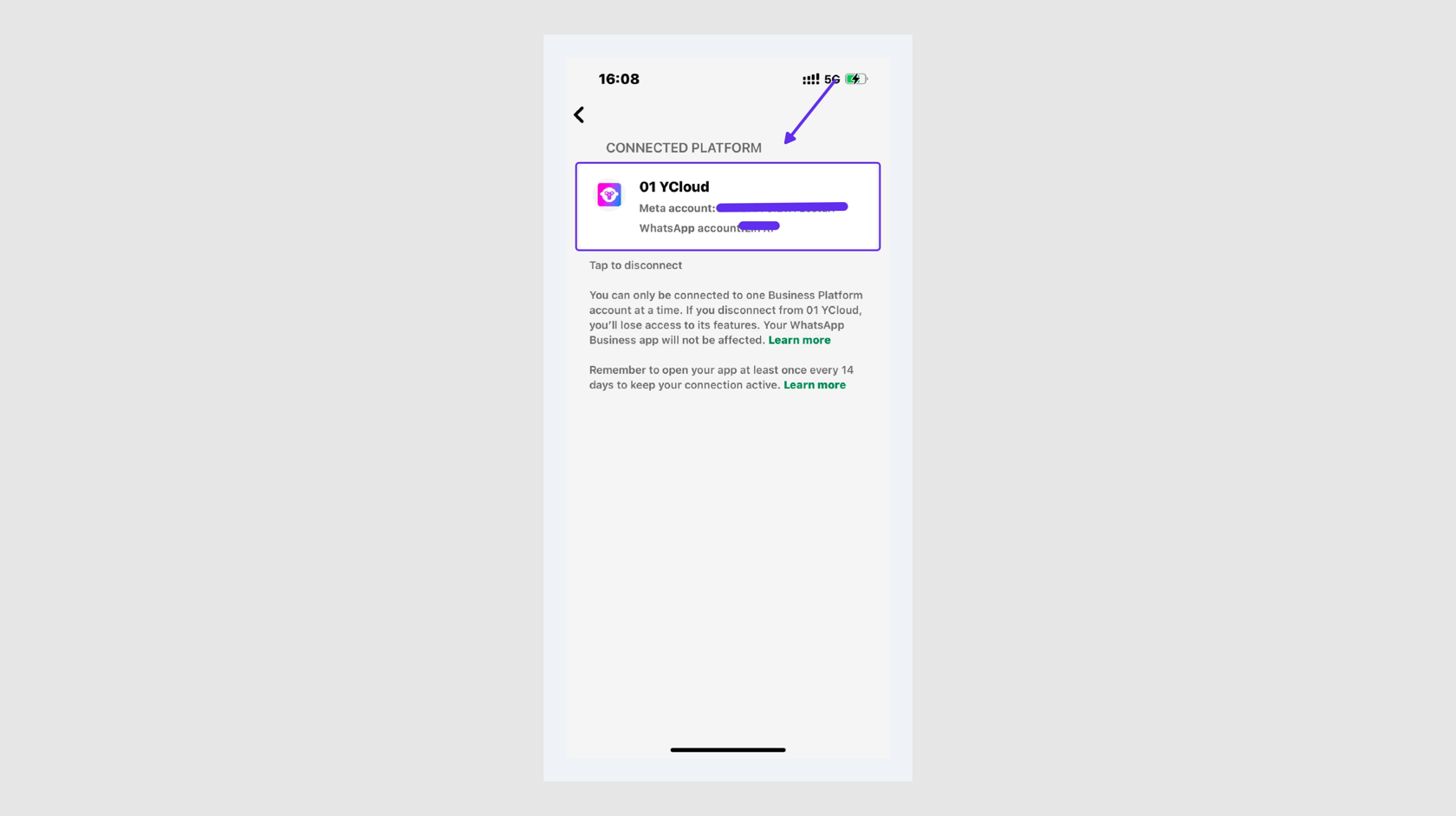
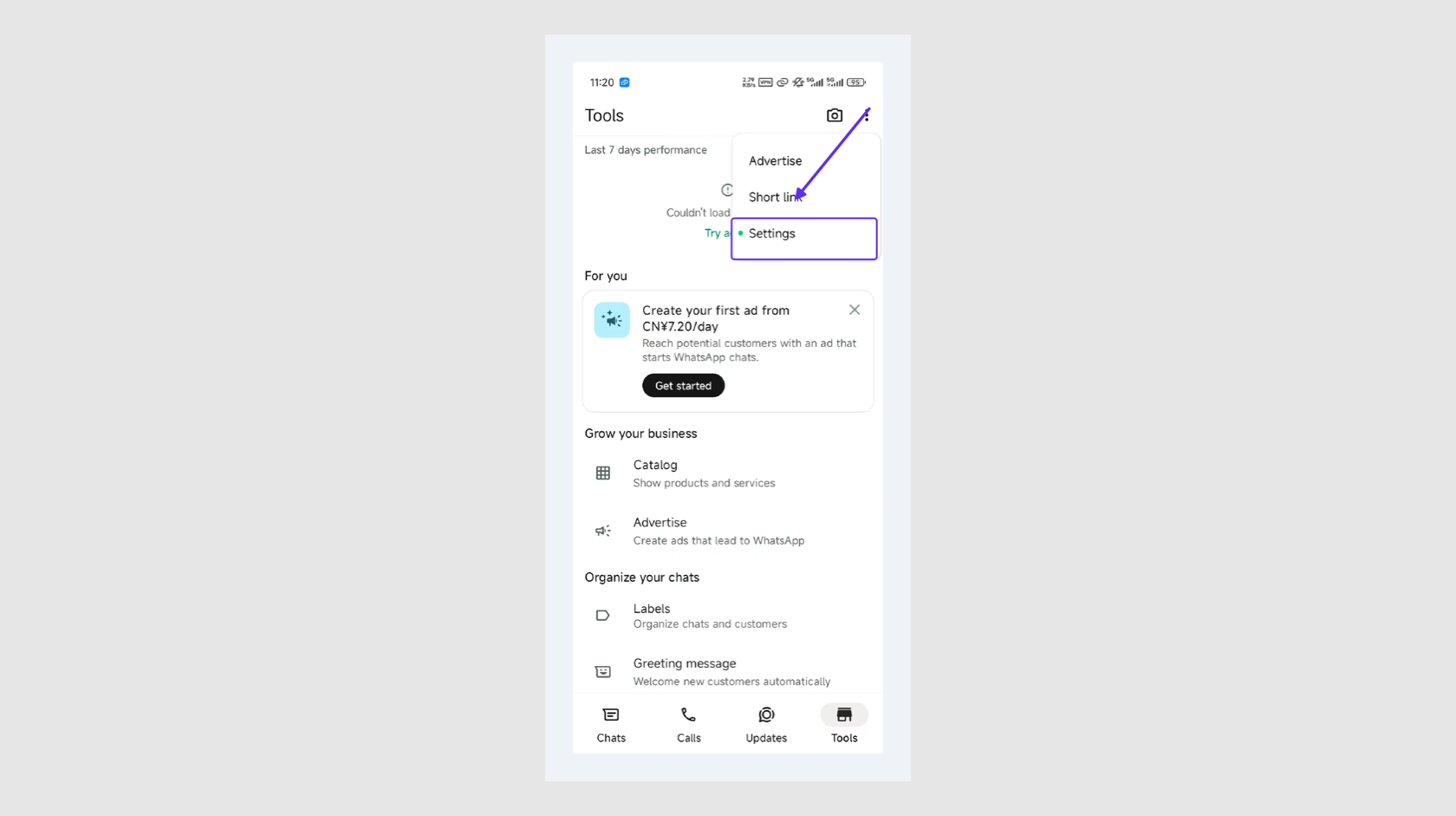
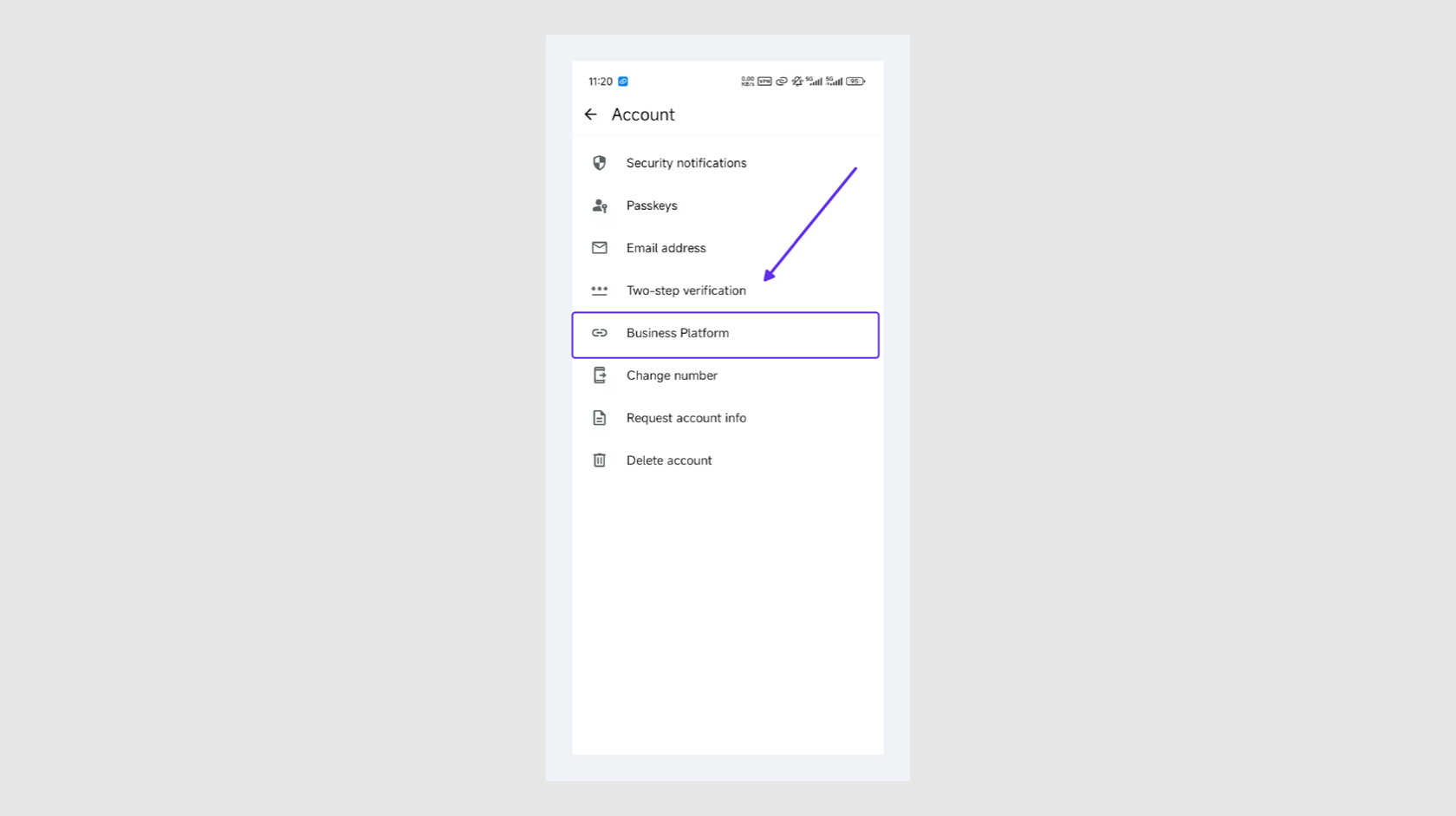
您只能在手机上将 WhatsApp Business App 从平台中取消关联。打开 WhatsApp Business App，依次点击“设置” - “账号” - “商业平台”，然后轻按对应的商业平台以断开连接。

**iOS：**

<Frame>
  <img src="https://mintcdn.com/lchnan/i44u-HHktKvNHsIF/images/01-ios-settings.png?fit=max&auto=format&n=i44u-HHktKvNHsIF&q=85&s=46d09f2f99887623c56cdc66ac7fee67" alt="在 iOS 版 WhatsApp Business App 中打开设置" width="1680" height="941" data-path="images/01-ios-settings.png" />
</Frame>

<Frame>
  <img src="https://mintcdn.com/lchnan/i44u-HHktKvNHsIF/images/02-ios-account.png?fit=max&auto=format&n=i44u-HHktKvNHsIF&q=85&s=9032eea565f760c97521e9ef364aaa45" alt="在 iOS 版 WhatsApp Business App 中打开账号设置" width="1680" height="941" data-path="images/02-ios-account.png" />
</Frame>

<Frame>
  <img src="https://mintcdn.com/lchnan/i44u-HHktKvNHsIF/images/03-ios-connected-platform.png?fit=max&auto=format&n=i44u-HHktKvNHsIF&q=85&s=734e619d47d2454f14f198c336590e89" alt="在 iOS 版 WhatsApp Business App 中打开已关联的商业平台" width="1680" height="941" data-path="images/03-ios-connected-platform.png" />
</Frame>

**Android：**

<Frame>
  <img src="https://mintcdn.com/lchnan/i44u-HHktKvNHsIF/images/04-android-tools.png?fit=max&auto=format&n=i44u-HHktKvNHsIF&q=85&s=74ce6f9debc8c4fee556373dd8314e23" alt="在 Android 版 WhatsApp Business App 中打开商业工具" width="1680" height="941" data-path="images/04-android-tools.png" />
</Frame>

<Frame>
  <img src="https://mintcdn.com/lchnan/i44u-HHktKvNHsIF/images/06-android-account.png?fit=max&auto=format&n=i44u-HHktKvNHsIF&q=85&s=c8e395ae5f41ec885aab7d94d05f9512" alt="在 Android 版 WhatsApp Business App 中打开账号设置" width="1680" height="941" data-path="images/06-android-account.png" />
</Frame>


This documentation is built and hosted on [Mintlify](https://mintlify.com), a developer documentation platform.