> ## Documentation Index
> Fetch the complete documentation index at: https://docs.ycloud.com/llms.txt
> Use this file to discover all available pages before exploring further.

# 电话号码资料设置

电话号码资料包括头像和公司信息等描述内容。

## 第 1 步：进入资料设置

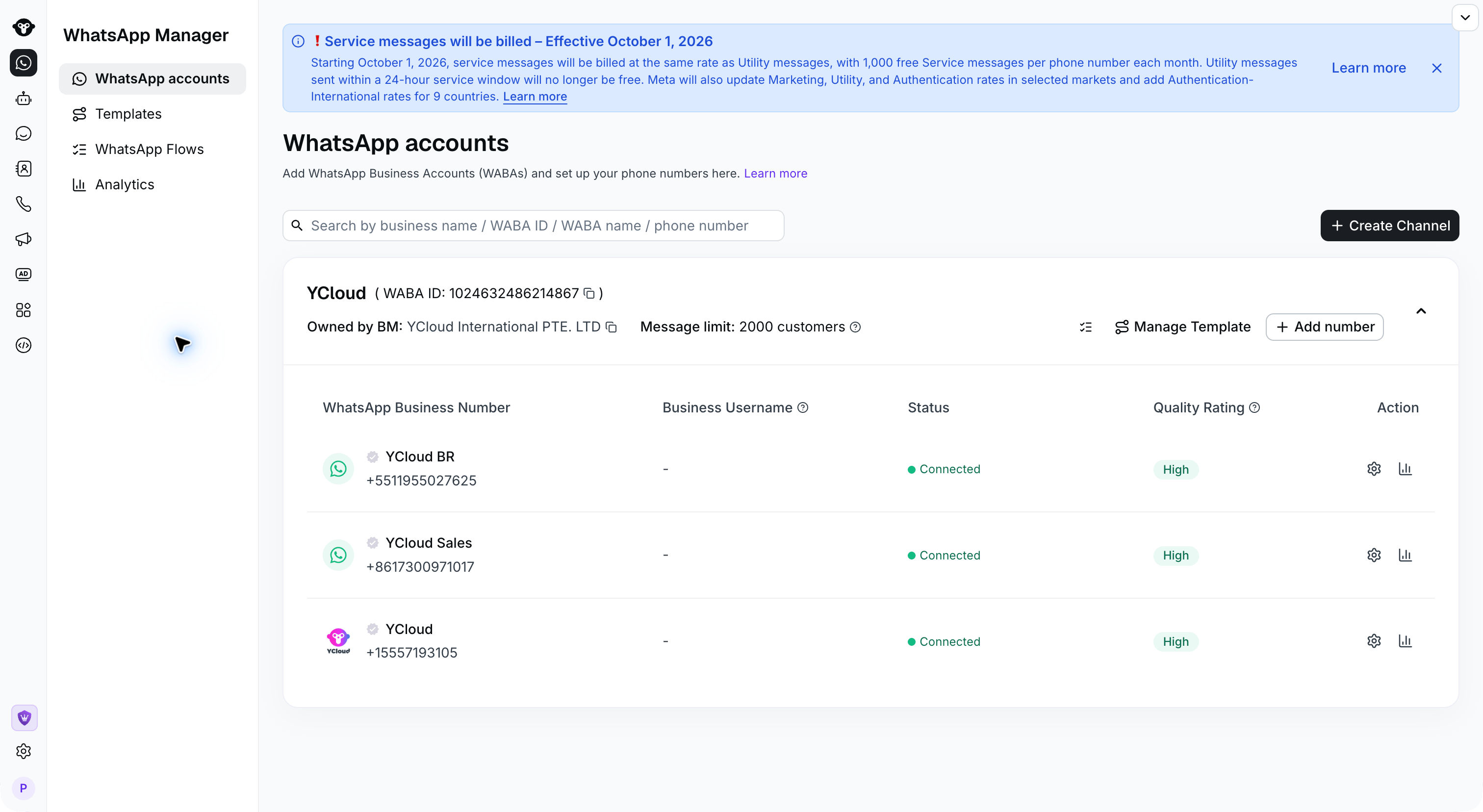
前往 [WhatsApp 账户](https://www.ycloud.com/console/#/app/dashboard/account) 页面，然后点击该电话号码的设置。

<img src="https://mintcdn.com/lchnan/OHXF2GuR7cl6iMeG/product-assets/channels-2026-09-22/whatsapp-accounts.png?fit=max&auto=format&n=OHXF2GuR7cl6iMeG&q=85&s=34239908e4589a9858c9682b55d747e9" alt="包含每个电话号码设置操作的 WhatsApp 账户" width="3024" height="1656" data-path="product-assets/channels-2026-09-22/whatsapp-accounts.png" />

第 2 步：编辑资料

打开 **商业资料** 编辑信息。向下滚动找到描述和联系信息，然后保存更改。

<Frame caption="Review the profile photo and business identity in Business Profile.">
  <img src="https://mintcdn.com/lchnan/TsMGu8UTNQaUw-Rc/product-assets/english-help-2026-09-23/profile-annotated.svg?fit=max&auto=format&n=TsMGu8UTNQaUw-Rc&q=85&s=f906f56c33b37f33aabf6c5a2dd2be3e" alt="YCloud 演示号码的商业资料设置及面向客户的预览。" width="3024" height="1656" data-path="product-assets/english-help-2026-09-23/profile-annotated.svg" />
</Frame>

<Frame caption="Scroll down to edit your description and business contact information.">
  <img src="https://mintcdn.com/lchnan/TsMGu8UTNQaUw-Rc/product-assets/english-help-2026-09-23/profile-contact-annotated.svg?fit=max&auto=format&n=TsMGu8UTNQaUw-Rc&q=85&s=6c7aa869c32026af7c9cca9c529ddef8" alt="商业资料中的描述、地址、电子邮箱和网站字段。" width="3024" height="1656" data-path="product-assets/english-help-2026-09-23/profile-contact-annotated.svg" />
</Frame>


This documentation is built and hosted on [Mintlify](https://mintlify.com), a developer documentation platform.