> ## Documentation Index
> Fetch the complete documentation index at: https://docs.ycloud.com/llms.txt
> Use this file to discover all available pages before exploring further.

# 复制模板

为了快速便捷地创建模板，您可以使用复制模板功能。推荐使用场景：

1. 当 YCloud 账户中存在多个 WABA 时，您需要将相同的模板复制到多个 WABA。
2. 在同一个 WABA 内，您需要创建一个内容不完全相同但类似的模板。
3. 当模板由于类别（Category）选择错误而未通过审核时，您可以使用复制模板按钮创建新模板并选择正确的类别。

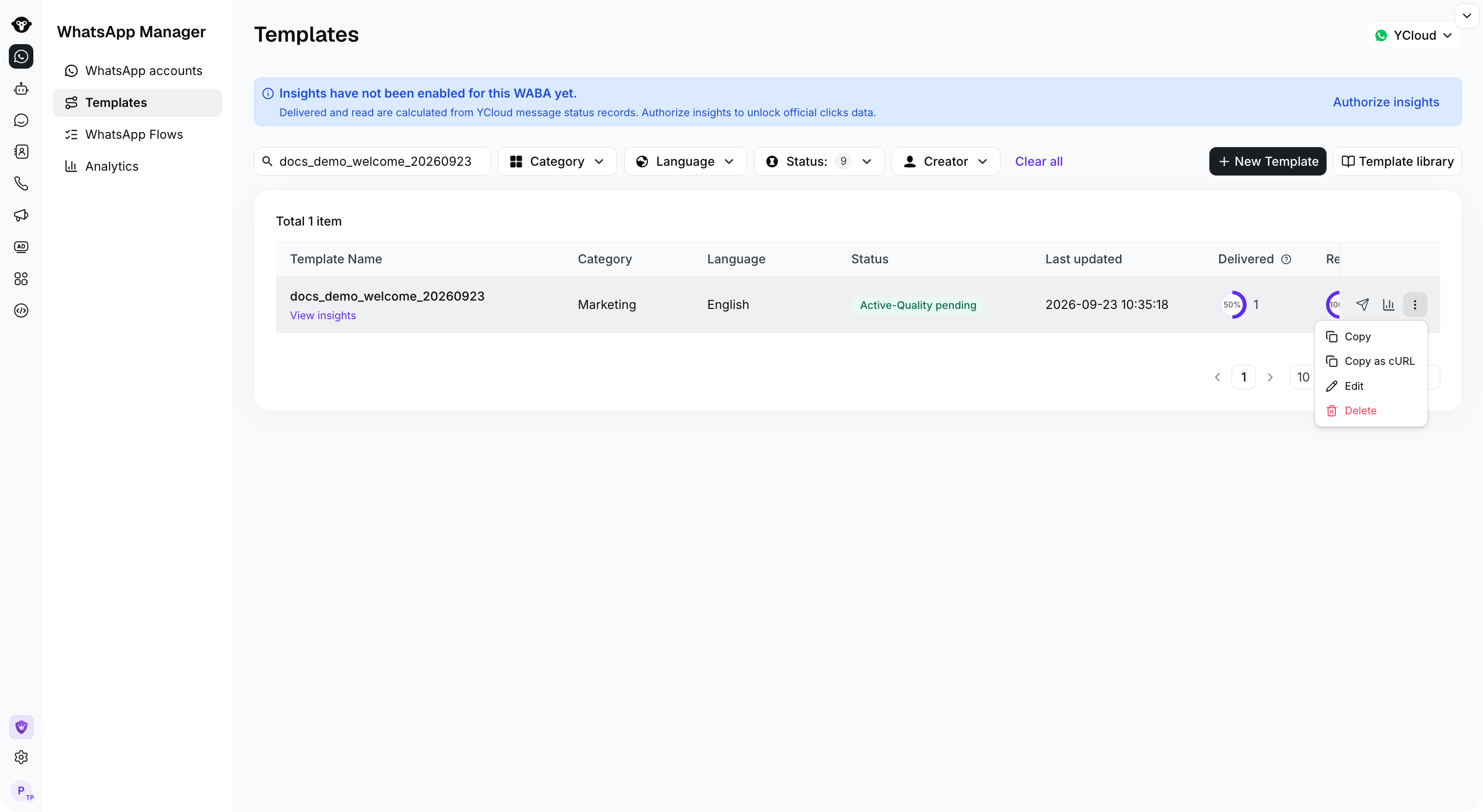
## 步骤 1：点击复制按钮

<Frame caption="Open the template row actions menu and select Copy.">
  <img src="https://mintcdn.com/lchnan/rmZYWVwRdpR7TJaI/product-assets/english-help-context-2026-09-23/template-copy-menu.png?fit=max&auto=format&n=rmZYWVwRdpR7TJaI&q=85&s=b87ed601fd1d16a42abbd71f5d45fd78" alt="包含复制操作的完整模板页面" width="3024" height="1656" data-path="product-assets/english-help-context-2026-09-23/template-copy-menu.png" />
</Frame>

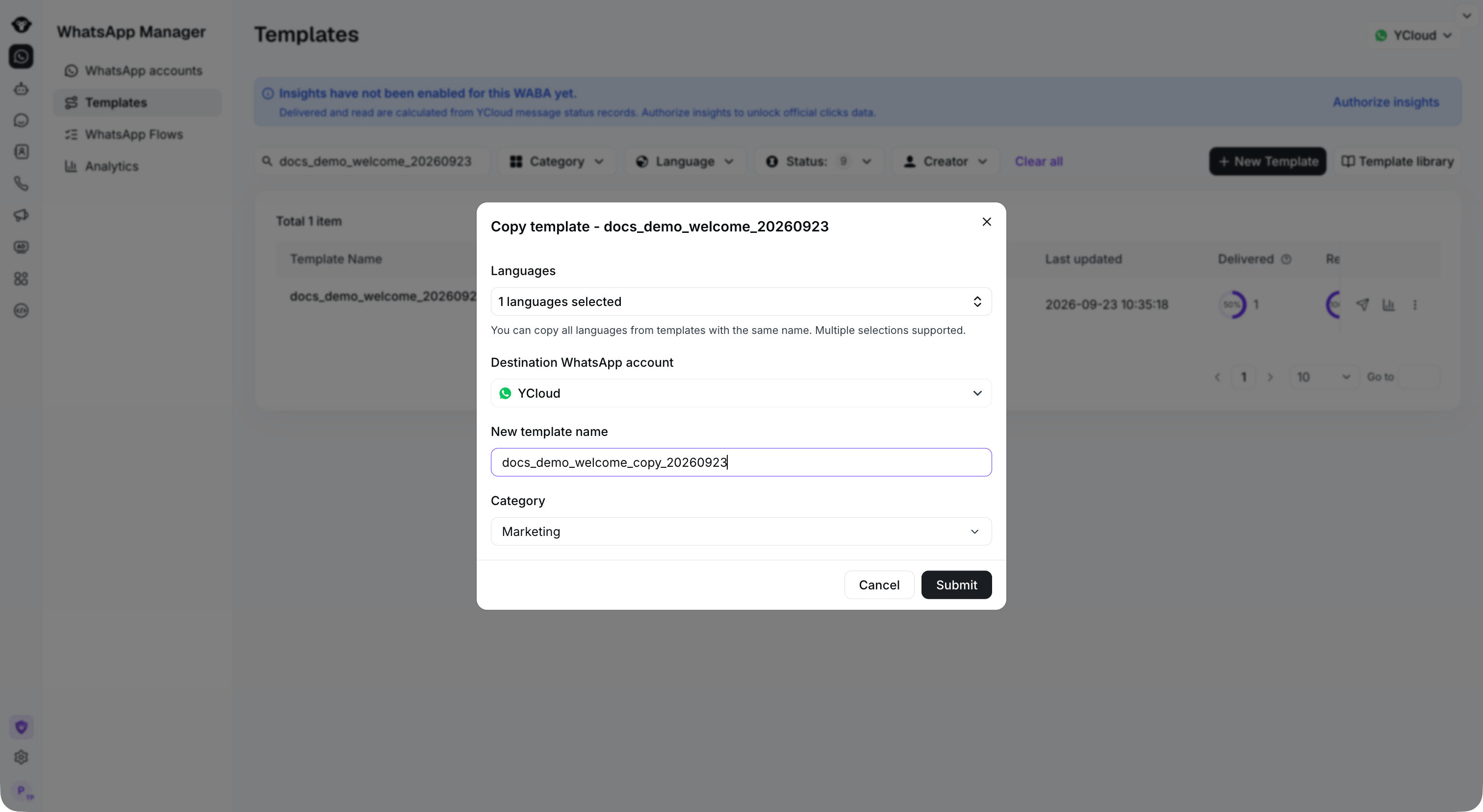
## 步骤 2：设置复制信息

1. 目标 WhatsApp 账户：目标 WABA。选择您希望将模板复制到的 WABA，也可以选择当前 WABA。
2. 模板名称：新模板名称。为新模板命名。
3. 类别：模板类型。如果模板已经过审核批准，建议不要进行调整。

设置完内容后，点击提交。

<Frame caption="Select the languages and destination account, then enter a new template name and category.">
  <img src="https://mintcdn.com/lchnan/rmZYWVwRdpR7TJaI/product-assets/english-help-context-2026-09-23/template-copy-form.png?fit=max&auto=format&n=rmZYWVwRdpR7TJaI&q=85&s=f9b97b67f568e9b99a40a385d7911851" alt="包含复制配置的完整模板页面" width="3024" height="1656" data-path="product-assets/english-help-context-2026-09-23/template-copy-form.png" />
</Frame>

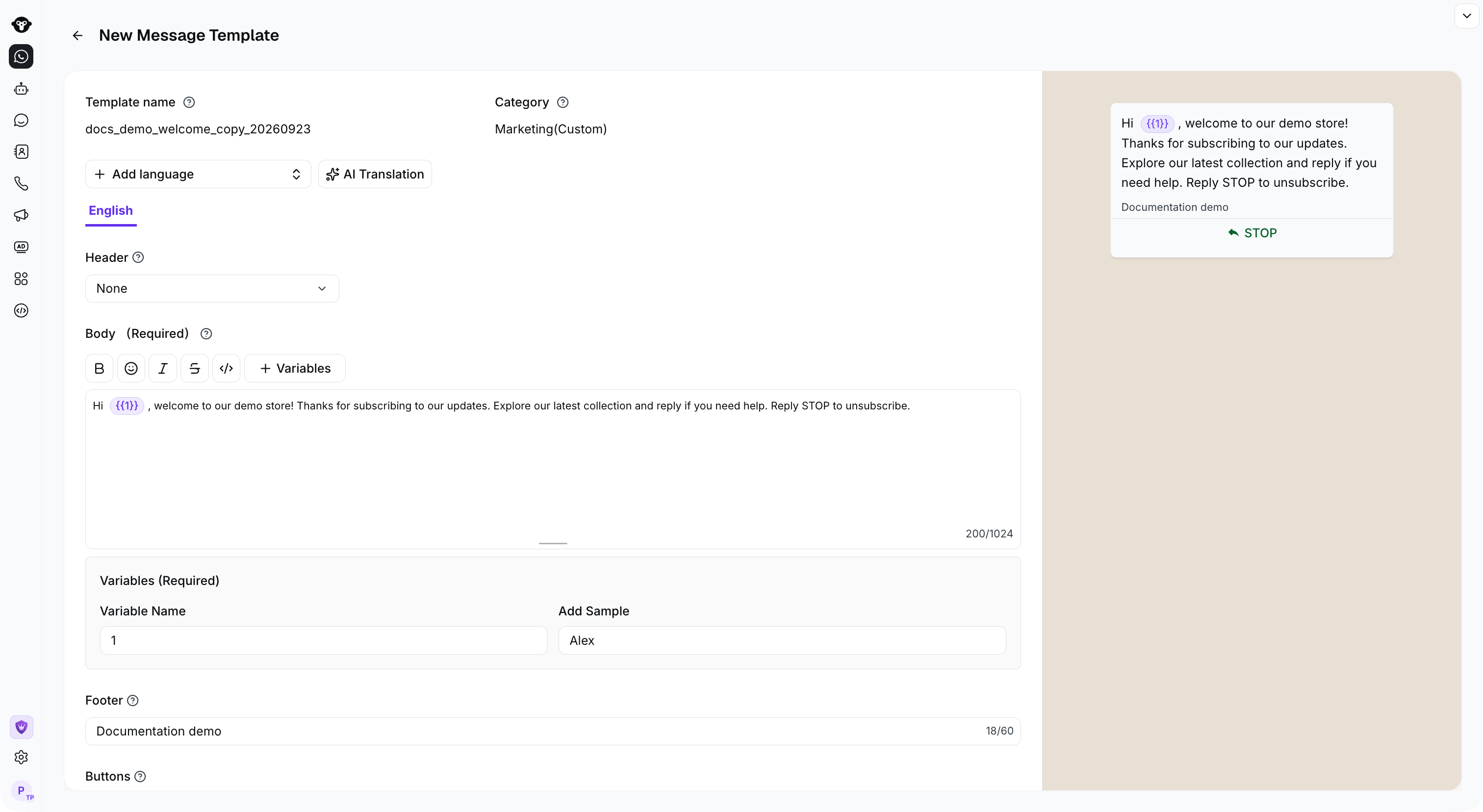
## 步骤 3：编辑新模板

进入新模板的编辑页面，确认内容无误后，点击提交。

<Frame caption="Review the copied content, variables, and preview before submitting the new template.">
  <img src="https://mintcdn.com/lchnan/rmZYWVwRdpR7TJaI/product-assets/english-help-context-2026-09-23/template-copy-editor.png?fit=max&auto=format&n=rmZYWVwRdpR7TJaI&q=85&s=00e9b38e664607d645eb0e3b1a4c4009" alt="当前编辑器中复制的欢迎模板" width="3024" height="1656" data-path="product-assets/english-help-context-2026-09-23/template-copy-editor.png" />
</Frame>


This documentation is built and hosted on [Mintlify](https://mintlify.com), a developer documentation platform.