> ## Documentation Index
> Fetch the complete documentation index at: https://docs.ycloud.com/llms.txt
> Use this file to discover all available pages before exploring further.

# 连接 TikTok 广告账户

> 本指南将指导你：通过 YCloud 配置你的 TikTok 广告运营并使其正常运行。

# 连接 TikTok 广告账户

在 YCloud 中授权 TikTok 广告账户，然后绑定广告将使用的 WhatsApp Business 号码。

<Info>
  开始之前，请确保该 WhatsApp Business 号码已连接到 YCloud。授权该账户的 TikTok 用户需要拥有你打算使用的广告账户的访问权限。
</Info>

## 连接广告账户

1. 在 YCloud 中，打开 **CTWA** 并启动 TikTok 广告账户连接流程。
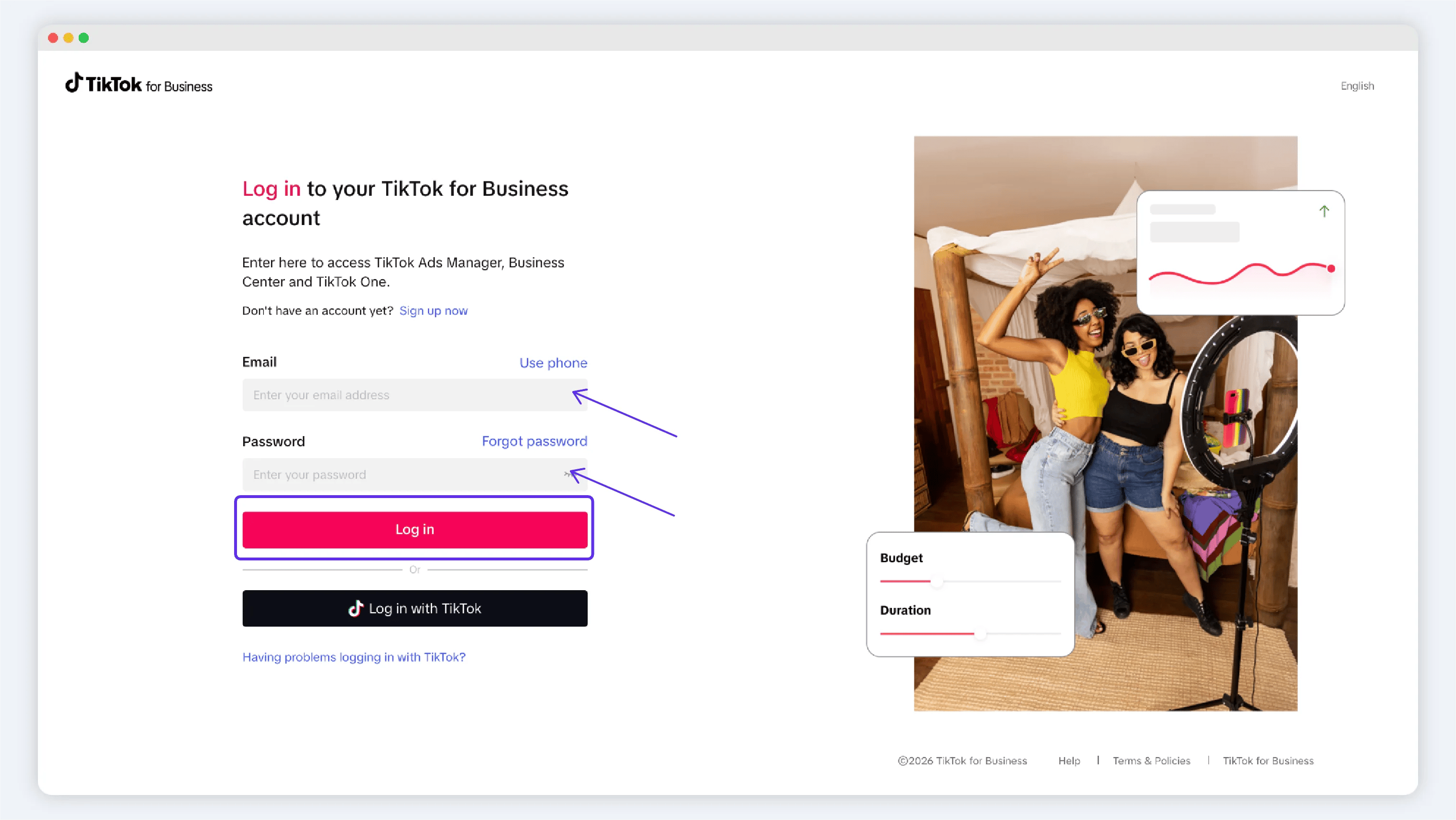
2. 在授权窗口中登录 TikTok，并为你将要使用的账户批准访问权限。
3. 返回 YCloud 并确认目标广告账户显示在账户列表中。

<Frame caption="Start with Connect Ad account under TikTok Ads.">
  <img src="https://mintcdn.com/lchnan/gXEJIQXV2JH2VUQJ/product-assets/english-help-2026-09-22/ctwa-connect-tiktok-annotated.svg?fit=max&auto=format&n=gXEJIQXV2JH2VUQJ&q=85&s=01cbd3b7f8e9fafb86b25883735e5205" alt="CTWA 连接页面突出显示 TikTok Ads 下的 Connect Ad account。" width="3024" height="1656" data-path="product-assets/english-help-2026-09-22/ctwa-connect-tiktok-annotated.svg" />
</Frame>

<Frame caption="Sign in to the TikTok account that can access the target ad account">
  <img src="https://mintcdn.com/lchnan/Z2X3BzyqaivSGKDr/product-assets/6f9f4cd438-tiktok-tk-t1.webp?fit=max&auto=format&n=Z2X3BzyqaivSGKDr&q=85&s=a588f76bcb85497043286705c6903665" alt="TikTok 授权登录页面" width="3035" height="1709" data-path="product-assets/6f9f4cd438-tiktok-tk-t1.webp" />
</Frame>

## 绑定 WhatsApp Business 号码

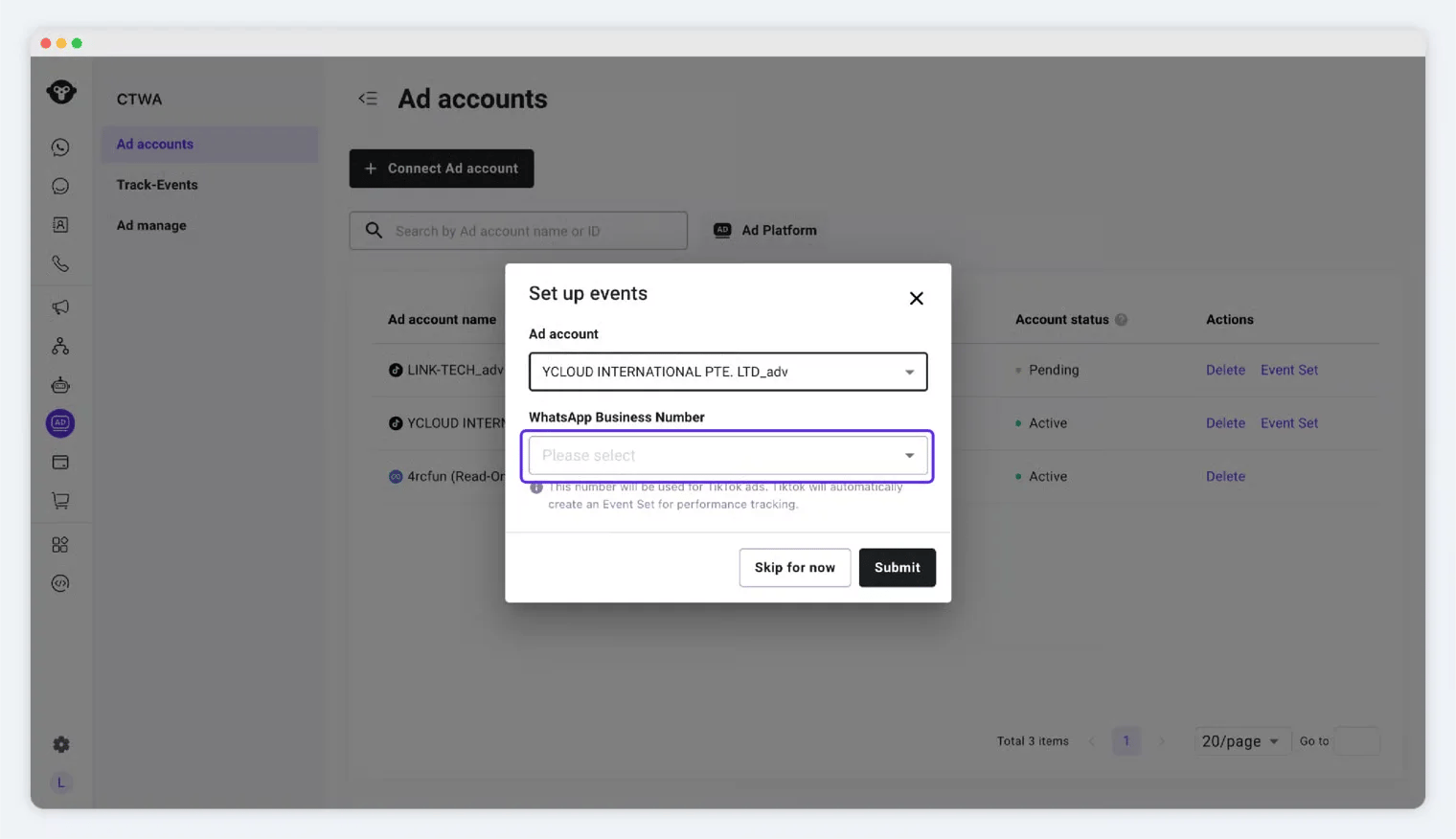
在创建广告之前绑定号码。YCloud 会使用已绑定的号码来创建和管理相关的 TikTok 消息事件集配置。

1. 在已连接的账户中，打开事件集或号码绑定流程。
2. 确认 TikTok 广告账户。
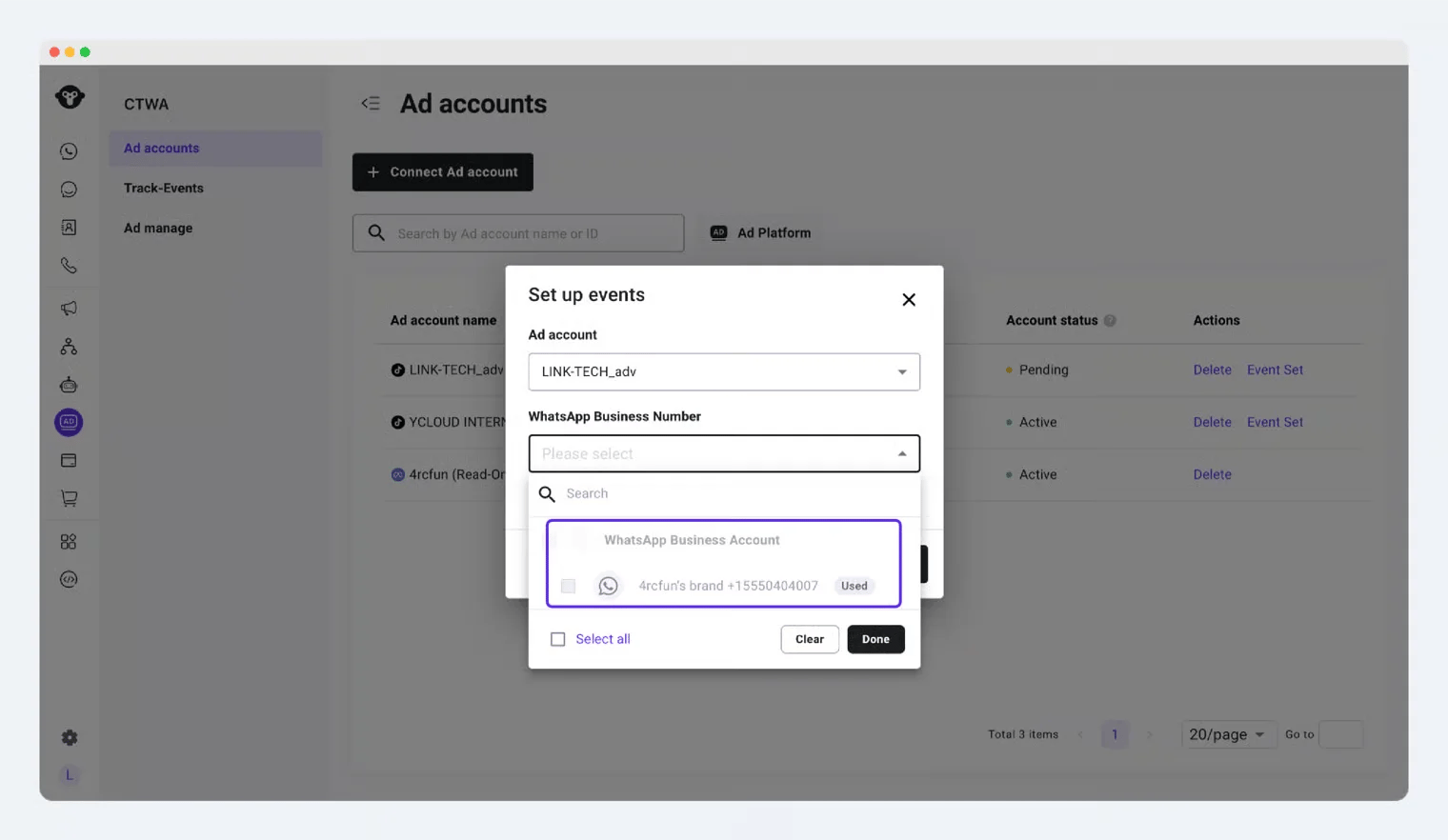
3. 选择将接收广告引流对话的 WhatsApp Business 号码。
4. 提交配置并确认事件集已创建。
<Frame caption="Continue to number linking after connecting the ad account">
  <img src="https://mintcdn.com/lchnan/AlSk34JesCiO_ZYy/product-assets/dd2c275d4b-image-25.webp?fit=max&auto=format&n=AlSk34JesCiO_ZYy&q=85&s=fd2454eca6aa67bea172d673f4522136" alt="YCloud 提示绑定 WhatsApp Business 号码" width="1520" height="872" data-path="product-assets/dd2c275d4b-image-25.webp" />
</Frame>

<Frame caption="Select the ad account and WhatsApp Business number">
  <img src="https://mintcdn.com/lchnan/6CxA7mK2t7klNAOL/product-assets/a630e0ab30-image-27.webp?fit=max&auto=format&n=6CxA7mK2t7klNAOL&q=85&s=36b3bbc73acbf0ae0abb0c2a2d954cc0" alt="用于将 WhatsApp Business 号码绑定到 TikTok 广告账户的 YCloud 表单" width="1520" height="876" data-path="product-assets/a630e0ab30-image-27.webp" />
</Frame>

## 了解号码状态

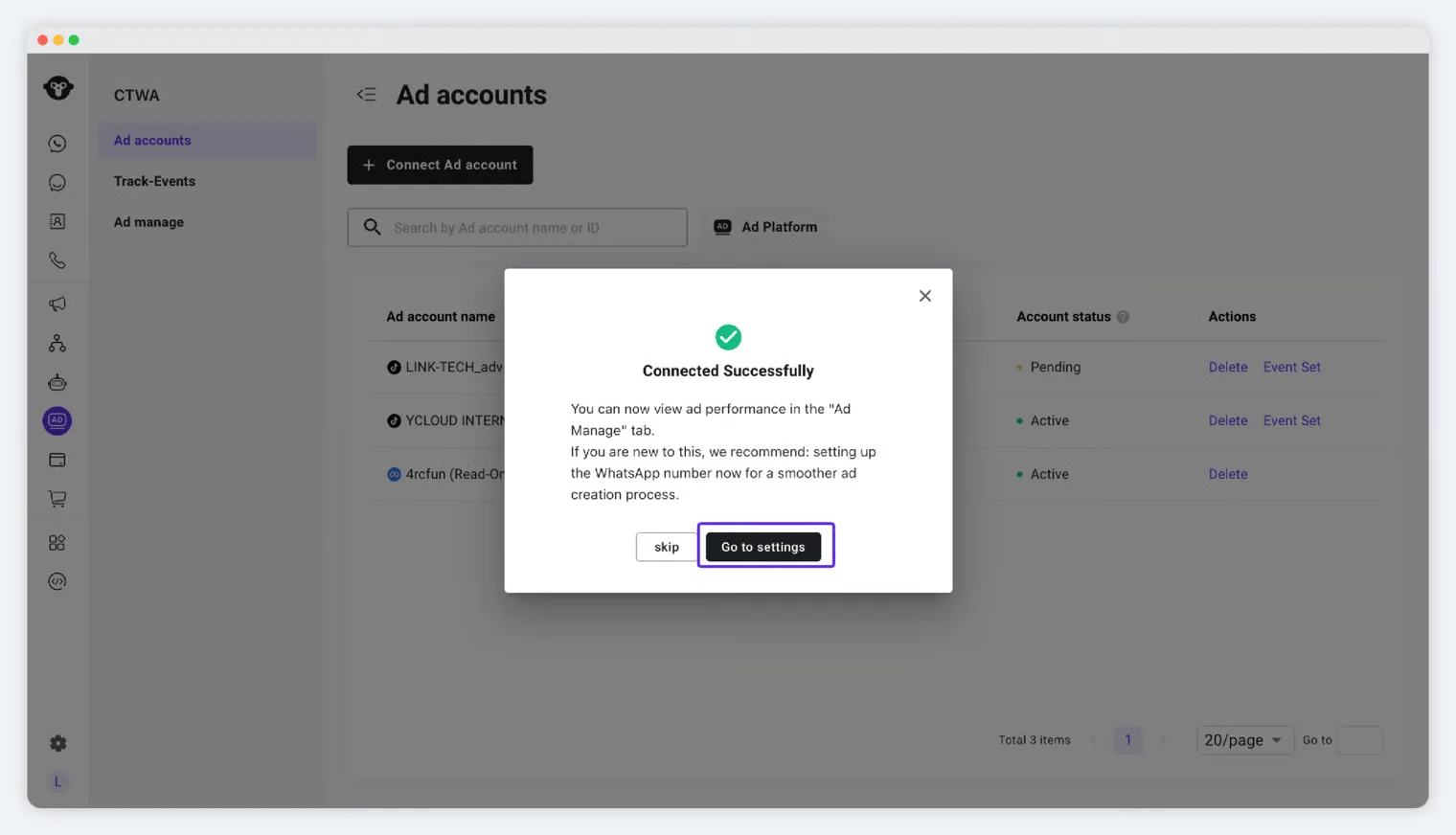
在同一个 TikTok 广告账户下，已绑定的 WhatsApp Business 号码会显示为 **Used**。请选择其他可用号码，而不要尝试为同一个号码创建第二次绑定。

<Frame caption="A number already linked to this ad account is unavailable for a duplicate link">
  <img src="https://mintcdn.com/lchnan/Z2X3BzyqaivSGKDr/product-assets/67e42f0b88-image-28.webp?fit=max&auto=format&n=Z2X3BzyqaivSGKDr&q=85&s=3245cb690327b5bd43adcb875cc6f0b4" alt="标记为已使用的 WhatsApp Business 号码" width="1520" height="882" data-path="product-assets/67e42f0b88-image-28.webp" />
</Frame>


This documentation is built and hosted on [Mintlify](https://mintlify.com), a developer documentation platform.