> ## Documentation Index
> Fetch the complete documentation index at: https://docs.ycloud.com/llms.txt
> Use this file to discover all available pages before exploring further.
# 批量消息
批量发送 SMS 消息。
注意:YCloud 会审核所有批量 SMS 消息。部分国家和地区的消息需要提前报备。如有任何疑问,请联系客服。
## 步骤 1:入口
登录 YCloud 并访问 [活动](https://www.ycloud.com/console/#/app/bulkMessages/logs)
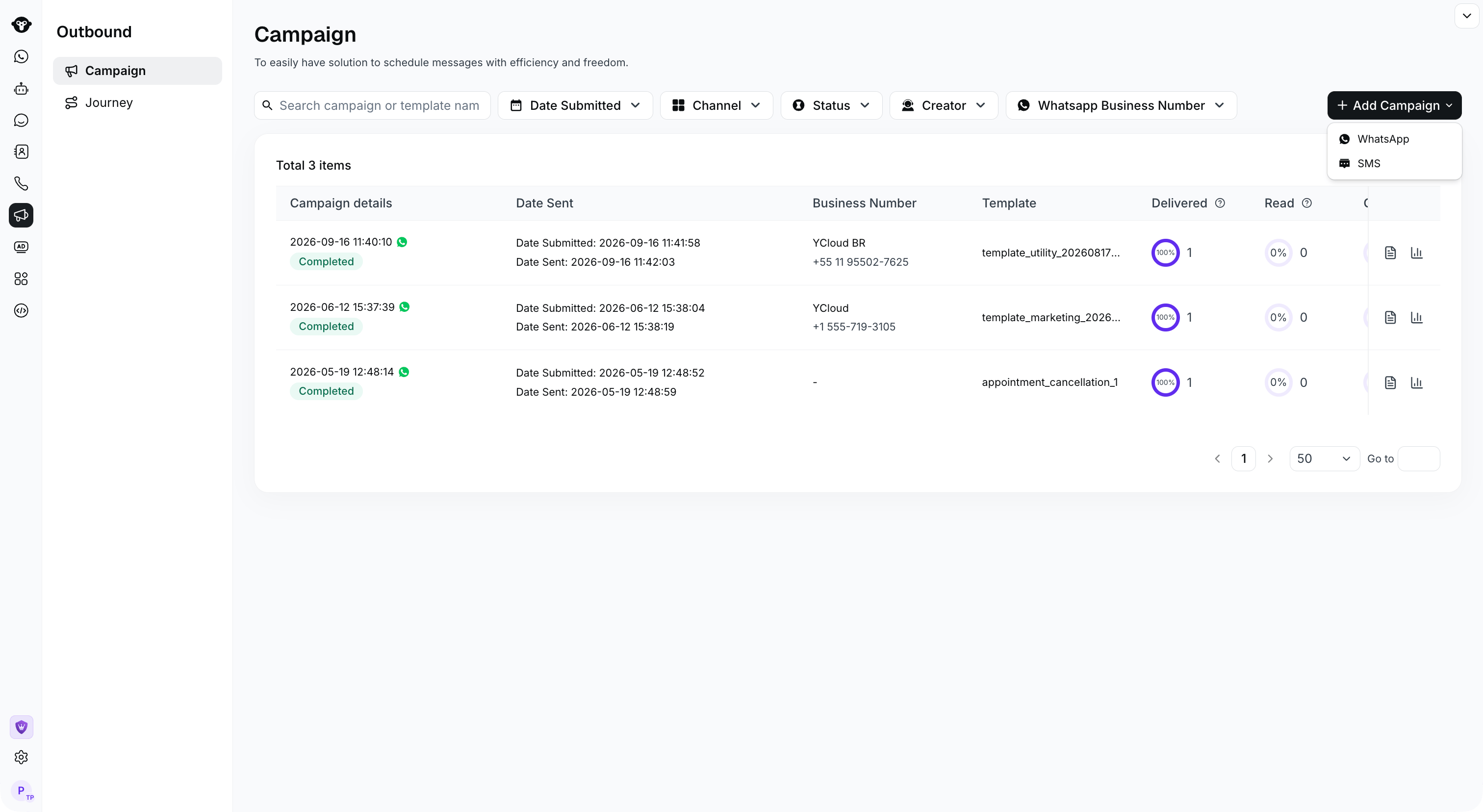
## 步骤 2:创建 SMS 批量消息
点击创建按钮并选择 SMS 批量消息
 ## 步骤 3:设置收件人
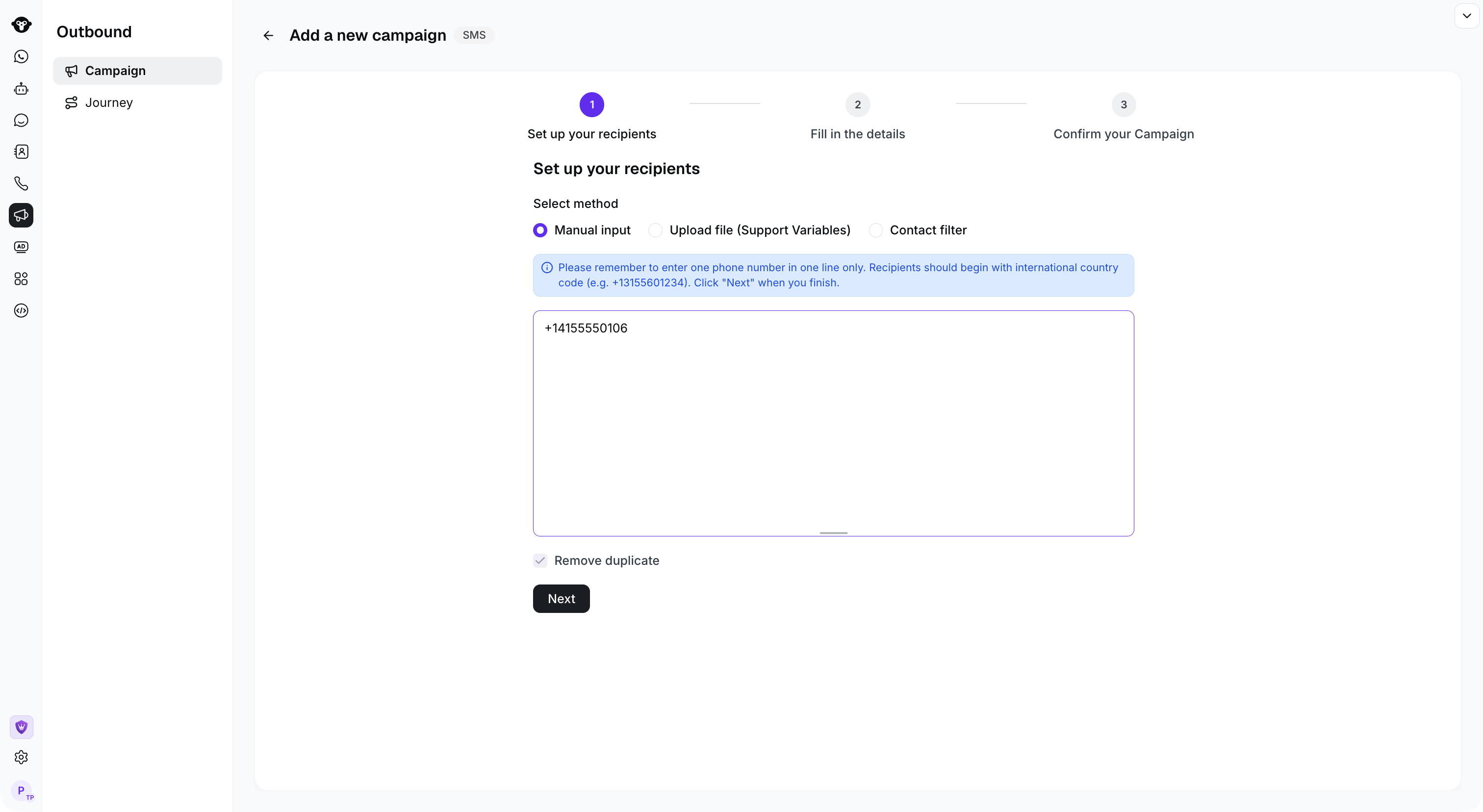
提供 3 种设置收件人的方式:
1. 手动输入电话号码
2. 上传电话号码文件
3. 从联系人中选择人群
#### 手动输入电话号码
在多行文本框中输入电话号码,每行一个号码。请确保号码符合国际格式并以国家/地区代码开头。例如,如果英国区号为 44,电话号码为 7759398257,则应输入 +447759398257。如果您已有 Excel 文件,可以复制电话号码列并粘贴到文本框中。
## 步骤 3:设置收件人
提供 3 种设置收件人的方式:
1. 手动输入电话号码
2. 上传电话号码文件
3. 从联系人中选择人群
#### 手动输入电话号码
在多行文本框中输入电话号码,每行一个号码。请确保号码符合国际格式并以国家/地区代码开头。例如,如果英国区号为 44,电话号码为 7759398257,则应输入 +447759398257。如果您已有 Excel 文件,可以复制电话号码列并粘贴到文本框中。
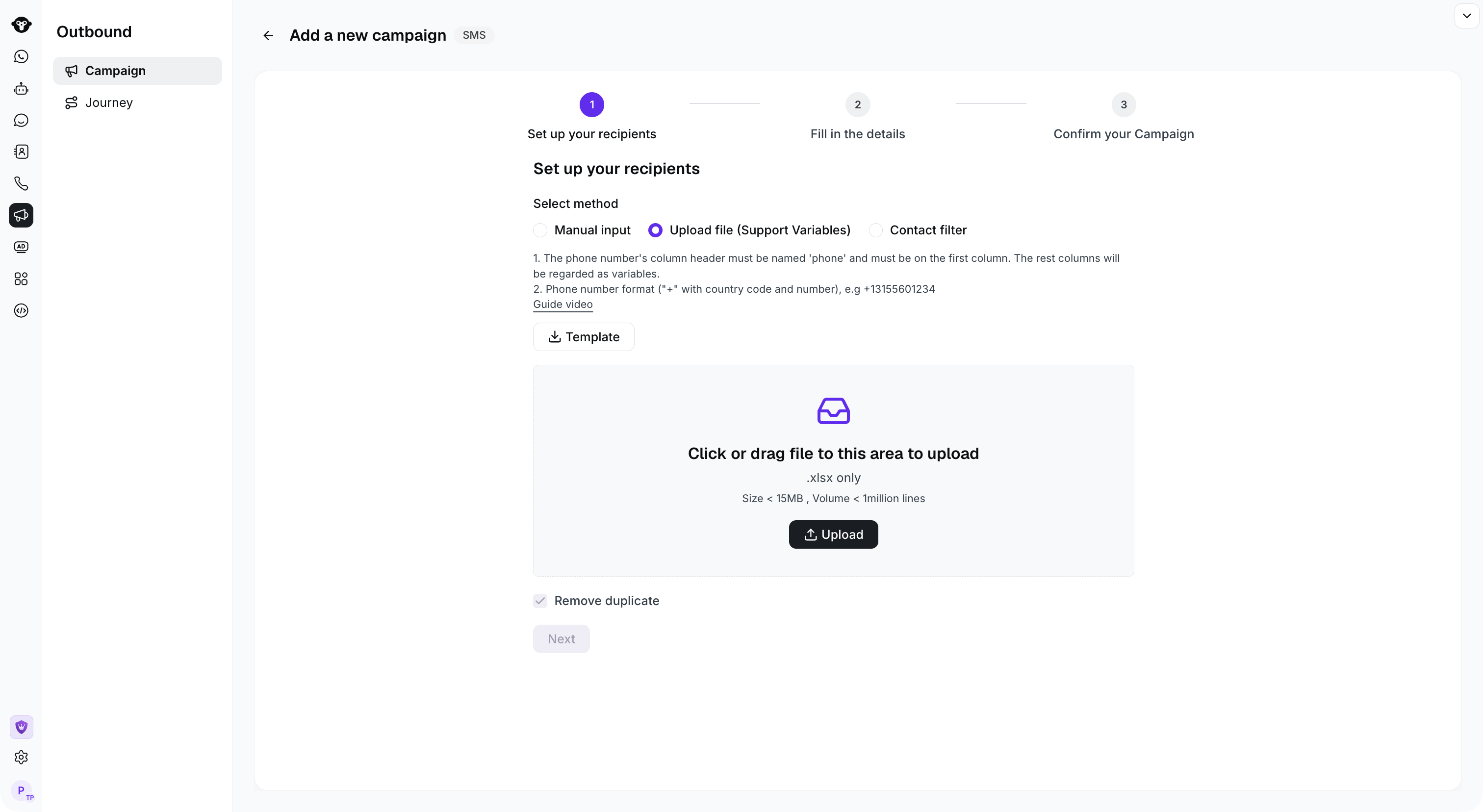
 #### 上传电话号码文件
1. 下载模板并填写电话号码。
2. 打开模板文件并填写电话号码
* 电话号码必须位于第一列,且列名为“phone”。
* 如果消息中没有变量,您可以删除模板中的其他列。
* 如果消息中包含变量,您可以从第二列第一行开始输入变量名称。例如,如果 SMS 内容为“*Hi #name#, your balance is below #balance#*”,则您可以设置名为“*name*”和“*balance*”的变量。
#### 上传电话号码文件
1. 下载模板并填写电话号码。
2. 打开模板文件并填写电话号码
* 电话号码必须位于第一列,且列名为“phone”。
* 如果消息中没有变量,您可以删除模板中的其他列。
* 如果消息中包含变量,您可以从第二列第一行开始输入变量名称。例如,如果 SMS 内容为“*Hi #name#, your balance is below #balance#*”,则您可以设置名为“*name*”和“*balance*”的变量。
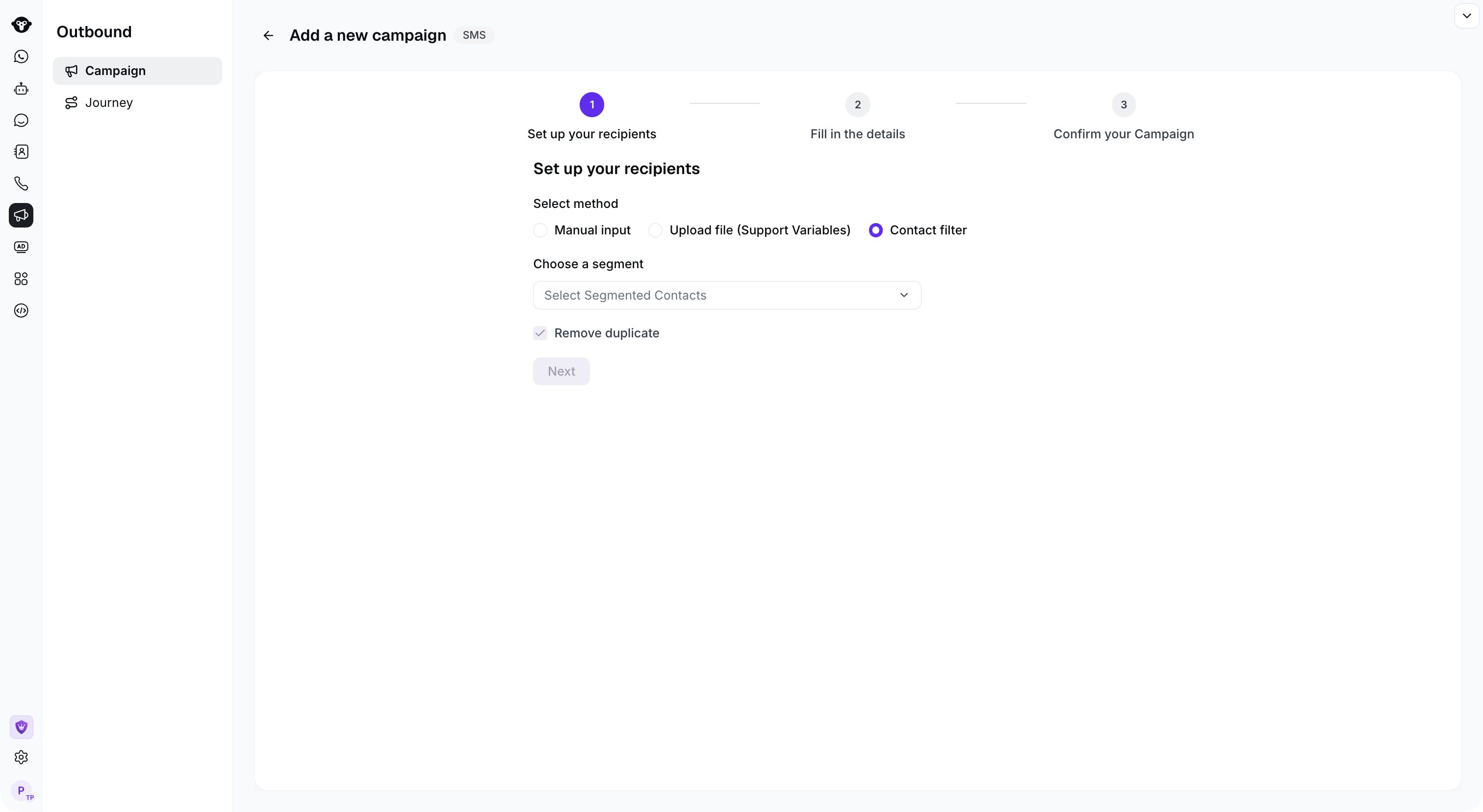
 #### 从联系人中选择人群
如果您尚未创建人群,可以在联系人中添加细分受众群。相关操作请参阅 [联系人分组](/zh/documentation/contact/contact-segments)
#### 从联系人中选择人群
如果您尚未创建人群,可以在联系人中添加细分受众群。相关操作请参阅 [联系人分组](/zh/documentation/contact/contact-segments)
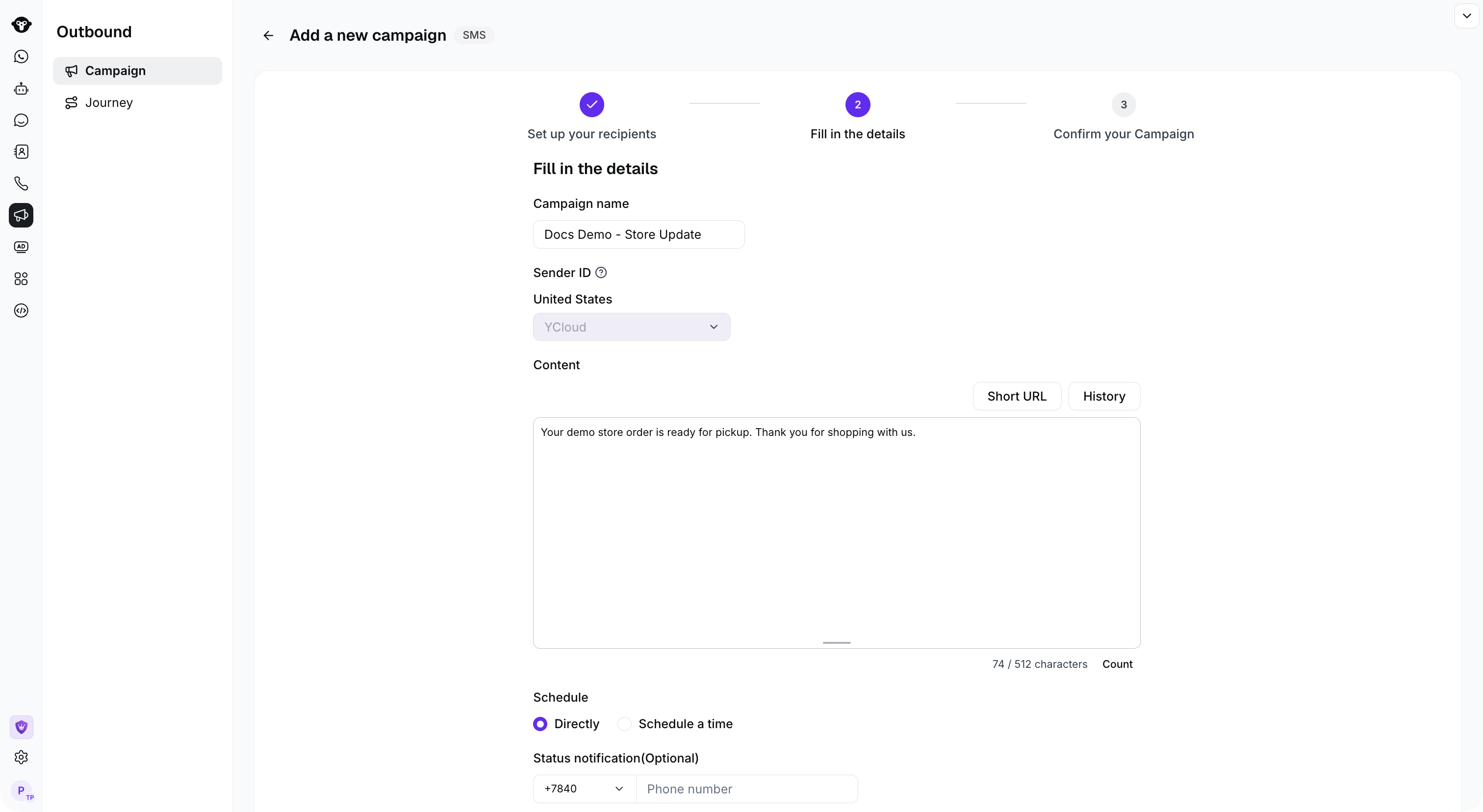
 ## 步骤 4:设置批量消息
设置内容
* 批量消息活动名称
* 签名/Sender ID:如果您在目标国家/地区拥有自己的 Sender ID,将显示 Sender ID 选择项。签名适用于发送至中国大陆时的签名,如需使用,请联系客服获取支持。
* 消息内容:输入 SMS 内容。请注意框中提示的字符数和消息计费条数。
* 变量:如果您上传了包含电话号码和变量的文件,可以点击编辑框上方的变量名称进行插入。
* 选择历史模板:您可以点击“历史”按钮选择历史模板,如果该模板此前已通过审核,则无需进行二次审核。
* 短链接:支持将长链接转换为短链接,以减少内容字符数。
* 发送时间设置:立即发送或定时发送
* 活动审核通知:您可以设置自己的手机号码,批量消息活动审核通过后您将收到 SMS 提醒。
填写完内容后,点击“下一步”。
## 步骤 4:设置批量消息
设置内容
* 批量消息活动名称
* 签名/Sender ID:如果您在目标国家/地区拥有自己的 Sender ID,将显示 Sender ID 选择项。签名适用于发送至中国大陆时的签名,如需使用,请联系客服获取支持。
* 消息内容:输入 SMS 内容。请注意框中提示的字符数和消息计费条数。
* 变量:如果您上传了包含电话号码和变量的文件,可以点击编辑框上方的变量名称进行插入。
* 选择历史模板:您可以点击“历史”按钮选择历史模板,如果该模板此前已通过审核,则无需进行二次审核。
* 短链接:支持将长链接转换为短链接,以减少内容字符数。
* 发送时间设置:立即发送或定时发送
* 活动审核通知:您可以设置自己的手机号码,批量消息活动审核通过后您将收到 SMS 提醒。
填写完内容后,点击“下一步”。
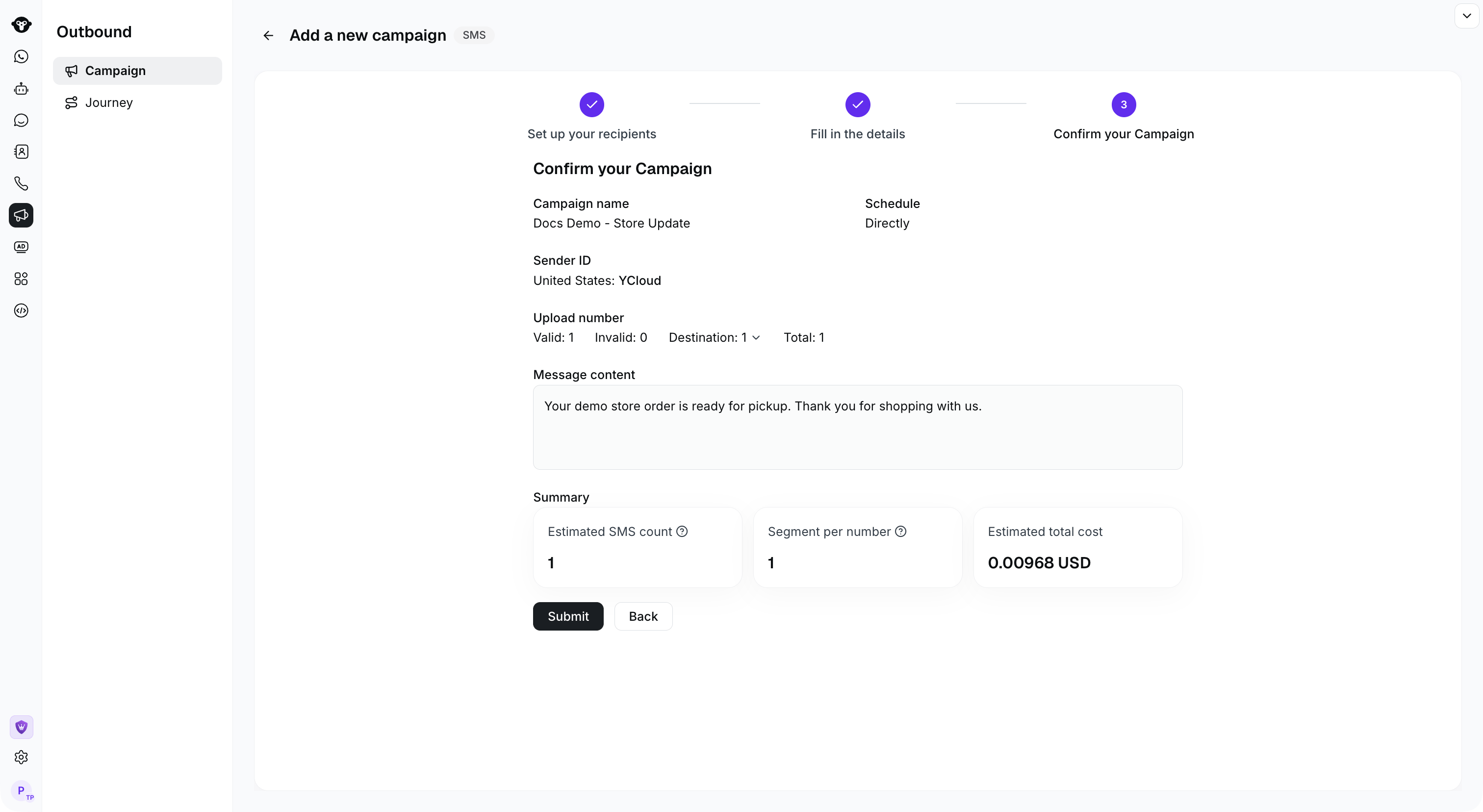
 ## 步骤 5:确认信息
确认信息并点击“提交”按钮
## 步骤 5:确认信息
确认信息并点击“提交”按钮
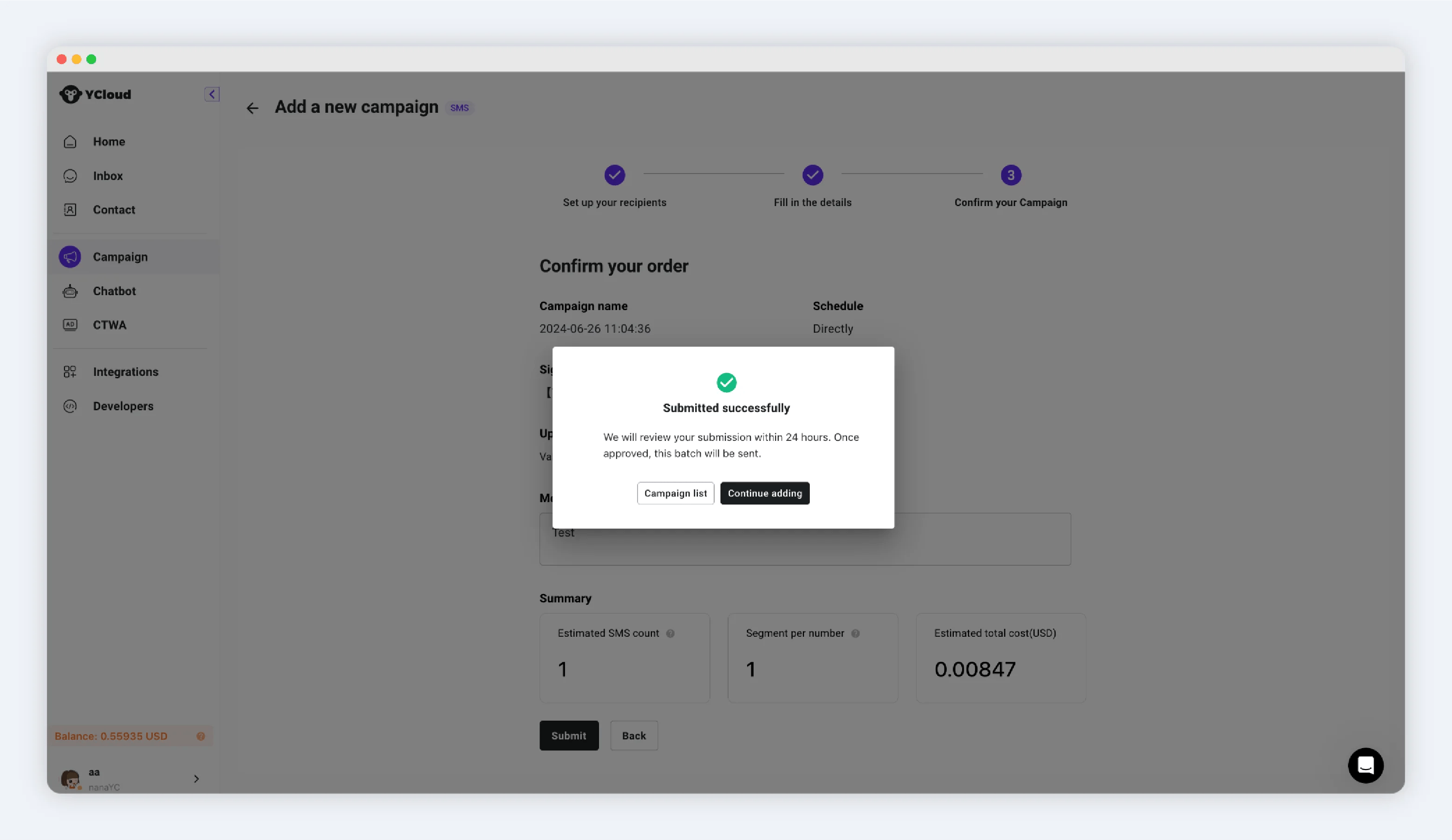
 提交成功提示
 This documentation is built and hosted on [Mintlify](https://mintlify.com), a developer documentation platform.