> ## Documentation Index
> Fetch the complete documentation index at: https://docs.ycloud.com/llms.txt
> Use this file to discover all available pages before exploring further.
# 发送方标识
Sender ID 显示了是谁发送了这条消息。使用 Sender ID,您可以从自定义发送方(品牌名称或网站名称)发送 SMS,而不是一串随机数字。
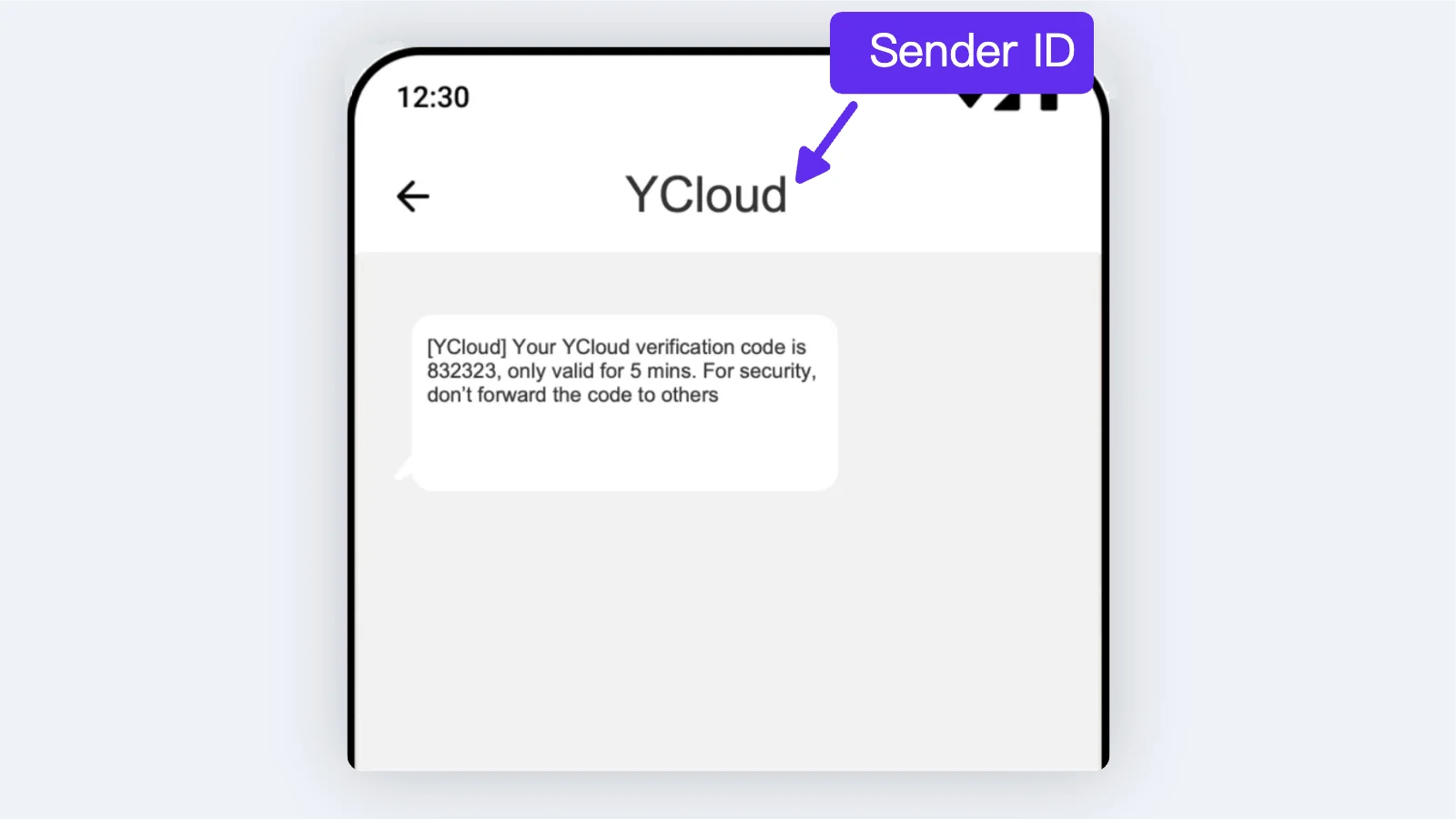 如果您尚未注册 Sender ID,YCloud 将随机为您分配一个 ID 以发送消息。因此,您无需注册即可发送消息。
各国的规则差异很大,并非所有国家/地区都提供 Sender ID 注册。某些国家/地区会对该 ID 收费,具体取决于当地运营商的政策。因此,在提交 ID 之前,请查看[国家/地区可用性和定价](https://www.ycloud.com/pricing)或联系我们的客户服务。
### **创建我的 Sender ID**
**步骤 1:**
虽然注册 Sender ID 是免费的,但该服务仅面向账户余额超过 100 美元的客户。因此,您至少需要充值 100 美元。
**步骤 2:**
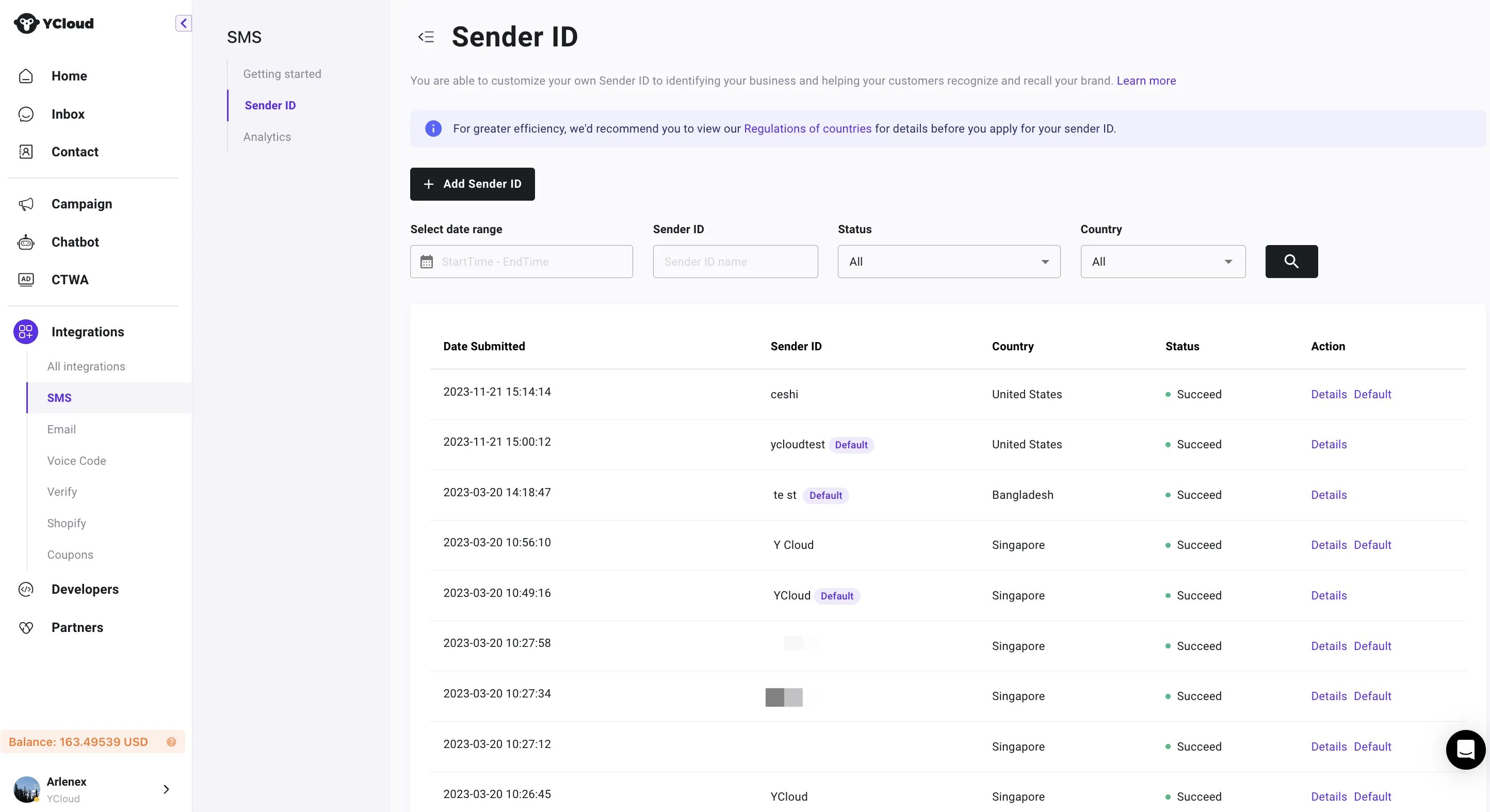
前往 Integration > SMS > [Sender ID](https://www.ycloud.com/console/#/app/sms/senderID)。
您需要提供以下信息:
1. Sender ID;
2. 目标国家/地区;
3. 公司网站;
4. 典型模板;
5. 行业;
如果您尚未注册 Sender ID,YCloud 将随机为您分配一个 ID 以发送消息。因此,您无需注册即可发送消息。
各国的规则差异很大,并非所有国家/地区都提供 Sender ID 注册。某些国家/地区会对该 ID 收费,具体取决于当地运营商的政策。因此,在提交 ID 之前,请查看[国家/地区可用性和定价](https://www.ycloud.com/pricing)或联系我们的客户服务。
### **创建我的 Sender ID**
**步骤 1:**
虽然注册 Sender ID 是免费的,但该服务仅面向账户余额超过 100 美元的客户。因此,您至少需要充值 100 美元。
**步骤 2:**
前往 Integration > SMS > [Sender ID](https://www.ycloud.com/console/#/app/sms/senderID)。
您需要提供以下信息:
1. Sender ID;
2. 目标国家/地区;
3. 公司网站;
4. 典型模板;
5. 行业;
 **步骤 3:**
**确认无误后提交 Sender ID,并等待注册和审核。审核时间可能因地区而异。**
This documentation is built and hosted on [Mintlify](https://mintlify.com), a developer documentation platform.
**步骤 3:**
**确认无误后提交 Sender ID,并等待注册和审核。审核时间可能因地区而异。**
This documentation is built and hosted on [Mintlify](https://mintlify.com), a developer documentation platform.