> ## Documentation Index
> Fetch the complete documentation index at: https://docs.ycloud.com/llms.txt
> Use this file to discover all available pages before exploring further.
# 挽回遗弃结账
> 当 Shopify 客户离开结账页面未完成下单时,发送 WhatsApp 提醒。
# 挽回遗弃结账
为发起结账但未完成下单的客户设置 WhatsApp 提醒。
## 开始之前
* [将您的 Shopify 店铺连接到 YCloud](/en/documentation/integrations/e-commerce/shopify)。
* 准备一个已获批准的用于挽回结账的 WhatsApp 消息模板。在适当的情况下,使用明确的操作引导客户返回其结账页面。
* 选择用于发送提醒的 WhatsApp Business 电话号码。
## 配置工作流
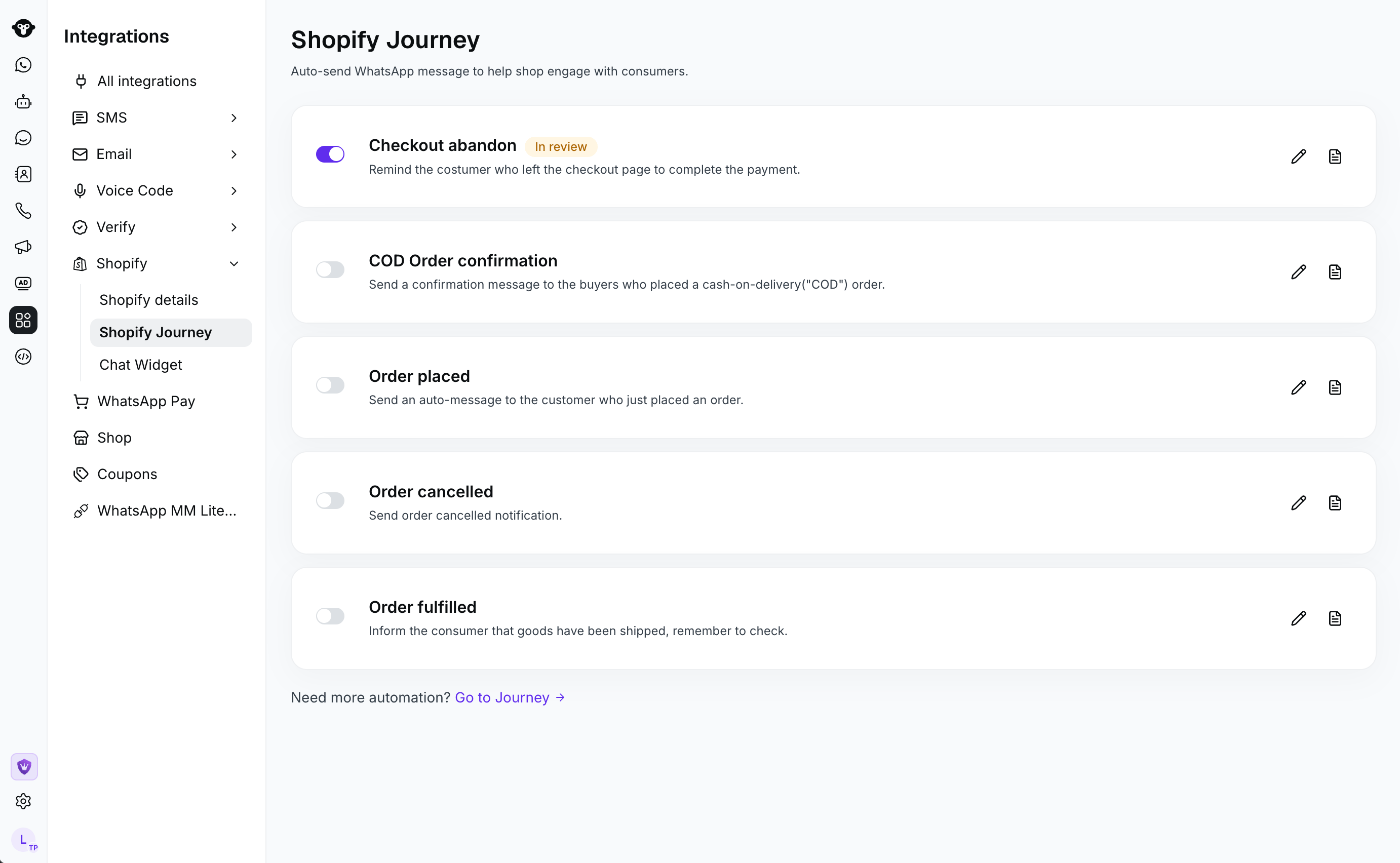
1. 在 YCloud 中,转到 **集成** > **Shopify** > **Shopify 旅程**。打开遗弃结账工作流。
 2. 配置消息:
* **发送者**:发送提醒的 WhatsApp Business 电话号码。
* **发送模板**:要发送的已获批准的 WhatsApp 消息模板。
* **发送延迟**:客户开始结账后的延迟时间。
* **过滤**:可选择过滤在遗弃结账后已下单的买家。
2. 配置消息:
* **发送者**:发送提醒的 WhatsApp Business 电话号码。
* **发送模板**:要发送的已获批准的 WhatsApp 消息模板。
* **发送延迟**:客户开始结账后的延迟时间。
* **过滤**:可选择过滤在遗弃结账后已下单的买家。
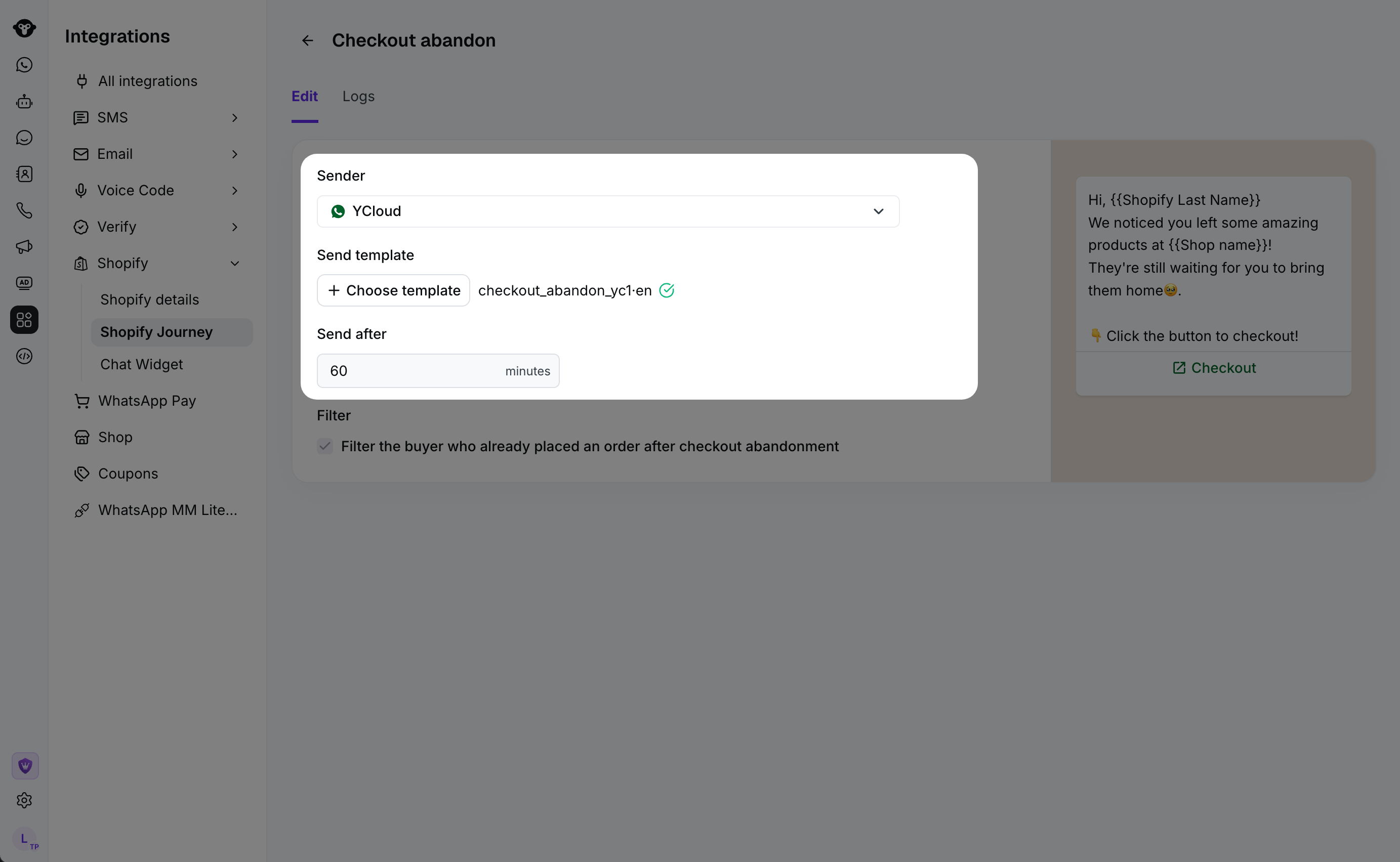 此挽回流程会等待您设置的延迟时间,然后发送所选模板。
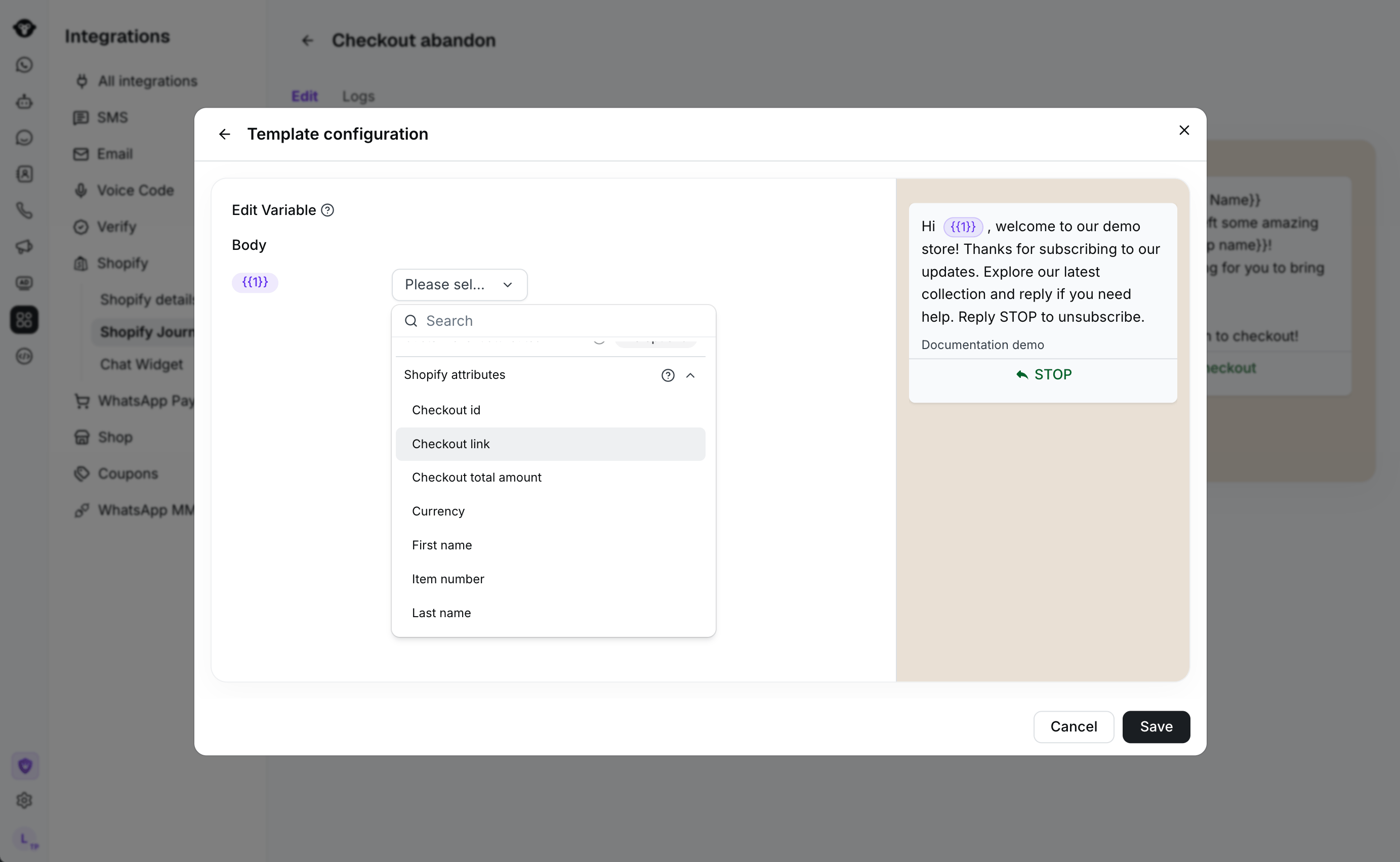 3. 选择 **保存**,然后激活该工作流。
## 查看活动
在工作流中打开 **日志** 以查看消息活动。
## 建议
* 选择符合您典型购买周期的延迟时间。
* 如果您不想提醒已经下了其他订单的客户,请启用买家过滤。
* 保持消息模板简明扼要,并明确下一步操作。
## 常见问题
当 Shopify 记录到客户开始结账时,工作流即启动。YCloud 会在发送提醒前等待您配置的延迟时间。
可以。为在遗弃结账后已下单的买家启用过滤。发送前,YCloud 会重新检查结账记录,并在启用该过滤时应用它。
This documentation is built and hosted on [Mintlify](https://mintlify.com), a developer documentation platform.
3. 选择 **保存**,然后激活该工作流。
## 查看活动
在工作流中打开 **日志** 以查看消息活动。
## 建议
* 选择符合您典型购买周期的延迟时间。
* 如果您不想提醒已经下了其他订单的客户,请启用买家过滤。
* 保持消息模板简明扼要,并明确下一步操作。
## 常见问题
当 Shopify 记录到客户开始结账时,工作流即启动。YCloud 会在发送提醒前等待您配置的延迟时间。
可以。为在遗弃结账后已下单的买家启用过滤。发送前,YCloud 会重新检查结账记录,并在启用该过滤时应用它。
This documentation is built and hosted on [Mintlify](https://mintlify.com), a developer documentation platform.