> ## Documentation Index
> Fetch the complete documentation index at: https://docs.ycloud.com/llms.txt
> Use this file to discover all available pages before exploring further.

# Freshdesk

> freshdesk

快速集成Freshdesk工单系统，在WhatsApp聊天过程中创建工单，以便客服跟进问题。

## 教程

### 步骤1：在Freshdesk账号中安装YCloud app

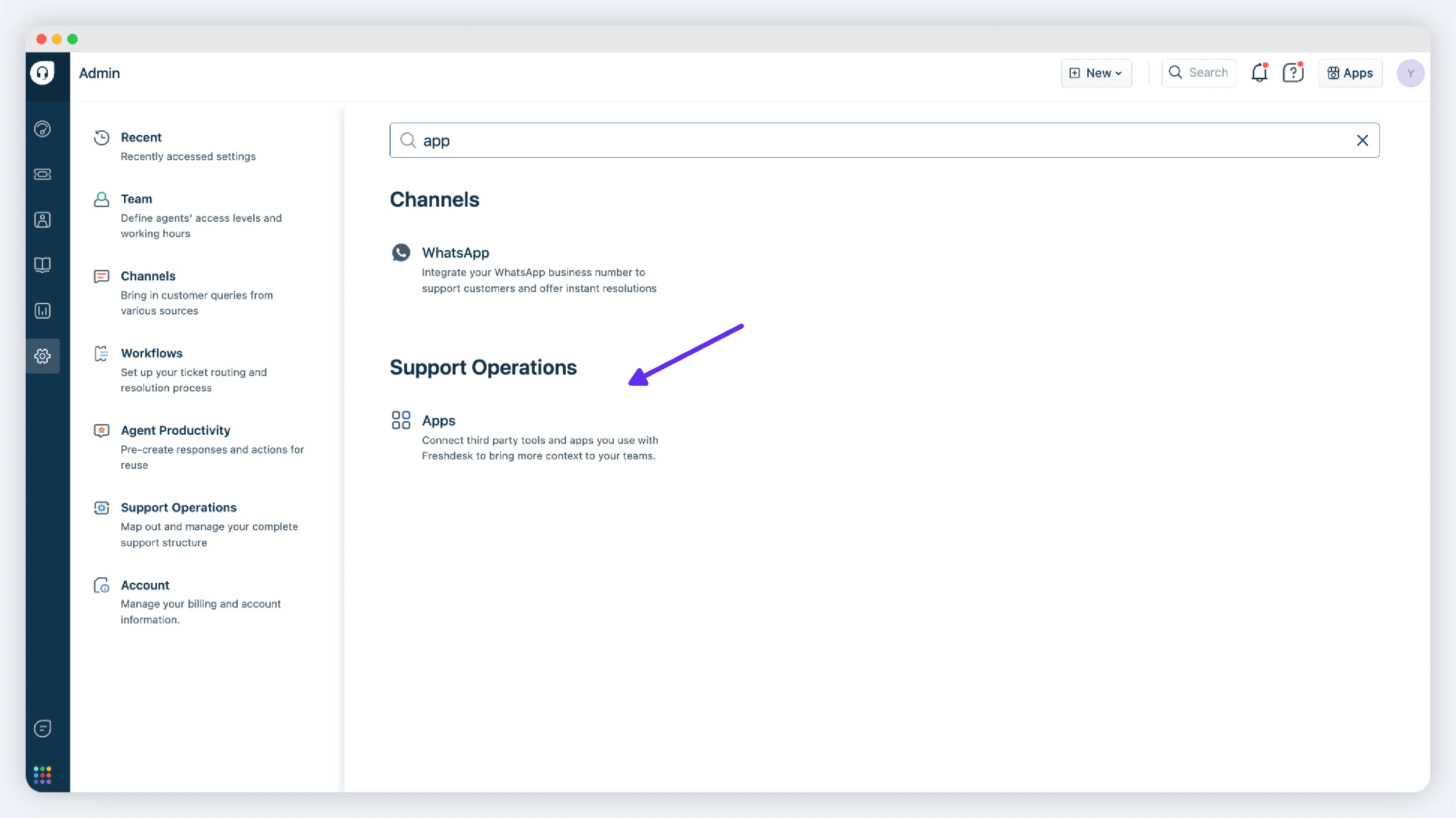
登录您的Freshdesk账号并访问Admin页面，搜索Apps访问服务市场。搜索YCloud进行安装。

<img src="https://mintcdn.com/lchnan/NjO13A6gLJKR9m7M/product-assets/8ad04b28d6-image-125.webp?fit=max&auto=format&n=NjO13A6gLJKR9m7M&q=85&s=e33f25a71f4bd9bec8eadb42c1c651eb" alt="YCloud 产品截图" width="3001" height="1686" data-path="product-assets/8ad04b28d6-image-125.webp" />

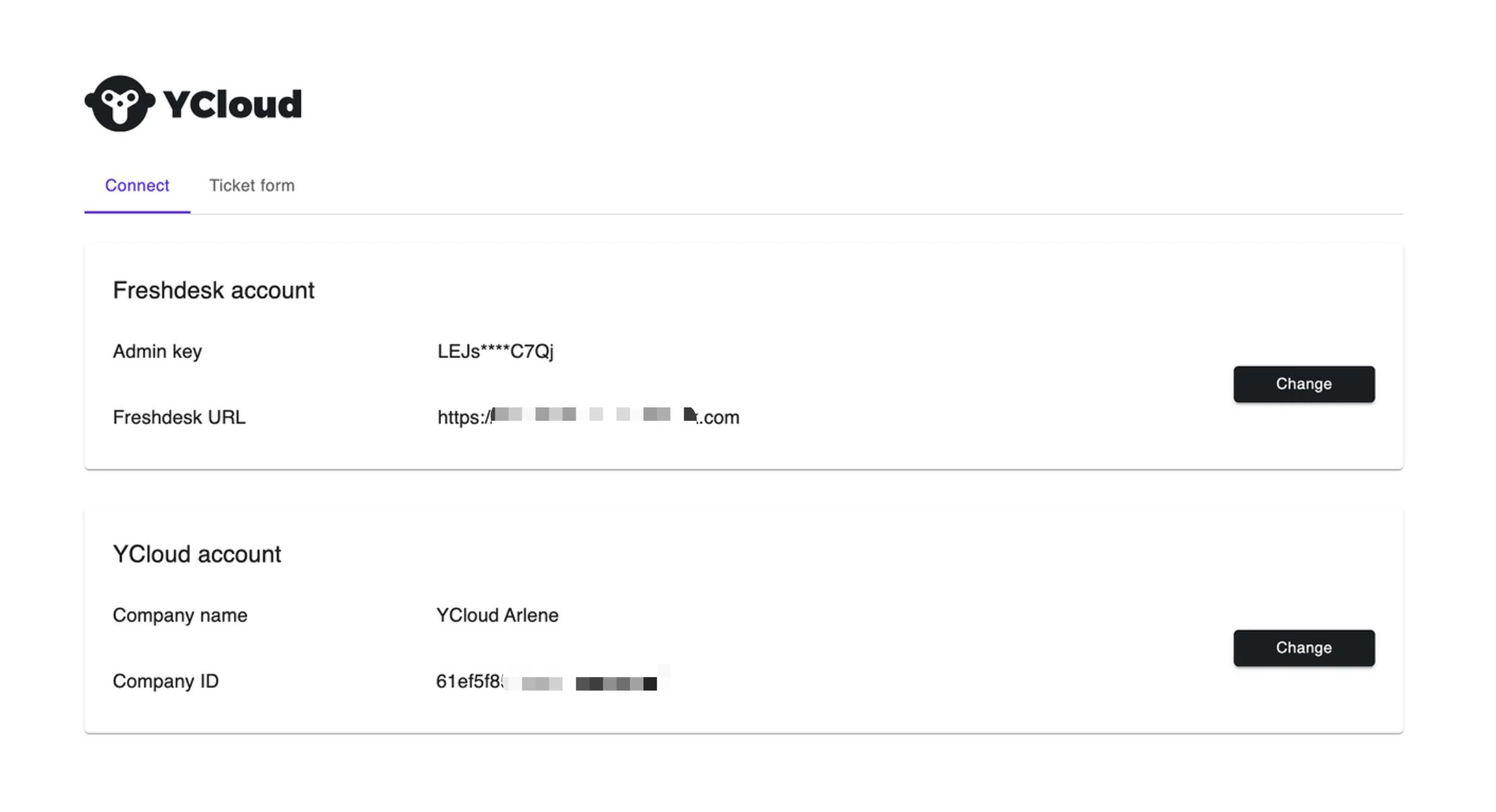
### 步骤2：绑定YCloud和Freshdesk的账号

<img src="https://mintcdn.com/lchnan/6CxA7mK2t7klNAOL/product-assets/949b12d3ca-image-126.webp?fit=max&auto=format&n=6CxA7mK2t7klNAOL&q=85&s=a5a86f2f8d7612d56fe4ddb664fc92d5" alt="YCloud 产品截图" width="2218" height="1204" data-path="product-assets/949b12d3ca-image-126.webp" />

如何找到Freshdesk 的Admin key和URL？

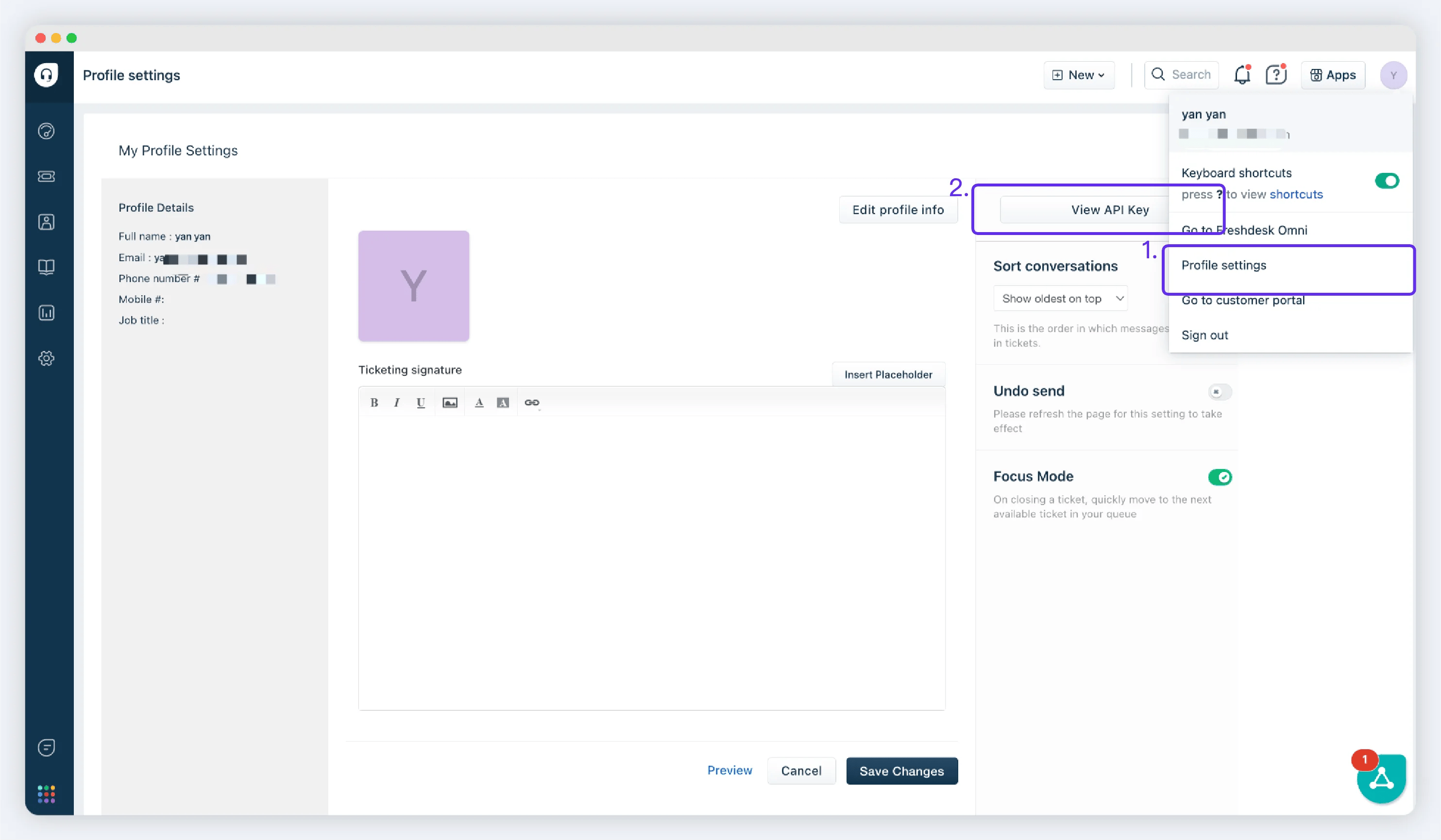
登录您的Freshdesk账号，右上角访问Frofile settings页面，点击View API Key

<img src="https://mintcdn.com/lchnan/Z2X3BzyqaivSGKDr/product-assets/6bdbb3ace1-image-127.webp?fit=max&auto=format&n=Z2X3BzyqaivSGKDr&q=85&s=370f818c3aba44e4f0668d3c6719b57d" alt="YCloud 产品截图" width="2967" height="1730" data-path="product-assets/6bdbb3ace1-image-127.webp" />

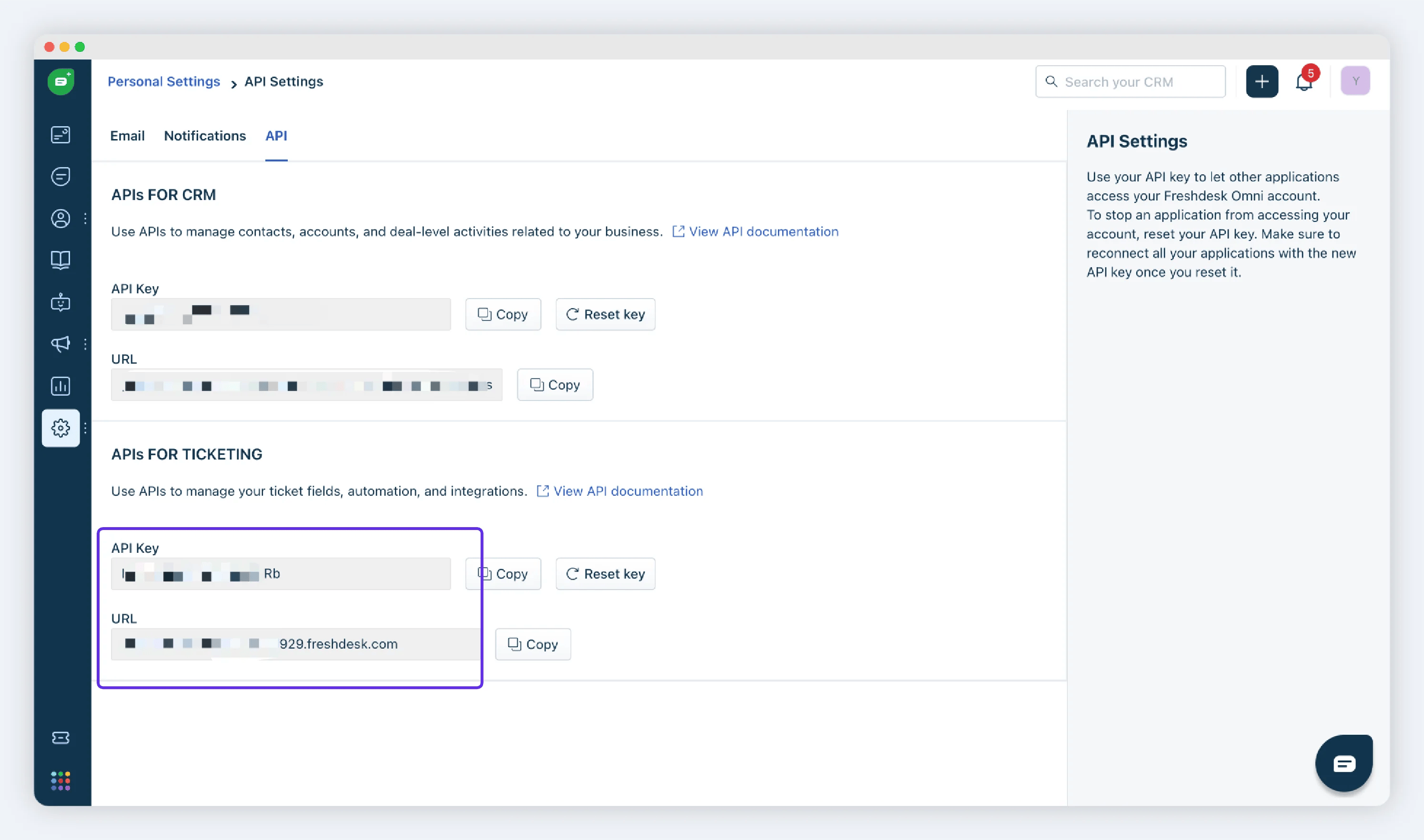
复制 APIs for ticketing 中的key 和 URL

<img src="https://mintcdn.com/lchnan/WD-ixrYVrqB7b7aQ/product-assets/4cb2497611-image-129.webp?fit=max&auto=format&n=WD-ixrYVrqB7b7aQ&q=85&s=aec072f28910c155f1f0c3c55c904fd8" alt="YCloud 产品截图" width="2989" height="1764" data-path="product-assets/4cb2497611-image-129.webp" />

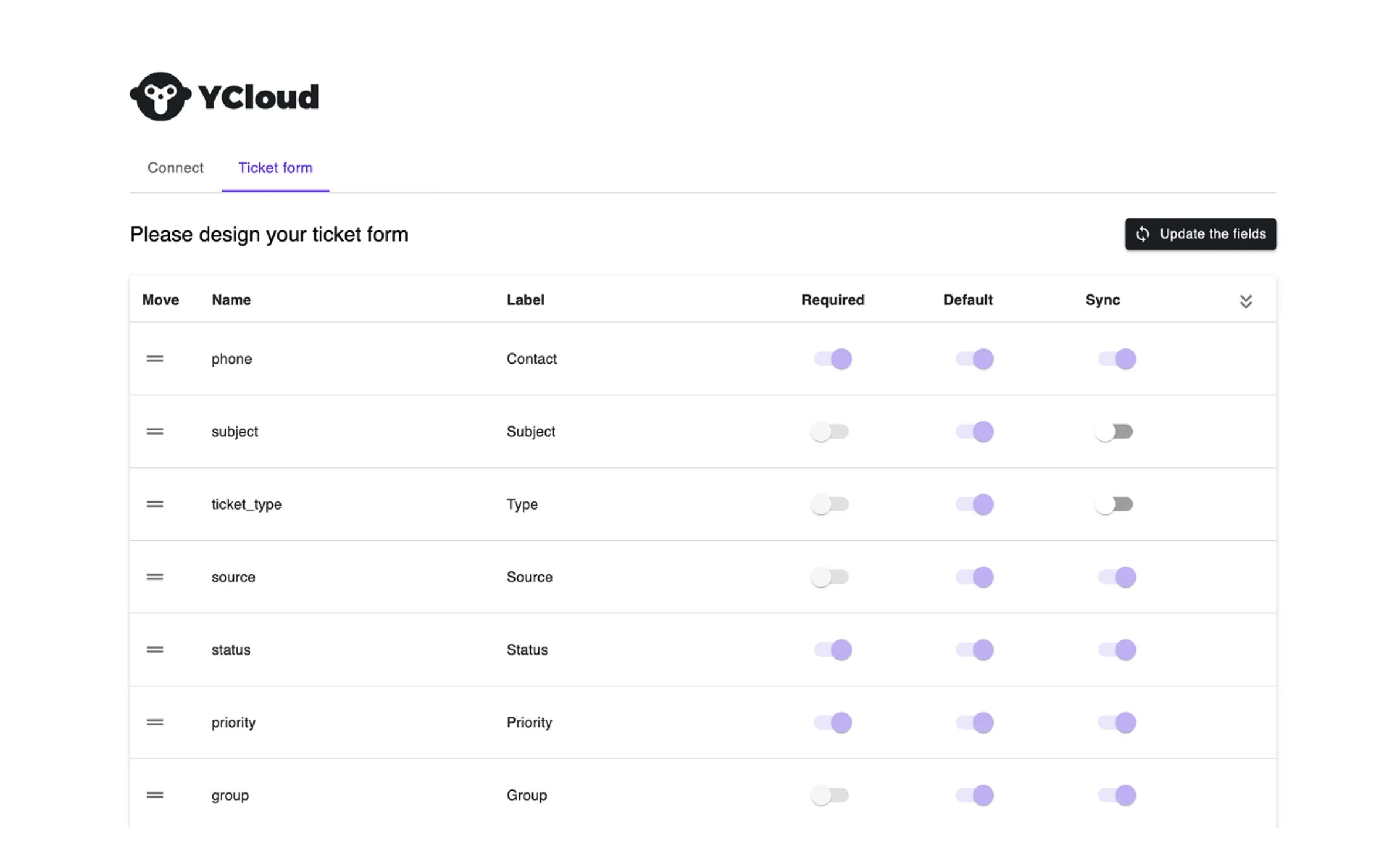
### 步骤3：同步工单字段

将工单需要的字段，在Sync上打开。

<img src="https://mintcdn.com/lchnan/9zlgZMZStxEKrVPM/product-assets/145f8c4961-image-130.webp?fit=max&auto=format&n=9zlgZMZStxEKrVPM&q=85&s=e9a31b0c08c4d5adc84c90b1aa3ee52a" alt="YCloud 产品截图" width="2368" height="1480" data-path="product-assets/145f8c4961-image-130.webp" />

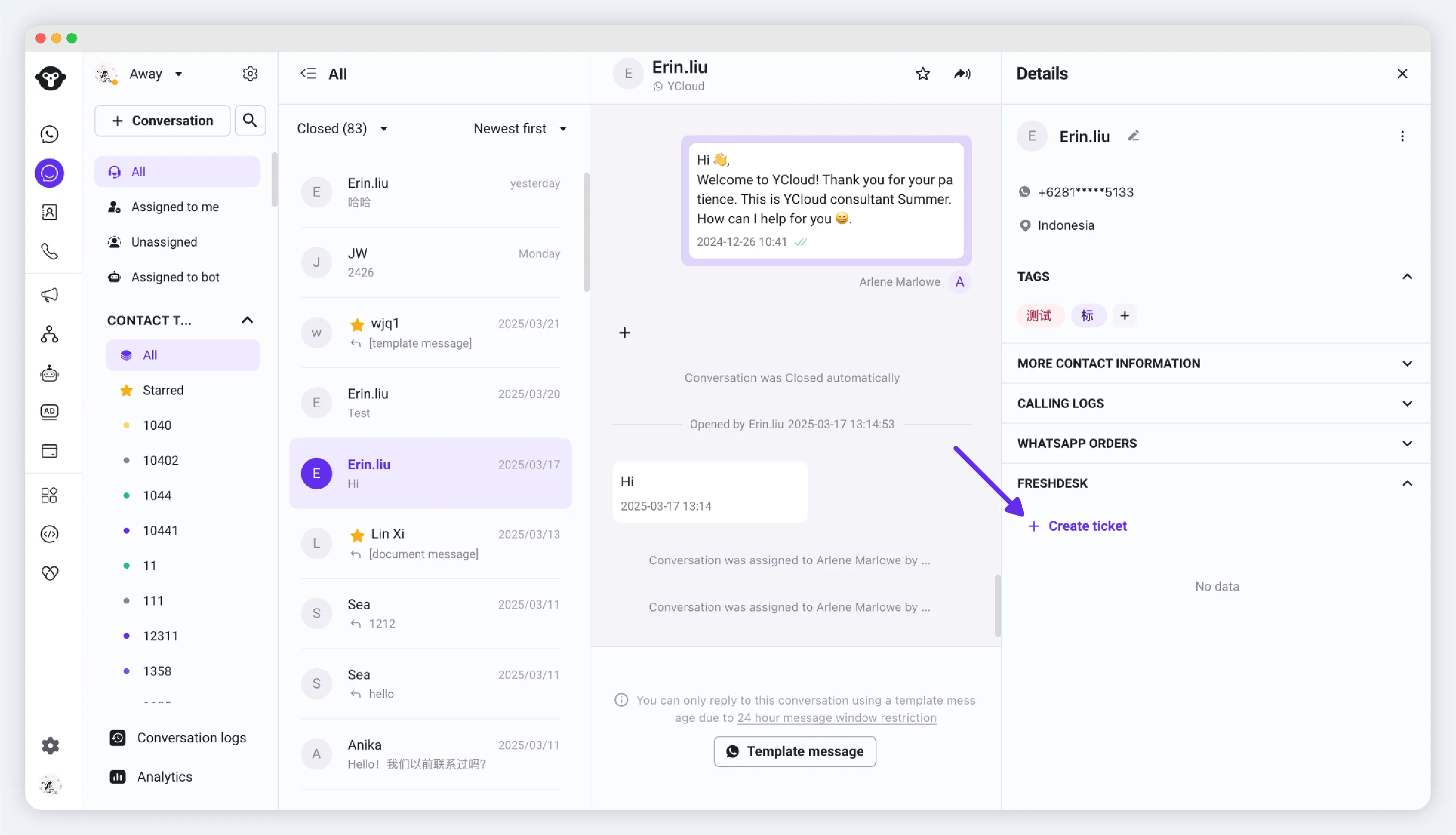
### 步骤4：在YCloud的Inbox中创建工单

访问YCloud的Inbox页面。

当您在客户聊天的过程中需要创建工单进行问题跟进时，可快速打开客户信息板块，在Freshdesk板块中创建工单

<img src="https://mintcdn.com/lchnan/AlSk34JesCiO_ZYy/product-assets/e793820a49-image-131.webp?fit=max&auto=format&n=AlSk34JesCiO_ZYy&q=85&s=07626fd0939b874cfc151f72b369b41c" alt="YCloud 产品截图" width="2987" height="1712" data-path="product-assets/e793820a49-image-131.webp" />

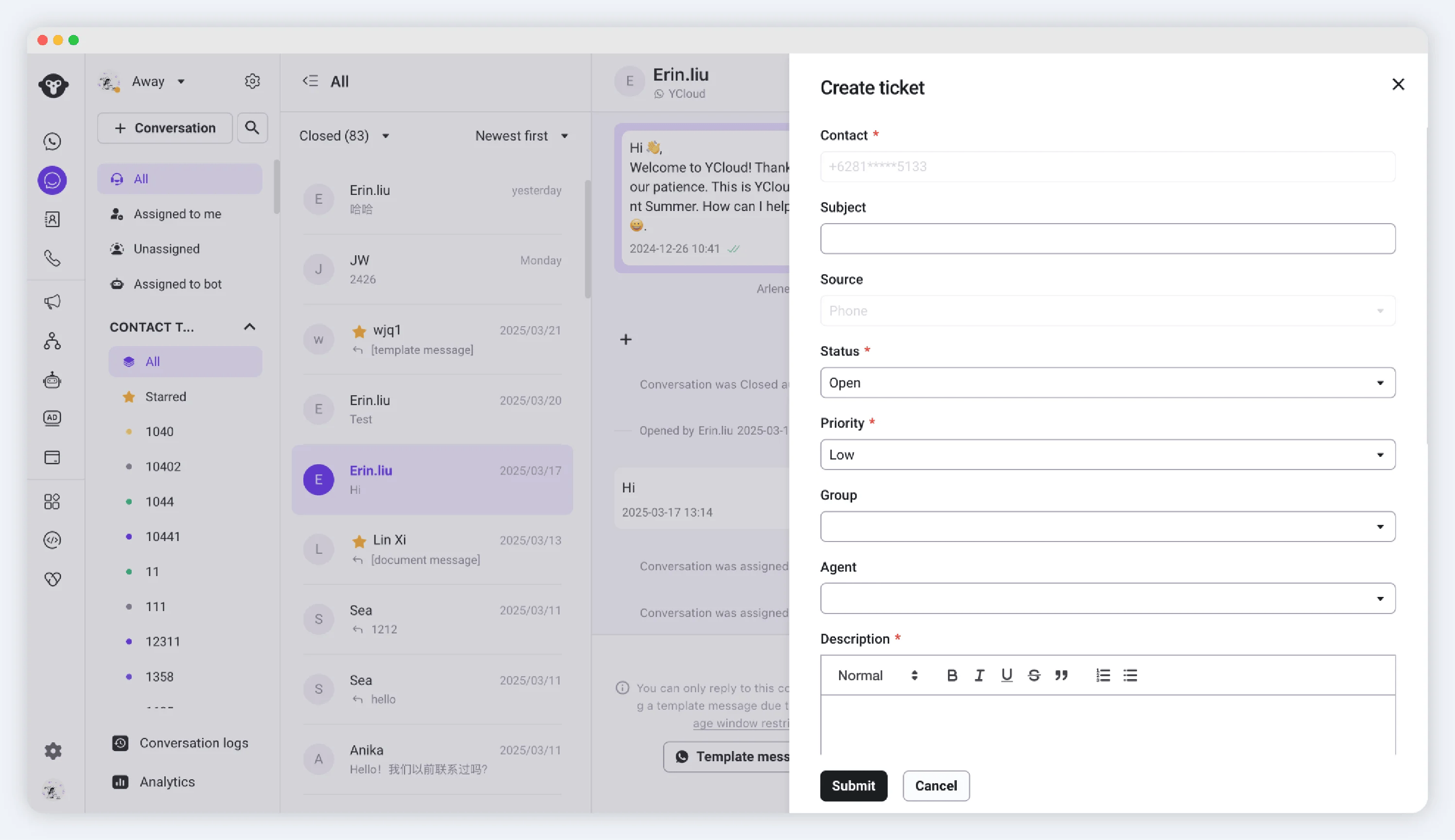
填写工单信息。

<img src="https://mintcdn.com/lchnan/NjO13A6gLJKR9m7M/product-assets/8b504c4a3f-image-132.webp?fit=max&auto=format&n=NjO13A6gLJKR9m7M&q=85&s=df4db4ddaf33341eaf8cc9fe3fef3f31" alt="YCloud 产品截图" width="2993" height="1728" data-path="product-assets/8b504c4a3f-image-132.webp" />

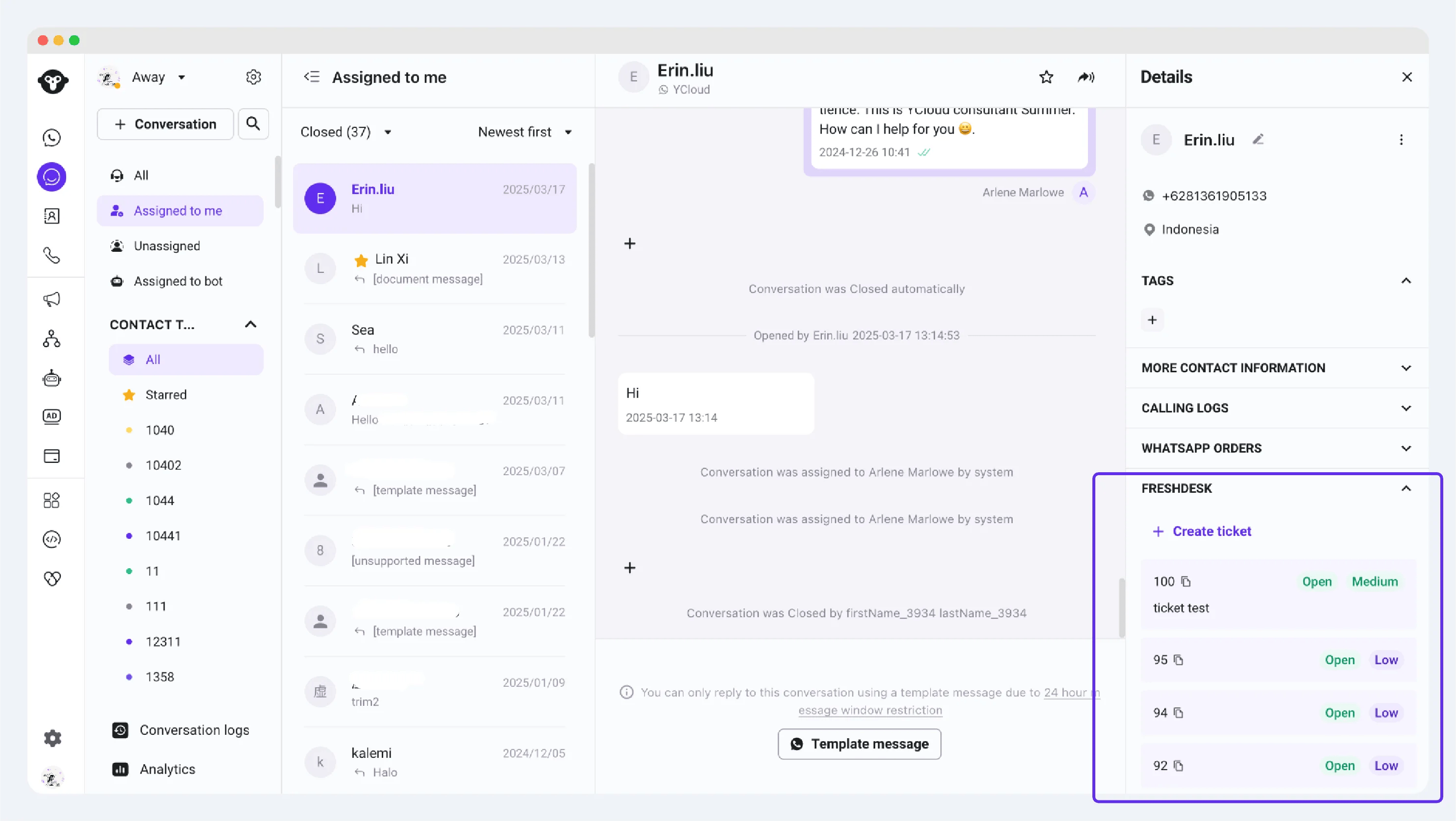
提交后可在客户信息中查看工单信息。

<img src="https://mintcdn.com/lchnan/9zlgZMZStxEKrVPM/product-assets/0964d66c13-image-133.webp?fit=max&auto=format&n=9zlgZMZStxEKrVPM&q=85&s=6d63b0bca33cfb1951579b4fb2c91ae1" alt="YCloud 产品截图" width="2971" height="1676" data-path="product-assets/0964d66c13-image-133.webp" />


This documentation is built and hosted on [Mintlify](https://mintlify.com), a developer documentation platform.