> ## Documentation Index
> Fetch the complete documentation index at: https://docs.ycloud.com/llms.txt
> Use this file to discover all available pages before exploring further.
# 发送模板
> 在 Journey 中发送 WhatsApp 模板消息。
# 发送模板
使用 **发送模板** 向在 Journey 中到达此步骤的联系人发送 WhatsApp 模板消息。
## 开始之前
在添加此步骤之前,请先配置 Journey 触发器并选择其发送方。此步骤中可用的模板与为该 Journey 选择的发送方关联。
## 选择模板
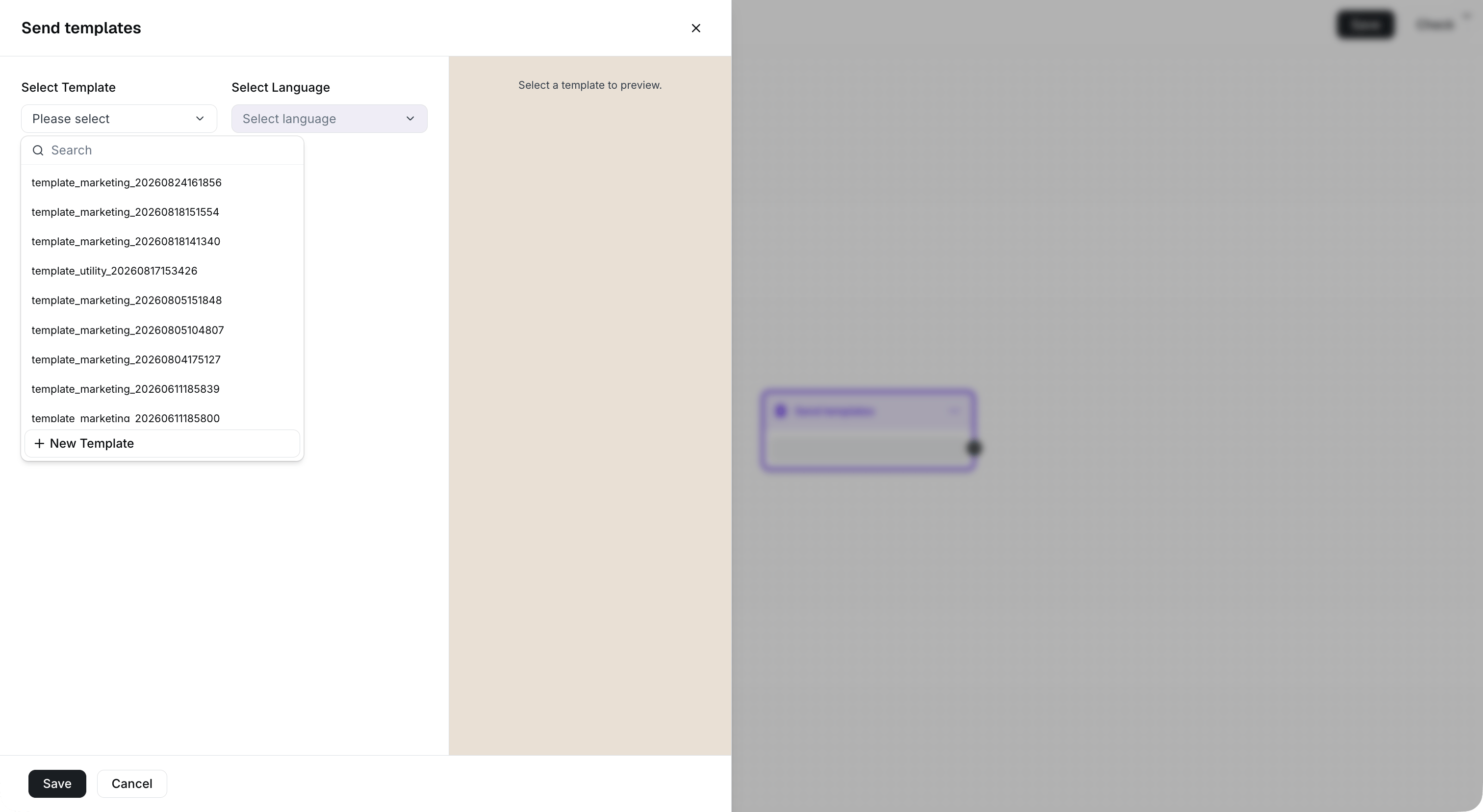
1. 向 Journey 中添加一个 **发送模板** 组件。
2. 搜索并选择您要发送的模板。
3. 当模板支持多种语言时,选择对应的语言。
如果所需的模板不可用,请检查触发器中选择的发送方,并确认该模板在其 WhatsApp 商业账户中可用。
 ## 设置模板变量
如果您选择的模板包含变量,请在保存步骤之前为每个必填变量输入值。
不含变量的模板无需配置变量。
## 设置模板变量
如果您选择的模板包含变量,请在保存步骤之前为每个必填变量输入值。
不含变量的模板无需配置变量。
 ## 后续步骤
将此步骤连接到 [等待](/zh/documentation/journey/components-and-features-introduction/wait) 组件以延迟执行下一个操作,或使用 [消息状态规则](/zh/documentation/journey/components-and-features-introduction/message-status-rule) 根据联系人的响应进行路由分支。
This documentation is built and hosted on [Mintlify](https://mintlify.com), a developer documentation platform.
## 后续步骤
将此步骤连接到 [等待](/zh/documentation/journey/components-and-features-introduction/wait) 组件以延迟执行下一个操作,或使用 [消息状态规则](/zh/documentation/journey/components-and-features-introduction/message-status-rule) 根据联系人的响应进行路由分支。
This documentation is built and hosted on [Mintlify](https://mintlify.com), a developer documentation platform.