> ## Documentation Index
> Fetch the complete documentation index at: https://docs.ycloud.com/llms.txt
> Use this file to discover all available pages before exploring further.
# 限时优惠模板
> 展示有时间限制的营销优惠,并在发送前测试过期表现。
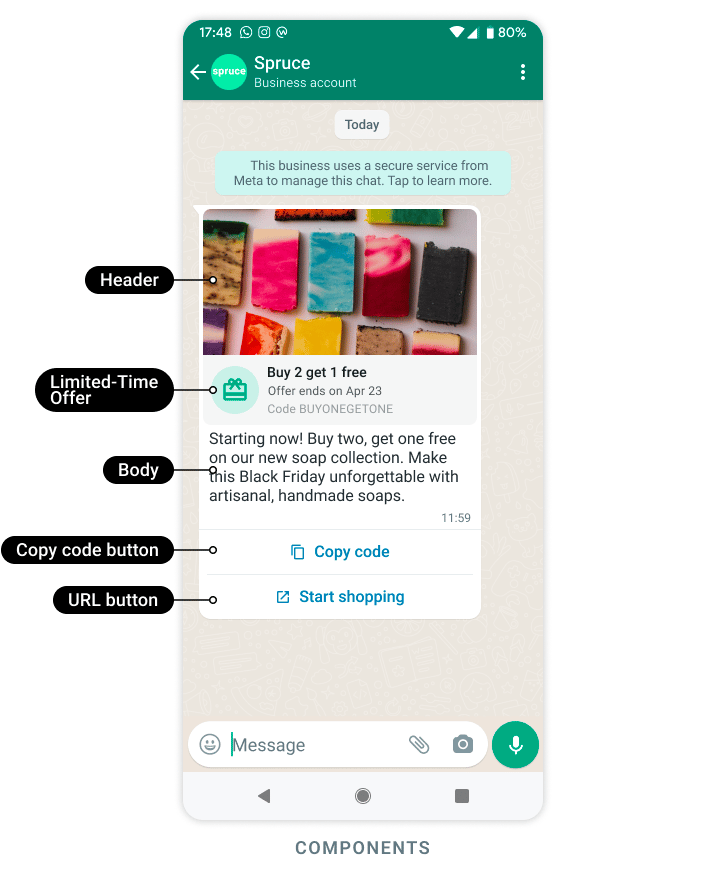
限时优惠模板用于展示带有过期提示的营销促销活动,并在配置后提供可复制的优惠码。
来源:[Meta 官方示例](https://developers.facebook.com/documentation/business-messaging/whatsapp/templates/marketing-templates/limited-time-offer-templates/)。
当优惠有明确的截止日期时使用此模板。消息的视觉过期提示是面向客户的信号;您的促销系统必须强制执行实际的兑换规则。
## 在制作模板前准备好优惠方案
确定:
* 优惠福利及适用商品或服务。
* 起止时间,包括业务所在时区。
* 优惠码是通用共享还是收件人专属。
* 支持的落地页或兑换流程。
* 客户在过期后打开优惠时看到的内容。
* 为发送延迟预留多少时间。
如果普通客户无法在截止时间前完成操作,请勿在截止前几分钟发送优惠。
## 配置已获批的结构
在 YCloud 的营销消息模板编辑器中,选择支持的限时优惠格式,并配置其可用的页眉、正文、优惠详情和按钮。
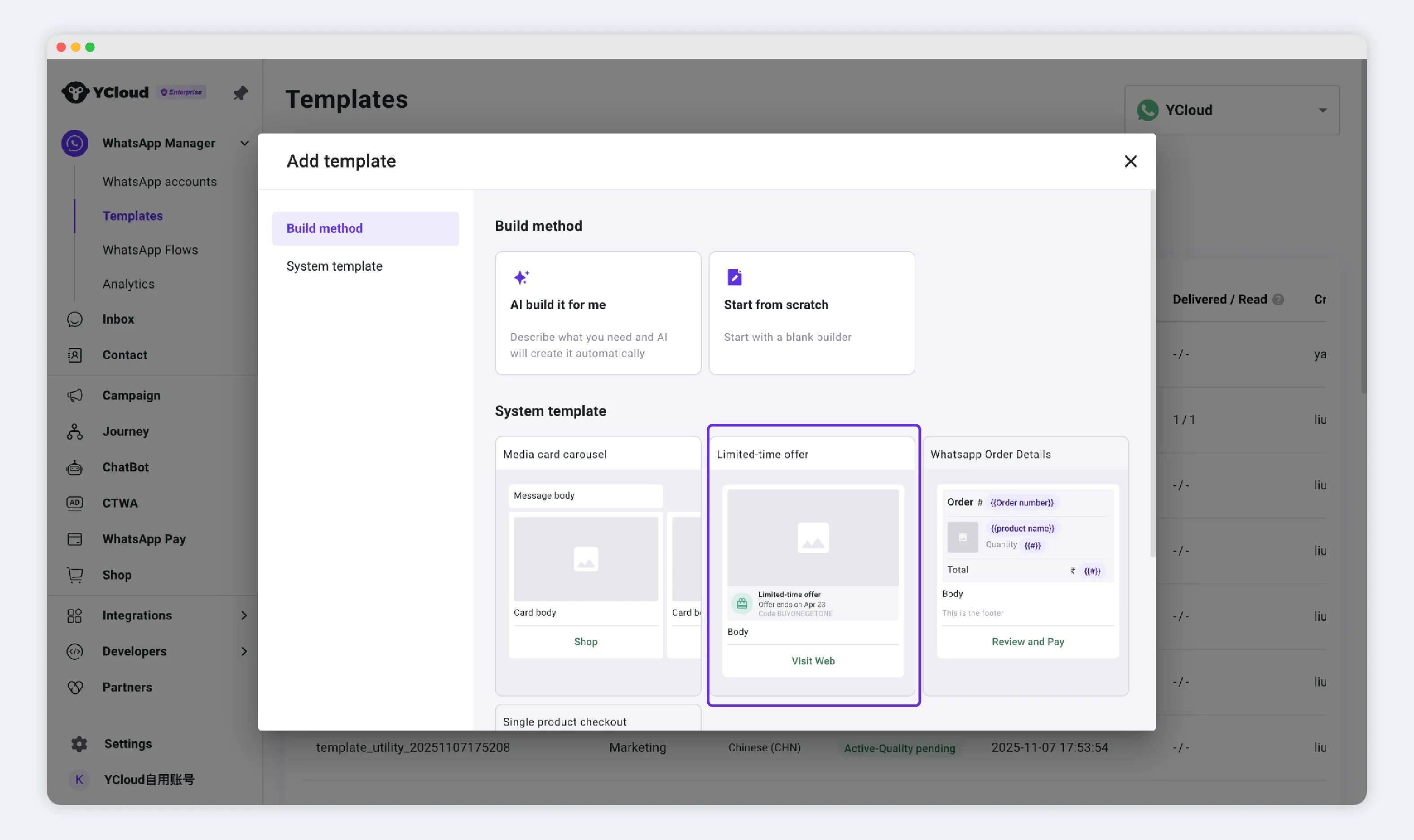 创建模板时确立优惠组件以及是否包含过期信息。发送时则提供实时的过期值以及任何优惠码、媒体或正文变量。
如果正文和复制按钮中都包含优惠码,请确保它们完全一致。倒计时不会自动修正正文中写错的矛盾日期。
## 在 API 中使用毫秒作为过期时间
在 YCloud 的发送契约中,限时优惠参数使用 `expiration_time_ms`:即 **绝对 UNIX 毫秒时间戳**。
它不是诸如“24 小时”这样的时长,也不是以秒为单位的 UNIX 时间戳。
例如, **UTC 时间 2026 年 9 月 30 日 16:00** 的毫秒时间戳为 `1790784000000`。以下是一个 **组件片段**,并非完整请求:
```json theme={"theme":{"light":"github-light","dark":"github-dark"}}
{
"type": "limited_time_offer",
"parameters": [
{
"type": "limited_time_offer",
"limited_time_offer": {
"expiration_time_ms": 1790784000000
}
}
]
}
```
请在您的发送系统中根据带时区信息的日期生成此值。在发送前对照促销数据库进行验证,并确保该时间仍然处于未来。
## 测试截止时间前后的表现
创建模板时确立优惠组件以及是否包含过期信息。发送时则提供实时的过期值以及任何优惠码、媒体或正文变量。
如果正文和复制按钮中都包含优惠码,请确保它们完全一致。倒计时不会自动修正正文中写错的矛盾日期。
## 在 API 中使用毫秒作为过期时间
在 YCloud 的发送契约中,限时优惠参数使用 `expiration_time_ms`:即 **绝对 UNIX 毫秒时间戳**。
它不是诸如“24 小时”这样的时长,也不是以秒为单位的 UNIX 时间戳。
例如, **UTC 时间 2026 年 9 月 30 日 16:00** 的毫秒时间戳为 `1790784000000`。以下是一个 **组件片段**,并非完整请求:
```json theme={"theme":{"light":"github-light","dark":"github-dark"}}
{
"type": "limited_time_offer",
"parameters": [
{
"type": "limited_time_offer",
"limited_time_offer": {
"expiration_time_ms": 1790784000000
}
}
]
}
```
请在您的发送系统中根据带时区信息的日期生成此值。在发送前对照促销数据库进行验证,并确保该时间仍然处于未来。
## 测试截止时间前后的表现
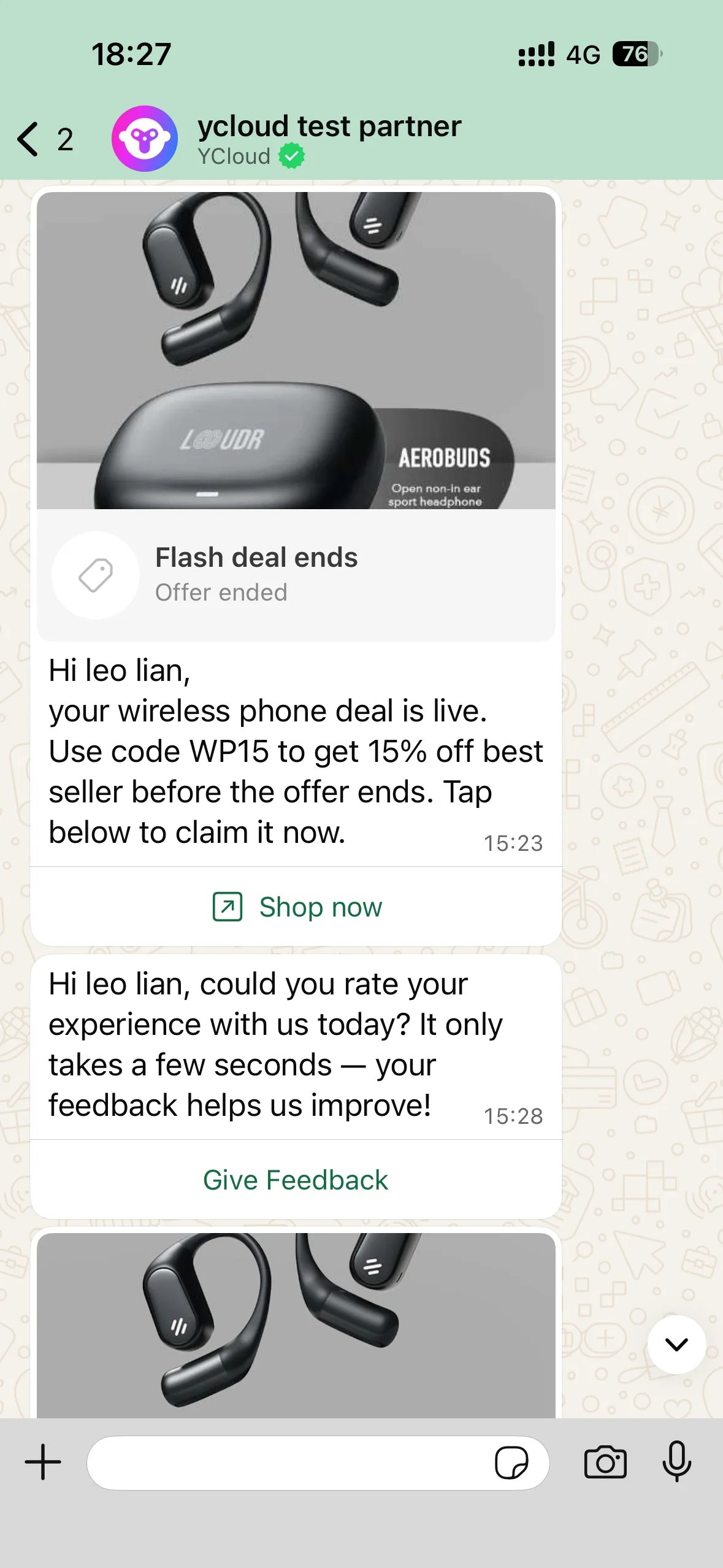 在过期前、临近过期和过期后进行全面测试。检查显示的截止时间、复制的优惠码、目标地址以及服务器端兑换结果。不同 WhatsApp 客户端的渲染可能存在差异,因此请覆盖目标受众使用的各类手机平台。
如果消息发送后立即显示已过期,请首先检查时间戳单位、时区转换和源截止时间。如果过期后兑换仍然有效,请修复促销系统;仅修改消息显示并不能对优惠规则生效起约束作用。
## 发送与衡量
获得批准后,即可使用支持的 [群发活动(Campaign)](/zh/documentation/campaign/create-a-whatsapp-marketing-campaign)、[收件箱(Inbox)](/zh/documentation/inbox/initiate-new-chat) 或 [API](/zh/api-reference/guides/whatsapp-platform/send-whatsapp-message) 工作流。
应用[营销同意和发送控制](/zh/documentation/whatsapp-business-platform/messaging/message-templates/marketing-templates)。分别衡量送达消息数、目标页面访问量和成功兑换量。
来源:[Meta 限时优惠模板](https://developers.facebook.com/docs/whatsapp/business-management-api/message-templates/limited-time-offer-templates/)。
This documentation is built and hosted on [Mintlify](https://mintlify.com), a developer documentation platform.
在过期前、临近过期和过期后进行全面测试。检查显示的截止时间、复制的优惠码、目标地址以及服务器端兑换结果。不同 WhatsApp 客户端的渲染可能存在差异,因此请覆盖目标受众使用的各类手机平台。
如果消息发送后立即显示已过期,请首先检查时间戳单位、时区转换和源截止时间。如果过期后兑换仍然有效,请修复促销系统;仅修改消息显示并不能对优惠规则生效起约束作用。
## 发送与衡量
获得批准后,即可使用支持的 [群发活动(Campaign)](/zh/documentation/campaign/create-a-whatsapp-marketing-campaign)、[收件箱(Inbox)](/zh/documentation/inbox/initiate-new-chat) 或 [API](/zh/api-reference/guides/whatsapp-platform/send-whatsapp-message) 工作流。
应用[营销同意和发送控制](/zh/documentation/whatsapp-business-platform/messaging/message-templates/marketing-templates)。分别衡量送达消息数、目标页面访问量和成功兑换量。
来源:[Meta 限时优惠模板](https://developers.facebook.com/docs/whatsapp/business-management-api/message-templates/limited-time-offer-templates/)。
This documentation is built and hosted on [Mintlify](https://mintlify.com), a developer documentation platform.