> ## Documentation Index
> Fetch the complete documentation index at: https://docs.ycloud.com/llms.txt
> Use this file to discover all available pages before exploring further.

# 解决方案合作伙伴入门指南

1. 收到注册邀请邮件后，点击按钮进入解决方案合作伙伴平台的注册页面
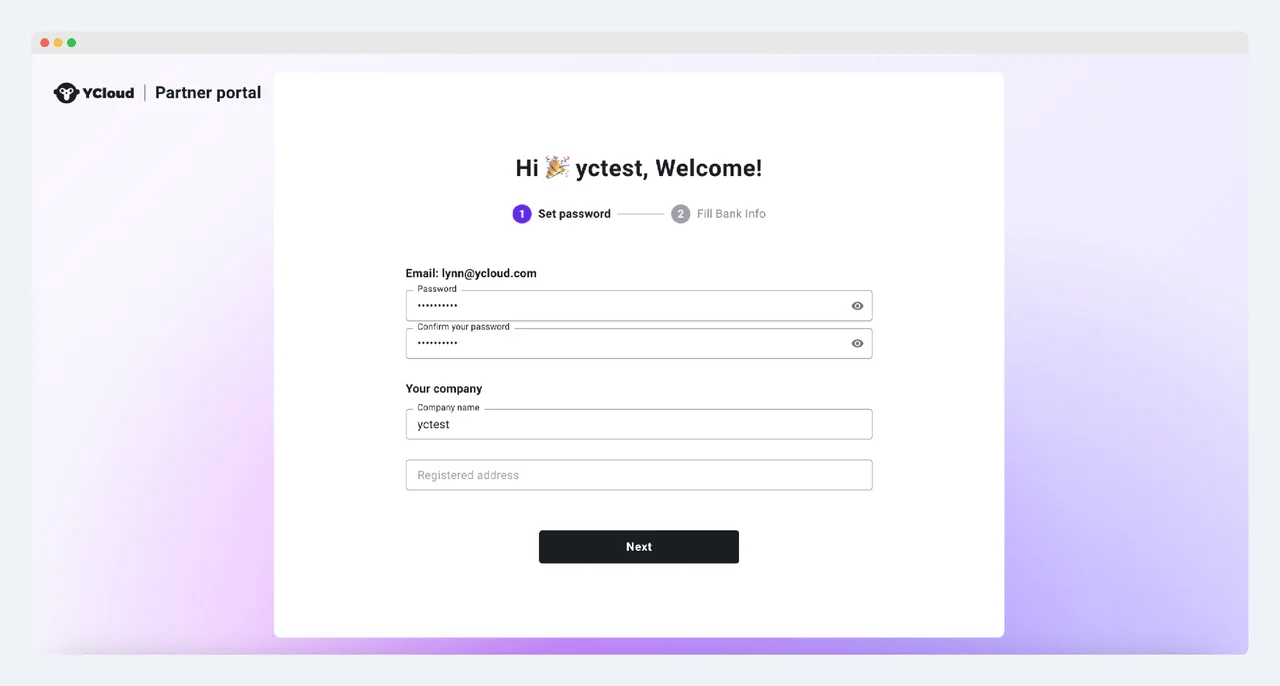
2. 设置密码、核对公司名称并填写公司注册地址
<img src="https://mintcdn.com/lchnan/RjufLD8a7M_X2gPN/product-assets/fe423859f7-image-11.webp?fit=max&auto=format&n=RjufLD8a7M_X2gPN&q=85&s=6aaacb725753e2492cbcb072f37a6add" alt="YCloud 产品截图" width="1280" height="686" data-path="product-assets/fe423859f7-image-11.webp" />

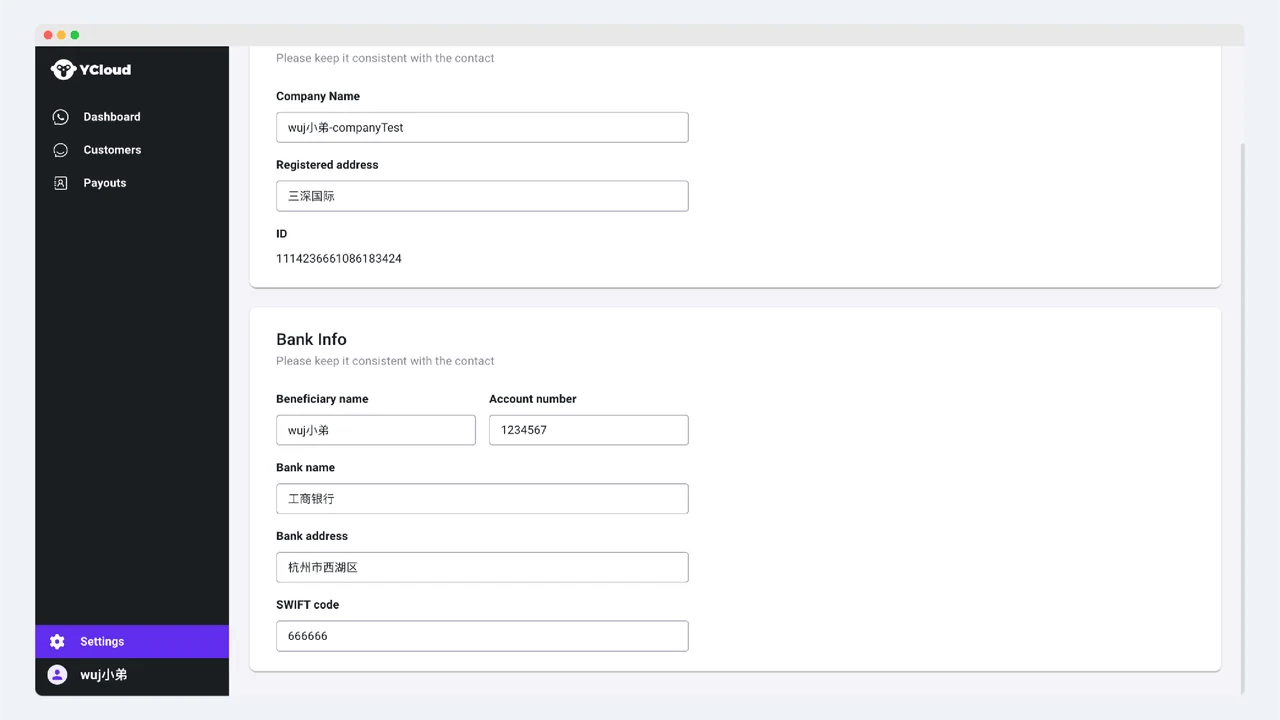
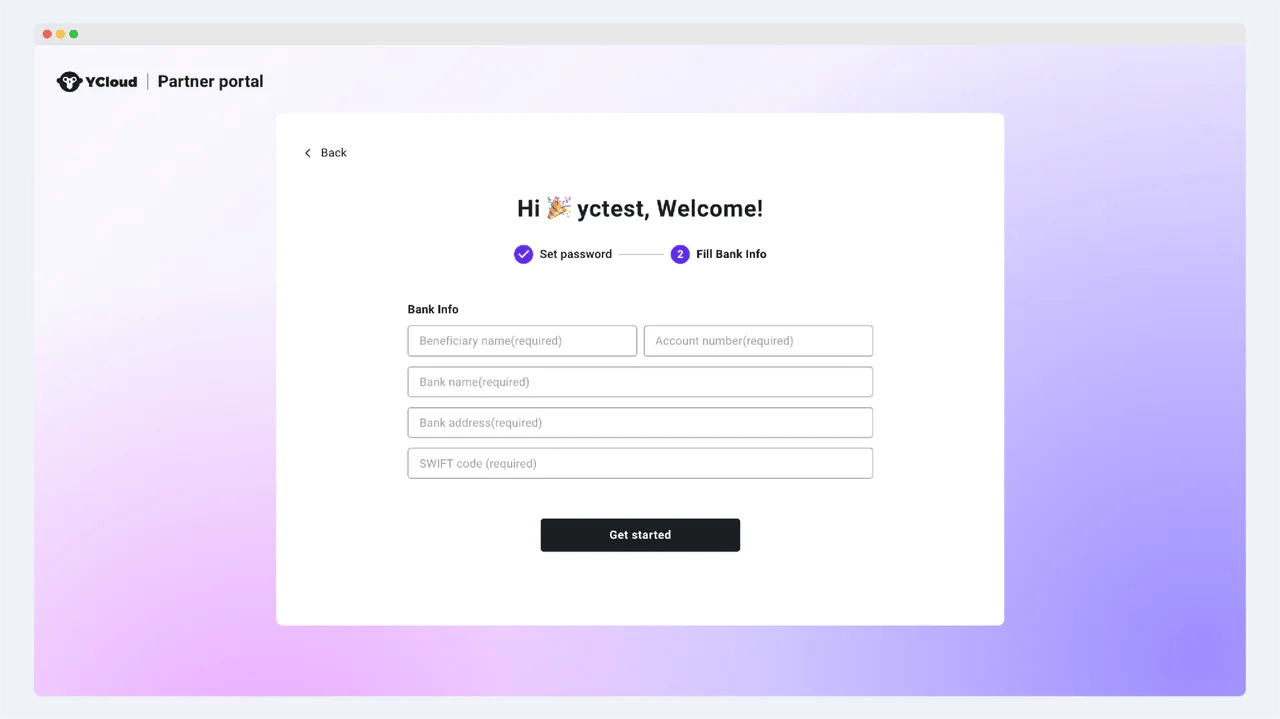
3. 点击“下一步”，并填写银行信息。这将是您接收我们佣金的银行账户。请注意保持此信息与合同中的付款信息一致
<img src="https://mintcdn.com/lchnan/iclxc5QaCwylBUez/product-assets/97e31b2fb2-image-1-1-1.webp?fit=max&auto=format&n=iclxc5QaCwylBUez&q=85&s=a1c7270e9185e9c8be5b299fee123729" alt="YCloud 产品截图" width="1280" height="719" data-path="product-assets/97e31b2fb2-image-1-1-1.webp" />

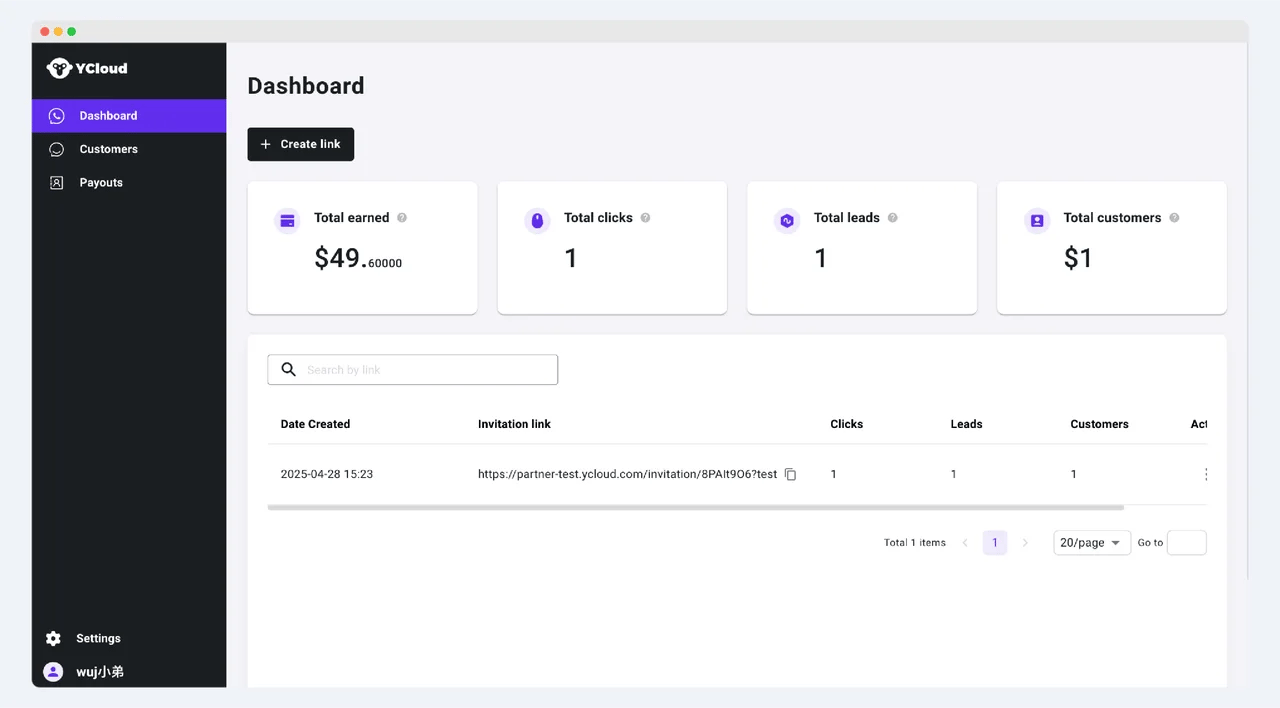
4. 完成注册后，您可以登录合作伙伴平台，通过仪表板创建并分享您的专属推荐链接。您还可以查看各个推荐链接的表现，包括点击量、注册量和转化量。在“已赚取总额”（total earned）数据模块中，您可以查看您累计赚取的佣金总额

<img src="https://mintcdn.com/lchnan/4jCRAzt7wN36eBU0/product-assets/846b1afd4c-image-2-1-1.webp?fit=max&auto=format&n=4jCRAzt7wN36eBU0&q=85&s=81304aeac1791e7bf45a4732f7d22bf2" alt="YCloud 产品截图" width="1280" height="708" data-path="product-assets/846b1afd4c-image-2-1-1.webp" />

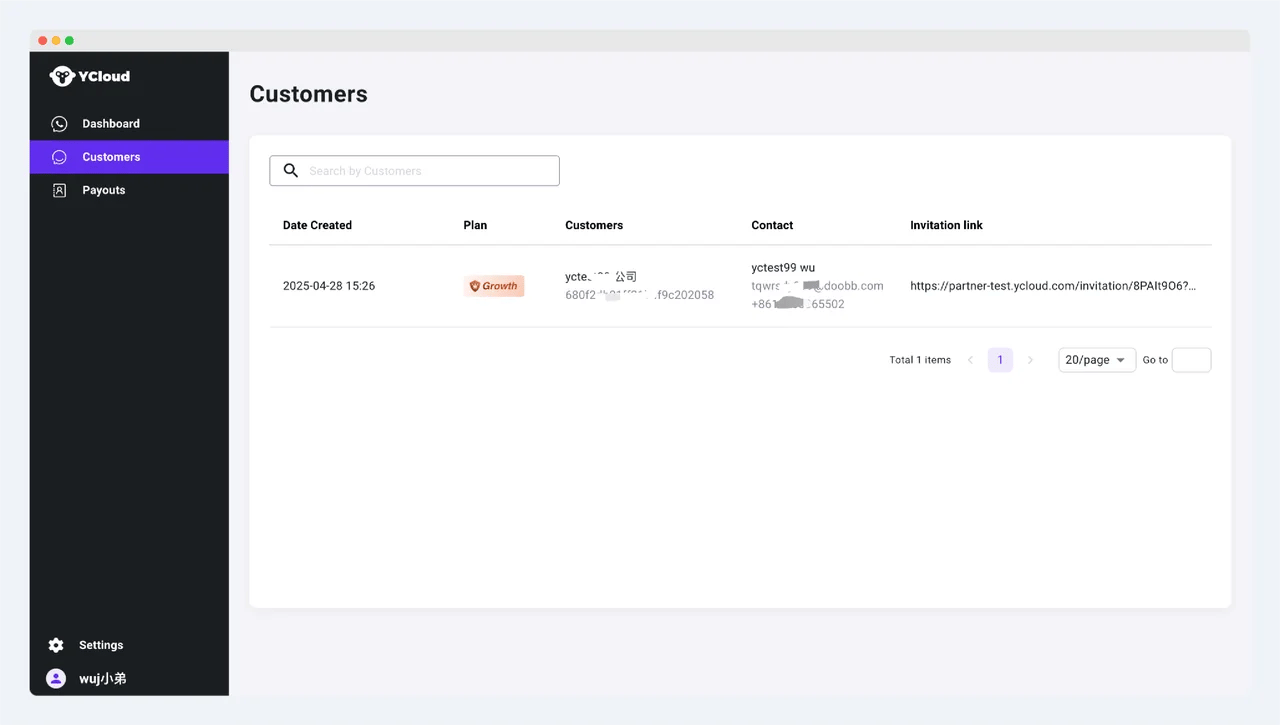
5. 在“客户”（Customer）菜单中，随时跟踪通过您的链接完成转化的客户，并查看他们的联系信息

<img src="https://mintcdn.com/lchnan/4jCRAzt7wN36eBU0/product-assets/7e6280d9b3-image-3-1-1.webp?fit=max&auto=format&n=4jCRAzt7wN36eBU0&q=85&s=4499cf89e3bf1d950f530a921ecb33e8" alt="YCloud 产品截图" width="1280" height="725" data-path="product-assets/7e6280d9b3-image-3-1-1.webp" />

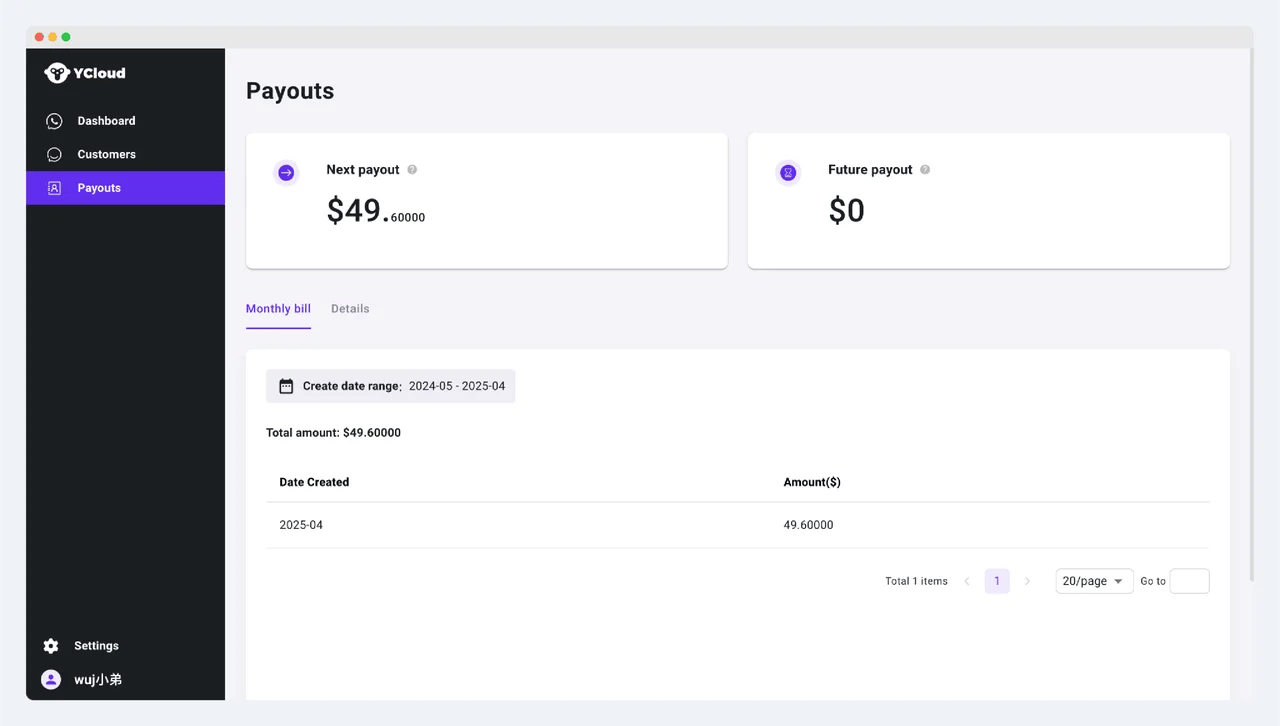
6. 在“付款”（Payouts）菜单下，您可以查看每月的出账交易及佣金订单详情。本期及未来各期待发放的佣金可在上方统计面板中查看
<img src="https://mintcdn.com/lchnan/E6i1SuAMcpDKZGUZ/product-assets/31da9a6f03-image-14.webp?fit=max&auto=format&n=E6i1SuAMcpDKZGUZ&q=85&s=3ec9b36e8fbe635ec23f04cb6940102f" alt="YCloud 产品截图" width="1280" height="726" data-path="product-assets/31da9a6f03-image-14.webp" />

7. 点击左下角的设置按钮，可以修改您公司的基本信息和付款详情。请确保这些信息与合同中的信息保持一致

<img src="https://mintcdn.com/lchnan/Hbi08AzSkFm9O_LV/product-assets/6ab6670fb9-image-15.webp?fit=max&auto=format&n=Hbi08AzSkFm9O_LV&q=85&s=61af810157a15e521514da6ebf6dd2b2" alt="YCloud 产品截图" width="1280" height="720" data-path="product-assets/6ab6670fb9-image-15.webp" />

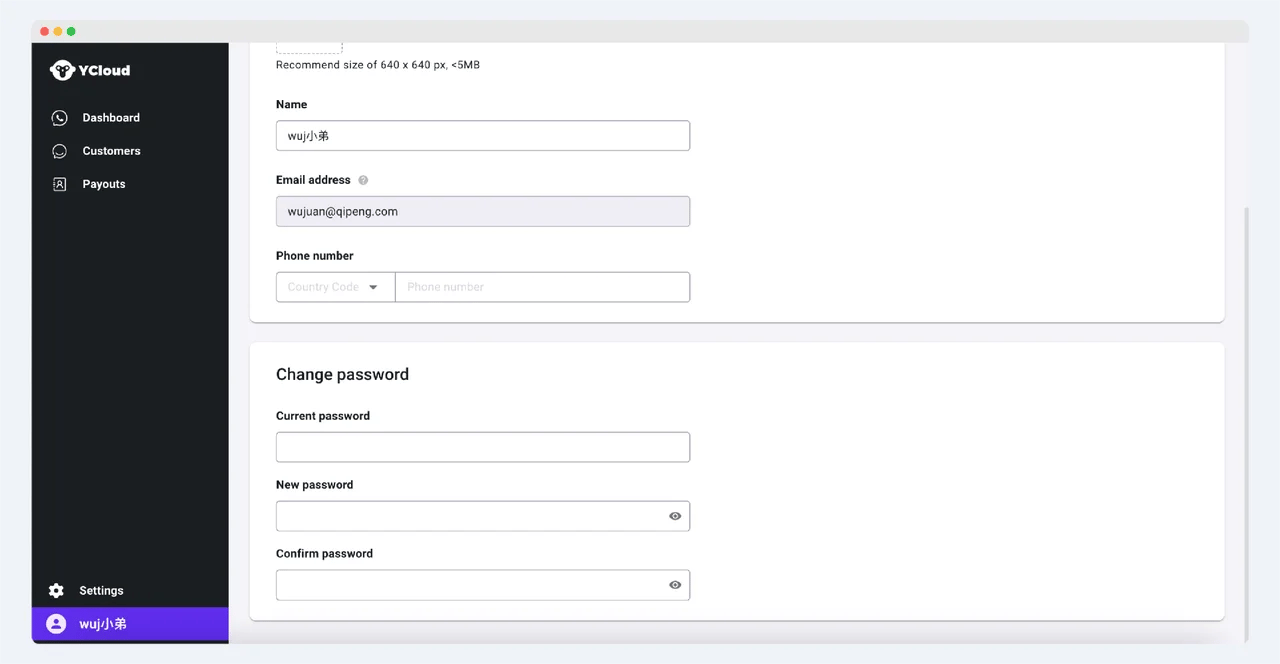
8. 您可以点击左下角的头像进入个人设置页面，修改个人信息，包括姓名和号码。您也可以在此修改密码。如需更改邮箱，请联系您的客户经理

<img src="https://mintcdn.com/lchnan/hZV5AyihgANeW21k/product-assets/e48ed1386b-image-16.webp?fit=max&auto=format&n=hZV5AyihgANeW21k&q=85&s=958d54d1cdda0827f2d80e1229e03aac" alt="YCloud 产品截图" width="1280" height="664" data-path="product-assets/e48ed1386b-image-16.webp" />


This documentation is built and hosted on [Mintlify](https://mintlify.com), a developer documentation platform.