> ## Documentation Index
> Fetch the complete documentation index at: https://docs.ycloud.com/llms.txt
> Use this file to discover all available pages before exploring further.
# 管理客户的 WABA 和号码
## 查看 WABA 和号码
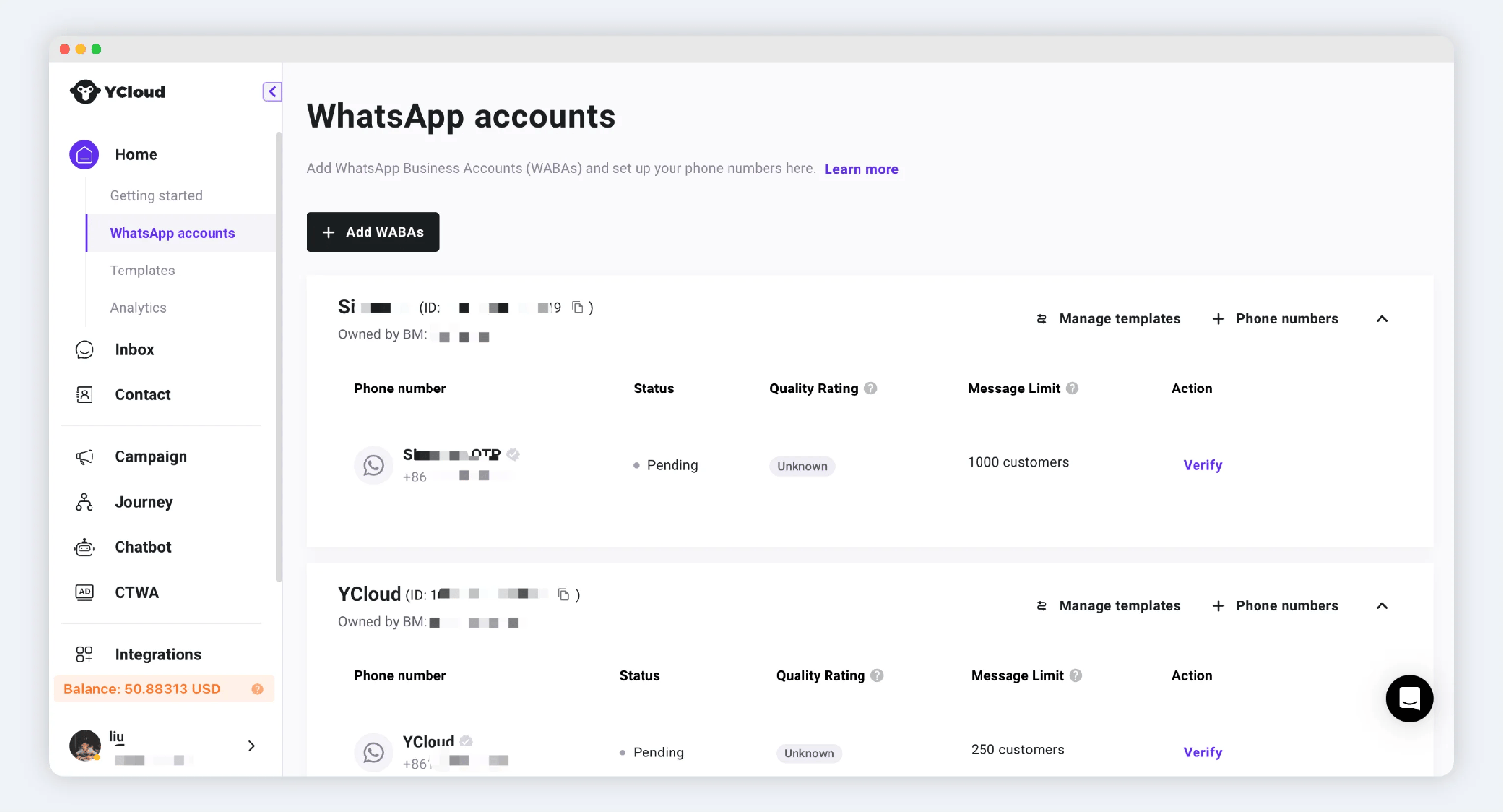
进入 YCloud 工作区后,在 [WhatsApp 账户](https://www.ycloud.com/console/#/app/dashboard/account) 标签页下,您将看到所有客户的 WABA 和号码。
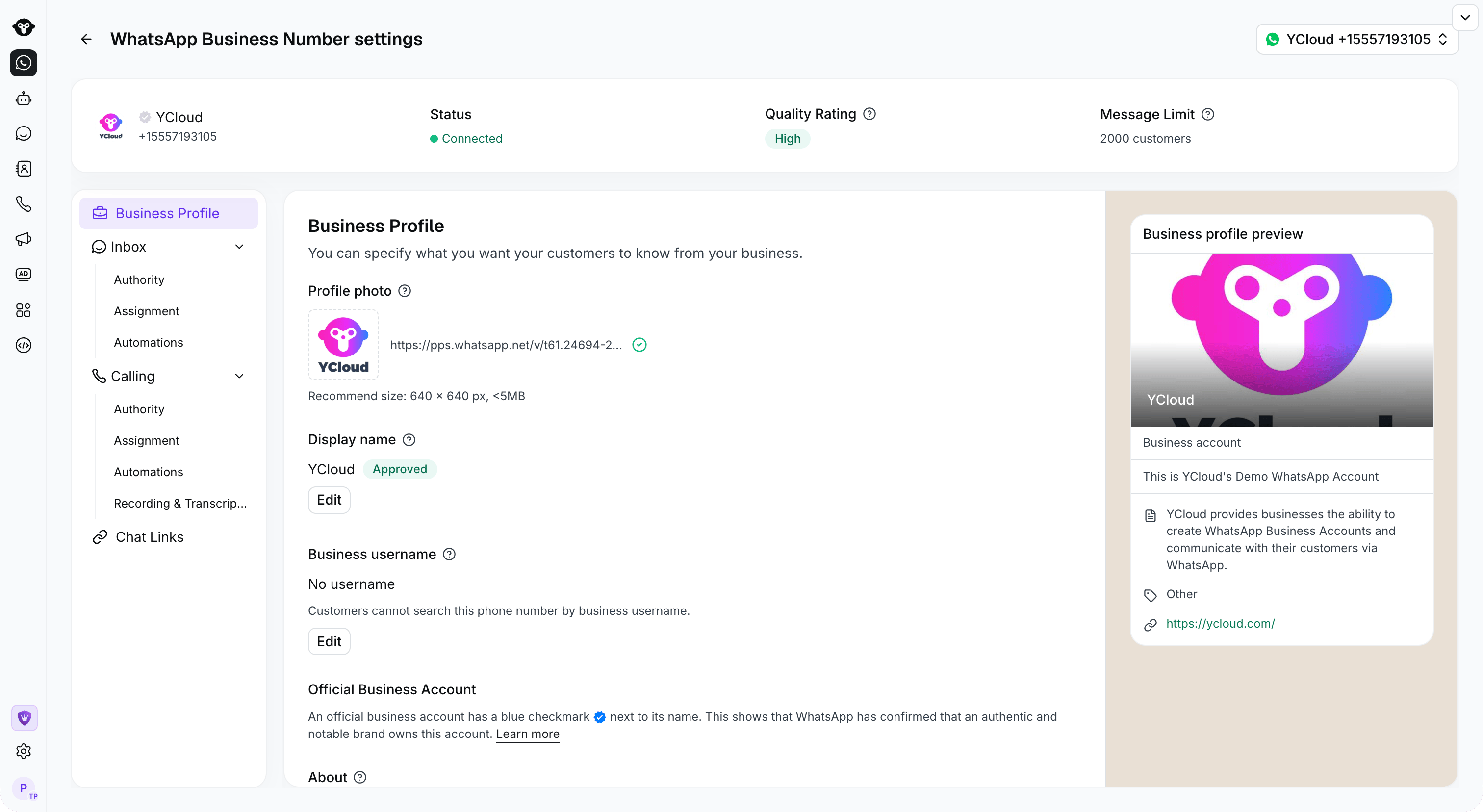
 打开号码的 **WhatsApp 商业号码设置** 即可查看其状态和商业资料。
 ## 通过 API 进行管理
请参考:
[打开视频或外部资源](https://docs.ycloud.com/reference/whatsapp_business_account-list)
[打开视频或外部资源](https://docs.ycloud.com/reference/whatsapp_phone_number-list)
This documentation is built and hosted on [Mintlify](https://mintlify.com), a developer documentation platform.
## 通过 API 进行管理
请参考:
[打开视频或外部资源](https://docs.ycloud.com/reference/whatsapp_business_account-list)
[打开视频或外部资源](https://docs.ycloud.com/reference/whatsapp_phone_number-list)
This documentation is built and hosted on [Mintlify](https://mintlify.com), a developer documentation platform.