

Pricing explainer
With per-message pricing, businesses on our platform will be charged:- Per delivered marketing template message
- Per delivered authentication template message
-
Per delivered utility template message, if delivered outside of a customer service window
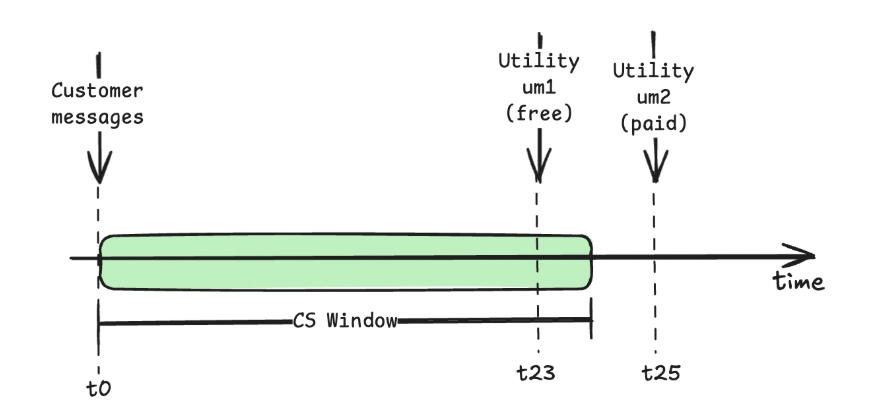
- Businesses can respond to users at no charge with
free-formmessages and utility template messages - Businesses can respond to users at no charge with
free entry pointsmessages
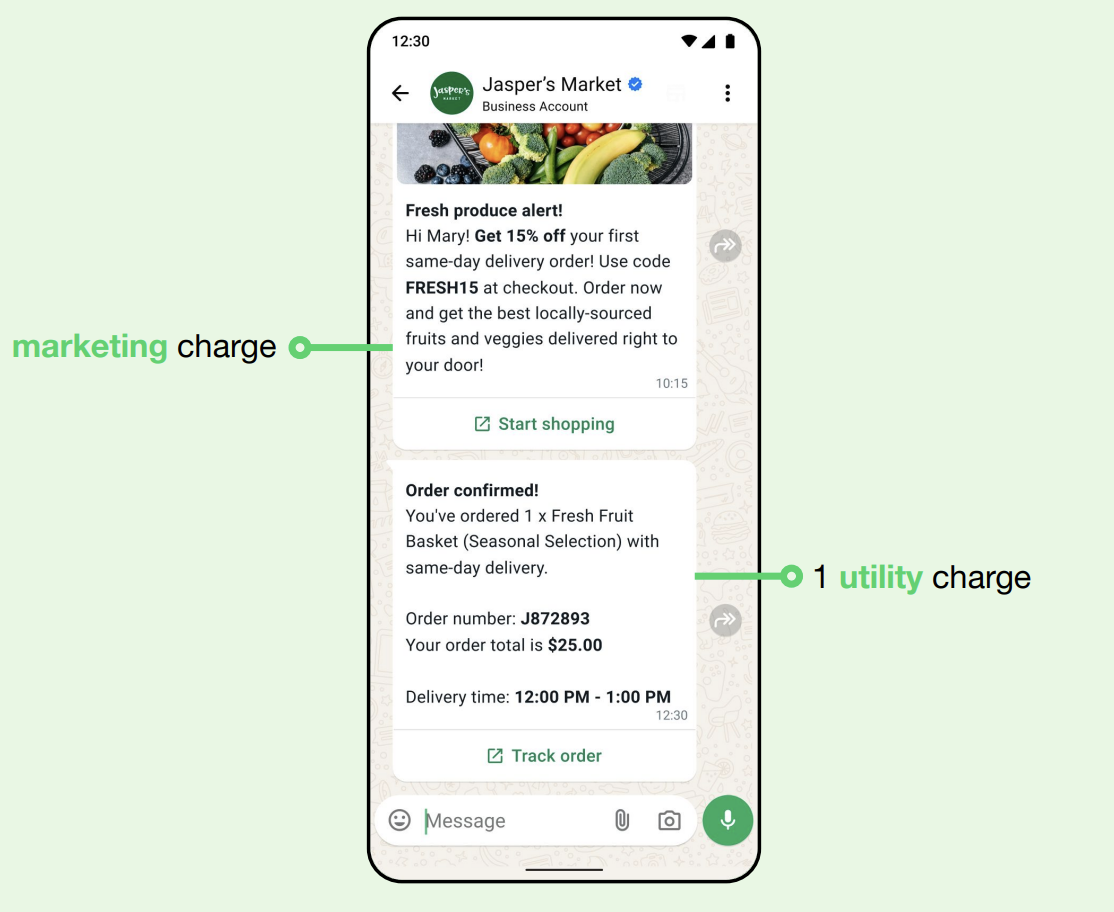
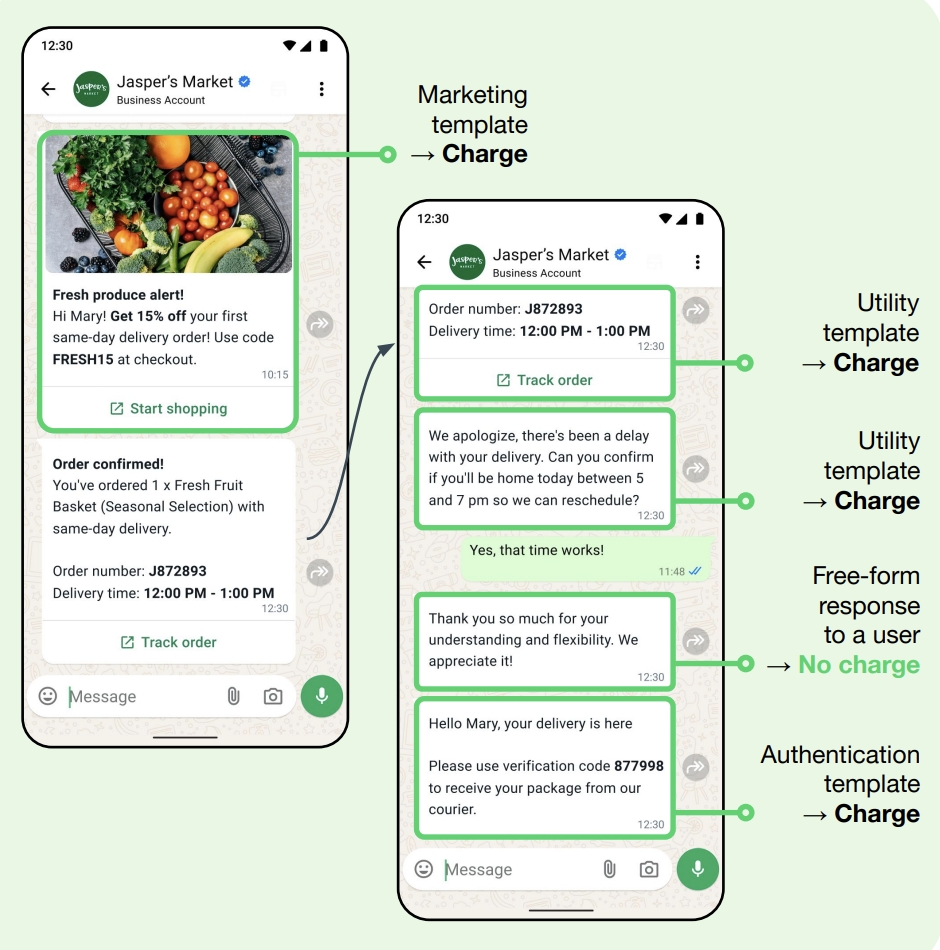
- If a business sends 1 marketing message and 1 utility message, that incurs 1 charge for each category.
- When the customer service window is open, businesses can send free-form messages or utility messages at no charge.
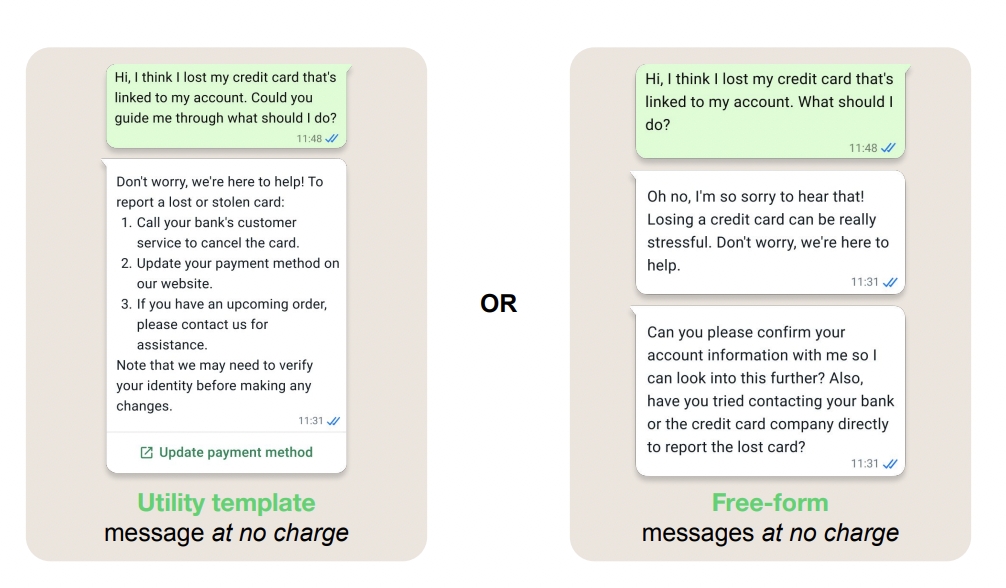
The customer service window is a 24-hour timer that starts with a user message and resets with each new user message. As long as the customer service window is open, businesses can respond to users via free-form messages or utility messages, at no charge. Free-form messages are any message type that is not a template message.
- When a user messages a business from an ad that clicks to WhatsApp or a Facebook Page action button, and the business responds within 24 hours, that response opens a 72-hour (3-day)
free entry pointwindow where template messages are not charged.
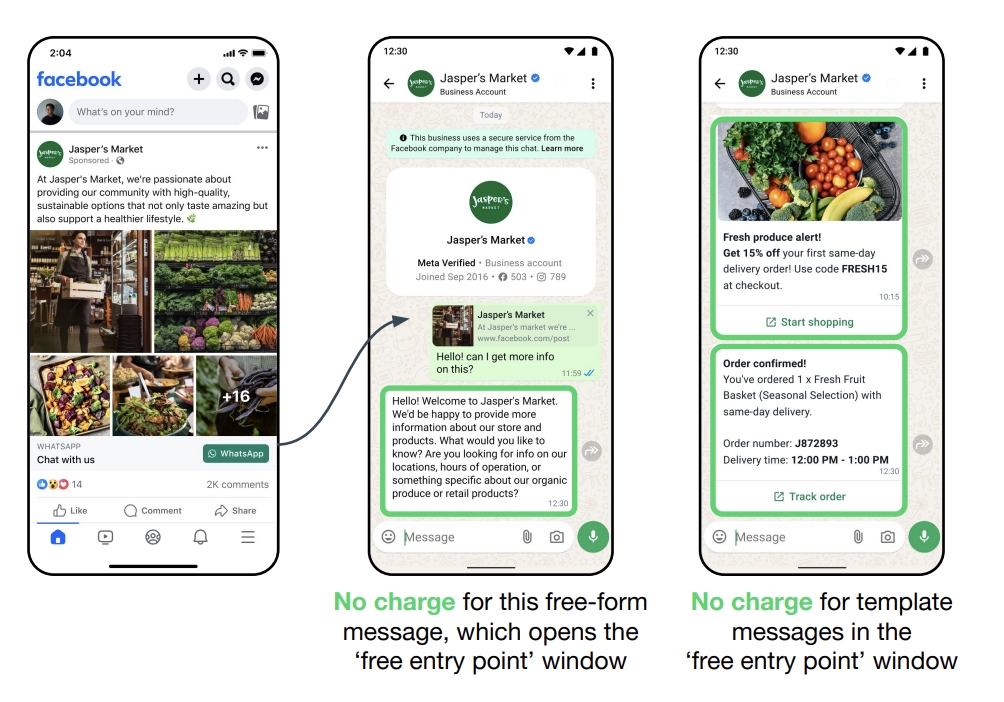
- A comprehensive illustrative example
Per-message pricing webhooks
Effective July 1, 2025, the WhatsApp Message Updated Webhook will implement the following changes:- Modifications to the existing conversation field
- Addition of new billing-related fields
CBP Mode Webhook Example
Transition edge case
If a utility conversation is opened between you and a user that spans the switch to per-message pricing (the conversation was opened before the switch but won’t close until after the switch), utility templates sent to the user after the switch while the conversation is open will be free, but attributed to the open conversation. These messages will have apricingModel of CBP and the utility conversation ID will be assigned to conversation.id in status messages webhooks. Once the conversation closes, subsequent utility messages sent to the user will follow the new behavior illustrated above.