

Before you start
Your customer must use a Facebook account with administrator access to the WhatsApp account that owns the number. This guide covers WhatsApp Business Platform numbers. For WhatsApp Business App coexistence numbers, see Coexistence accounts migration.Case 1: A customer moves from another BSP to your solution
Ask your customer to complete the Number migration guide. They must select their existing registered number, confirm the business assets and permissions, and click Finish at the end of embedded signup. They should then wait for the connection to complete.Set conversation routing to YCloud
Include this final step when guiding your customer through migration. In Meta, YCloud must be selected as the partner that handles the migrated number’s conversations.- Open WhatsApp accounts in Meta Business Settings.
- Search for and select the migrated phone number.
- Open Conversation routing and click Manage under Message routing.
- Select YCloud for each routing category shown, including customer messages and replies to ads, marketing messages, and utility messages. If Calls with customers is shown, select YCloud for that category too.
- Click Apply.
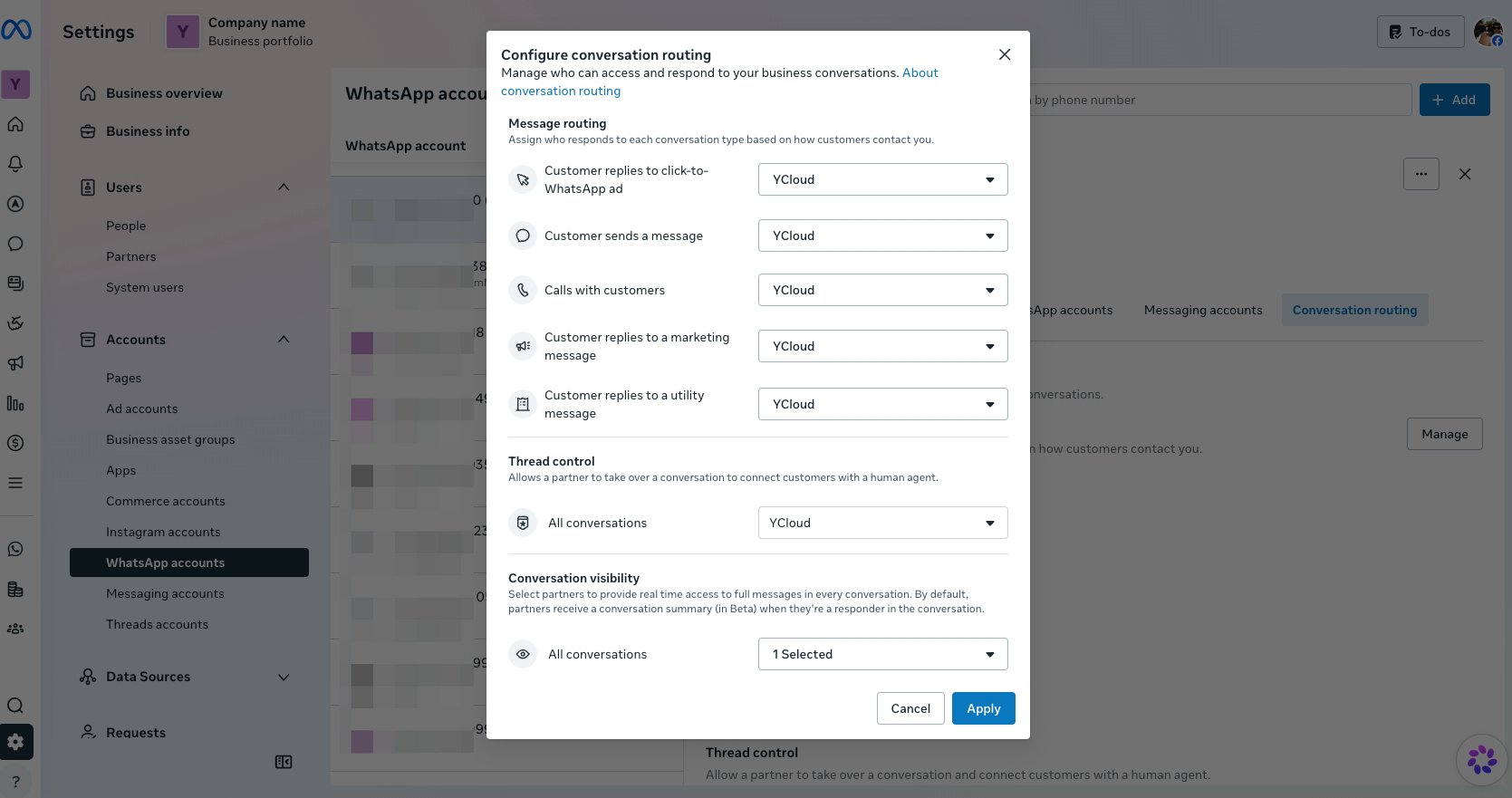
Select YCloud as the partner for the routing categories, then click Apply.
Case 2: You previously partnered with another BSP
Use this process if you previously partnered with another BSP and your customers registered their WhatsApp Business Accounts through that partnership.- Ask the customer to sign in to Meta Business Settings with their administrator account. In the left navigation, click WhatsApp accounts and select the phone number they want to migrate. Open the number’s Messaging accounts tab, click the … menu next to the linked messaging account, and select View Messaging account.
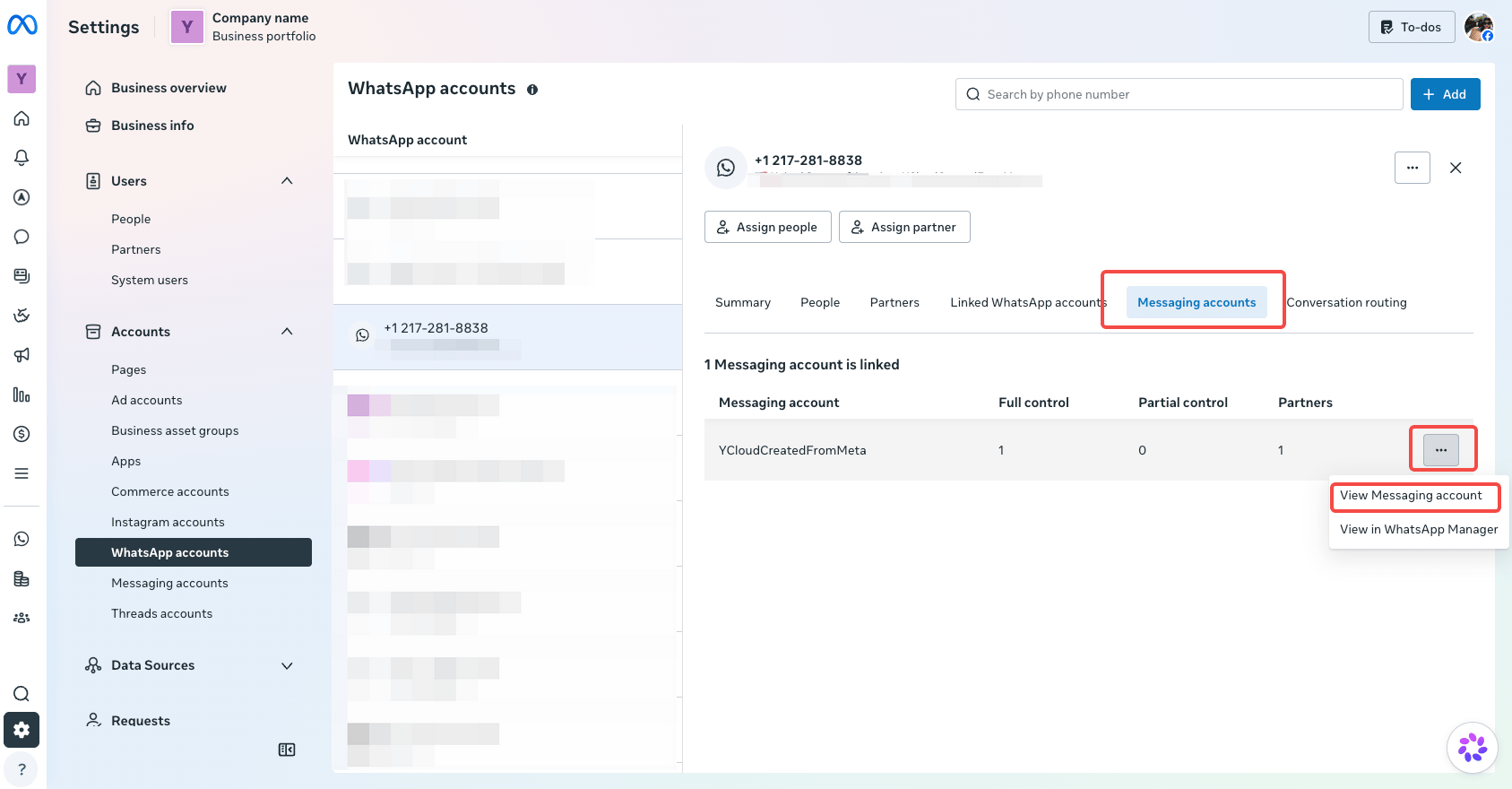
Find the number's linked messaging account and select View Messaging account.
- On the messaging account page, open Partners, find your business, and click Manage to remove you (the technical development partner). At this step, remove your business, not the BSP you previously worked with. Keep the customer’s WhatsApp Business Account and phone number.
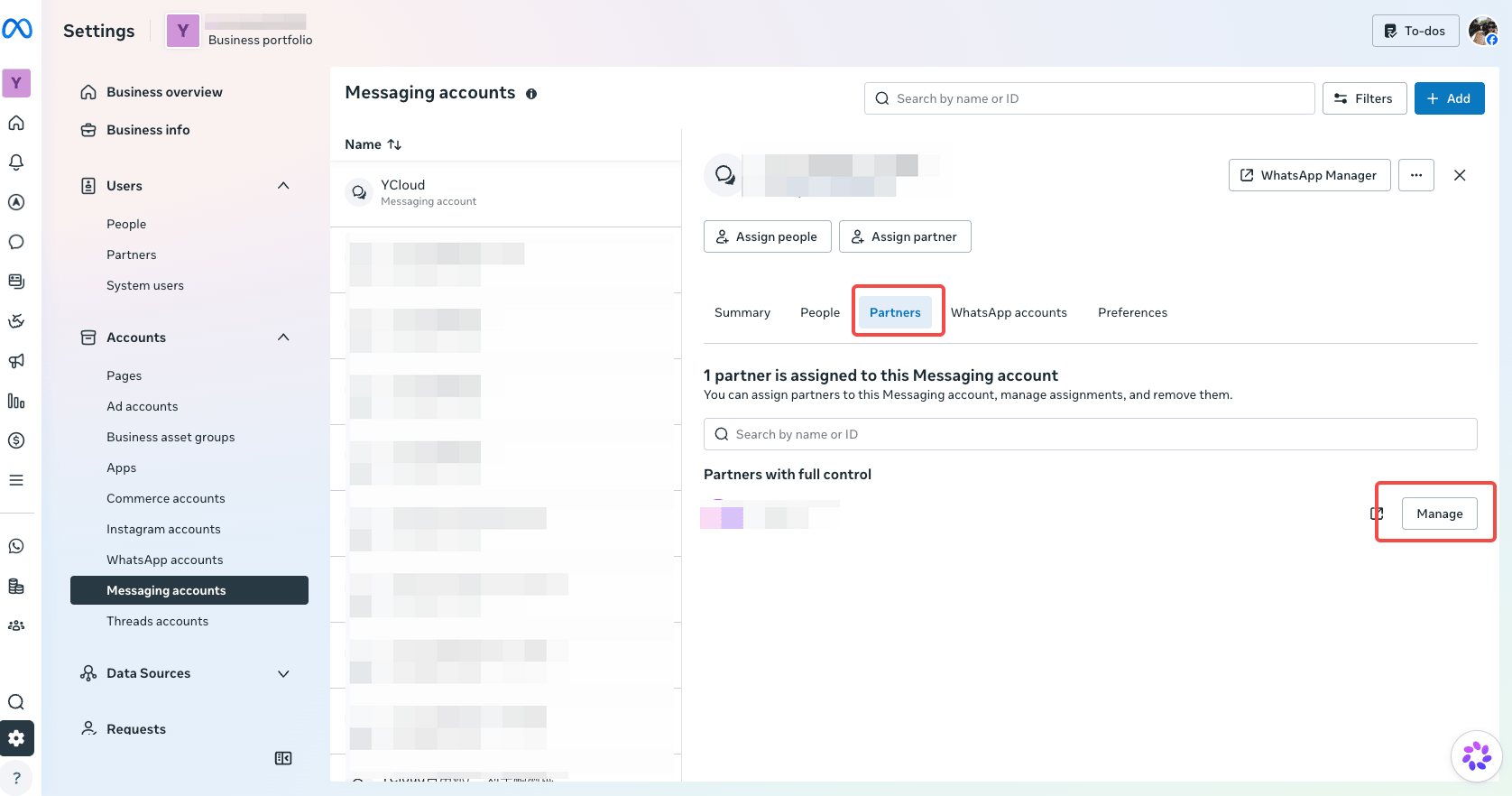
Open Partners and manage your business's connection to remove you as the technical development partner.
- Guide the customer through Case 1 to reconnect the existing number through YCloud.
- Make sure the customer sets Conversation routing to YCloud and tests sending and receiving messages.
- After migration is complete, conversation routing points to YCloud, and sending and receiving messages work correctly, the customer can remove the BSP you previously partnered with from their account’s partner connections.