Migration Preparation
- Sign-up a YCloud account.
- Completed the WABA creation. Phone numbers can be migrated between 2 WABAs in the same BM account, so you need to create a new WABA for this BM account in YCloud. If you haven’t done it, click here to see how to create a WABA.
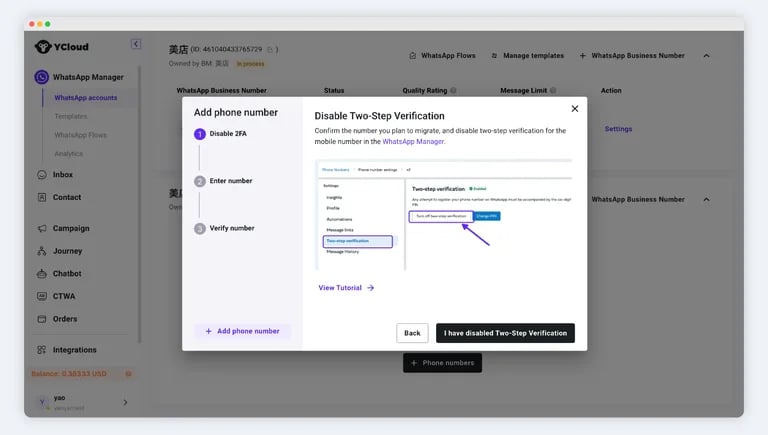
- Turn off two-step verification for the number.
Notes
- The number being migrated must have passed the display name review and not be in the process of being modified.
- Historical chat records will not be migrated. Please back up the records with your original service provider.
- The number’s quality, bule tick, configuration, and other attributes will not change after migration.
- All approved medium/high-quality templates under the WABA will be synchronized. Low-quality or unusable templates cannot be synchronized. The quality rating of the templates will start from scratch after migration.
Migration Process
Step 1: Turn Off Two-Step Verification
Log in to the BM Account, Click WhatsApp account > Phone number, and turn off two-step verification. See below for more detailed steps. Tip: If you did not register the original number yourself, please contact the registrant or administrator to turn it off.Step 1.1: Enter the WABA Management Page
Visit the Business Management Page, which needs to log in with the administrator’s Facebook account before. Select the WABA to which the number belongs > Settings > WhatsApp Manager.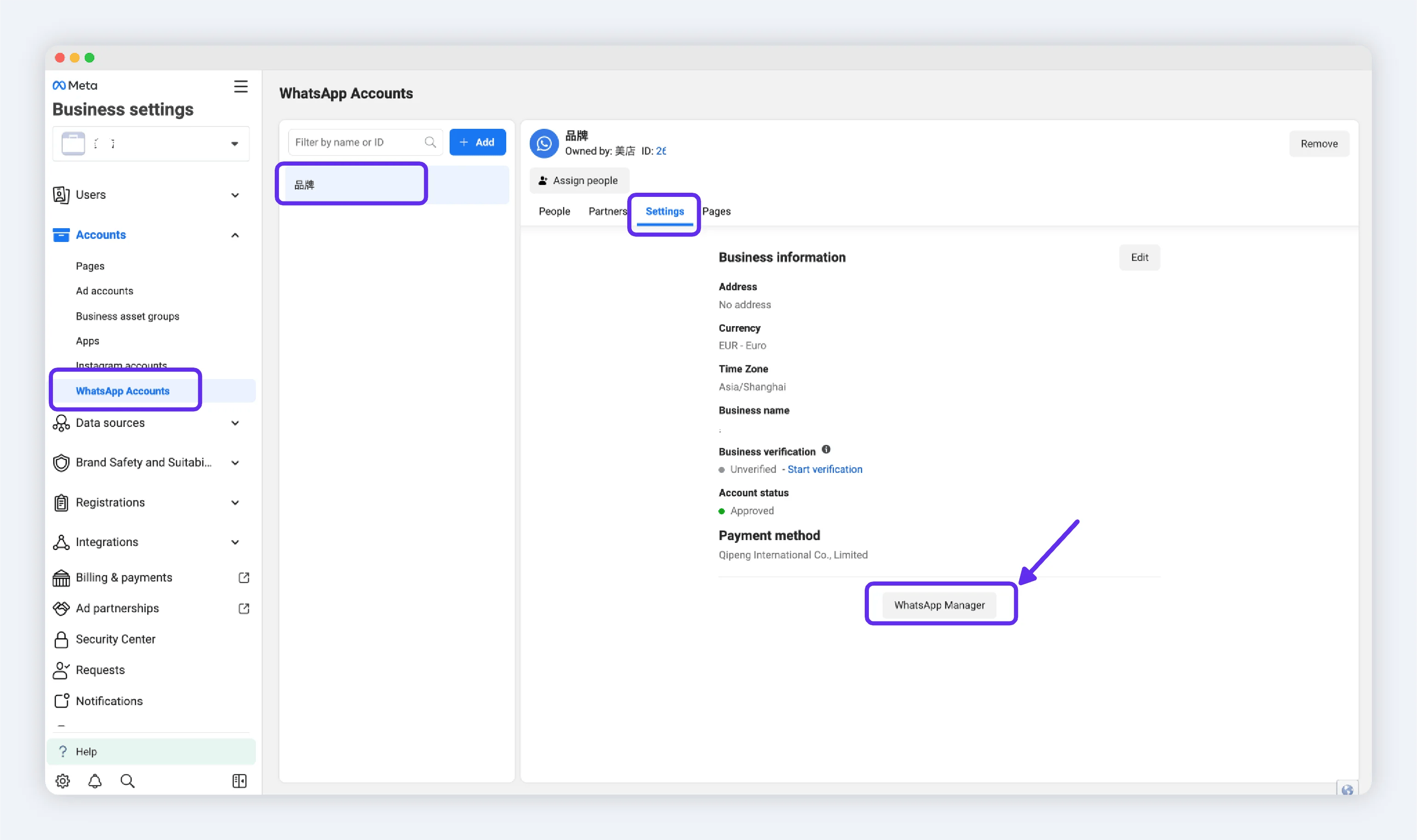
Step 1.3: Enter the Phone Number Management Page
Click on Phone numbers in the navigation bar, select the number to be migrated, and click the settings icon for the number.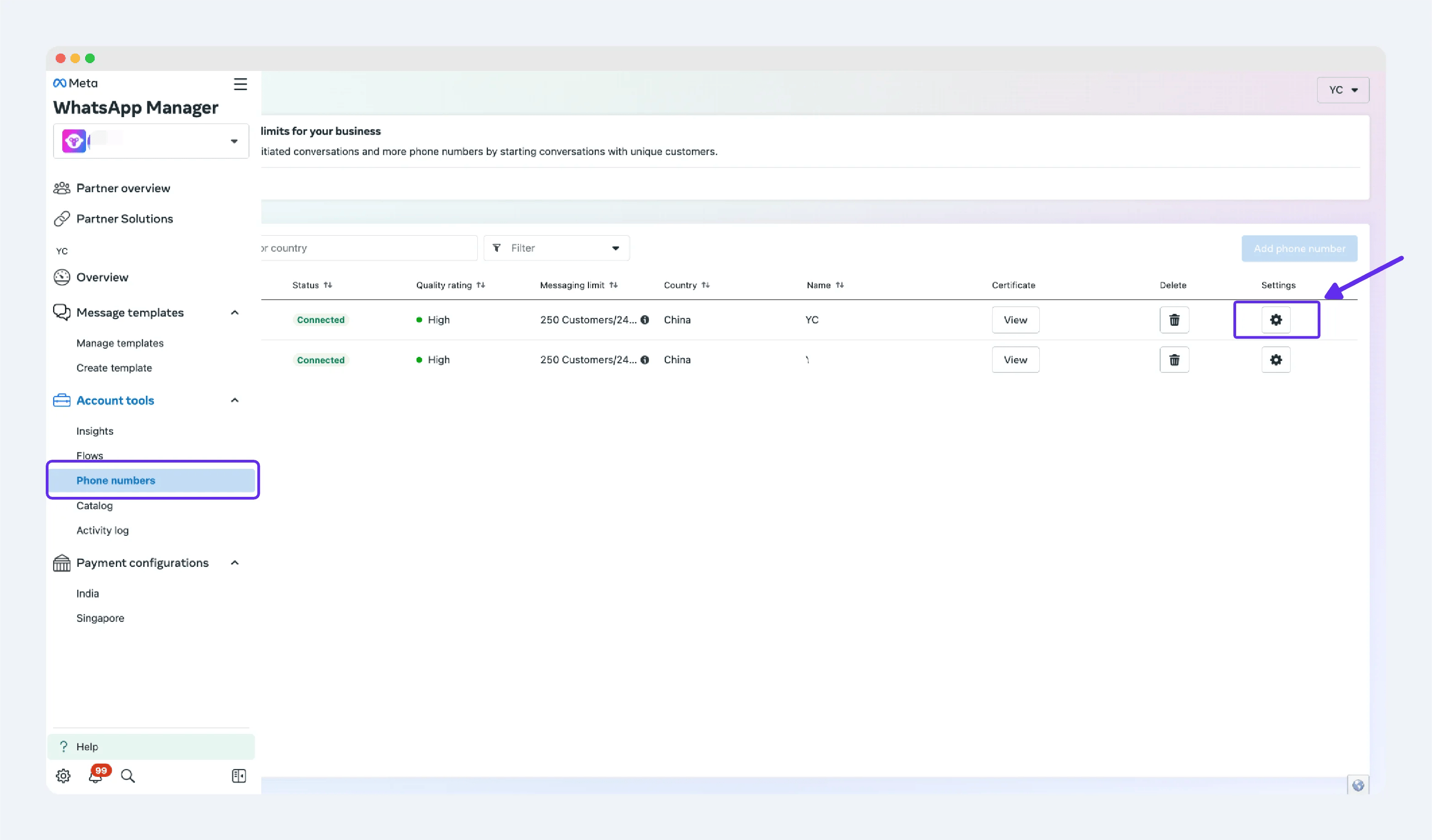
Step 1.4: Turn Off Two-Step Verification
In the number management page, find Two-step verification and click Turn off two-step verification.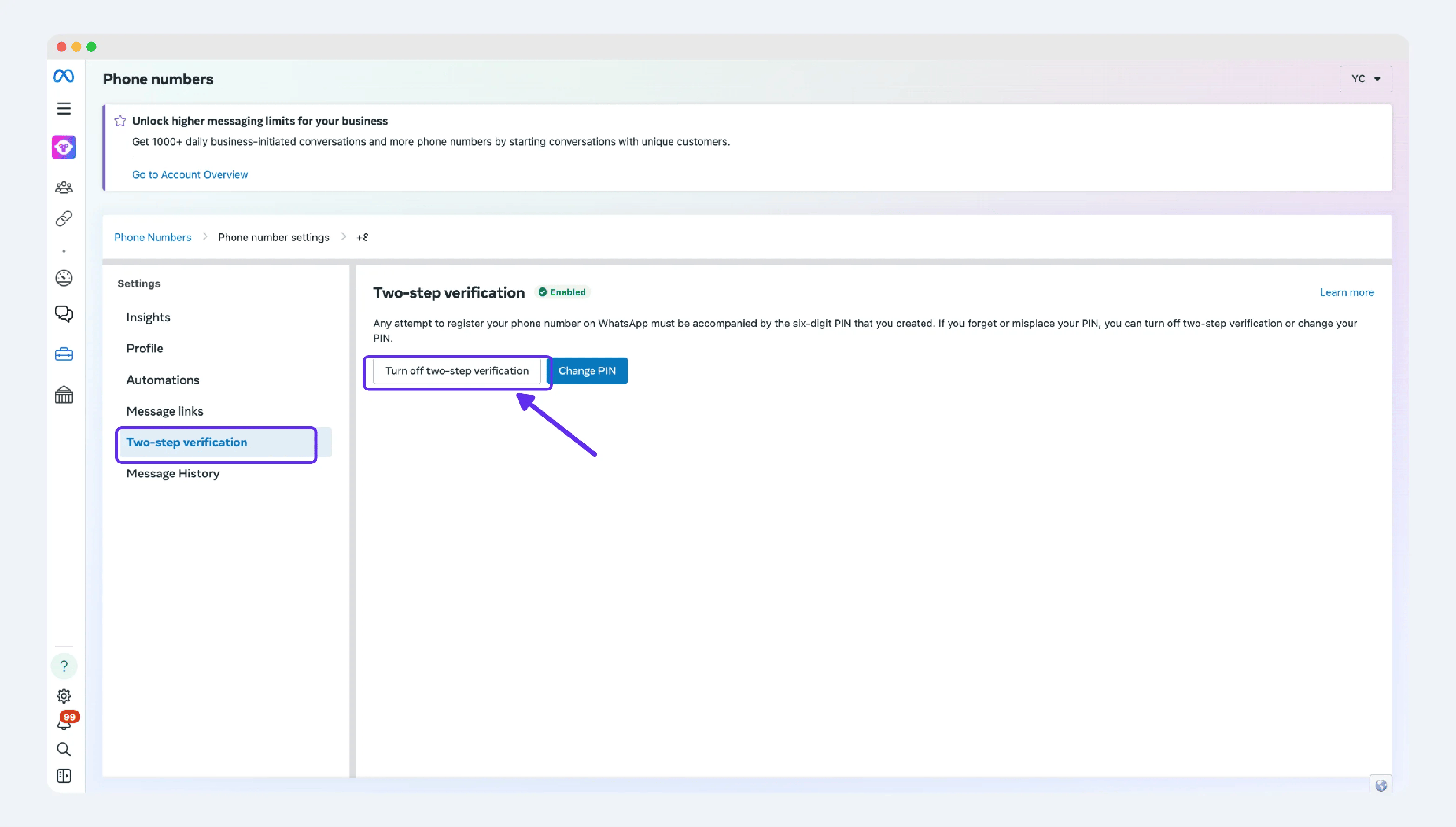
Step 2: Migrate the phone number
Step 2.1: Visit WhatsApp accounts
Go to WhatsApp accounts, find the destination WABA, and click Add number.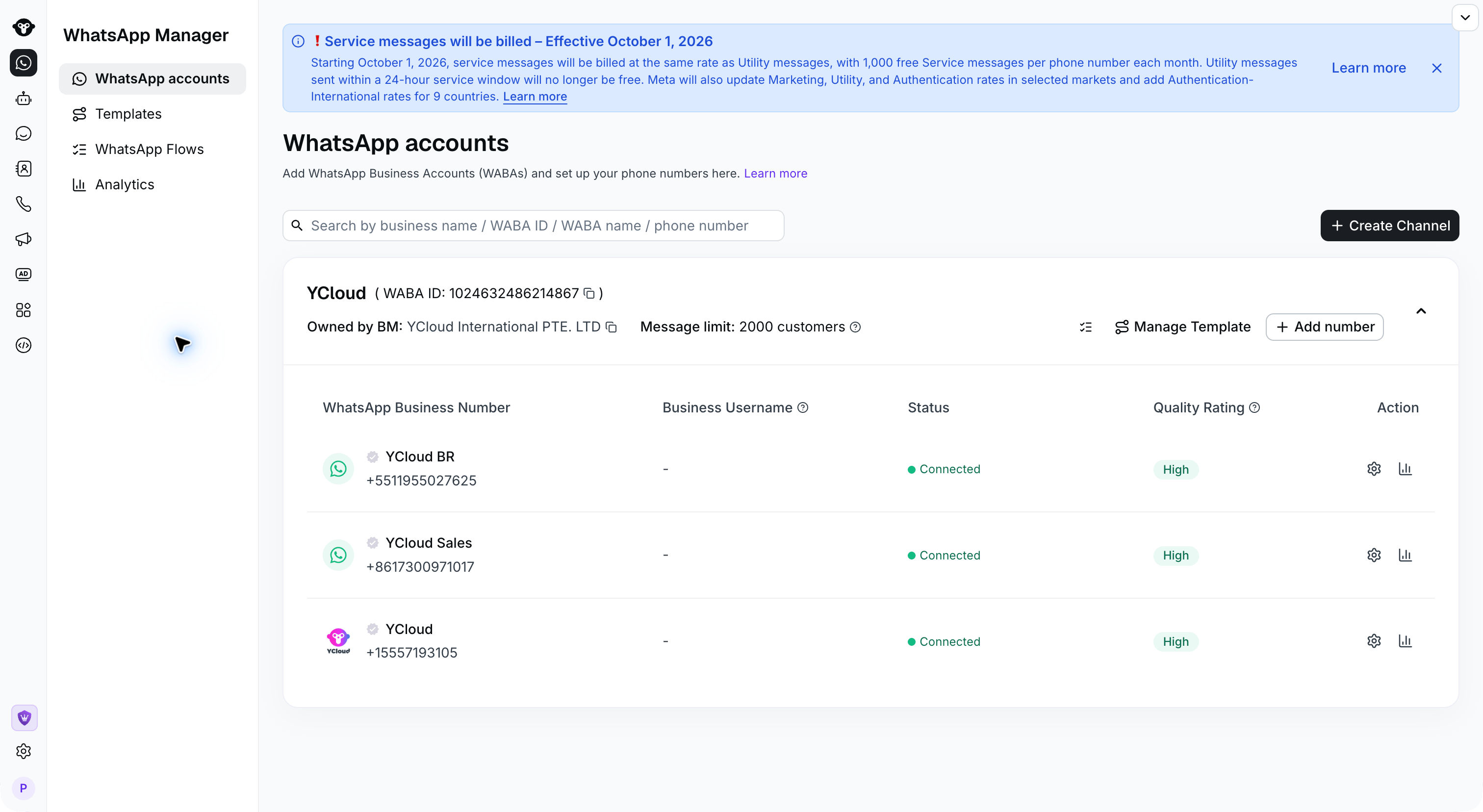
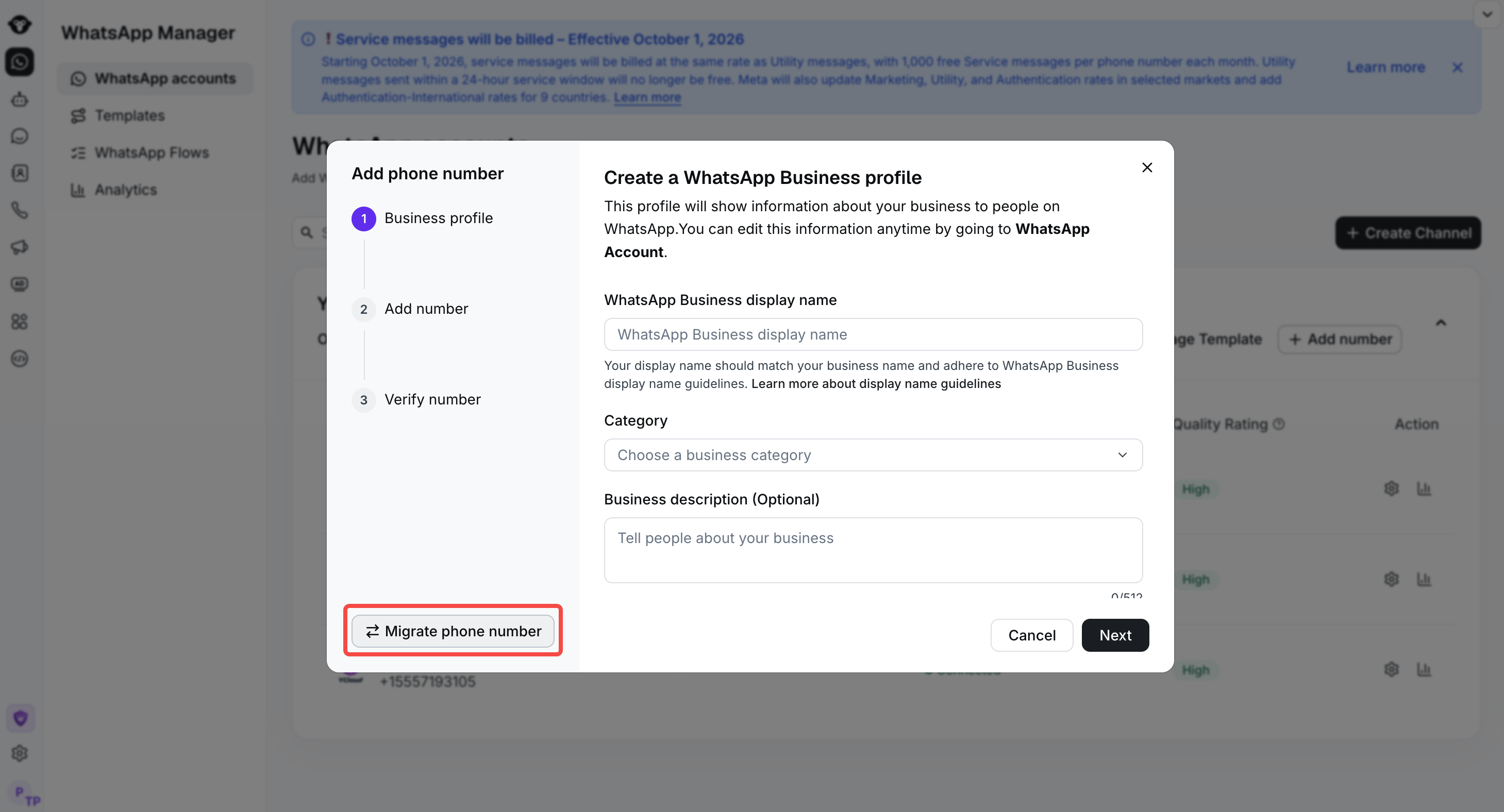
Step 2.2: Click Migrate phone numbe
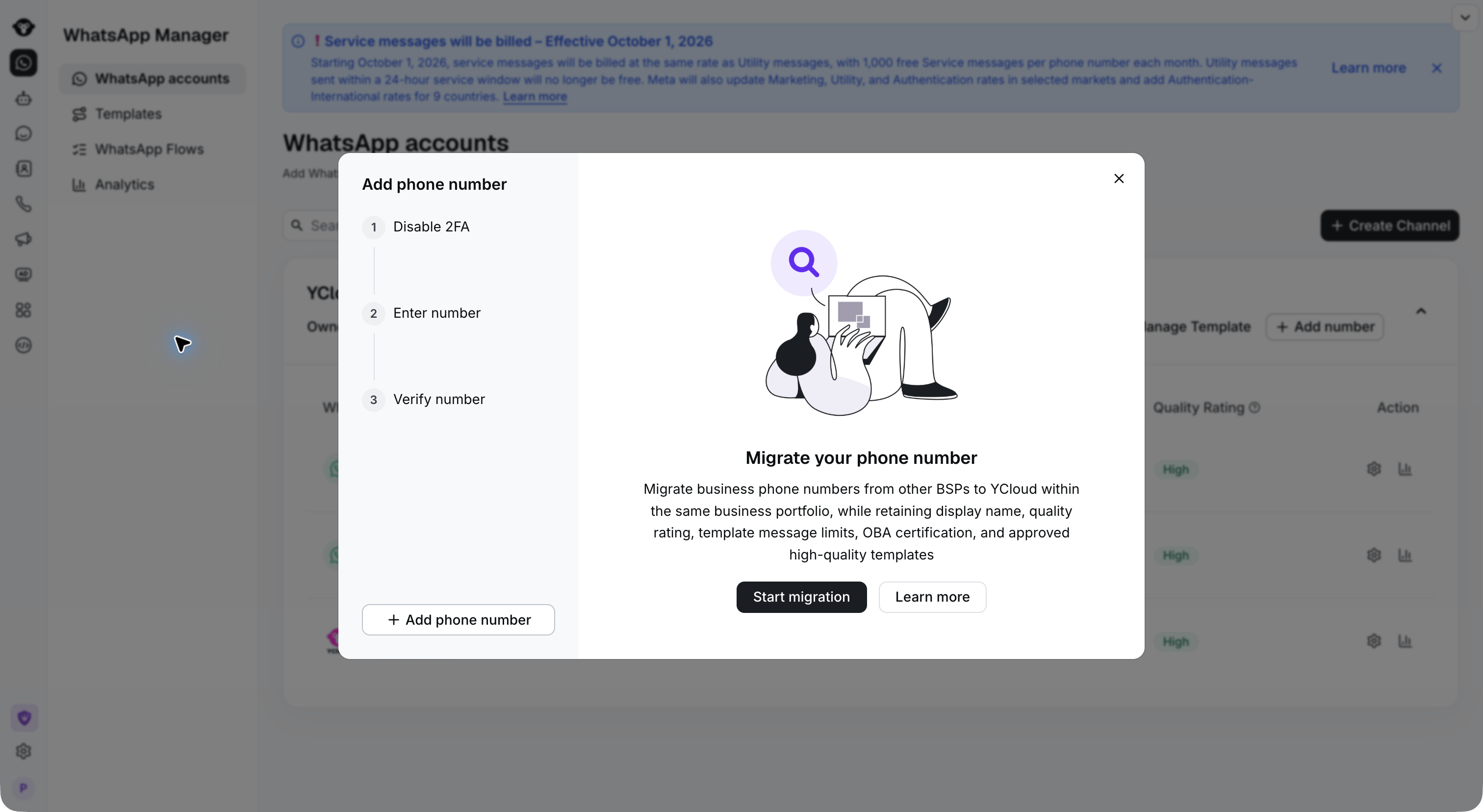
Step 2.3: Start migration
Step 2.4: Confirm 2fa is disabled
Step 2.5: Enter the phone number
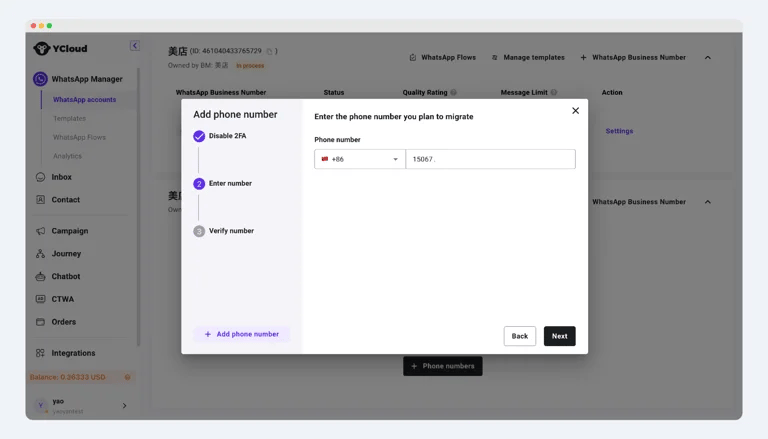
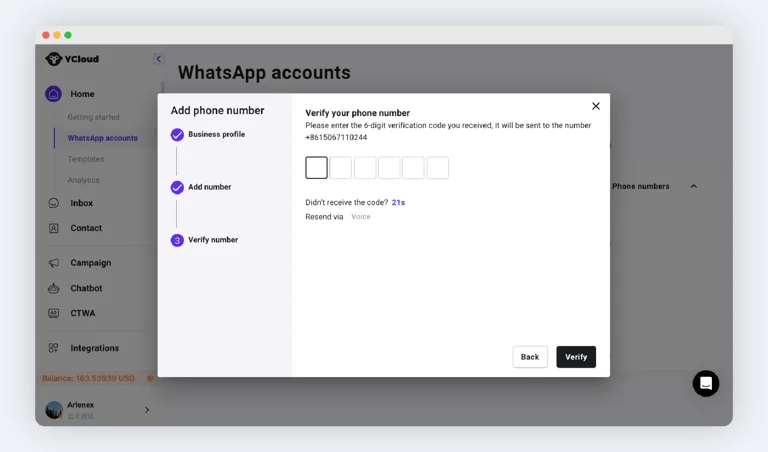
Step 2.6: Verify the phone number
Tip: For Mainland China (+86), it is recommended to use a voice call to receive the verification code.