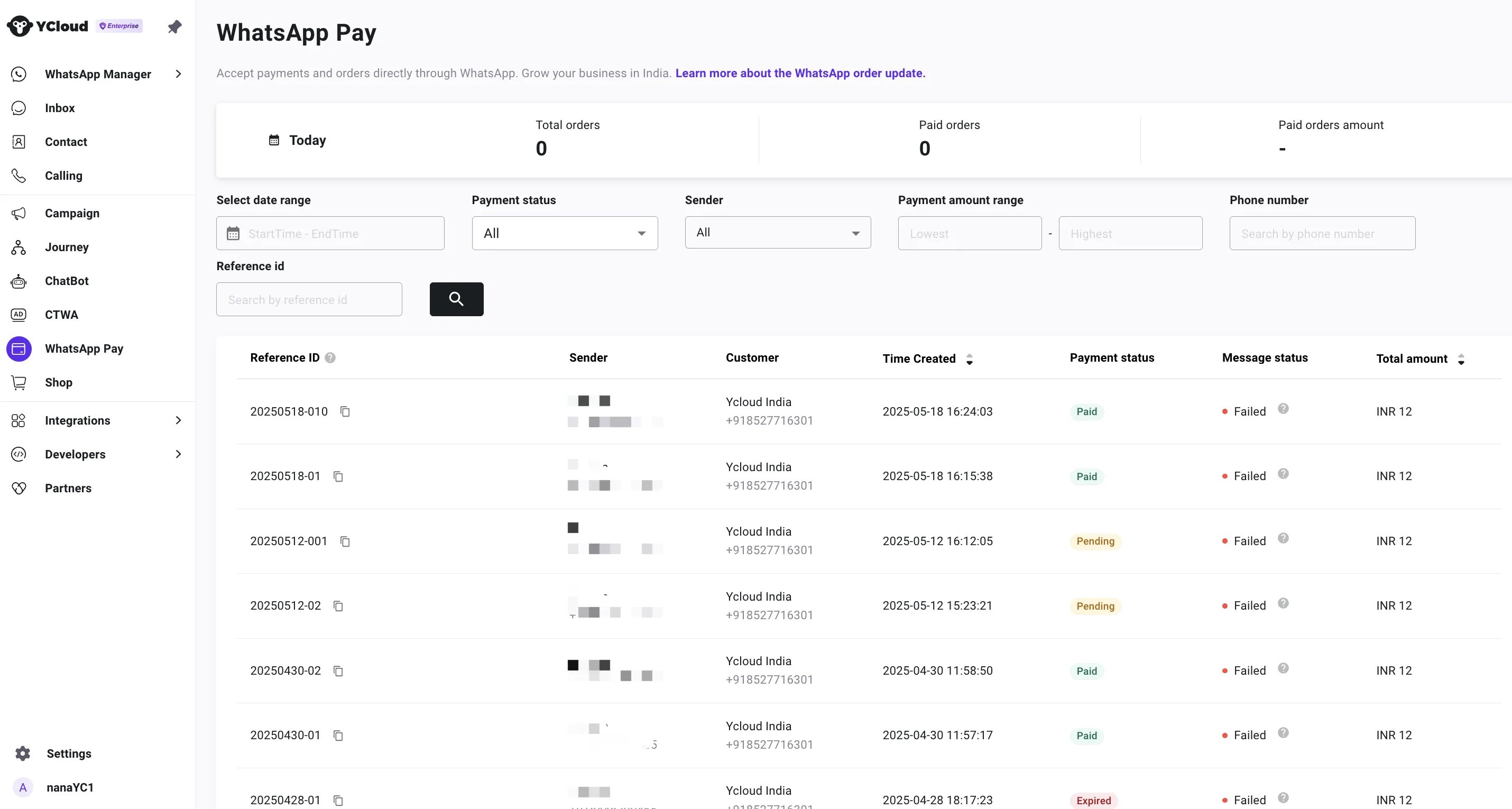
Create an order detail & checkout template
Visit Templates page and create a single product checkout template or WhatsApp order details template.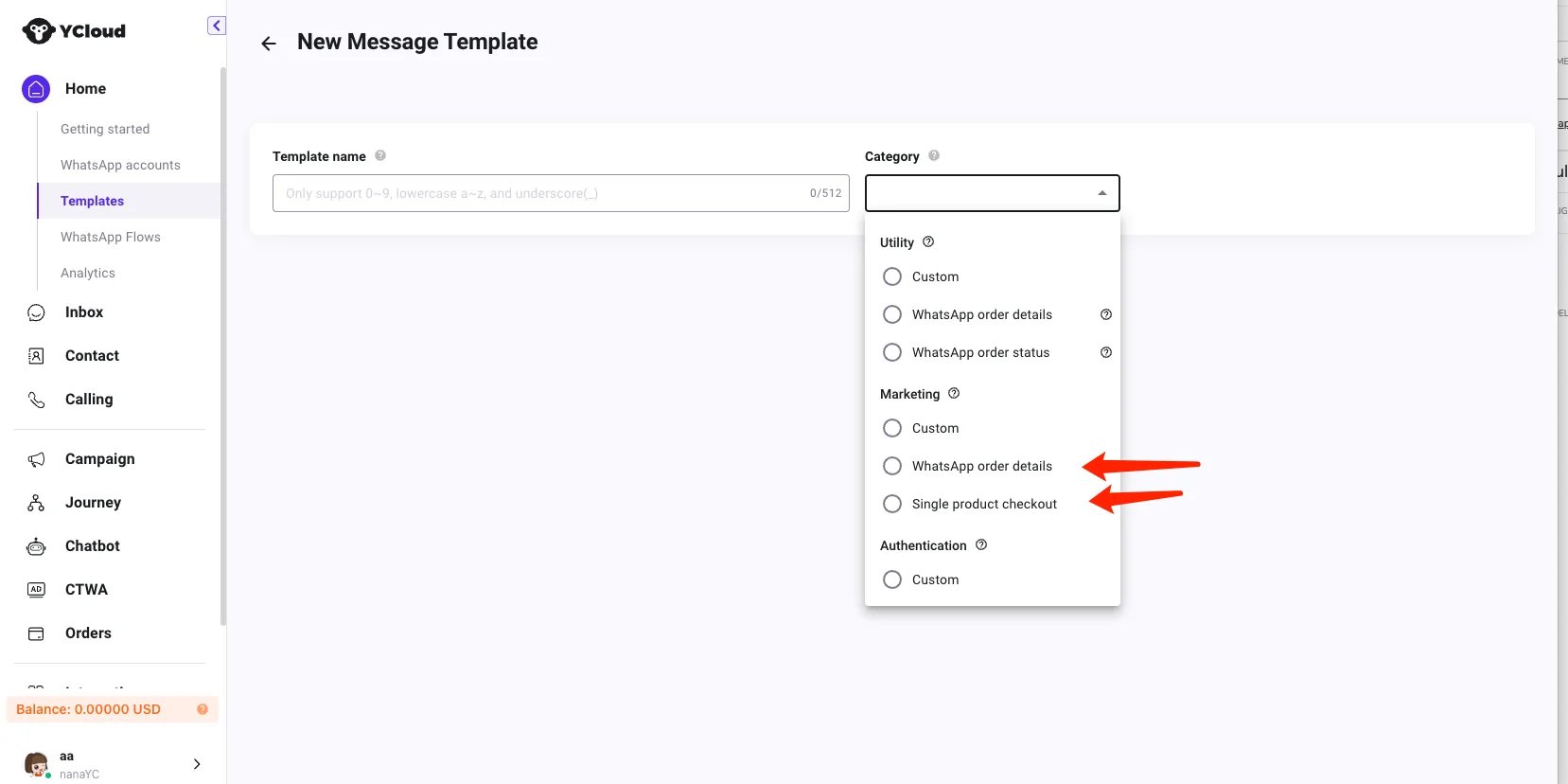
Send message
YCloud provides two methods for sending single product and order details messages, as shown below.1. Send via API
Use send message api Please click to see the request example2.Send via Journey
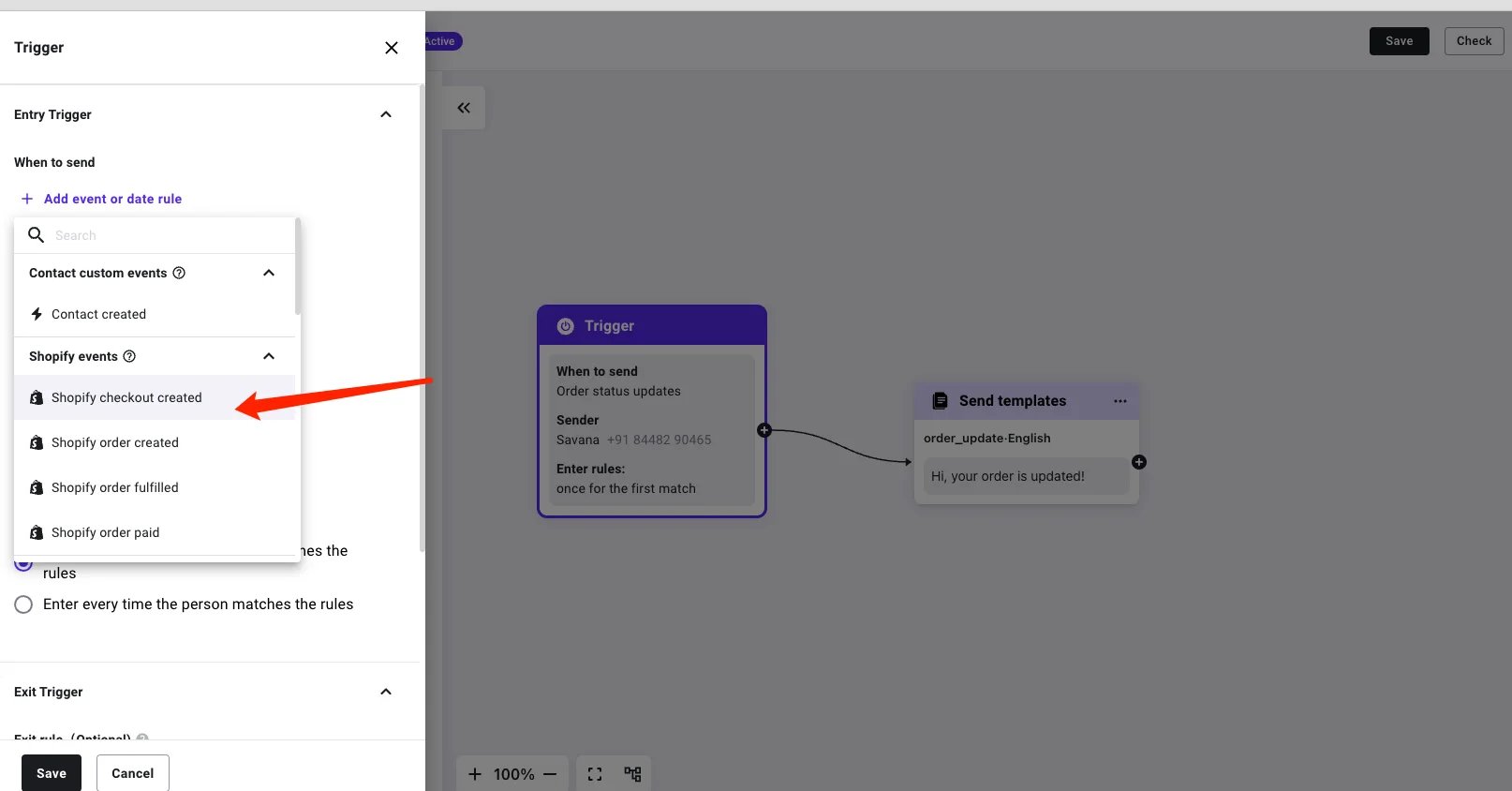
Automatically send the checkout abandon message to your clients.- Set the trigger when you want to send a detailed message about the order. e.g. when the shopify checkout created.
- Add a Send templates component and choose the order details template message
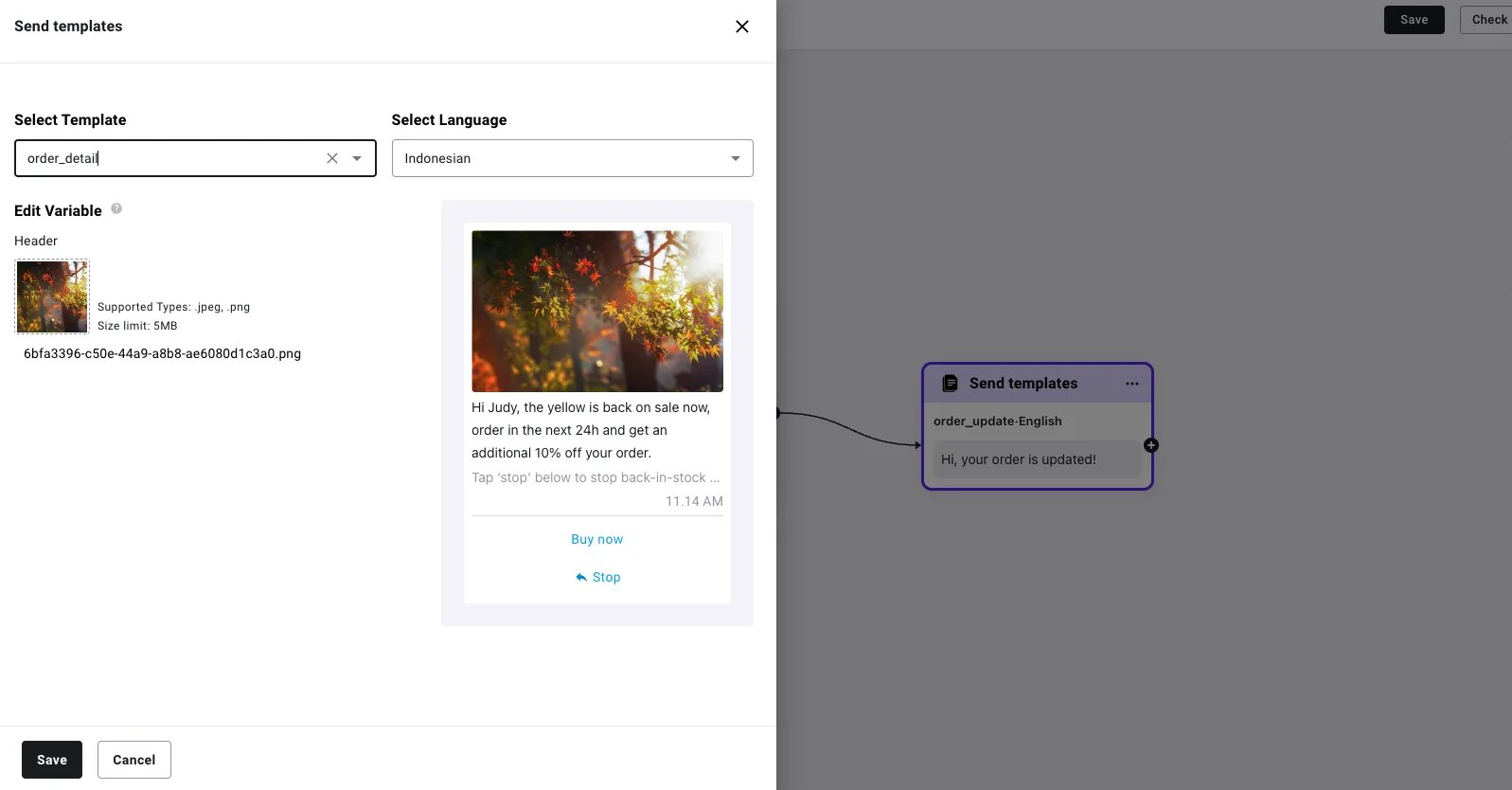
- Save and activate the Journey
Receive the orders
1. Receive the order paid webhook
If you are sending WhatsApp Pay messages via API, you need to use this webhook to listen for user payment events. Subscribe to this Webhook You receive updates via webhooks when the status of the user-initiated transaction changes. It occurs when payment status changes tocaptured (when the payment is successfully completed), or pending (when the user attempted but yet to receive success transactions signal).
Sample:
2. Check the payment status here on WhatsApp Pay