

Set up billing notifications
Billing notifications help you keep track of your wallet balance and recent billing activity. Configure low-balance alerts when you need a prompt to add funds, and daily billing notifications when you want a regular summary sent to email.Open notification settings
- In the YCloud Dashboard, go to Settings > General.
- Select Notifications.
- Choose Low balance alert or the daily billing notification setting.
Billing notifications are configured in Settings > General > Notifications, not in the Billing menu.

Find Low balance alert and Daily bill in Notifications.
Set up a low-balance alert
A low-balance alert tells your contacts when the wallet balance falls below the threshold you set.- Open Low balance alert.
- Turn on the alert.
- Set the balance threshold.
- Add the contacts who should receive the alert.
- Save your changes.
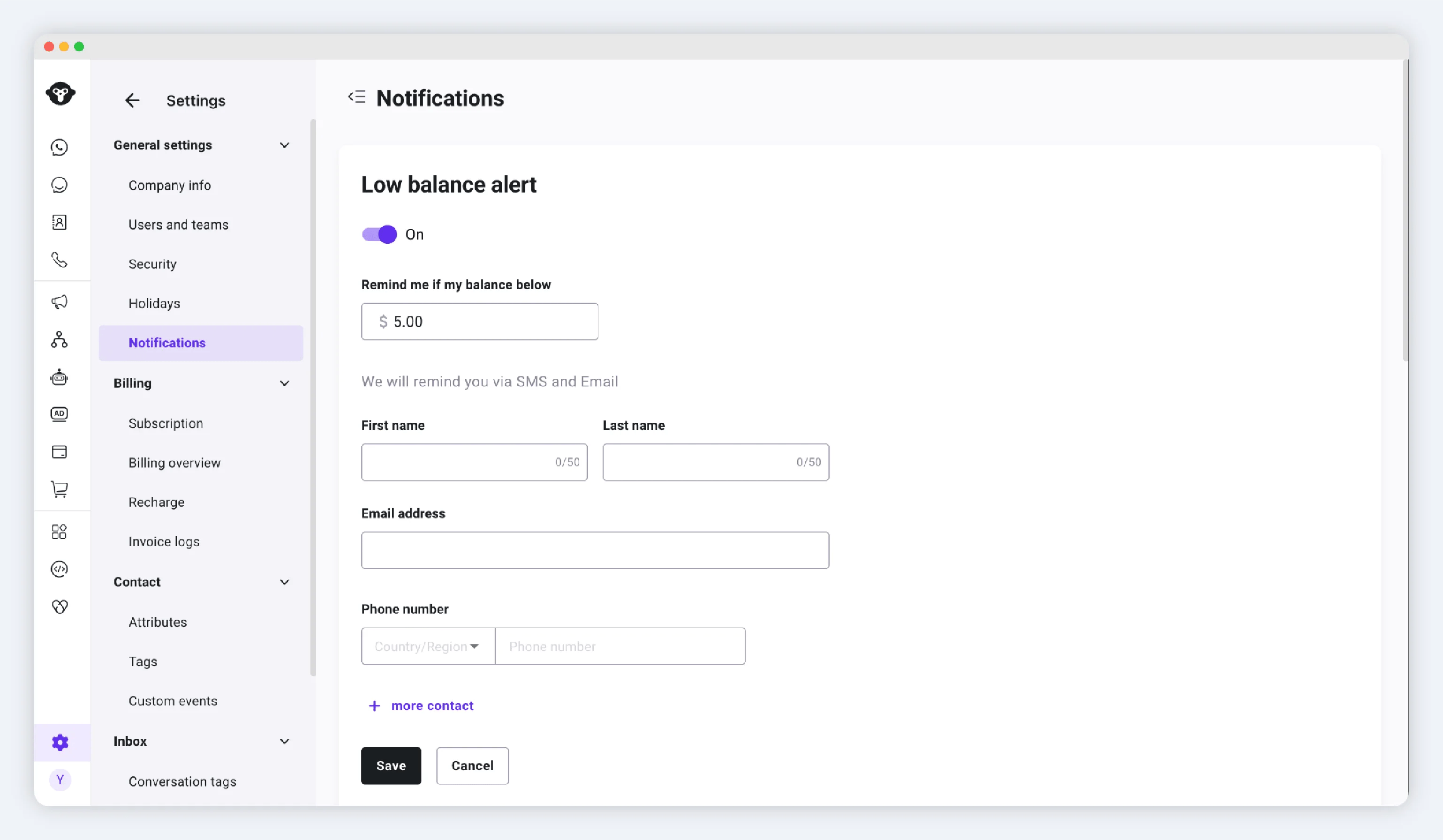
Low balance alert settings
Set up daily billing notifications
Daily billing notifications send a summary of the previous day’s billing activity.- Open the daily billing notification setting.
- Turn on the notification.
- Select a sending time between 09:00 and 21:00.
- Add one or more valid email addresses. Each address must be unique.
- Save your changes.
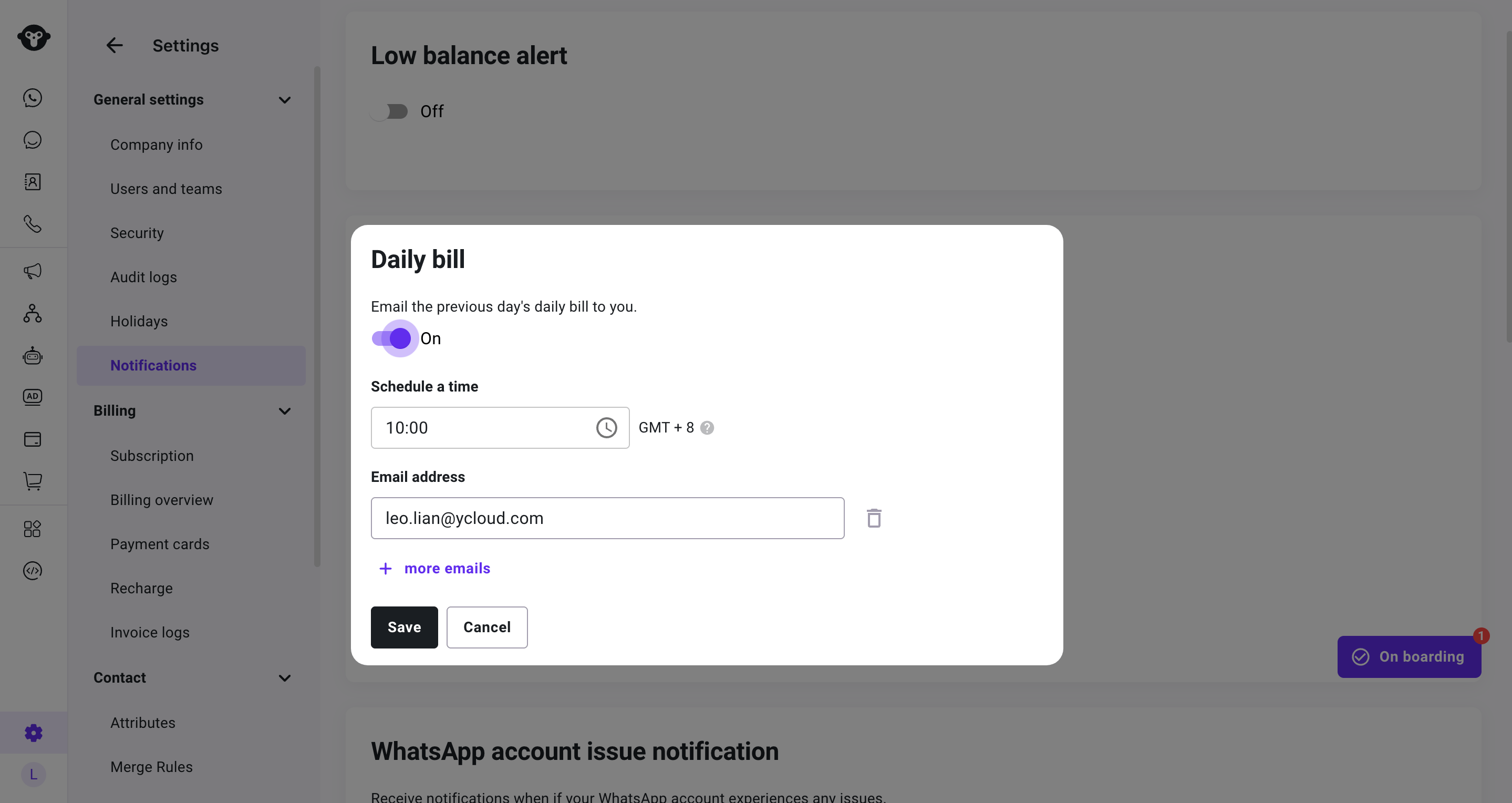
Daily billing notification settings
Update or turn off a notification
Return to Settings > General > Notifications whenever you need to change a balance threshold, replace a contact, change a sending time, update recipients, or turn off a notification. If a daily billing notification prompts you to review a charge, use Billing overview to filter the relevant date and billing record.Frequently Asked Questions
How many contacts can receive a low-balance alert?
How many contacts can receive a low-balance alert?
You can add up to five contacts.
What period does a daily billing notification cover?
What period does a daily billing notification cover?
It covers the previous day’s billing activity and uses GMT+8.