

Access
The default Admin, Manager, and Operator roles can access Calling logs. A custom role can also be granted the relevant Calling logs permission.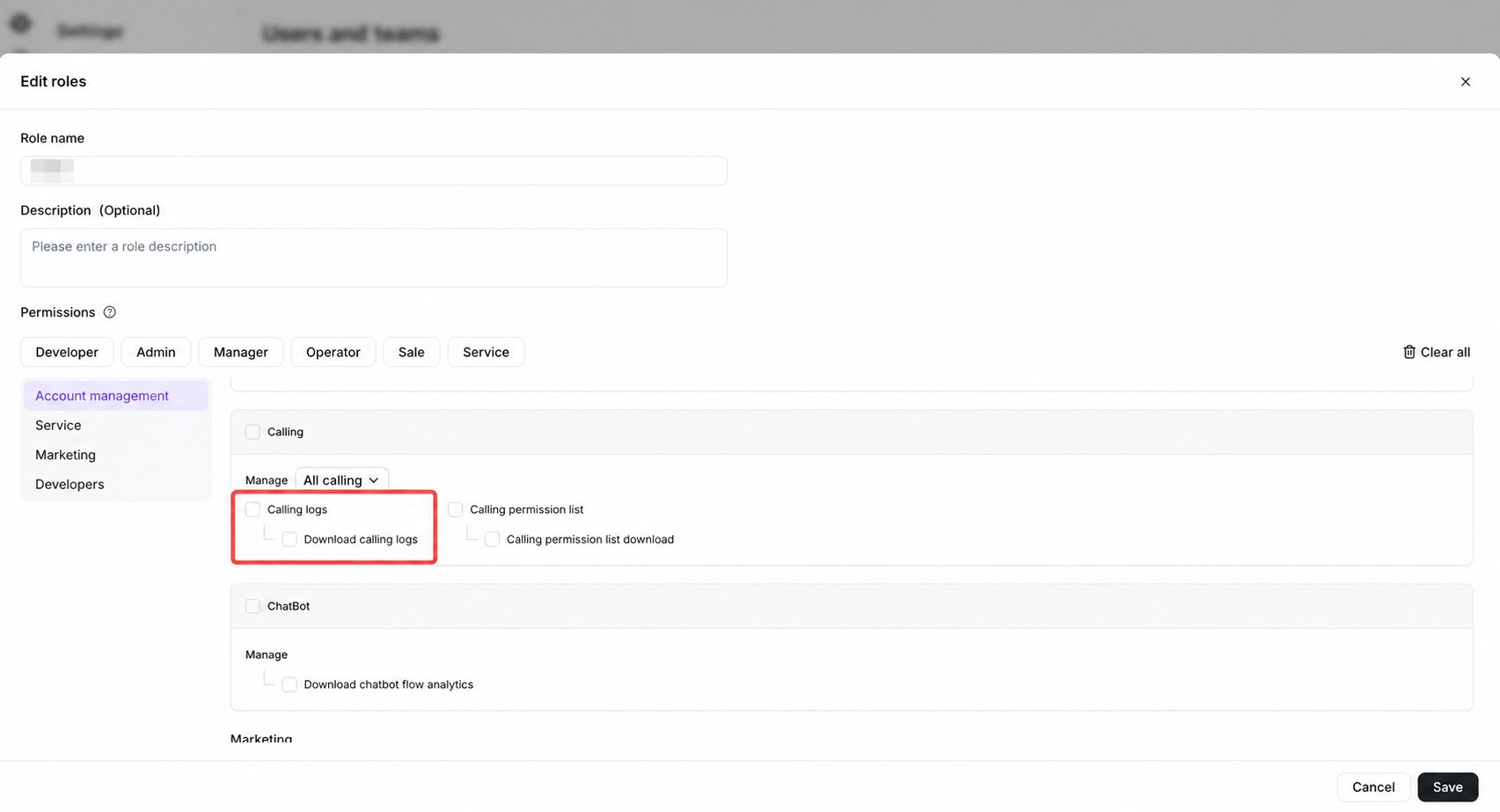
Open Calling logs
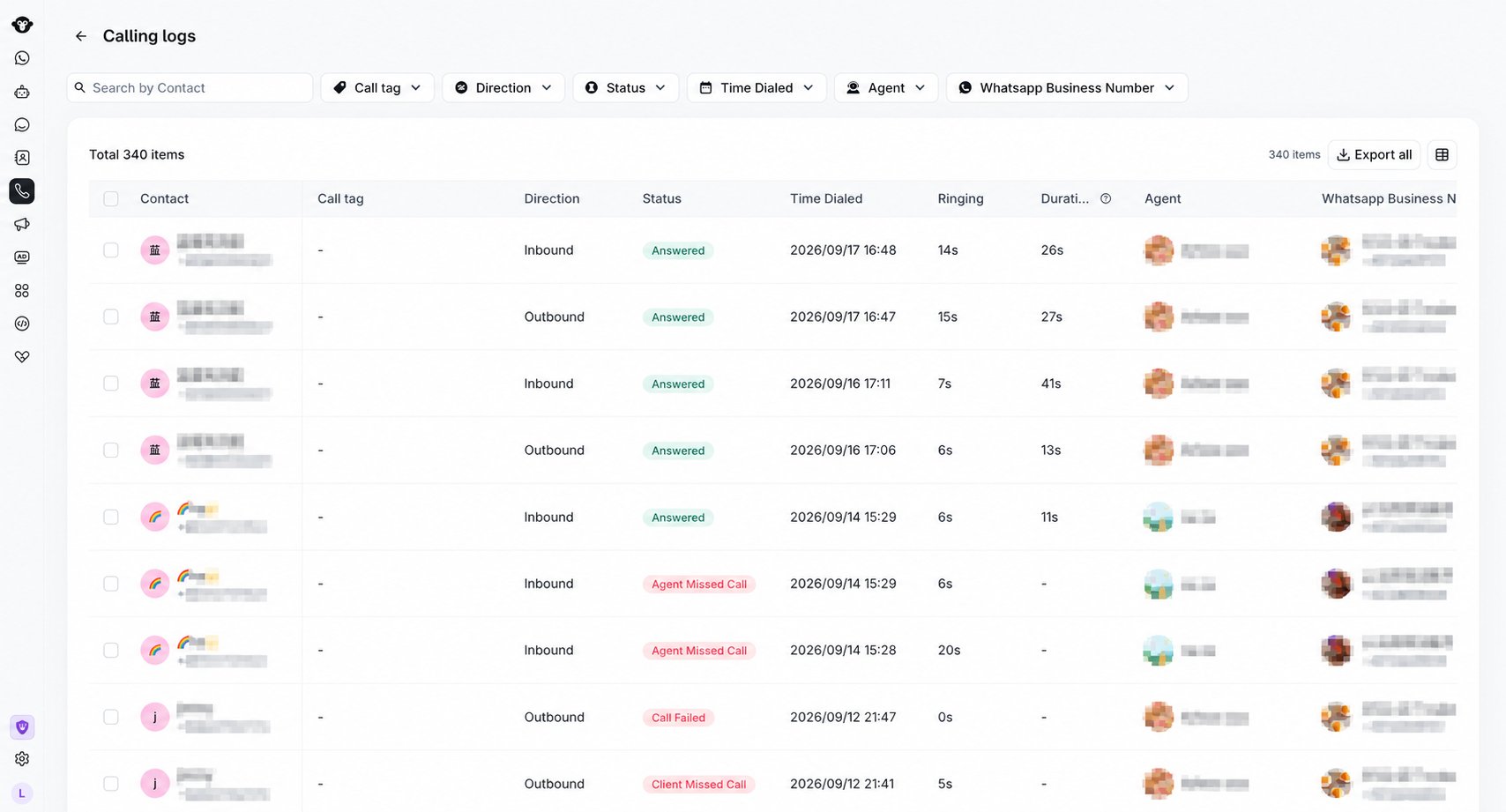
Go to Calling and select Calling logs in the lower-left area.
Select Calling logs in the lower-left corner of the Calling workspace.
Search and filter records
The current Calling logs page includes:- Search by contact.
- Filters for Call tag, Direction, Status, Time Dialed, Agent, and WhatsApp Business Number.
- Export all for exporting available log data.
- Set Displayed attributes for choosing visible table fields.

Search by contact and combine filters to narrow the results. This demonstration search returns no records.
Review log details
The table can display Contact, Call tag, Direction, Status, Time Dialed, Ringing, Duration, Agent, WhatsApp Business Number, Note, Recording, and Transcription.- Recording shows Available when a recording can be played or downloaded. A dash means no recording is available.
- Transcription shows a one-line preview of the transcript. Customer and business speech is identified with
[Customer]and[Business]. A dash means no transcript is available.
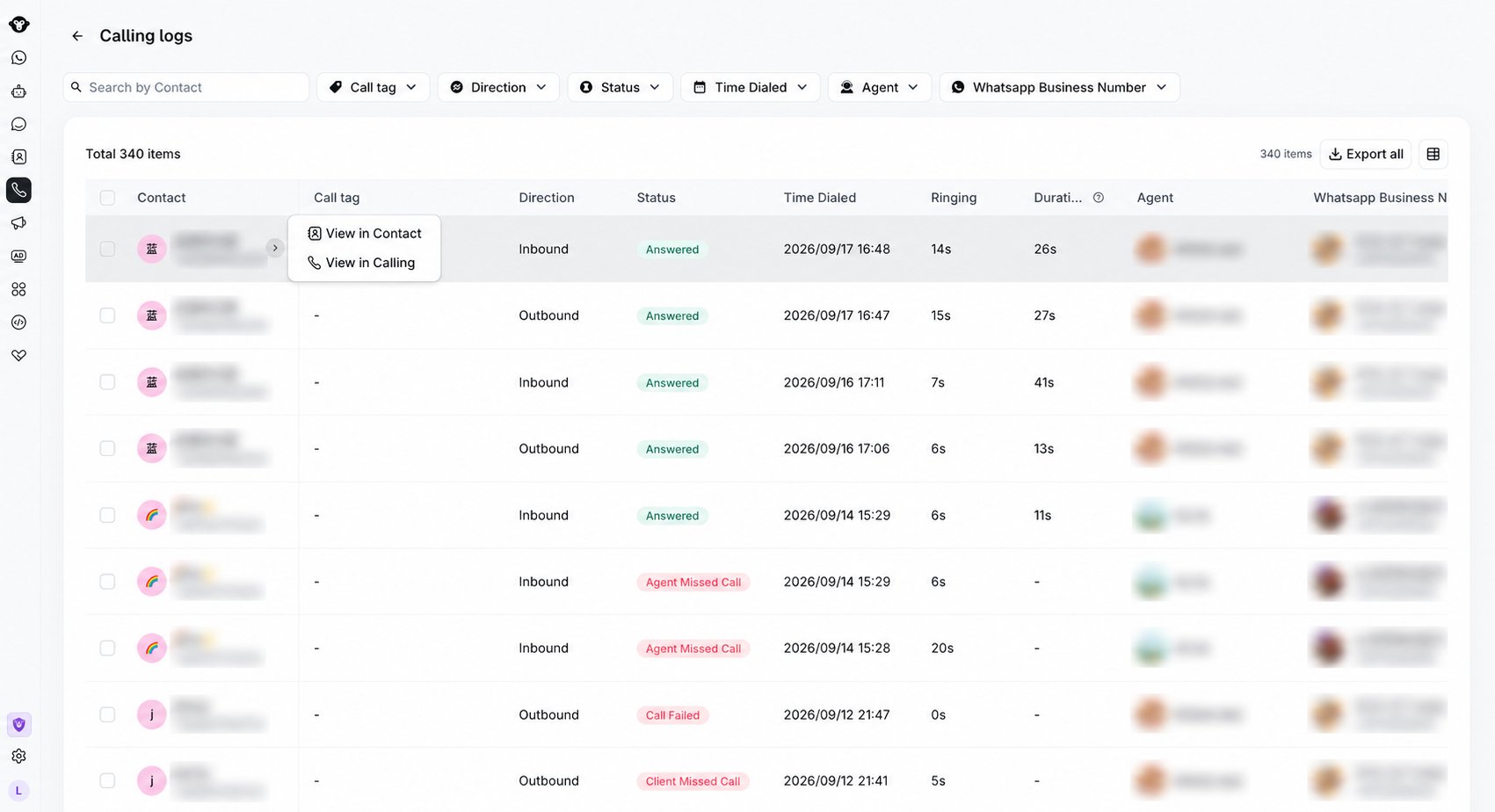
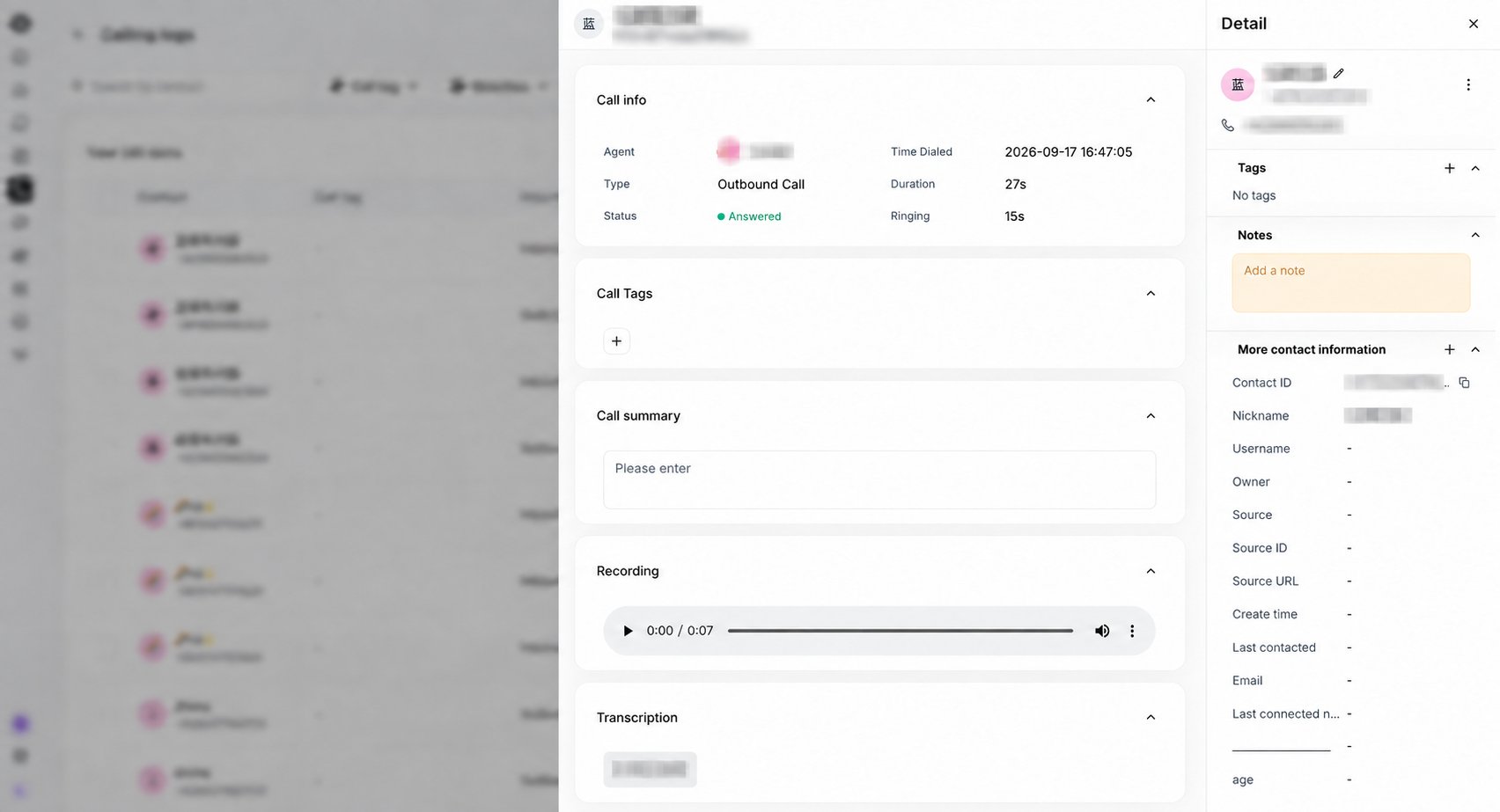
Recording
When a recording is available, use the player to play or pause the call, move through the recording, adjust the volume, or download the audio. The player shows the current position and total duration. If the call was not recorded, the section shows No recording available.Transcription
The transcript follows the order of the conversation and separates the speakers:- Customer messages appear on the left.
- Business messages appear on the right with the agent or business name when available.
Export Calling logs
Use Export all to export the records that match the current filters. To export only specific calls, select their checkboxes and use Export selected. For each exported call:- Recording contains the controlled recording URL when audio is available.
- Transcription contains the conversation in speech order, using
[Business]and[Customer]to identify the speakers. - Either field is blank when the corresponding content is unavailable.
YCloud asks you to verify your account before continuing with an export. Playback, download, transcript access, and export availability depend on your Calling logs permissions.