

View and reply to ad conversations
Open Inbox to view and reply to new conversations from your ads. For the Inbox interface, replies, and transfers, see Quick start with Inbox.Check whether a conversation came from an ad
For a newly created contact, the contact record stores the available ad-source information. Check the fields that apply to the platform where you ran the ad.Meta ads
For a new contact from a Meta ad:Source = AD: The contact came from an ad.Source URL: The ad source link.Source ID: The ad source ID.
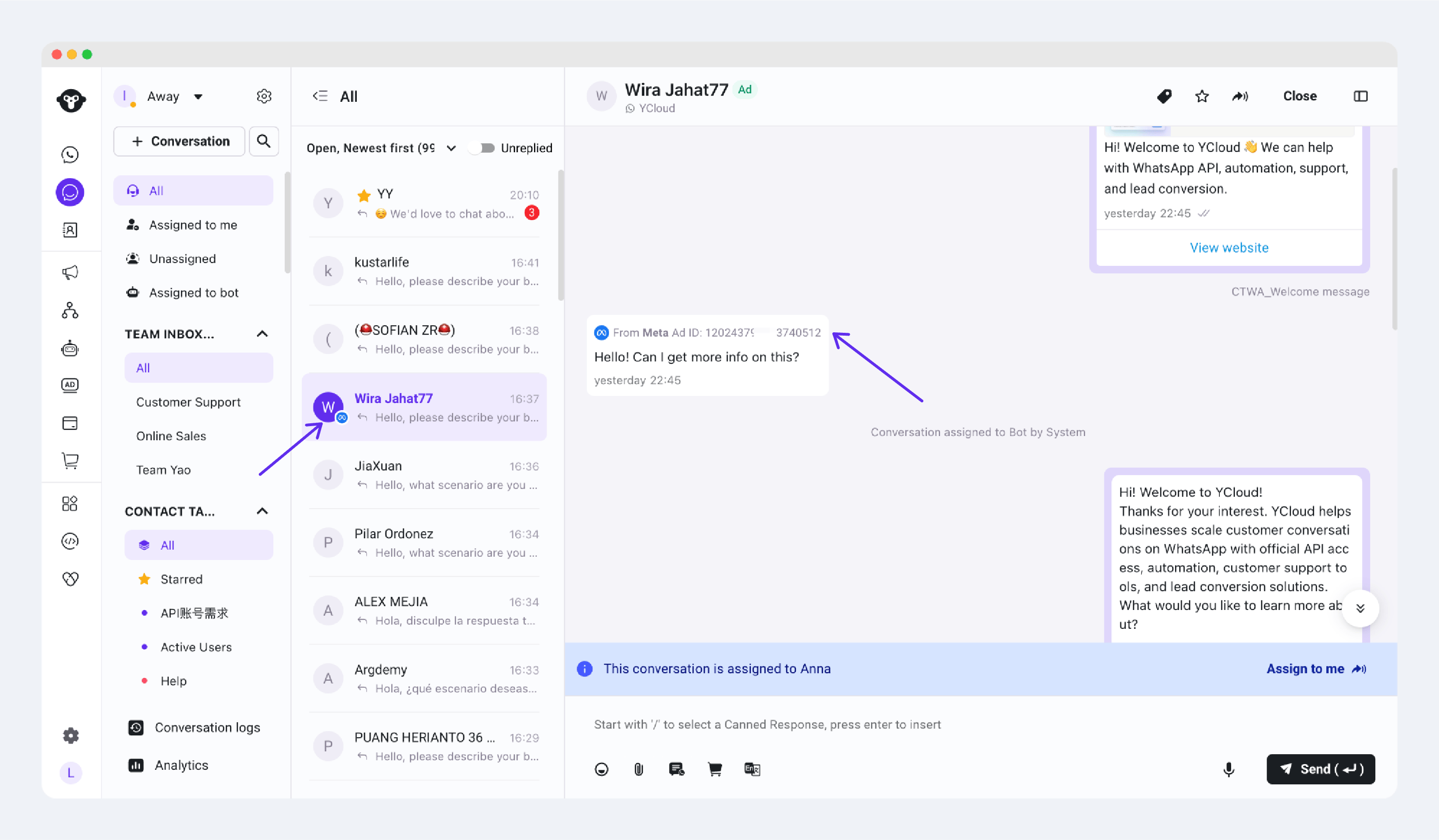
A conversation from a Meta ad in YCloud Inbox
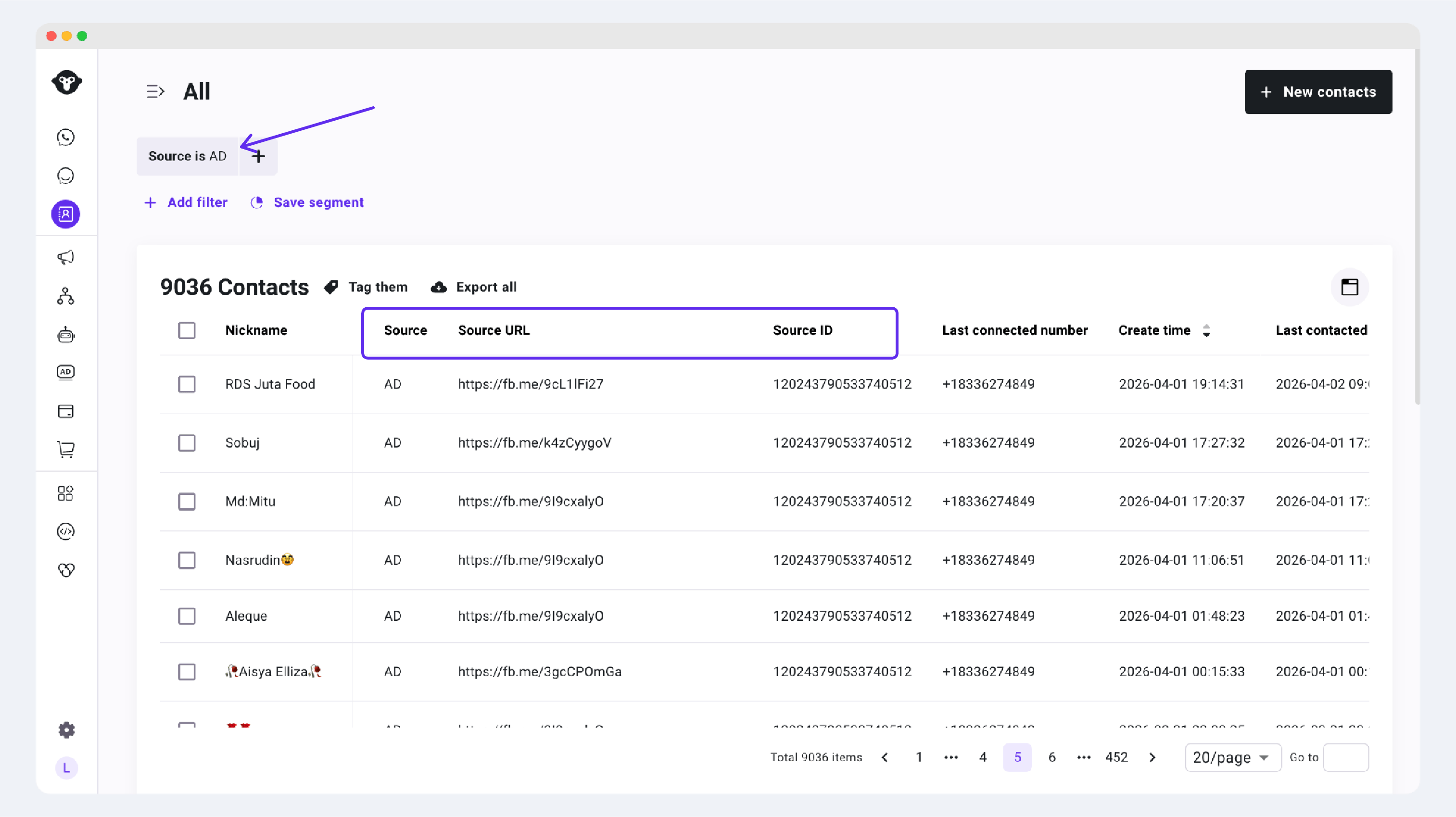
Meta ad source details in a YCloud contact record
TikTok ads
For a new contact from a TikTok ad:- The Inbox conversation shows a TikTok ad source indicator.
Source = TikTok AD: The contact came from a TikTok ad.Source ID: The TikTok ad ID associated with the contact.
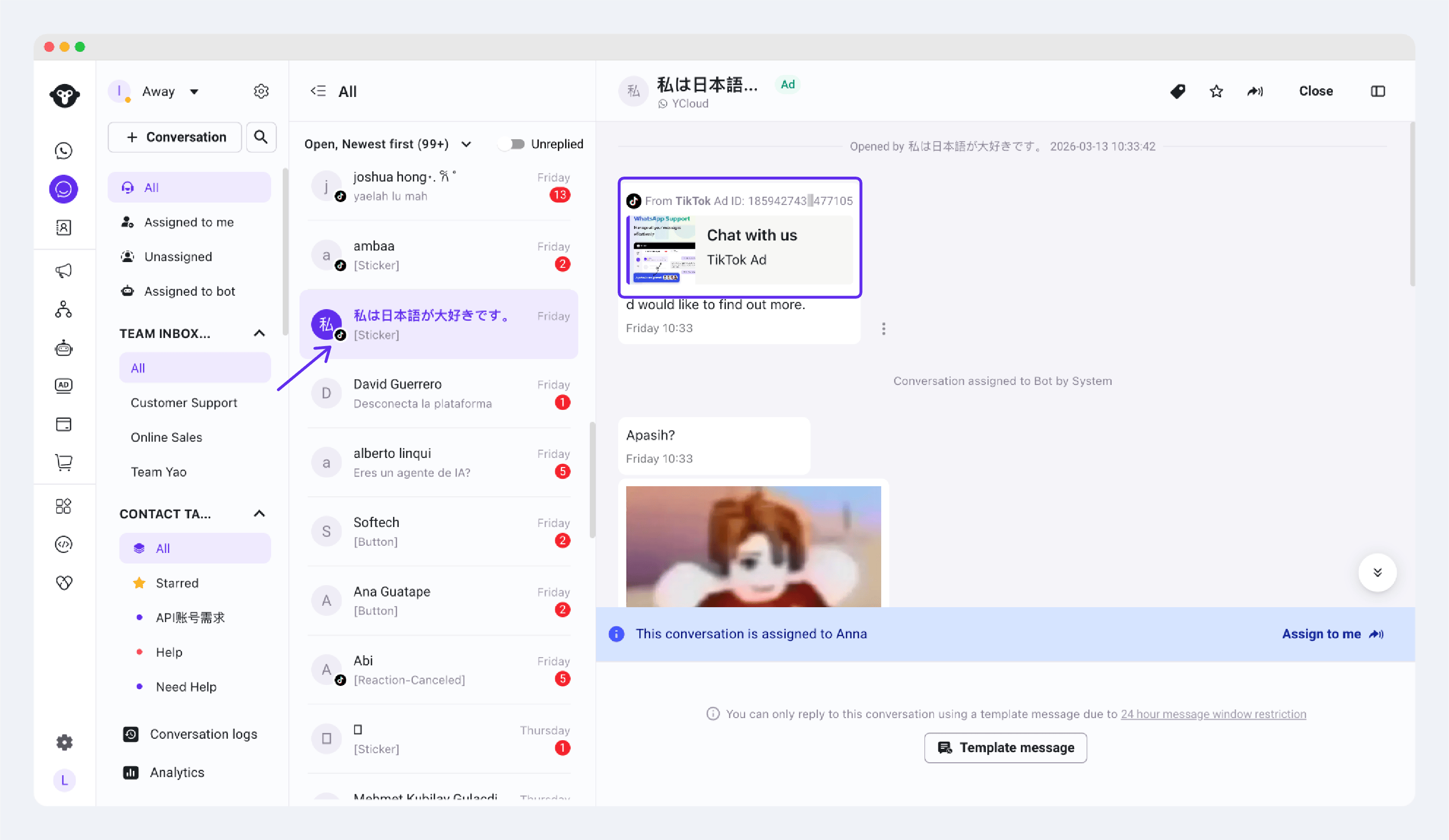
A conversation from a TikTok ad in YCloud Inbox
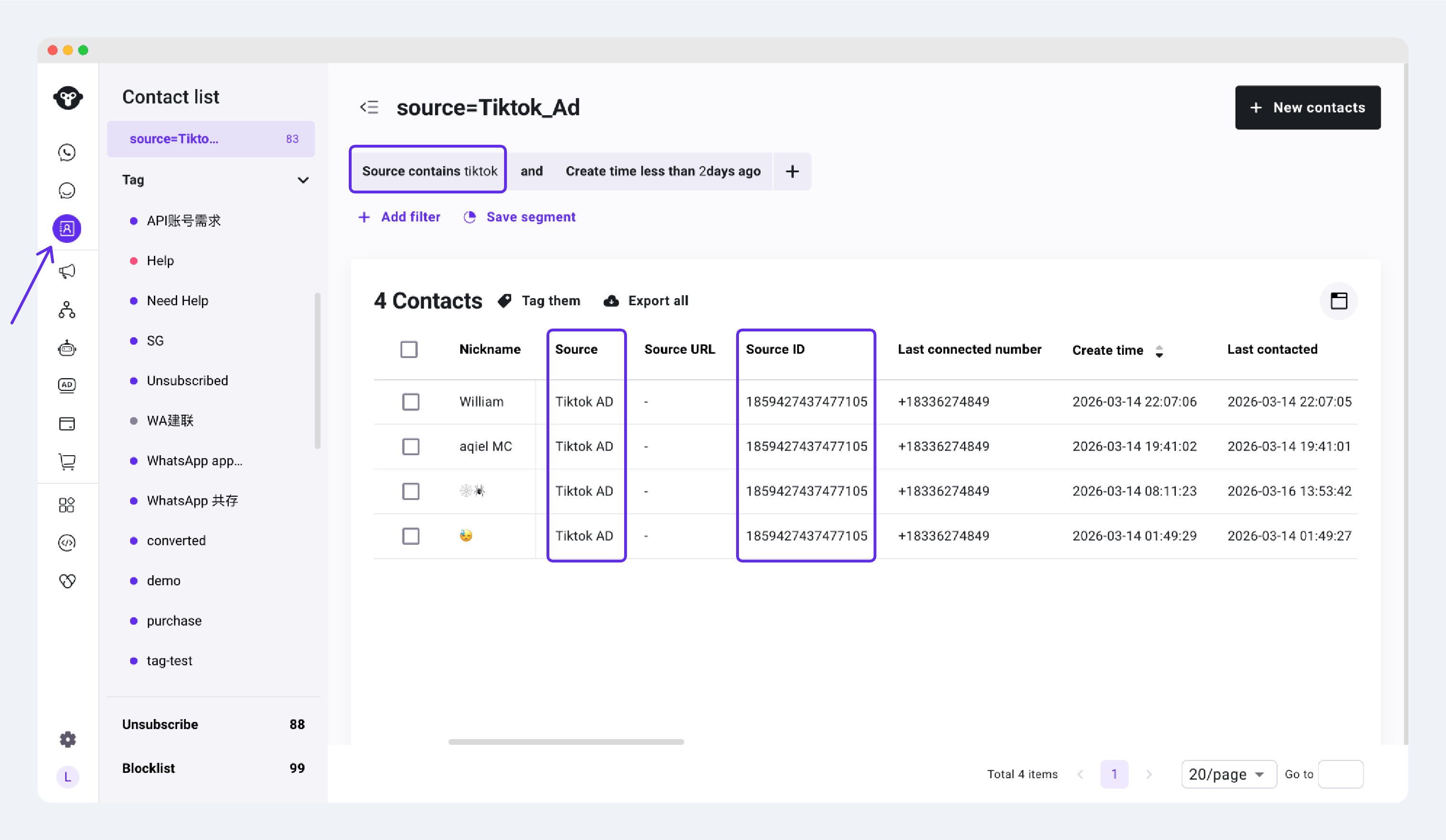
TikTok ad source details in a YCloud contact record
If you cannot find an ad conversation in YCloud
Check the following:- The ad has been approved and is delivering.
- The WhatsApp Business number selected in the ad is connected to YCloud.
- At least one customer has clicked the ad and sent a WhatsApp message.