Step1: Install YCloud app on Freshdesk app store.
Login to your Freshdesk account, visit Admin page, search App and click the APPs in Support Operations.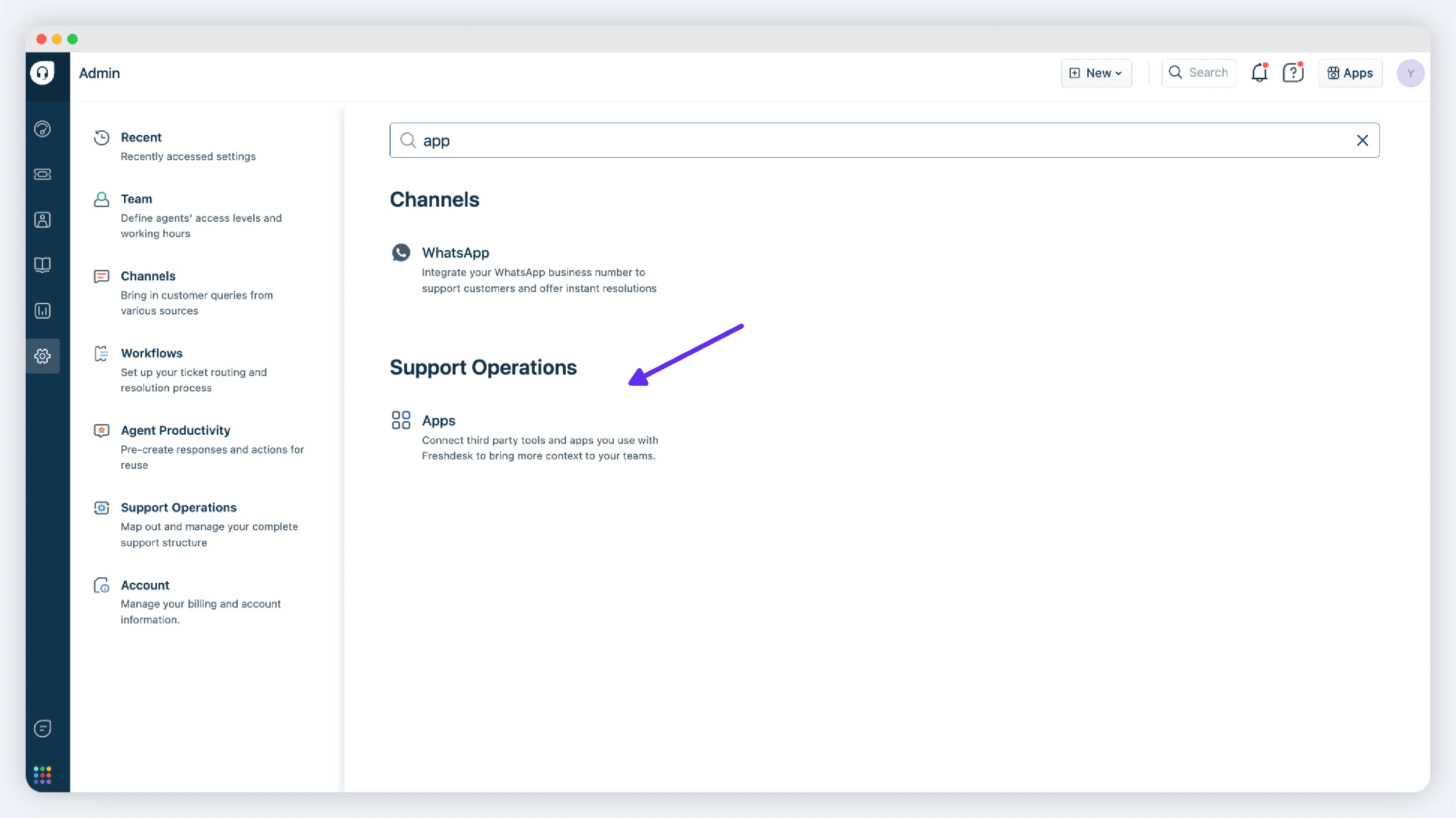
Step2: Connect YCloud account to the Freshdesk account.
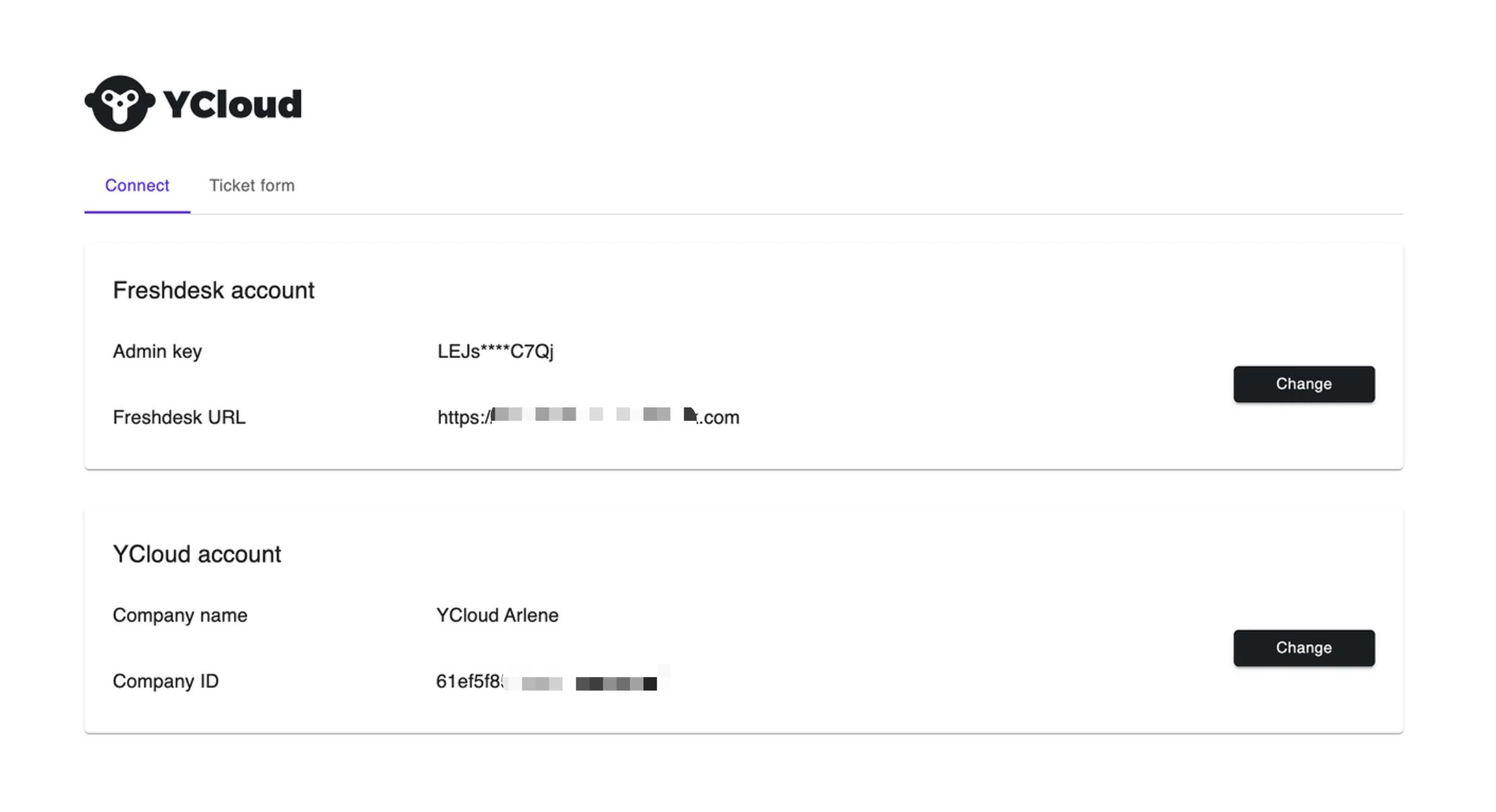
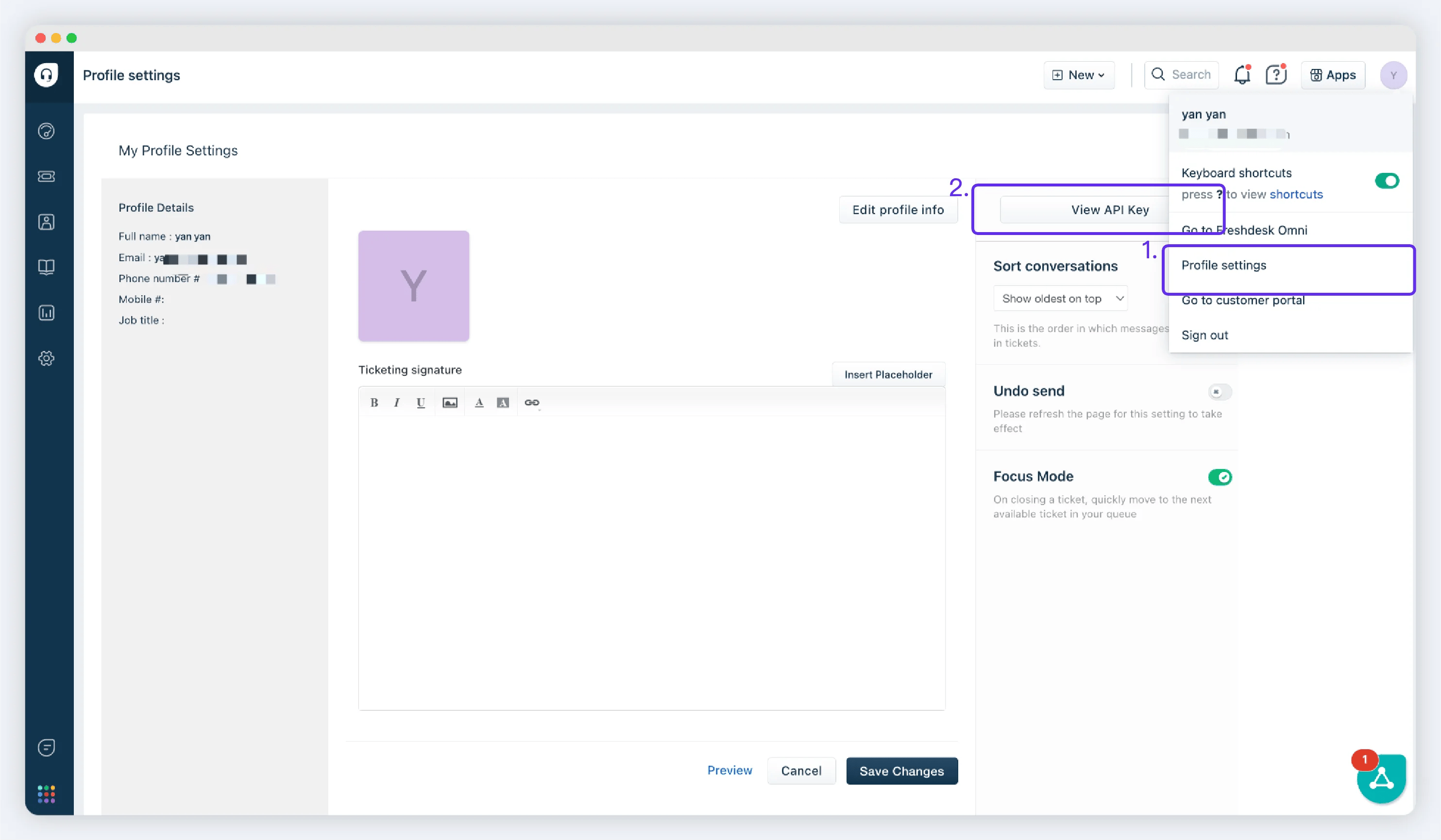
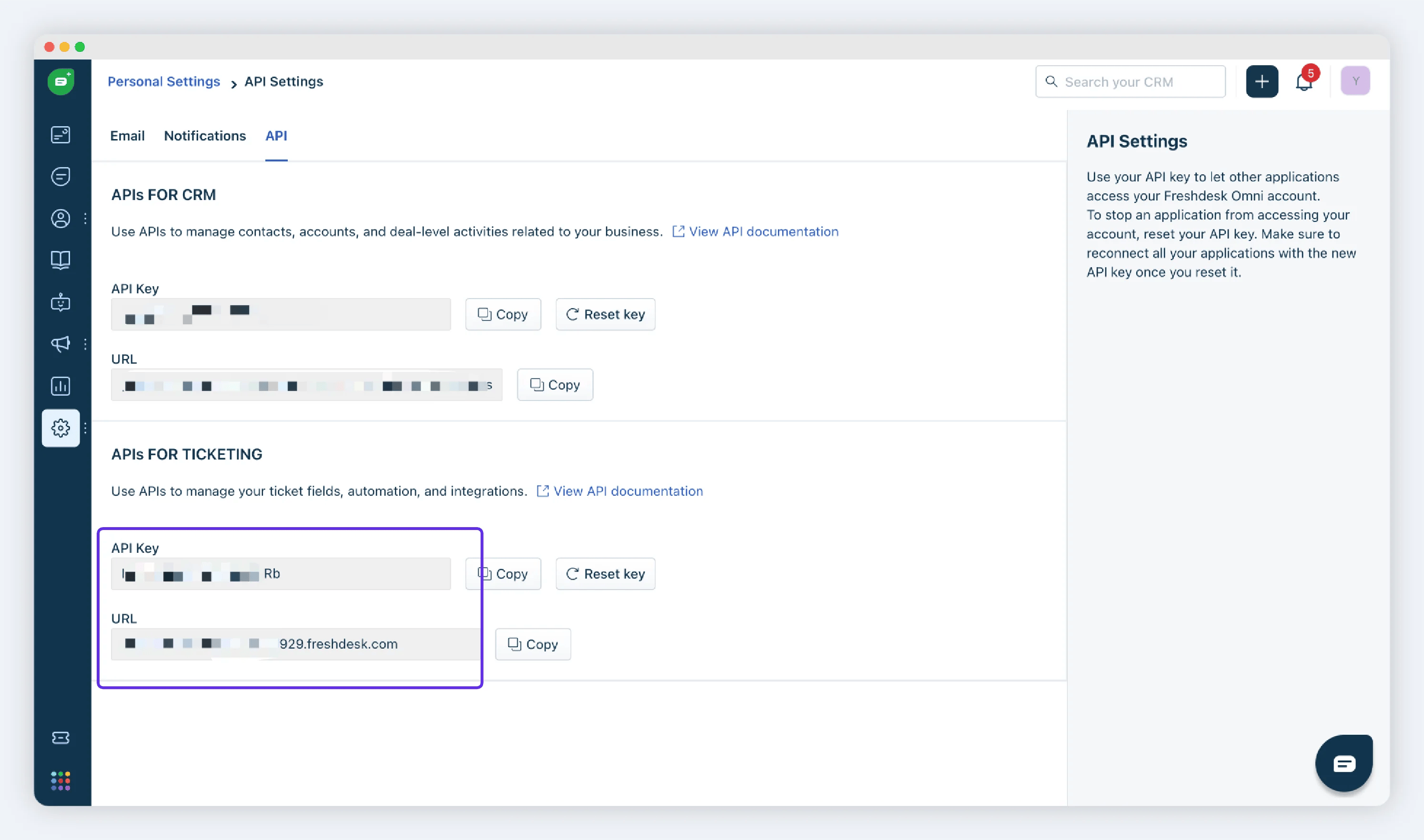
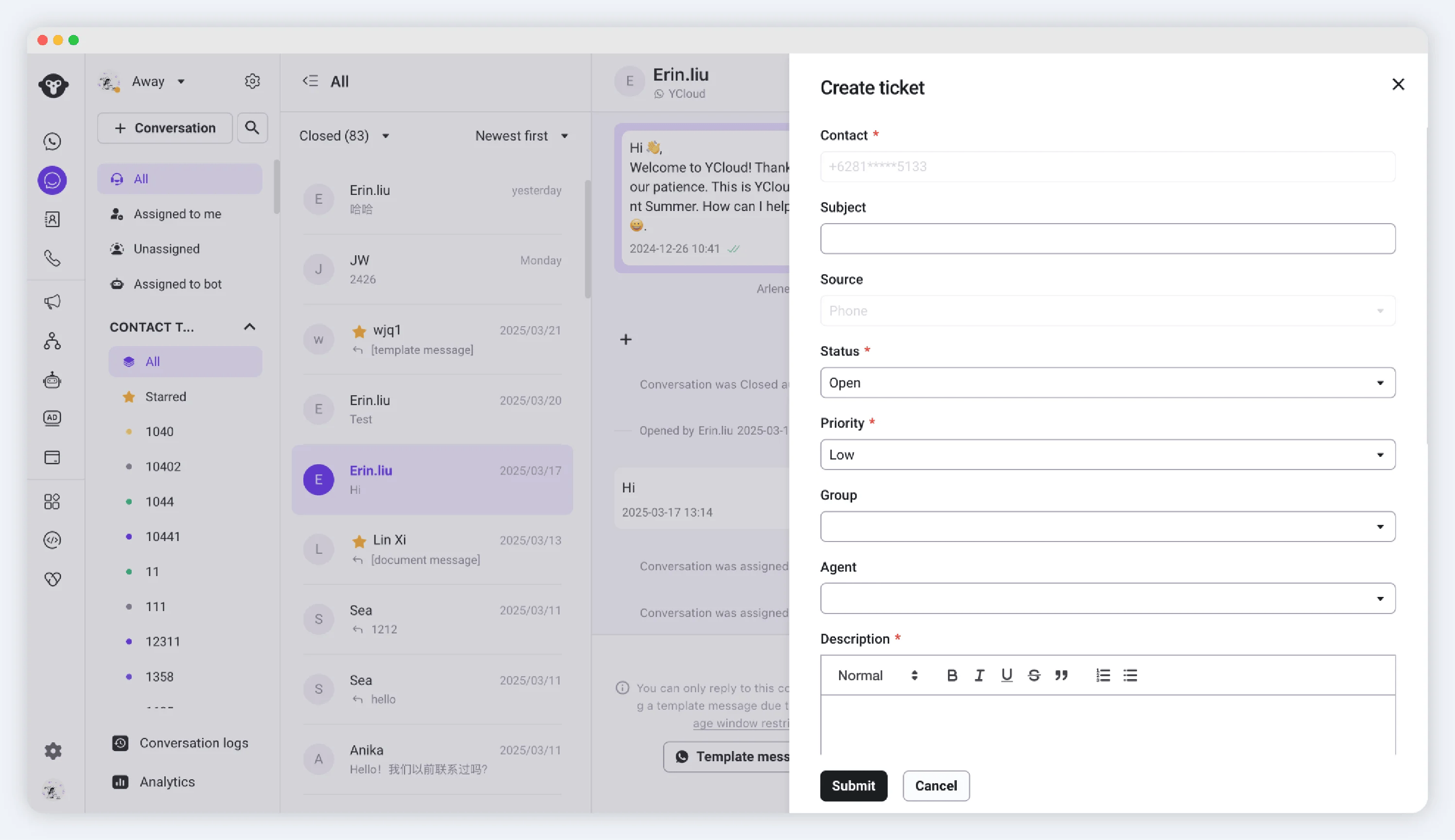
Step3: Configure your form ticket
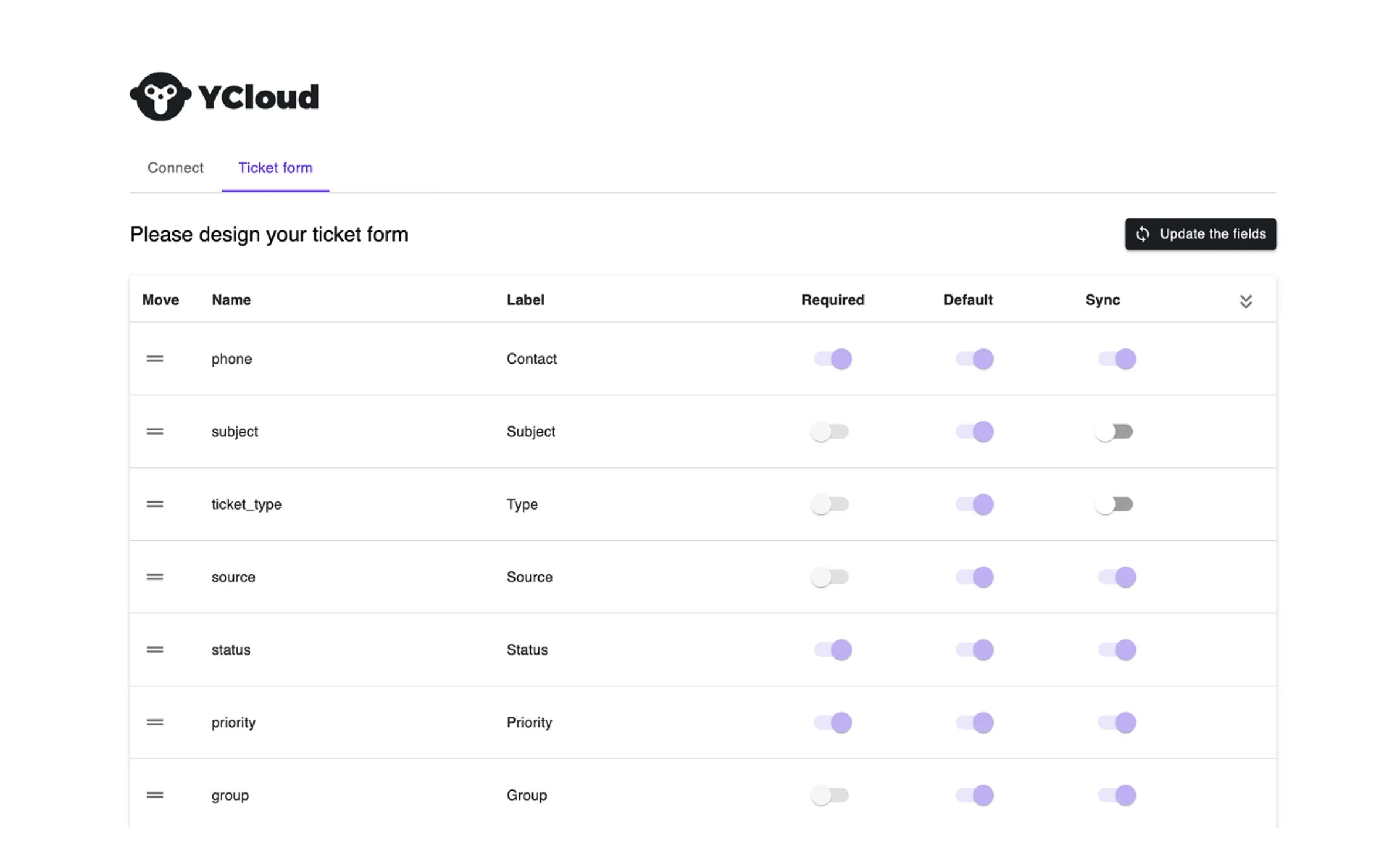
Step4: Create your ticket on Inbox
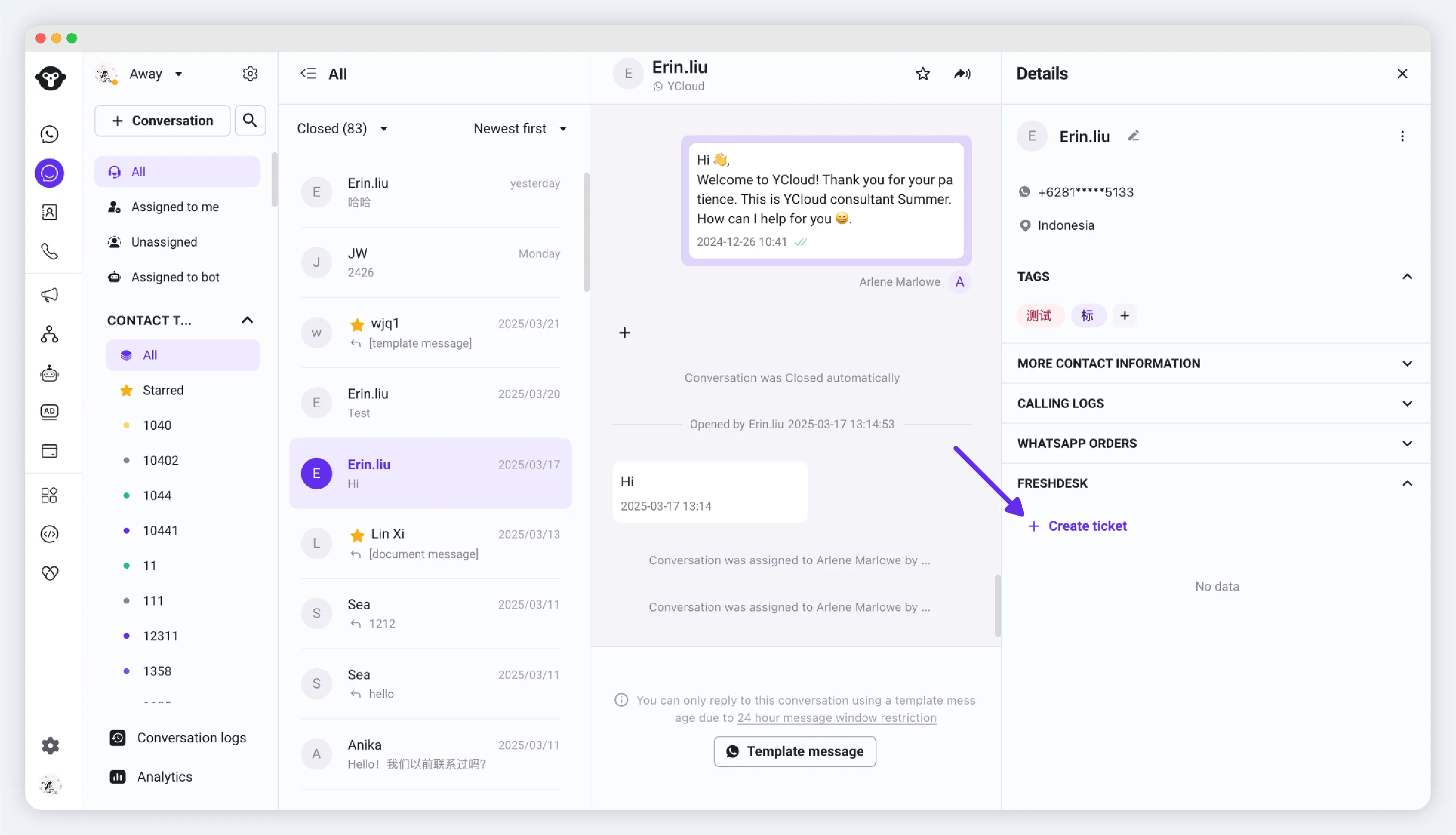
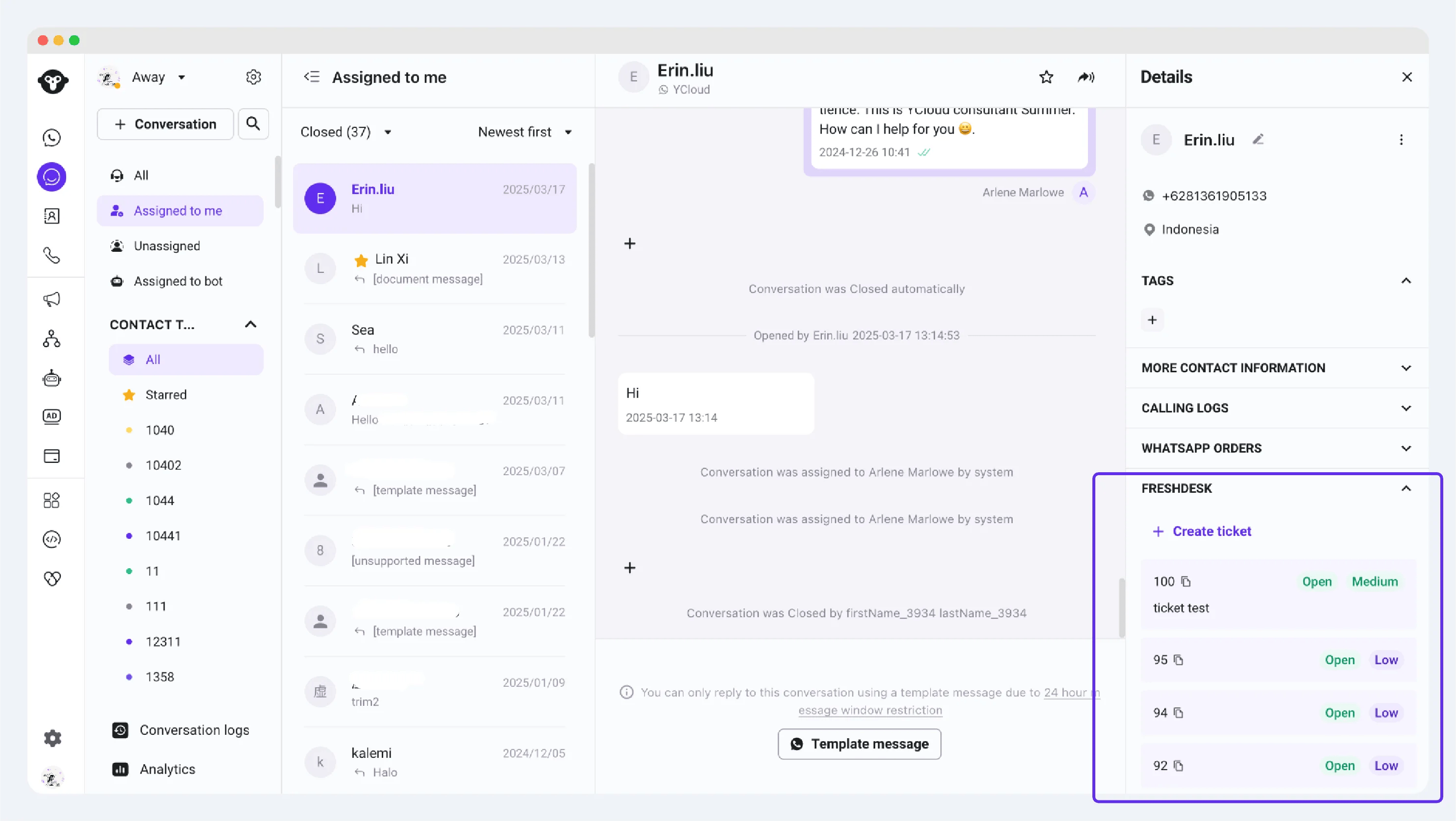
Visit Inbox on YCloud. When you need to create a ticket for issue follow-up during customer communication, you can quickly open the customer information and create a ticket in the Freshdesk section.