

Configure recording and transcription
- Go to WhatsApp accounts and open the settings for the business number.
- Select Calling > Recording & Transcription.
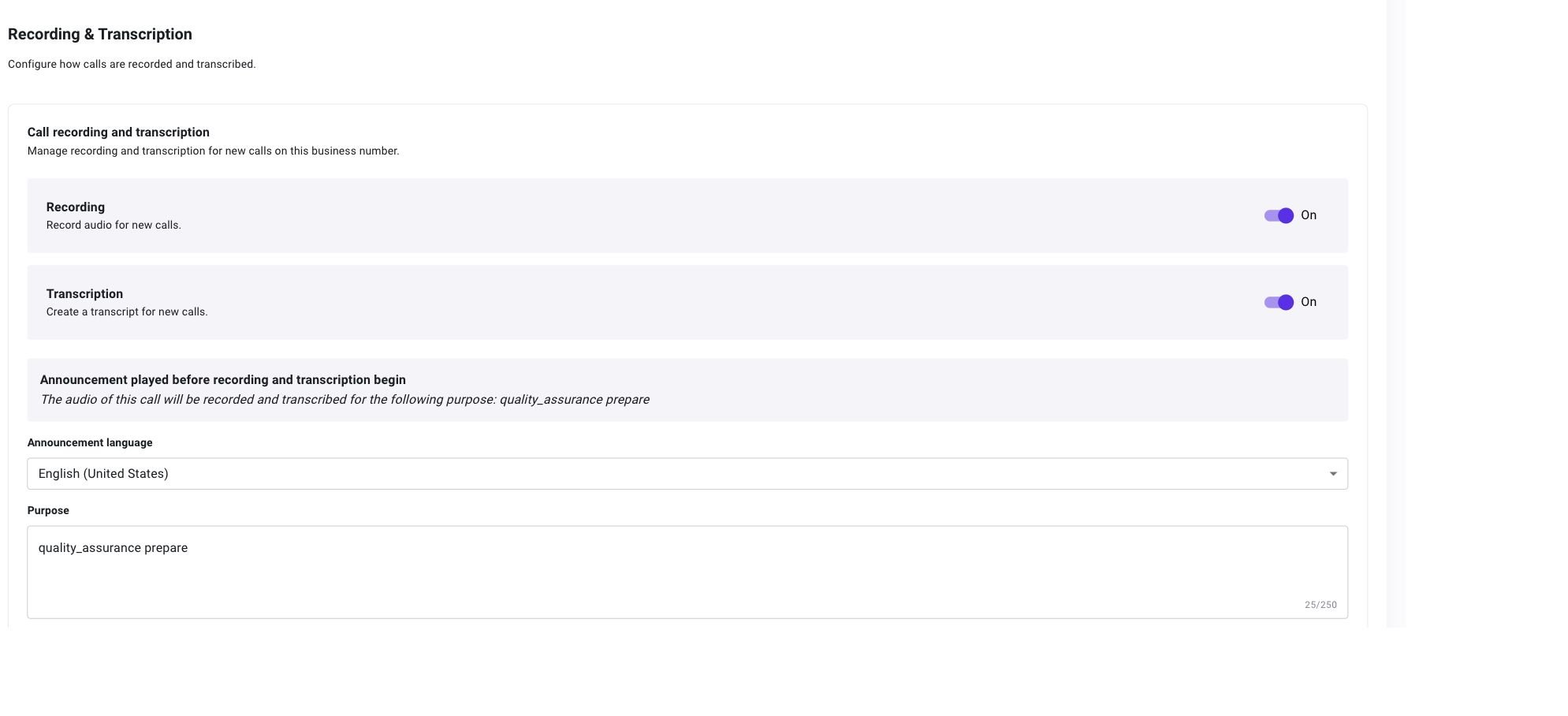
- Enable Recording, Transcription, or both.
- Recording records the audio for new calls.
- Transcription creates speaker-separated text for new calls.

Open Calling > Recording & Transcription for the selected business number. Both features are off in this example.
- Announcement language: The language used for the announcement played before recording or transcription begins. This does not change the language spoken during the call.
- Purpose: Why the call is being recorded or transcribed. This field is required, supports up to 250 characters, and appears in the announcement preview.
Turning recording or transcription off affects new calls. Existing recordings and transcripts remain available in Calling logs, subject to the user’s Calling logs permissions.