

Step 1:
Go to the WhatsApp accounts page, select the WABA to which you want to add numbers Click Add number for the WABA you want to use.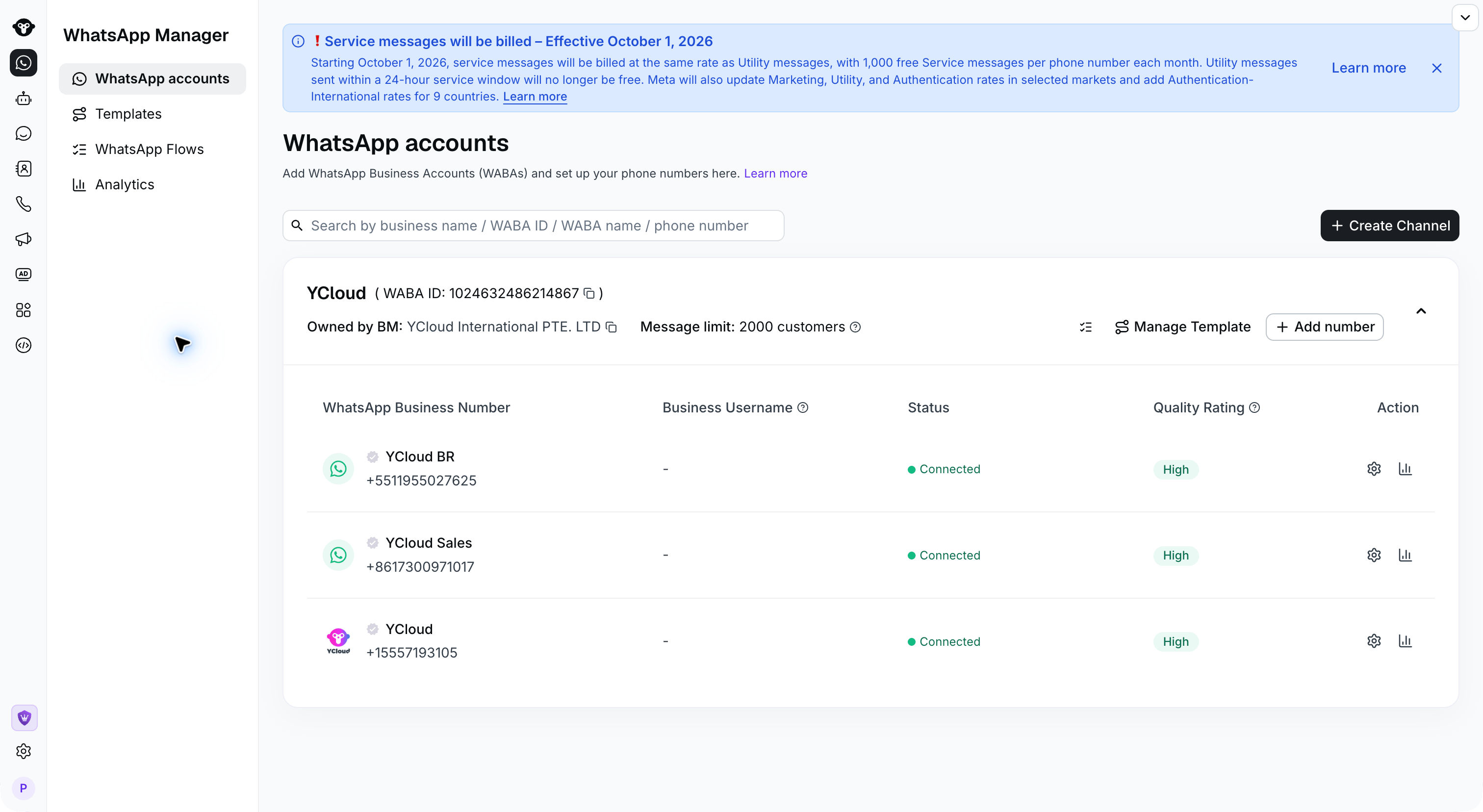
Step 2:
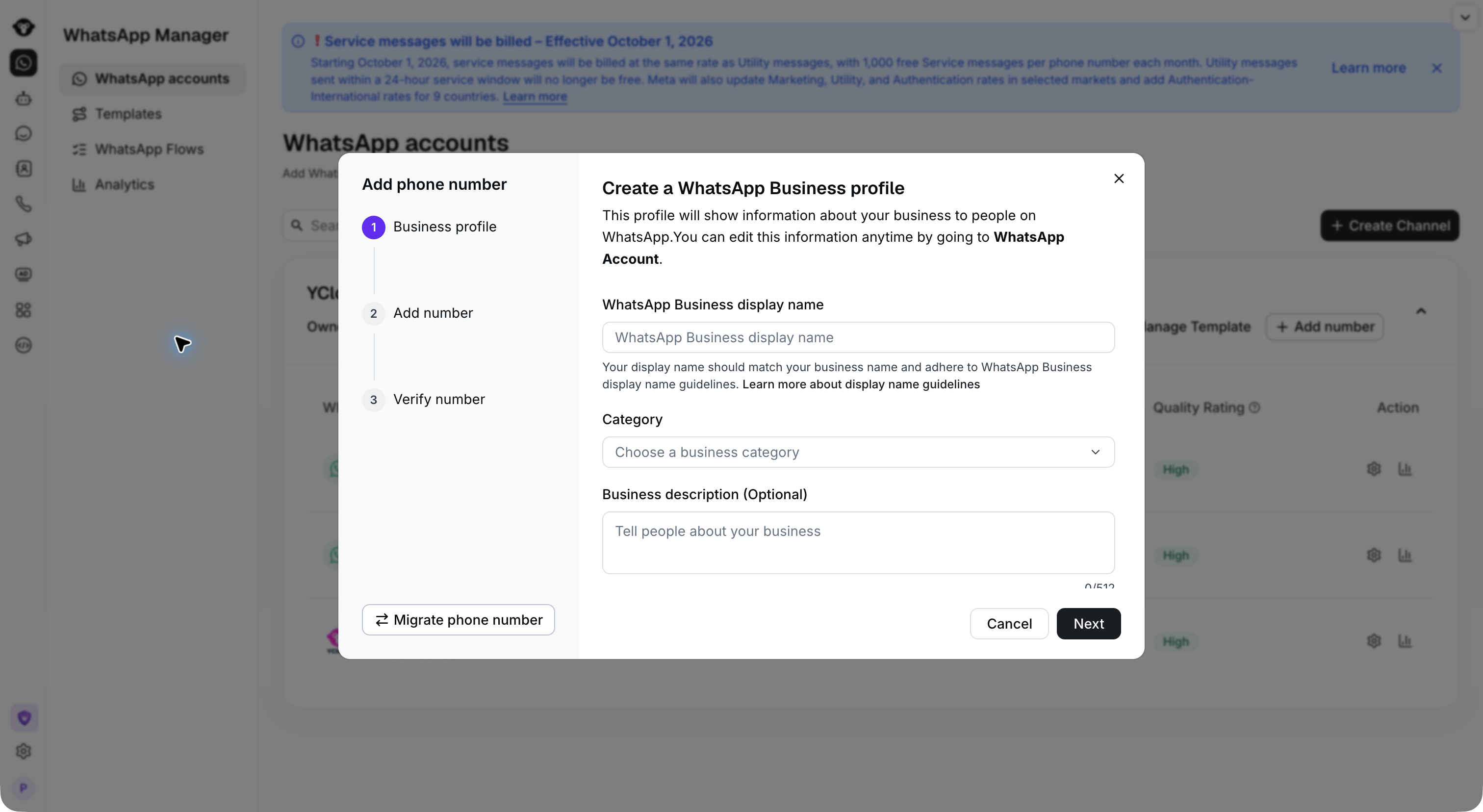
Enter the business profile information:- WhatsApp Business display name: Enter the name customers will see. Use a name related to your company or brand.
- Category: Select your business category.
- Business description (Optional): Add a description of your business.
Step 3:
Enter the phone number, then click Continue.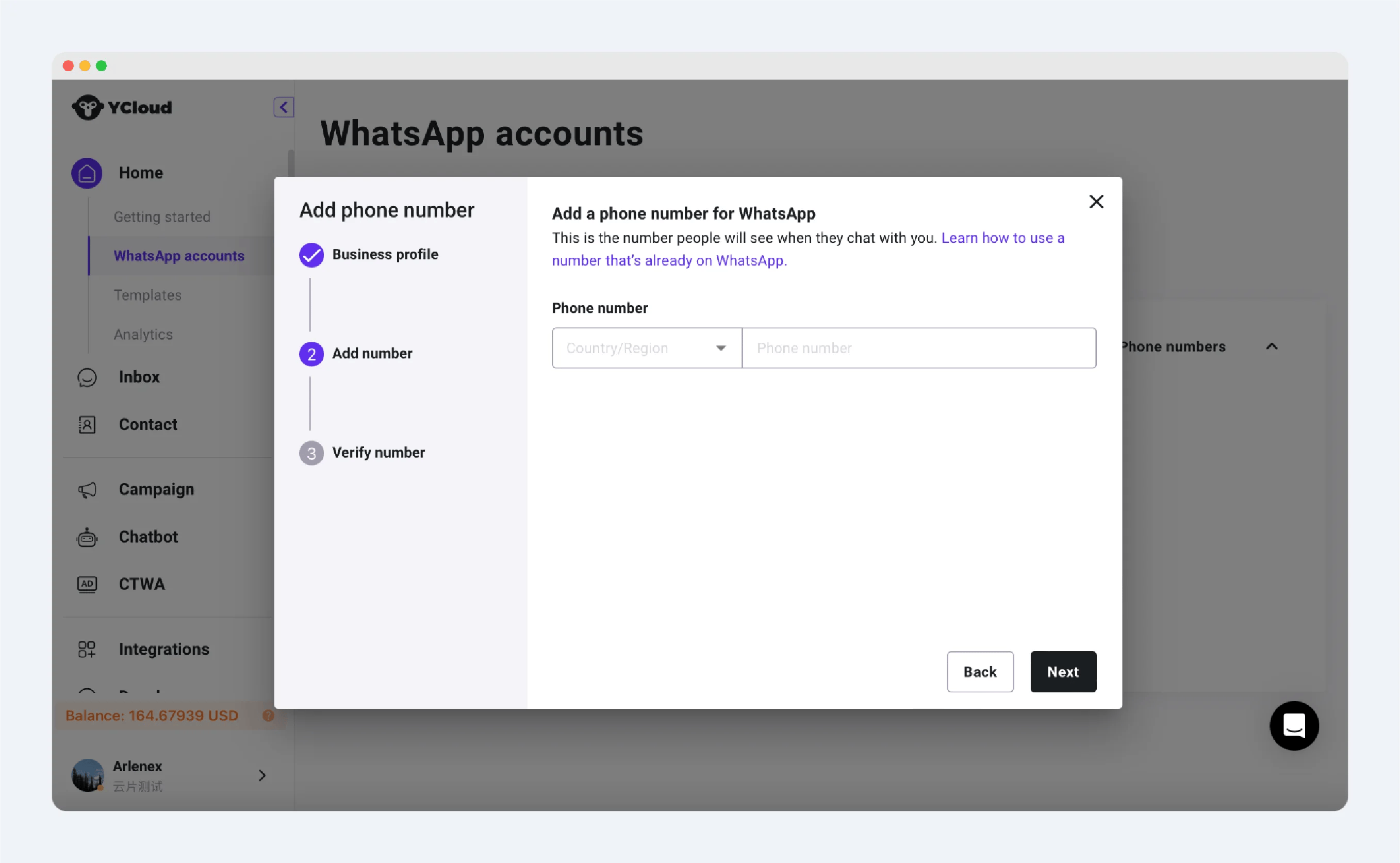
Step 4:
Enter the verification code received on the phone number, then click Verify to complete the connecting.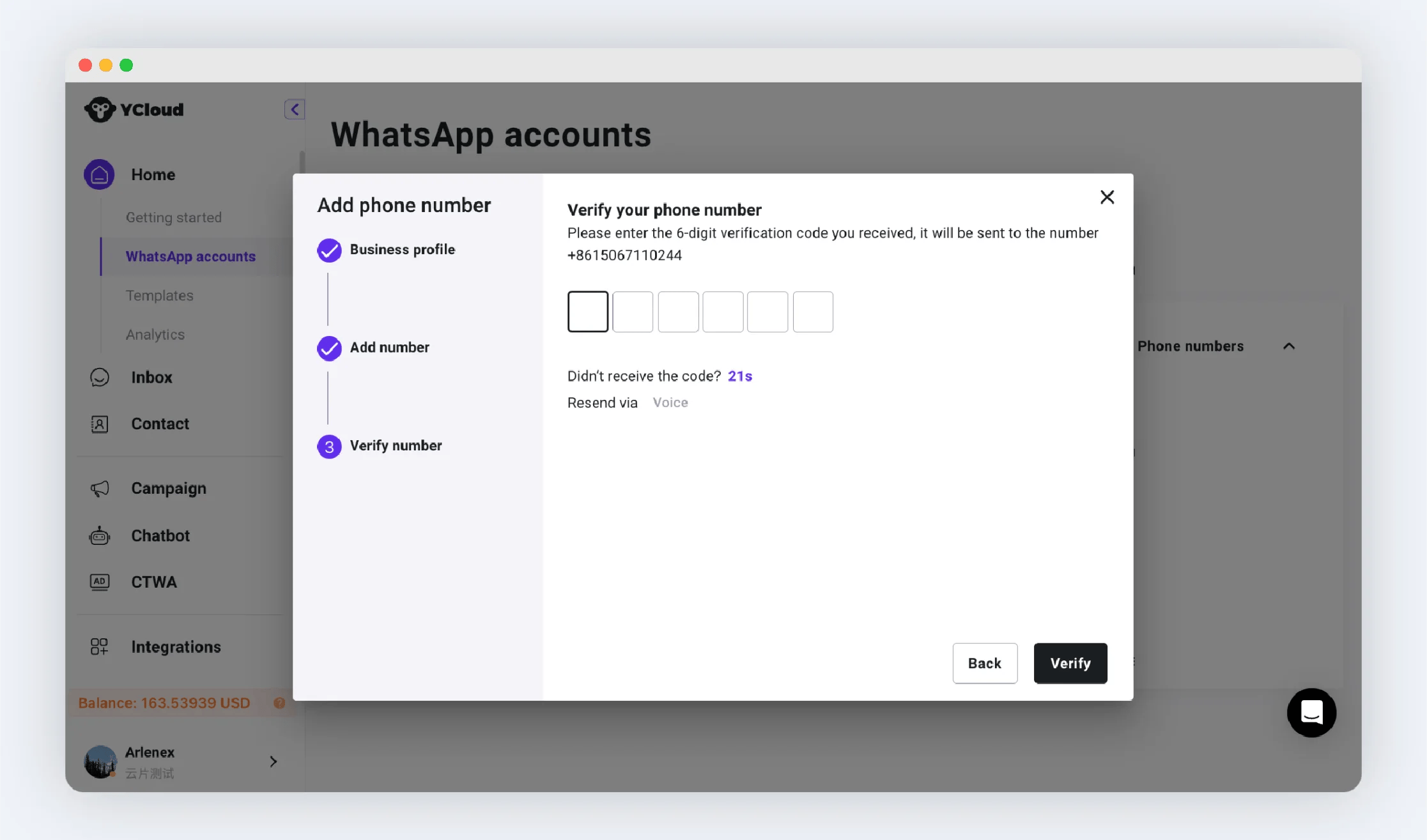
Further Reading
After connecting the number, it is recommended to set up the number profileCommon Issues:
Binding Failure
Binding Failure
If the binding fails, you can determine the cause of the error based on the prompt, which may include:
- The maximum number of bindable numbers has been reached. Unverified businesses can only bind up to 2 phone numbers. If you need to bind more, please complete the business verification.
- The number has already been registered with WhatsApp.
- This number may already be registered with the WhatsApp app or WhatsApp Business app. It is recommended to change the number or unregister it within the app. Note: Chat history will not be transferred after unregistration.
- WhatsApp Business API account. It is recommended to migrate this number rather than adding it anew.
Unable to Receive Verification Code
Unable to Receive Verification Code
Try using a voice call to receive the verification code. If you still cannot receive it, it is recommended to change to a new number.
WABA Migration
WABA Migration