

关于标签设置,我们支持两种添加标签的方法。您可以选择以下任一方法:
- 您可以在 设置 > 联系人 > 标签 中查看和编辑标签。
- 您可以在联系人列表板块中为用户添加标签,也可以在收件箱工具中为用户添加标签。
在设置中添加标签
第 1 步
登录您的 YCloud 账户,前往 设置 > 联系人 > 标签。
Open Settings > Contact > Tags and select Add Tag.
第 2 步
点击 Add Tag,输入名称并选择颜色,然后点击 Add 完成操作。添加成功后,您可以编辑和删除该标签。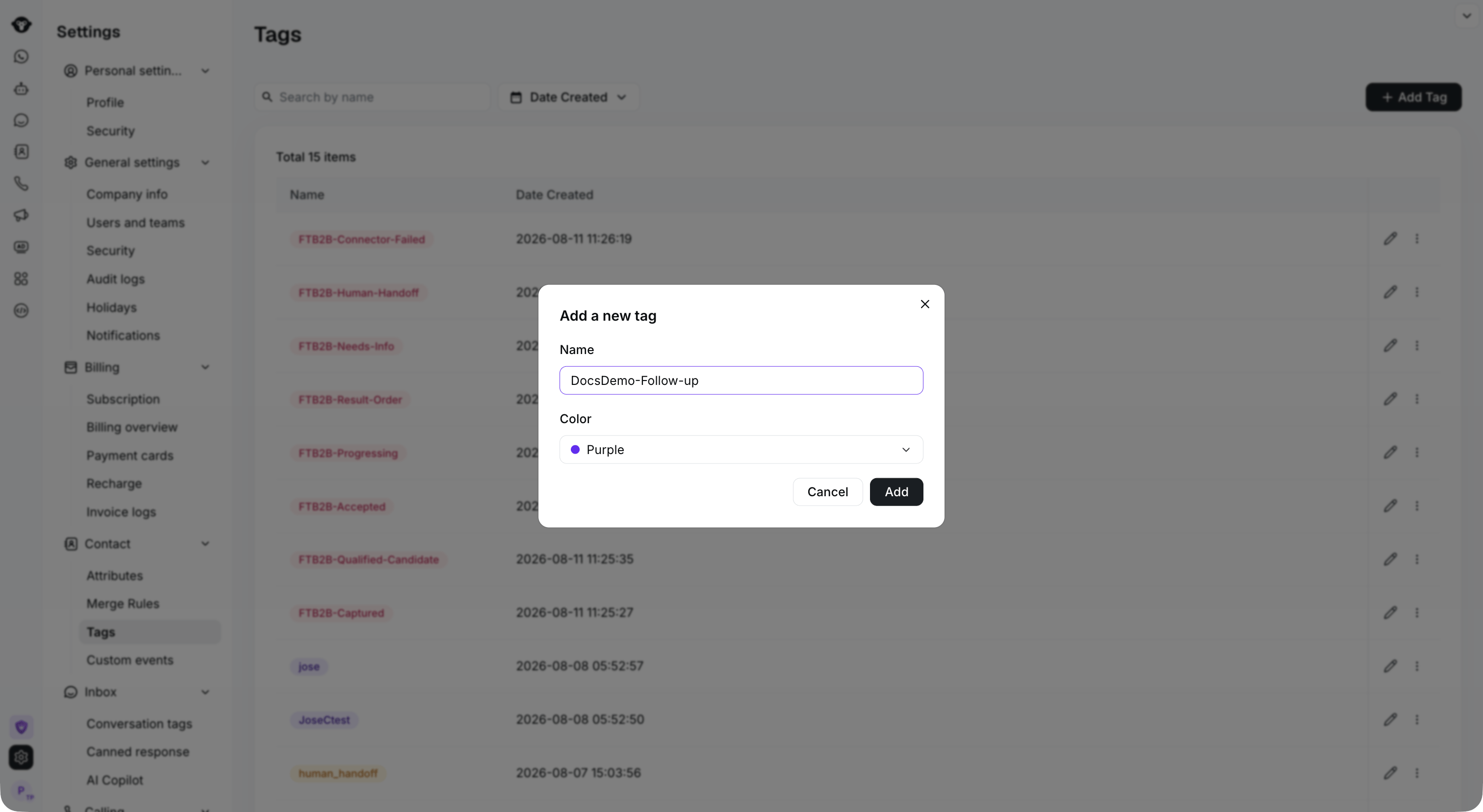
Enter a tag name and choose a color, then select Add.

The new tag appears in the list. Use the row controls to edit or manage it.
在联系人列表中添加
第 1 步
登录您的 YCloud 账户,打开 联系人 > 联系人列表。选择一个或多个联系人,然后点击 Tag them。
Select the contacts you want to tag, then select Tag them.
第 2 步
打开 Select or create a new tag。搜索已有标签,或输入新名称并选择 Create new tag。然后点击 Tag 1 contact (数量会反映您的选择)以应用标签。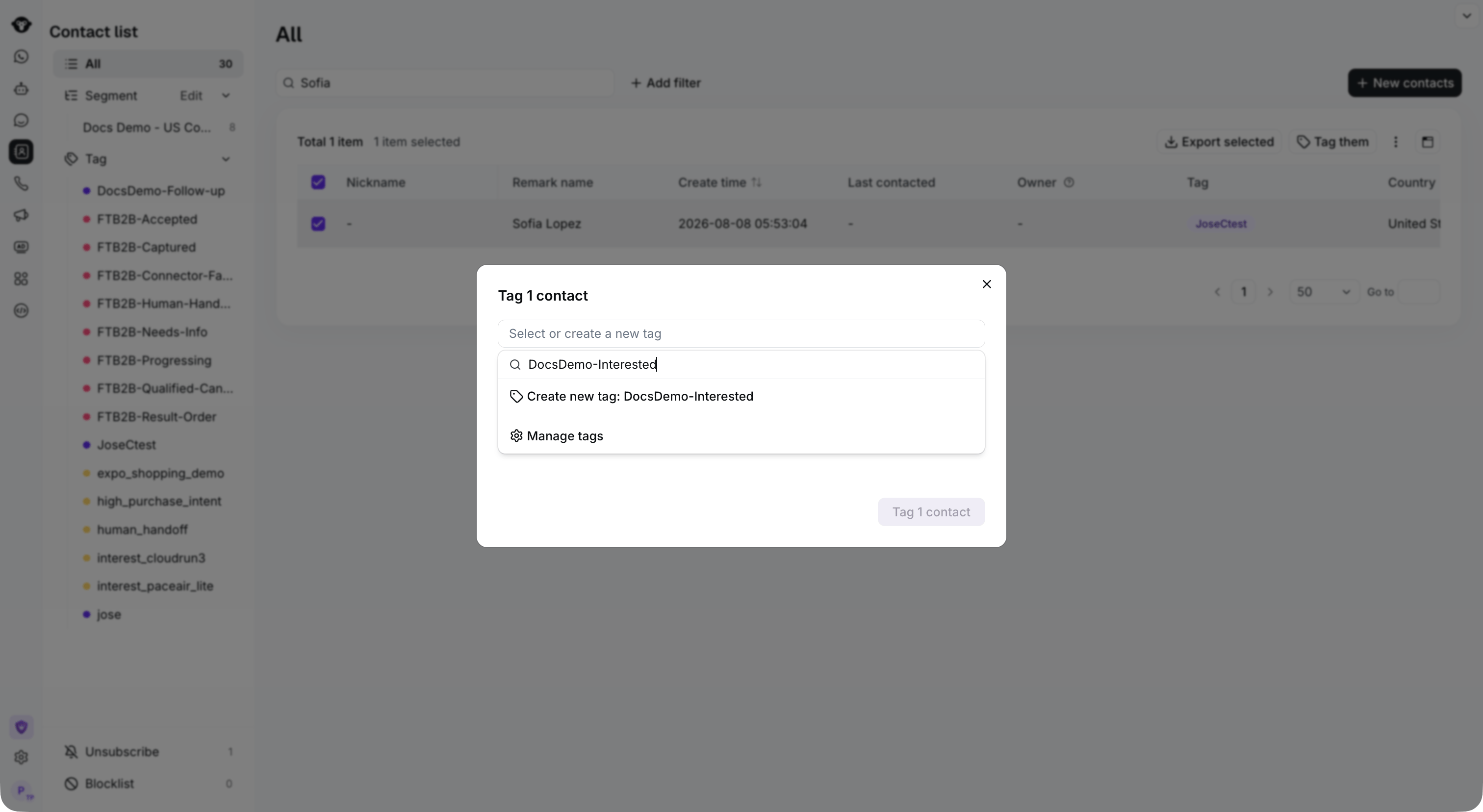
Search for an existing tag, or enter a new name and select Create new tag.