

什么是会话日志
当团队负责人需要对团队成员的会话进行定期检查或抽查时,会话日志通常非常有用。会话日志是会话记录的管理后台,所有已发生的会话都会记录在其中。此外,会话日志页面还提供了便捷的搜索功能,方便管理者快速定位特定会话,并通过会话详情页面查看会话的具体细节。如何查看会话日志
查看权限
具有收件箱管理员(Inbox manager)或管理员(Admin)角色的用户可以访问会话日志。会话日志入口

Select Conversation logs in the Inbox sidebar to review past conversations.
查看会话日志
进入会话日志页面后,管理员可以在列表中查看会话日志的相关信息,通过上方的筛选条件搜索联系人,或通过匹配其他条件定位具体会话。
Use the filters to find conversations and choose which attributes to display.
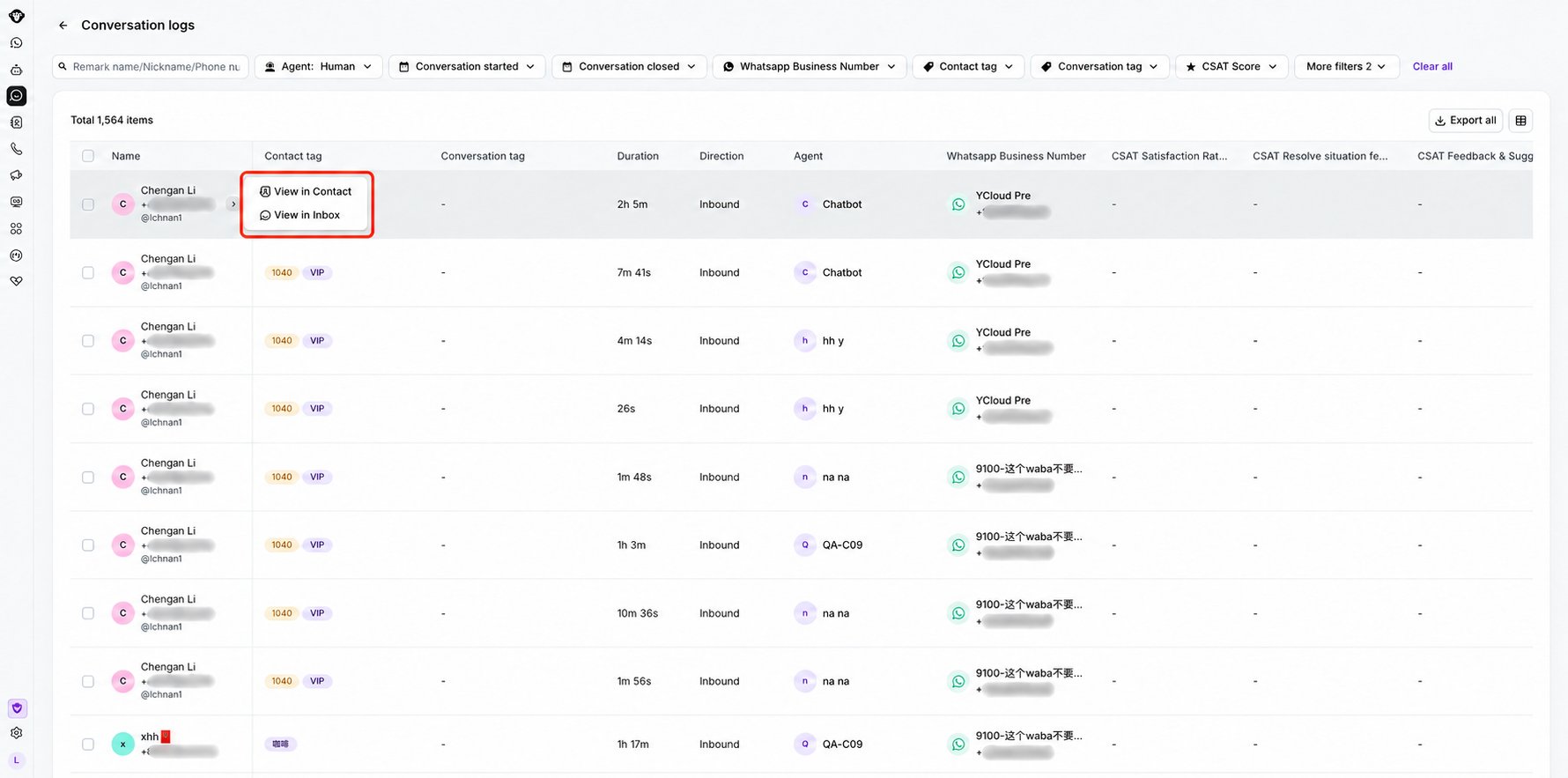
Open the row menu to view the contact or open the conversation in Inbox.
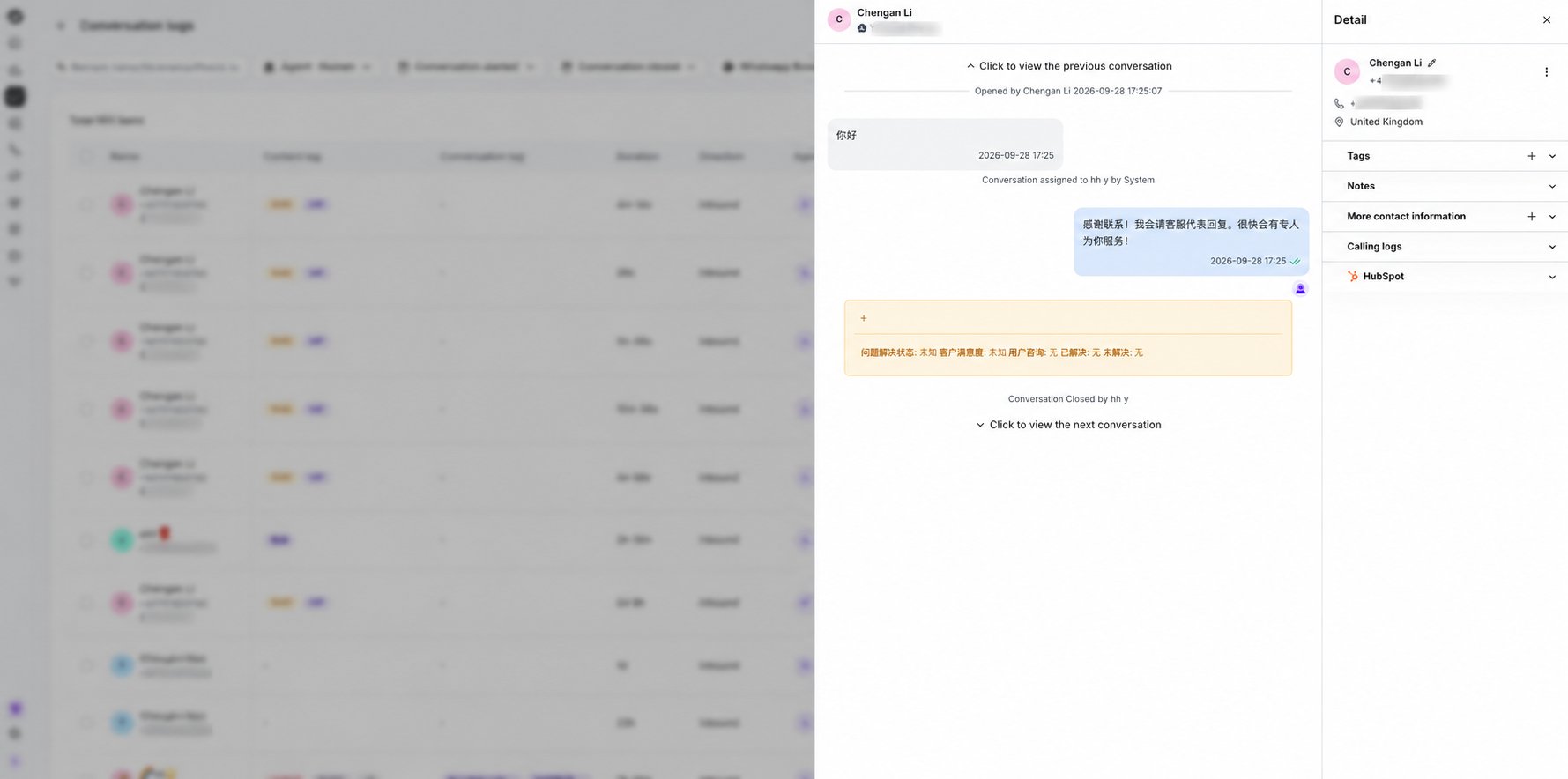
Open a conversation row to review its message history and timestamps in the details drawer.