

什么是会话标签
会话标签是我们为您提供的一款便捷标记工具。当您需要快速标记会话(无论是进行中还是已结束)以进行分类时,可以使用会话标签快速完成标记操作。会话标签支持自定义文本和颜色,让您可以灵活自由地管理会话。如何使用会话标签
针对进行中的会话
您可以通过点击会话展示区域上方的“添加会话标签”按钮来为会话添加标签。 我们支持从现有标签列表中选择添加,或添加带有自定义文本的标签。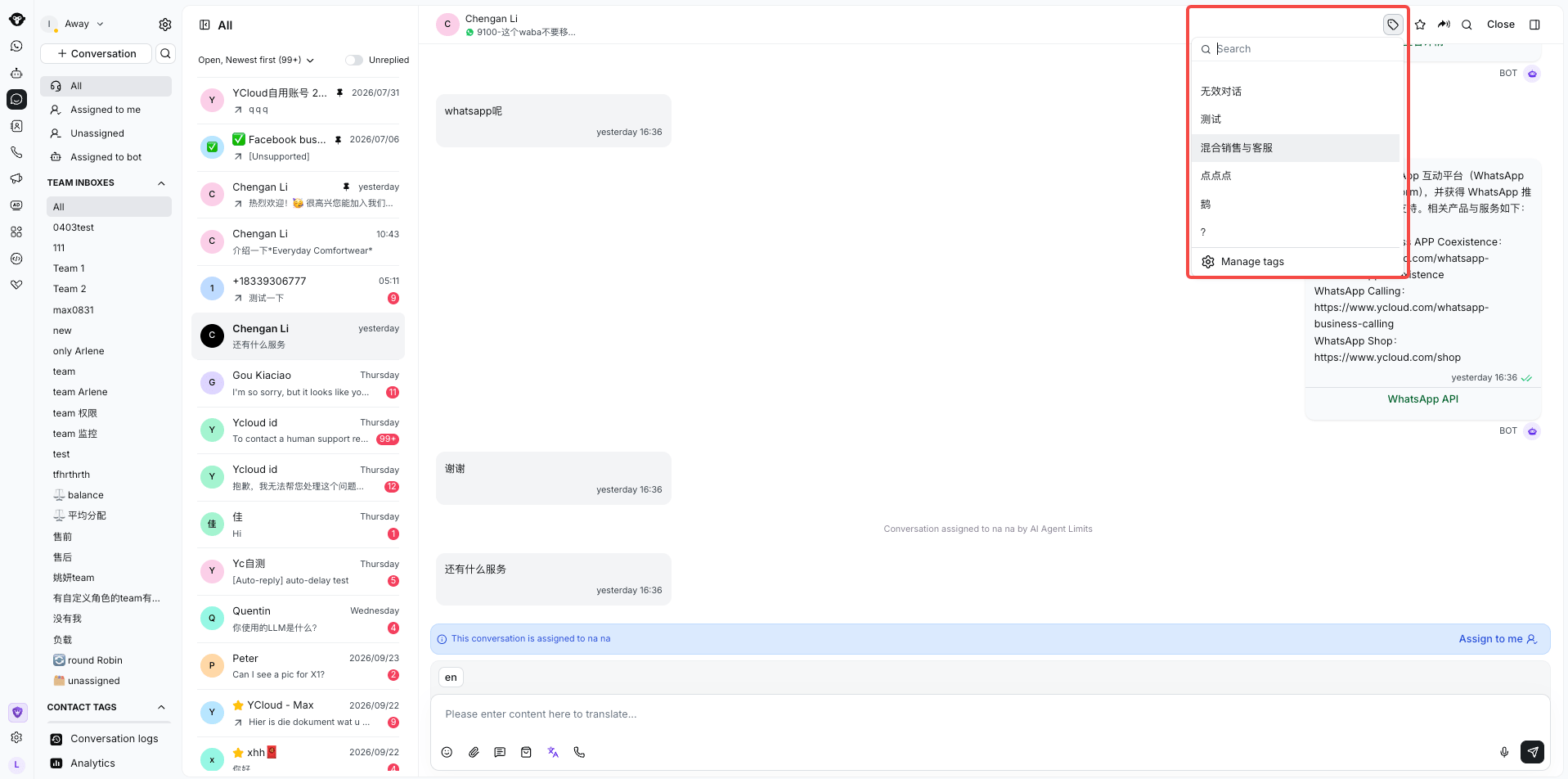
Select a conversation tag from the picker or open Manage tags.
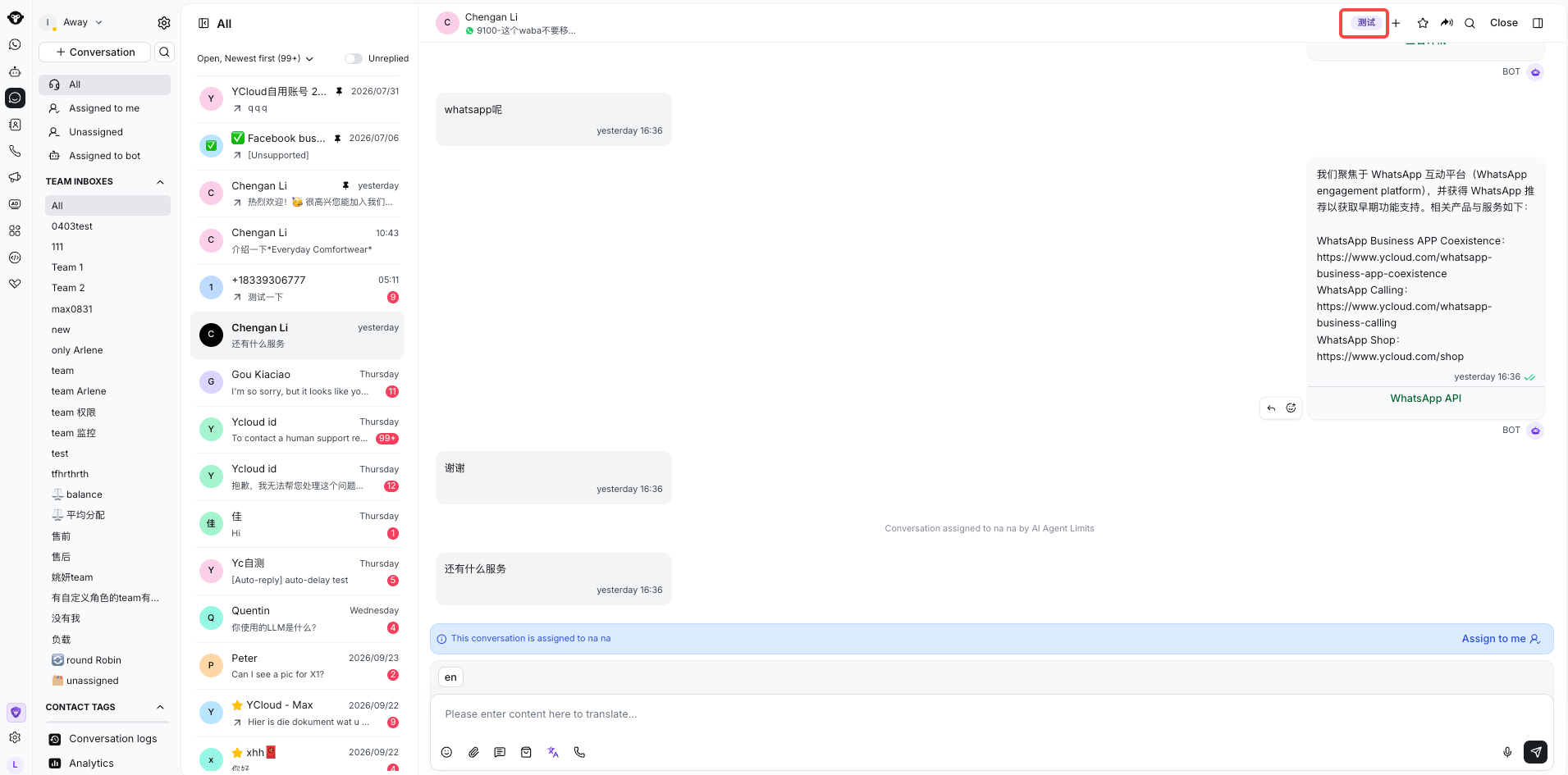
The selected conversation tag appears above the conversation.
针对已结束的会话
点击已结束会话下方的 Tags 即可选择现有标签或创建新标签。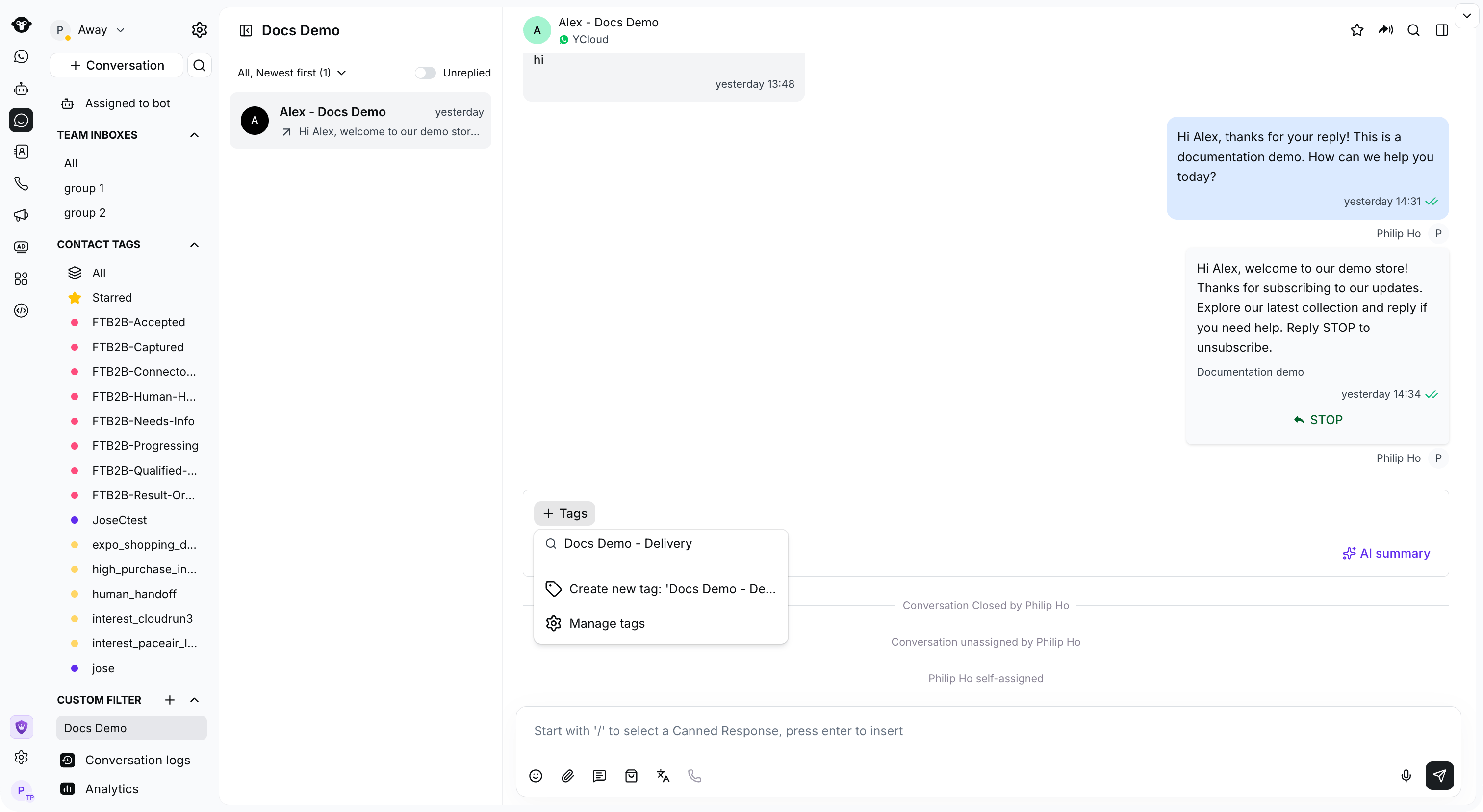
Use Tags below the closed conversation to select or create a conversation tag.
如何管理会话标签
管理权限
拥有 Admin 和 Inbox manager 角色的用户可以访问会话标签管理页面。管理入口
当您在会话展示区域添加会话标签时,点击列表底部的“管理标签”按钮即可进入会话标签管理页面。
Select Manage tags from the conversation tag picker to open its settings.
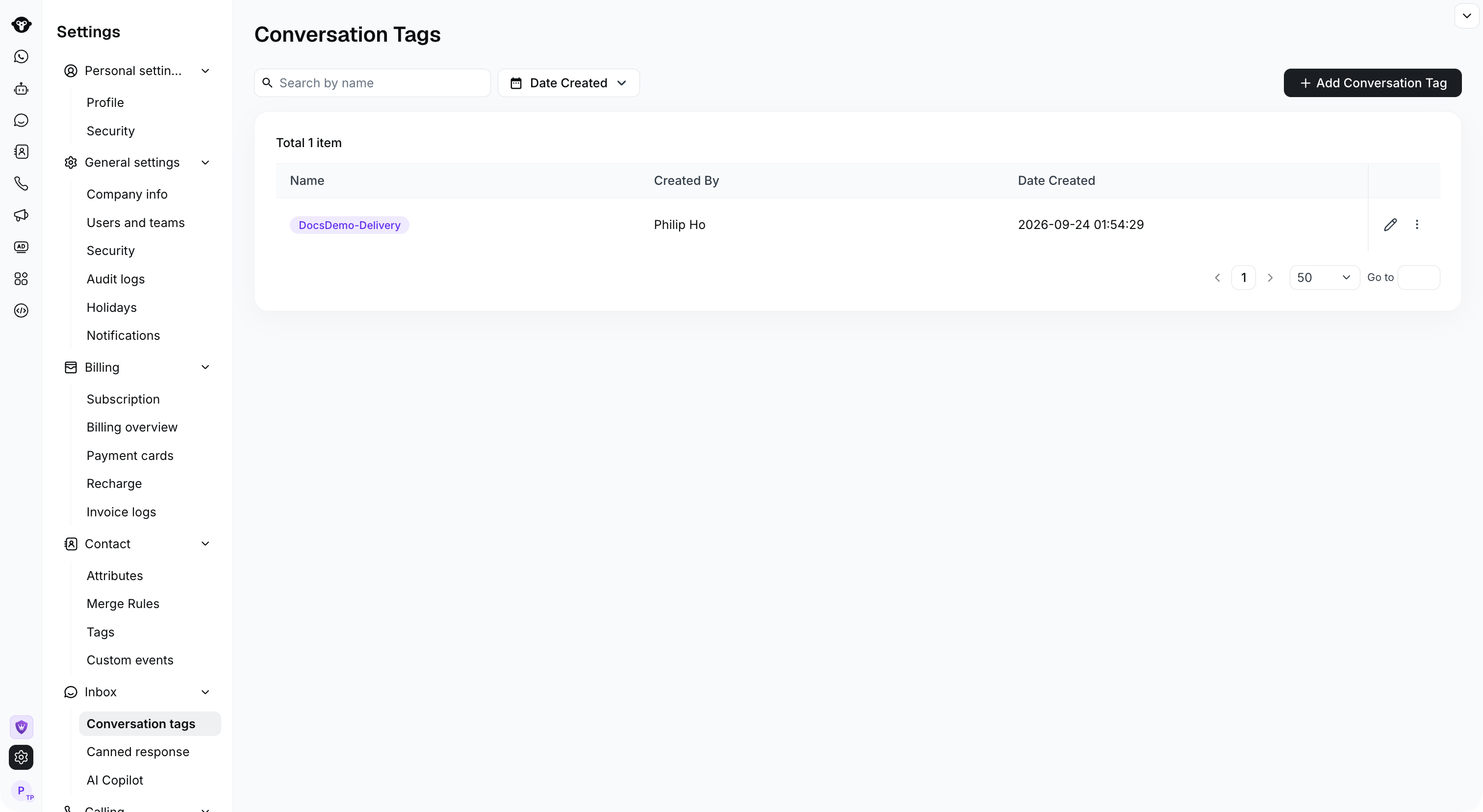
Open Settings > Inbox > Conversation tags to manage your tags.
管理会话标签
- 点击“添加会话标签”按钮以添加自定义标签,支持自定义标签文本和颜色。
- 搜索栏允许您按标签名称和标签创建时间筛选标签。
- 点击“编辑”按钮即可编辑对应的标签。
- 点击“删除”按钮即可删除对应的标签。请注意,删除后已在会话中标记的标签也将被删除,请谨慎操作。

Edit a tag with the pencil icon, or open the row menu to find Delete.
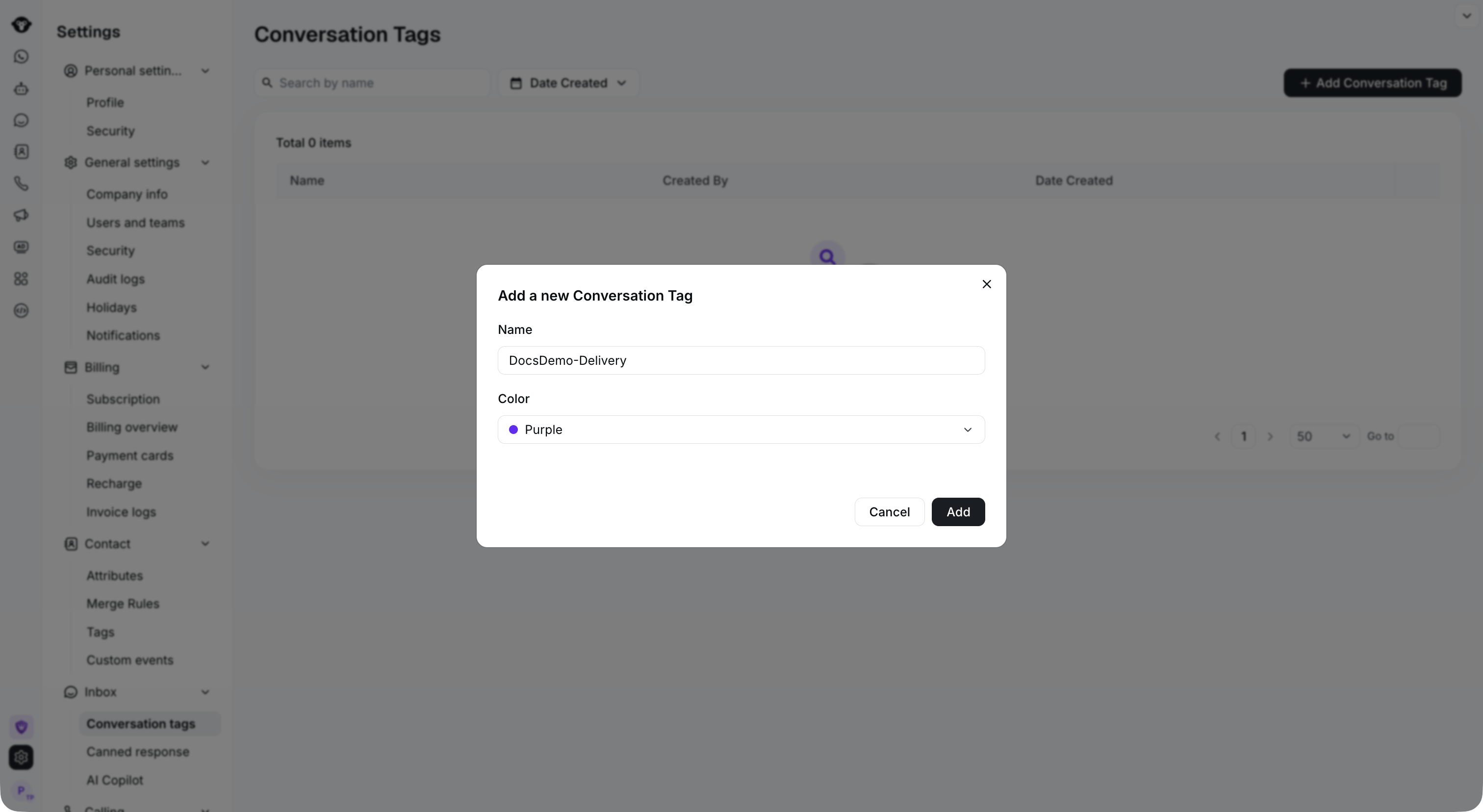
Select Add Conversation Tag, then enter a name and choose a color.