

1. 客服欢迎消息
- 进入收件箱后,点击状态旁边的 Inbox settings 齿轮图标。

Open Inbox settings using the gear beside your status.
- 选择 Welcome Message 来管理您的欢迎消息。
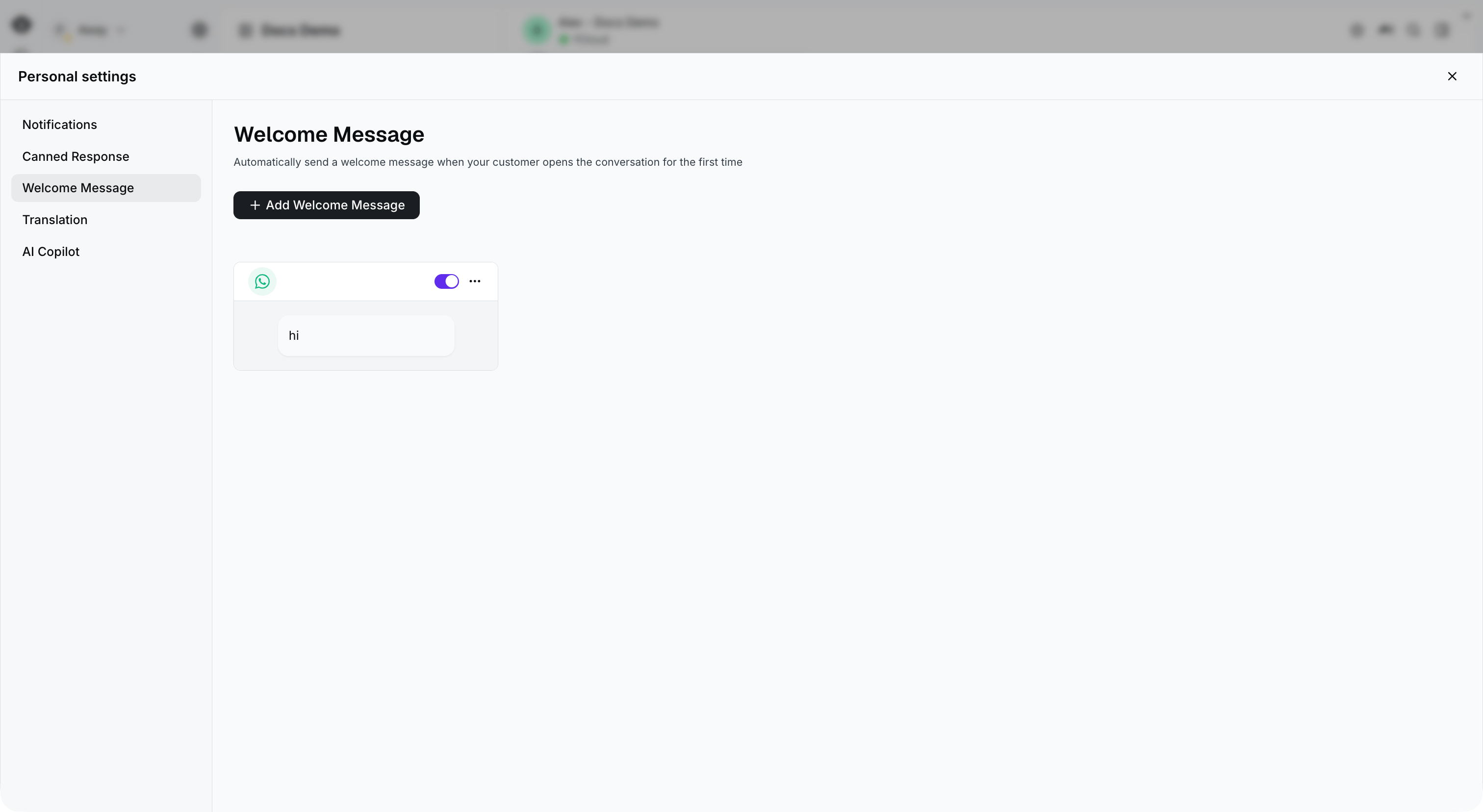
Select Welcome Message in Personal settings, then select Add Welcome Message.
- 点击 Add Welcome Message 按钮创建新的欢迎消息,然后选择其适用的商业号码。支持三种不同类型的欢迎消息:文本、媒体和交互式消息
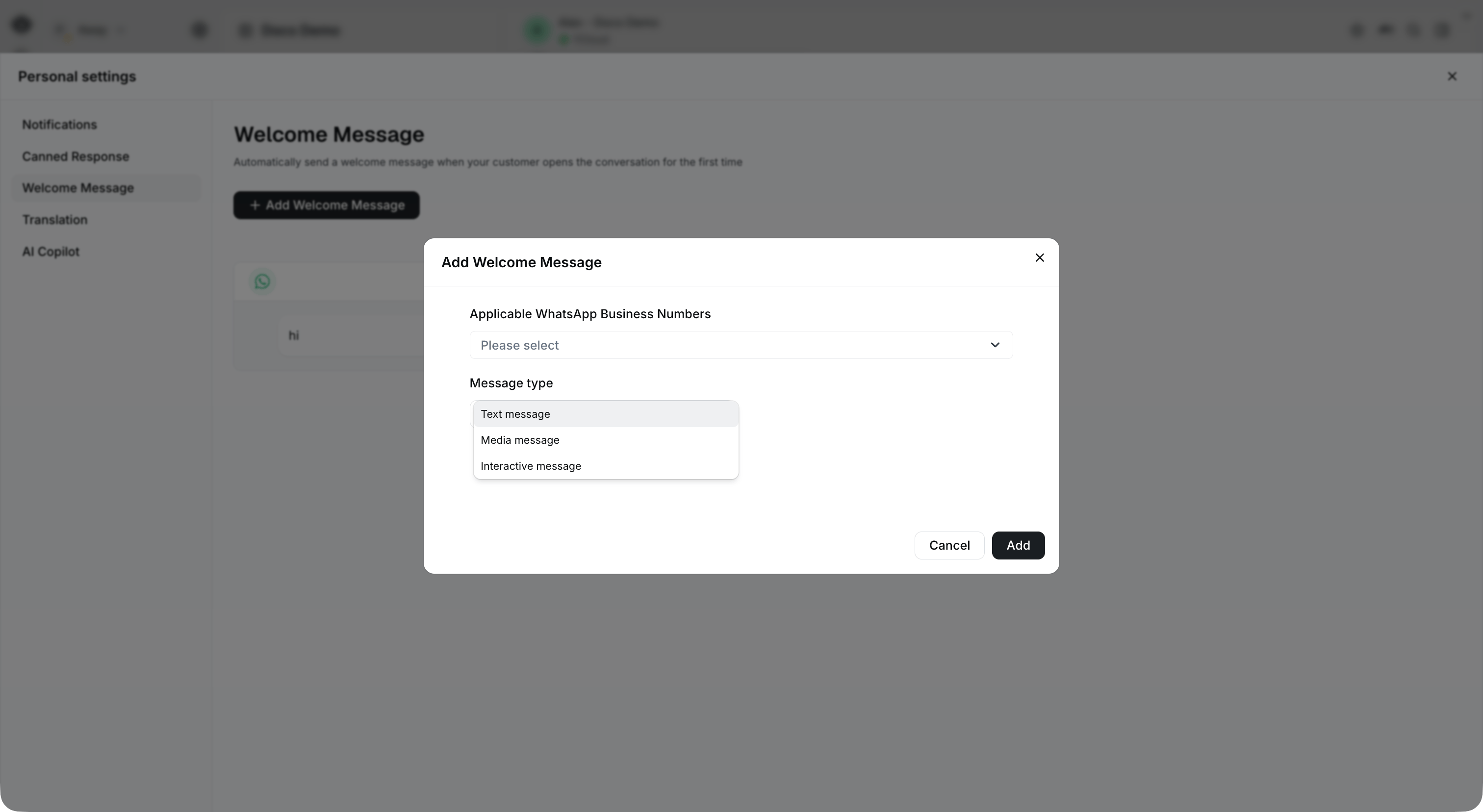
Choose the applicable business numbers and select a message type.
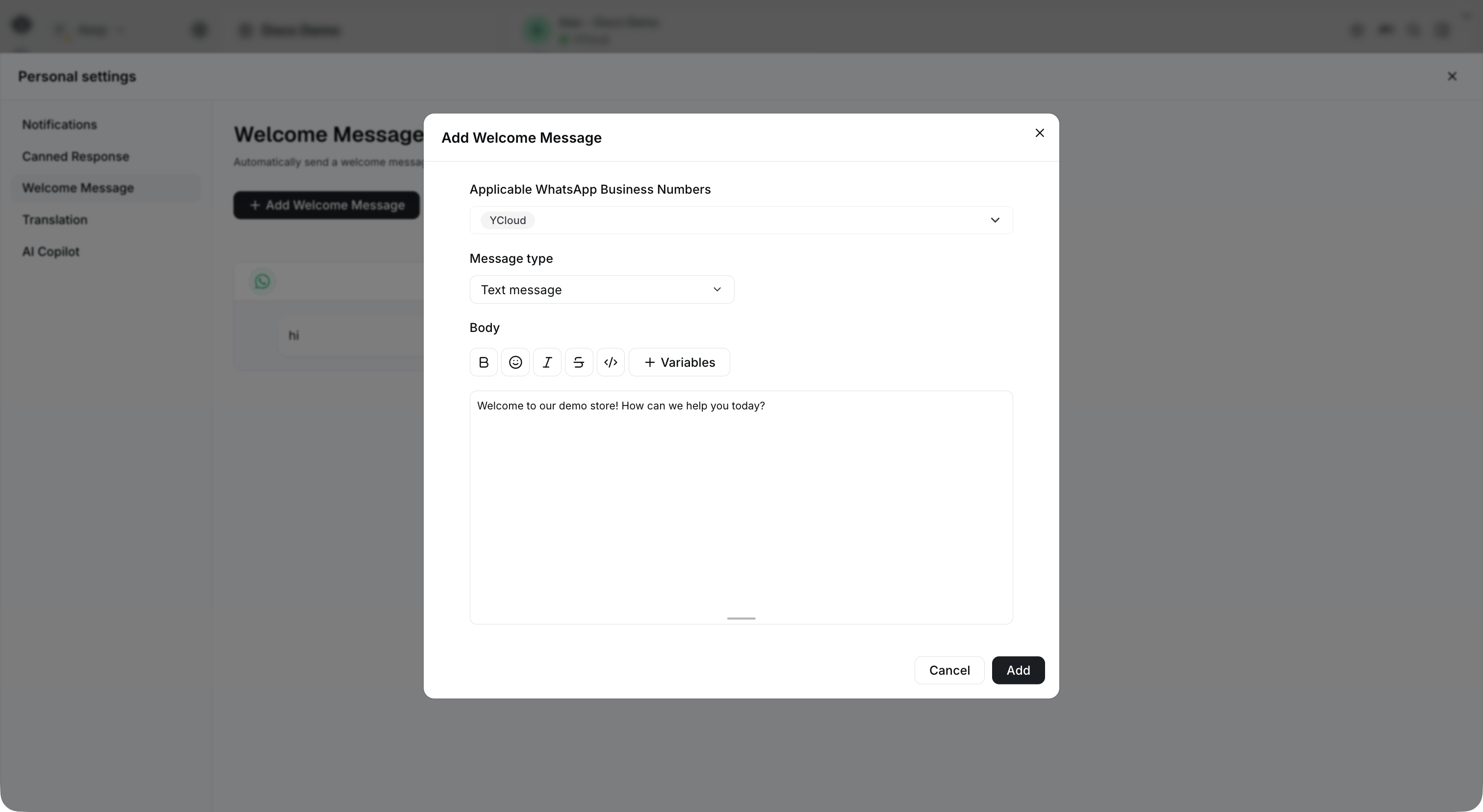
For a text message, enter the welcome text in Body. This example has not been saved.
- 开启开关以激活欢迎消息。您还可以通过点击右上角的按钮来编辑或删除欢迎消息
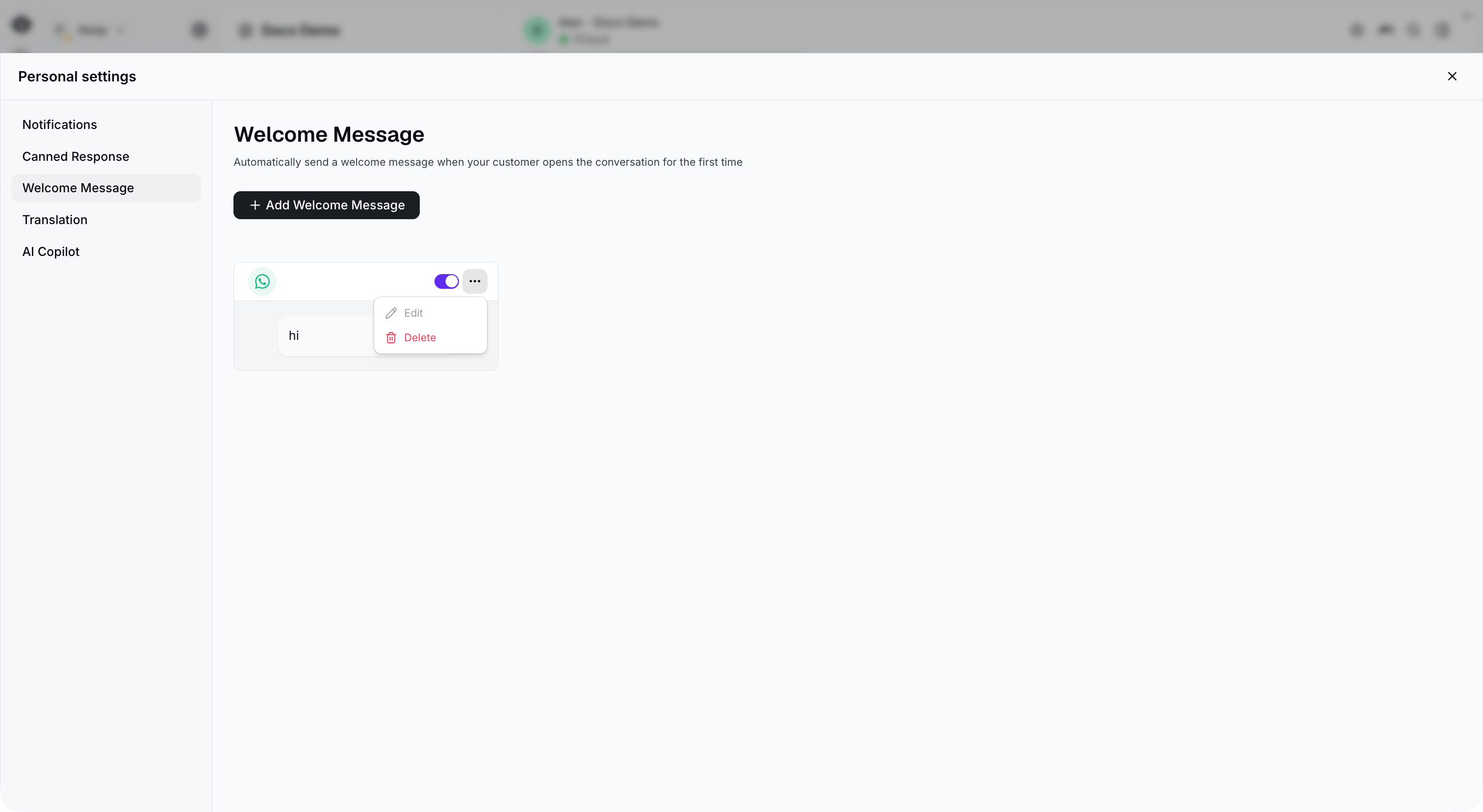
The switch and actions menu appear at the top right of each welcome message card.
2. 基于规则的 Agent 欢迎消息
要为基于规则的 Agent 配置欢迎消息,请打开 AI Agent,选择 Rule-based Agent 标签页和您的 Agent,然后前往 General > Profile > Welcome Message。屏幕截图显示演示 Agent 中该设置处于关闭状态;开启它即可为您的 Agent 配置消息。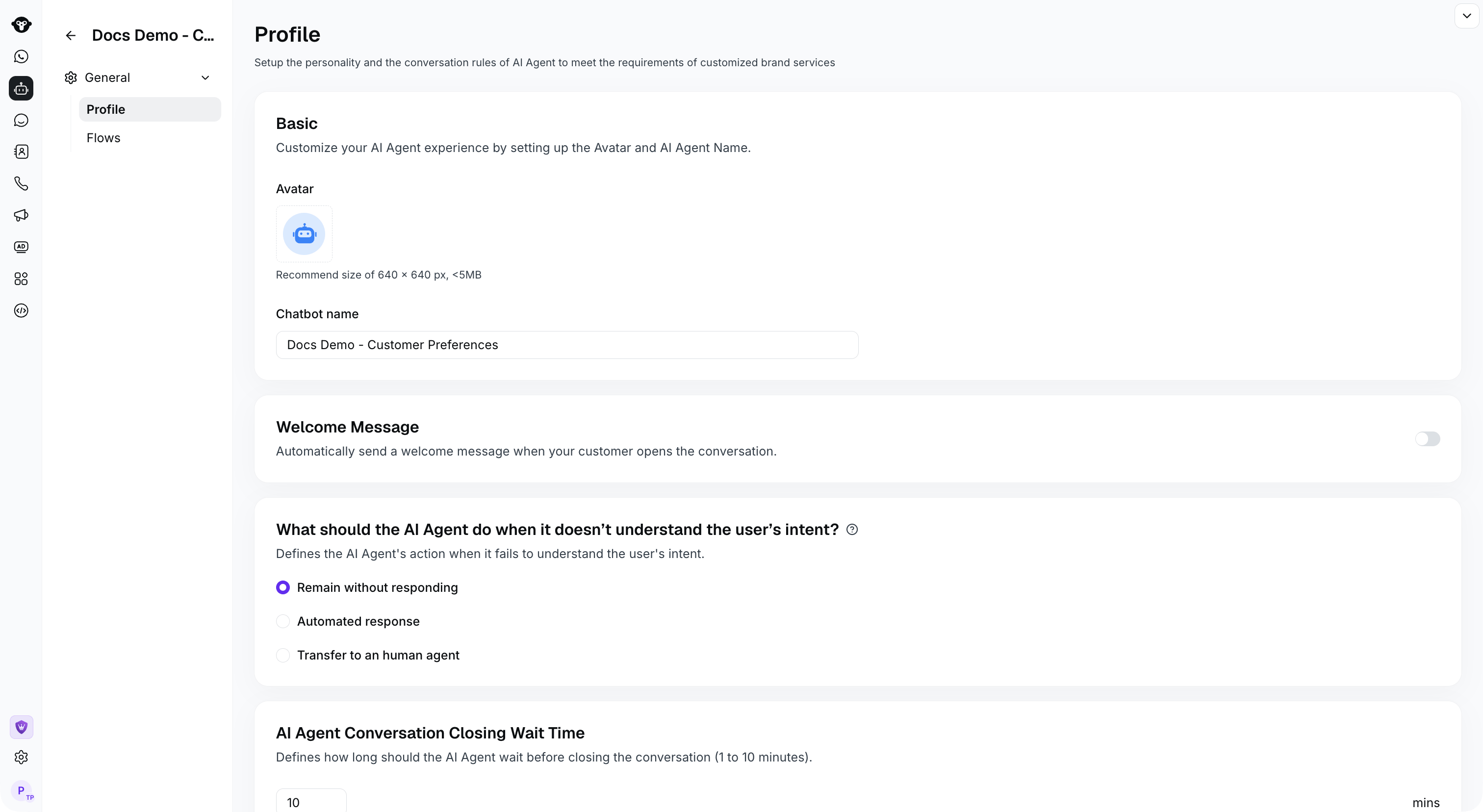
Find Welcome Message in the rule-based agent's Profile settings.