

- 当 YCloud 账户中存在多个 WABA 时,您需要将相同的模板复制到多个 WABA。
- 在同一个 WABA 内,您需要创建一个内容不完全相同但类似的模板。
- 当模板由于类别(Category)选择错误而未通过审核时,您可以使用复制模板按钮创建新模板并选择正确的类别。
步骤 1:点击复制按钮
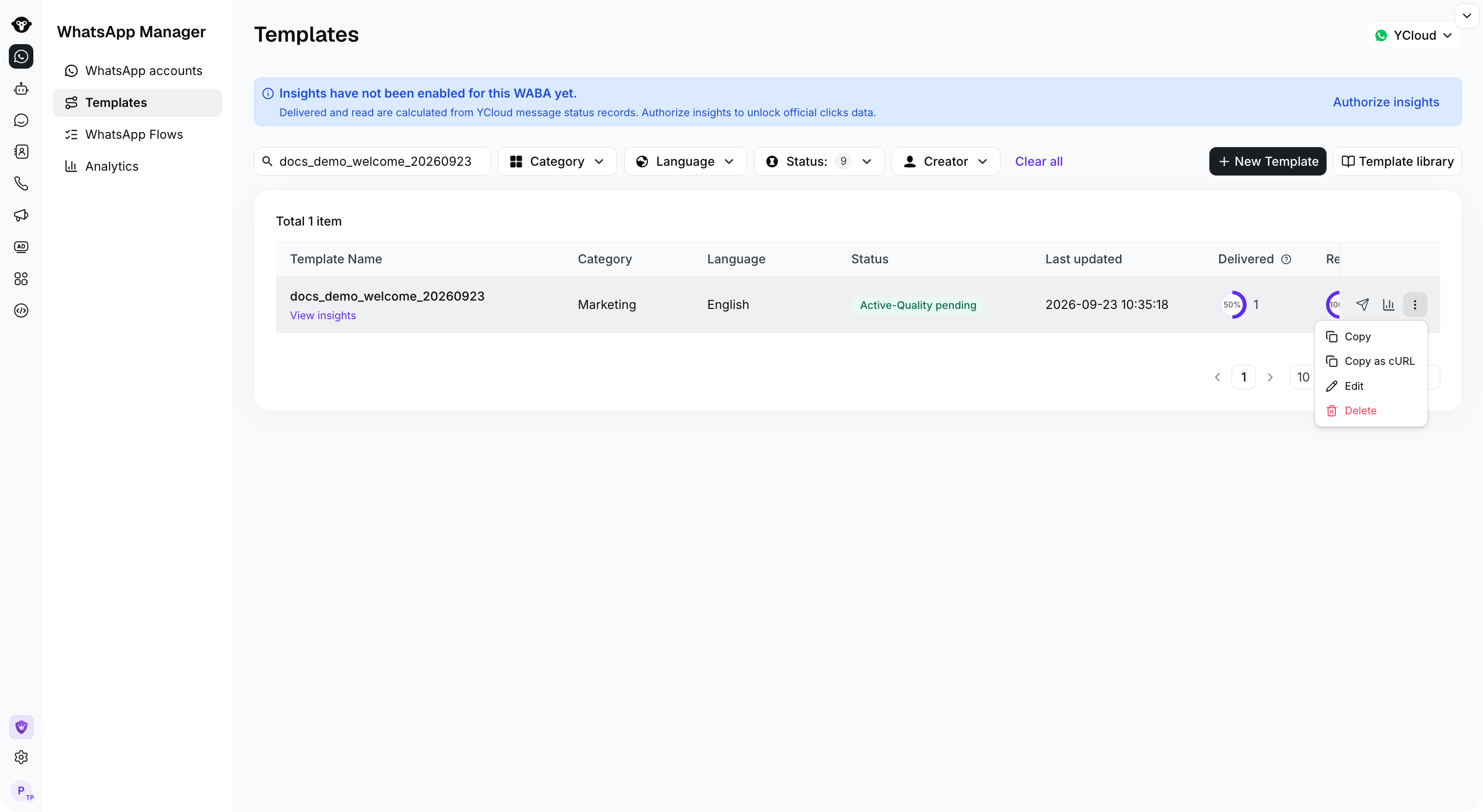
Open the template row actions menu and select Copy.
步骤 2:设置复制信息
- 目标 WhatsApp 账户:目标 WABA。选择您希望将模板复制到的 WABA,也可以选择当前 WABA。
- 模板名称:新模板名称。为新模板命名。
- 类别:模板类型。如果模板已经过审核批准,建议不要进行调整。
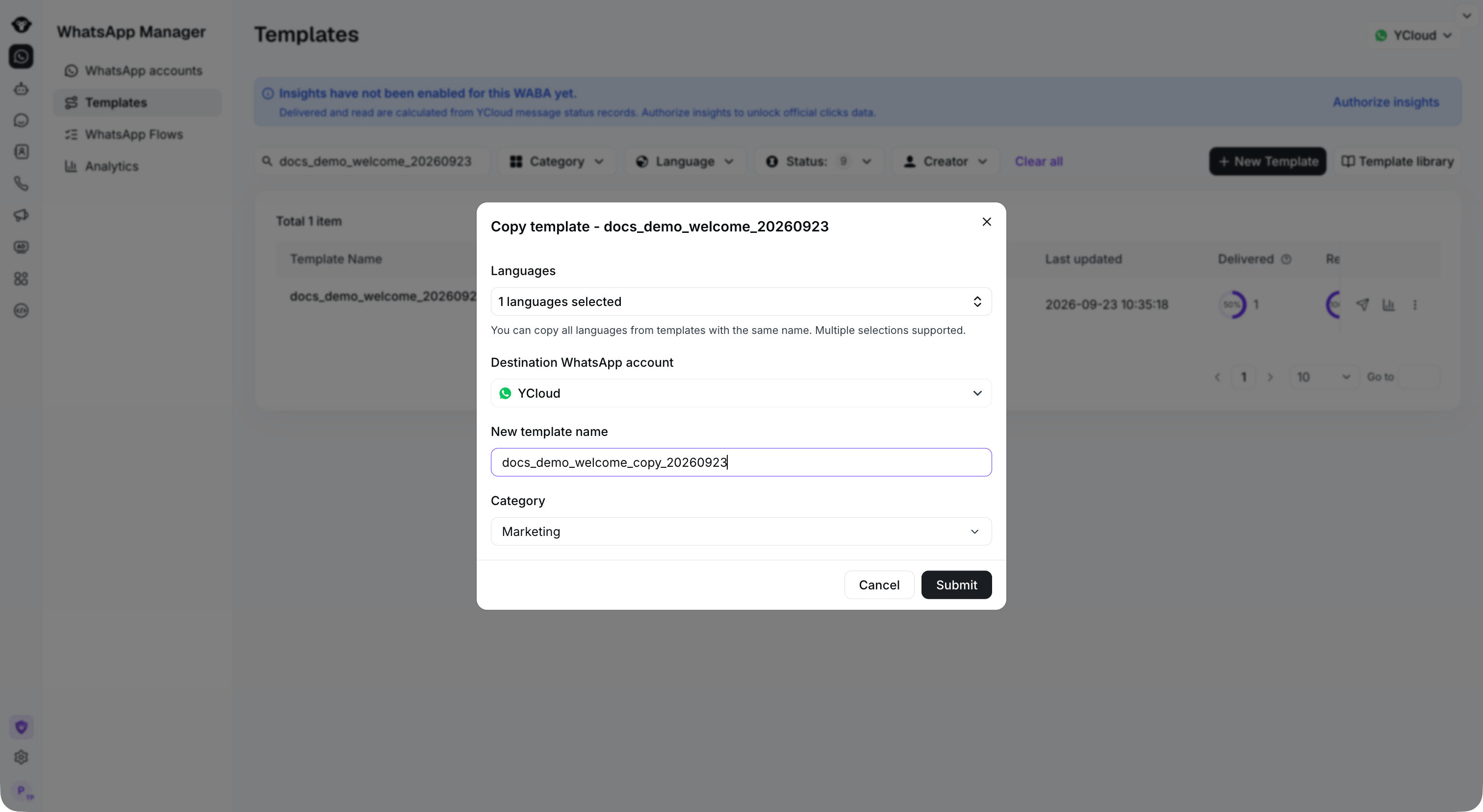
Select the languages and destination account, then enter a new template name and category.
步骤 3:编辑新模板
进入新模板的编辑页面,确认内容无误后,点击提交。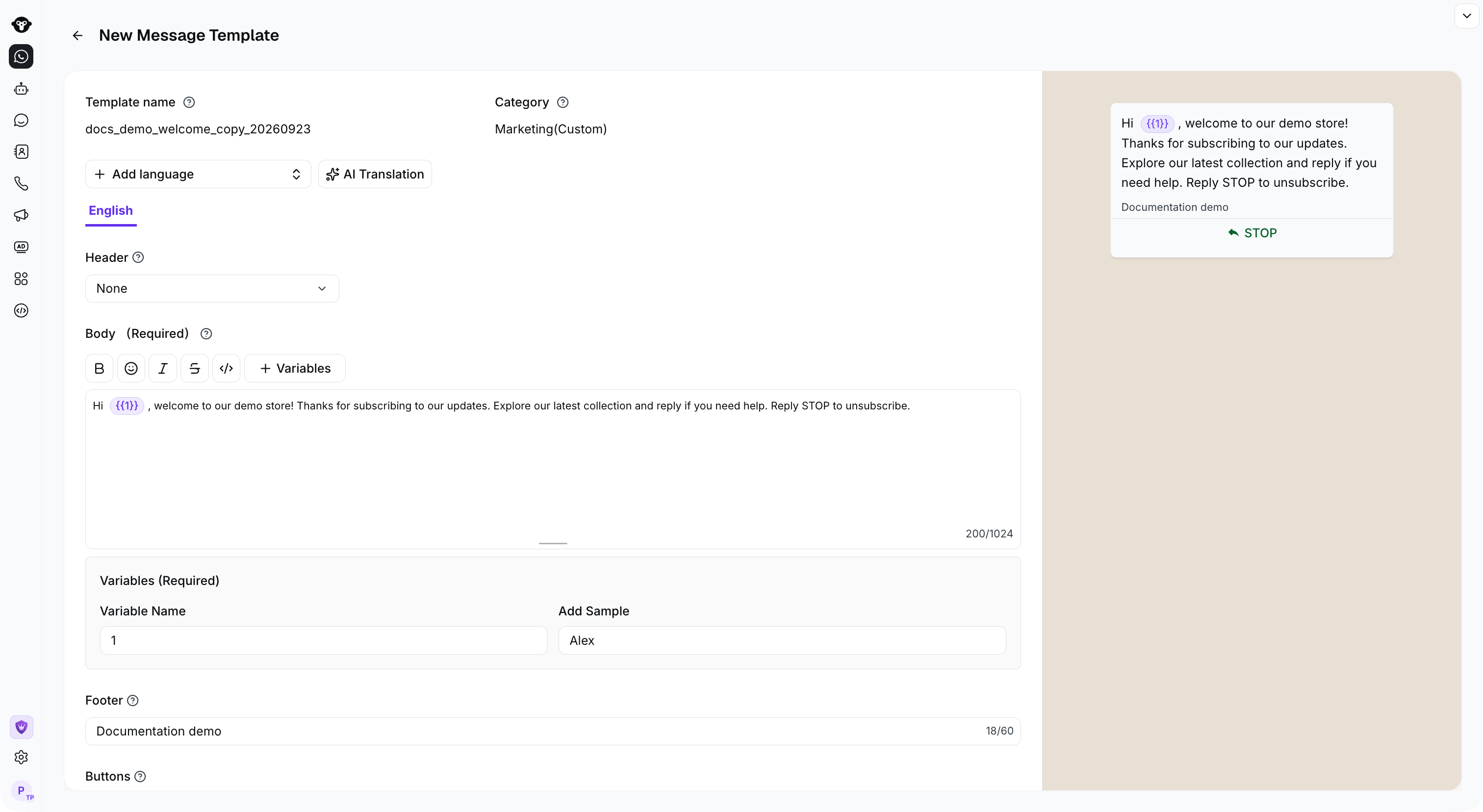
Review the copied content, variables, and preview before submitting the new template.