

Trigger
Trigger 用于定义联系人何时进入 Journey。您可以配置进入条件、选择发送者,并设置联系人进入该流程的频率。配置进入条件
在 When to send 下,定义联系人进入 Journey 必须满足的条件。 您还可以选择添加 Audience 条件,以进一步限制哪些联系人可以进入。仅当同时满足配置的进入条件和所有受众条件时,联系人才能进入 Journey。选择发送者
为 Journey 选择一个 Sender 。发送者为必填项。 您稍后在 Journey 中使用的模板必须适用于所选发送者的 WhatsApp 商业账户。配置联系人控制项
使用以下可用控制项管理 Journey 中的联系人:- Filter Blocklist 排除黑名单中的联系人。
- Filter WhatsApp Unsubscribers 排除已退订 WhatsApp 消息的联系人。
- Automatically select an available sender for contacts without phone numbers:启用后,YCloud 会尝试为没有电话号码的符合条件联系人选择可用的发送者。
选择进入规则
在 Enter rules 下,选择联系人进入 Journey 的频率:- Enter once, first time the person matches the rules:联系人仅在首次满足条件时进入。
- Enter every time the person matches the rules:只要满足条件,联系人即可再次进入。
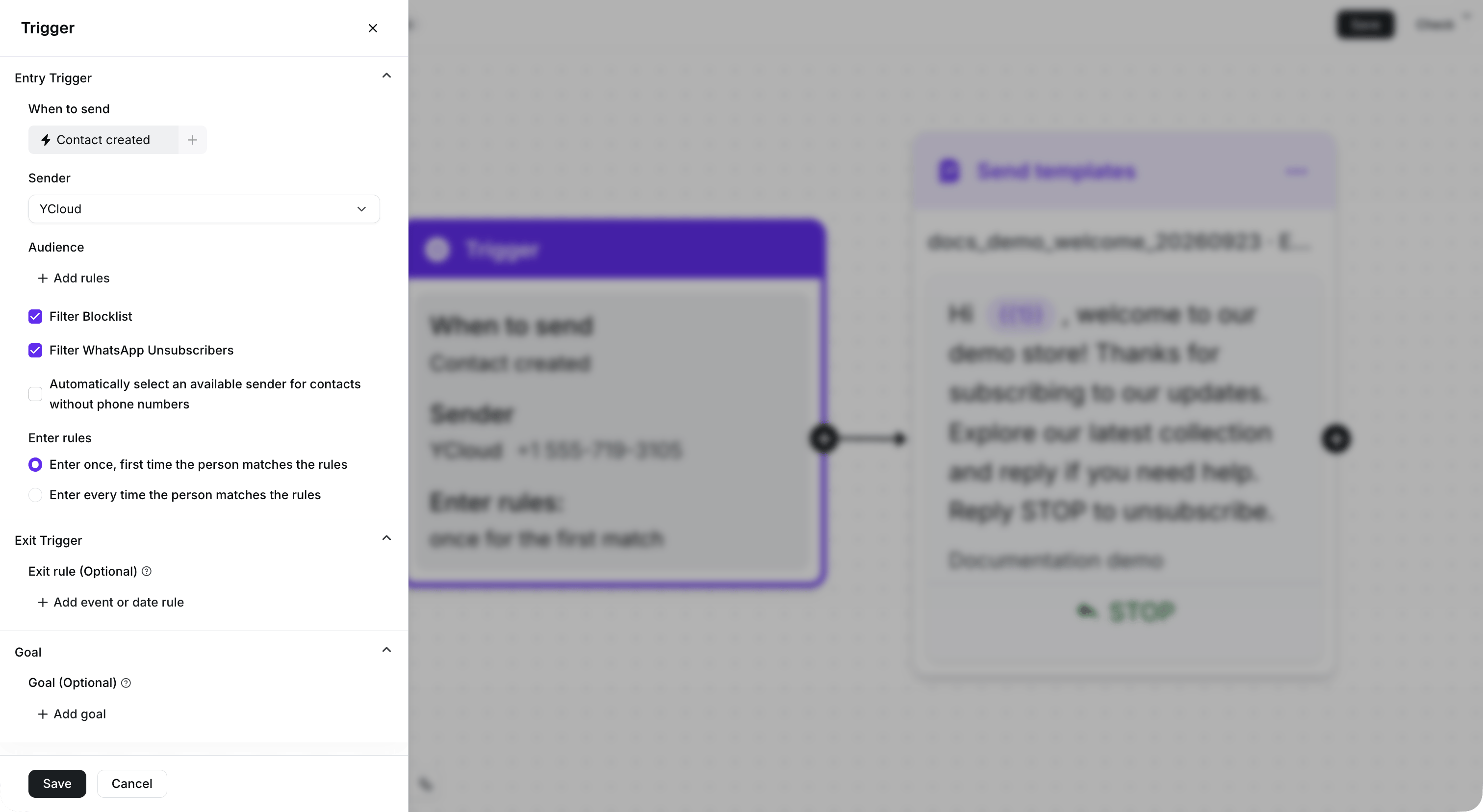
Configure the entry condition, Sender, and entry rule. This demonstration Journey remains inactive.