

Regarding tag settings, we support two methods for adding tags. You can choose either of the following methods:
- You can view and edit tags at Settings > Contact > Tags.
- You can tag users in the Contact list section, or you can tag users in the Inbox tool.
Add tags in Settings
Step 1
Log in to your YCloud account, navigate to Settings > Contact > Tags.
Open Settings > Contact > Tags and select Add Tag.
Step 2
Click Add Tag, enter a name and choose a color, and click Add to complete the operation. After successful addition, you can edit and delete the tag.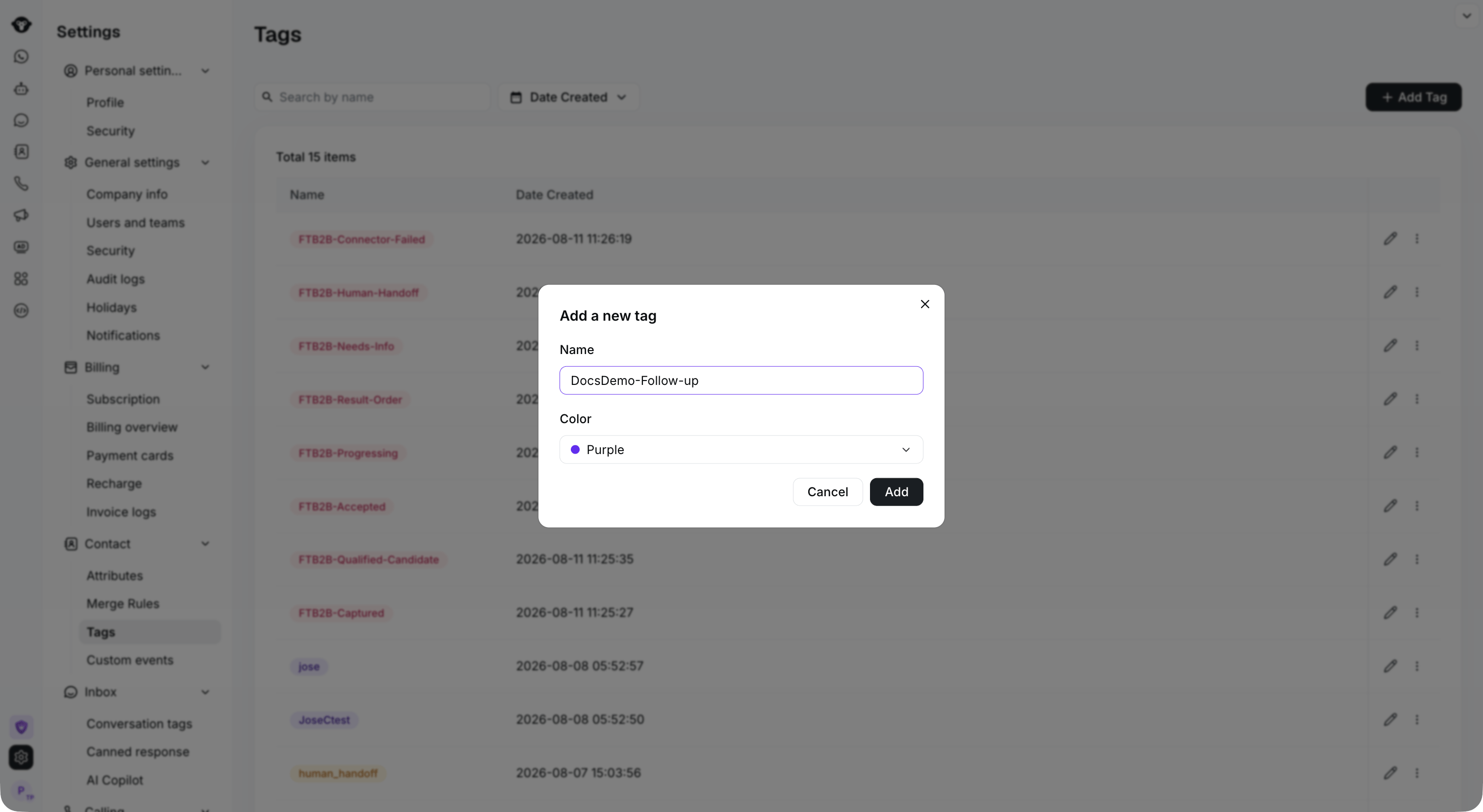
Enter a tag name and choose a color, then select Add.

The new tag appears in the list. Use the row controls to edit or manage it.
Adding in Contact list
Step 1
Log in to your YCloud account, open Contact > Contact list. Select one or more contacts, then click Tag them.
Select the contacts you want to tag, then select Tag them.
Step 2
Open Select or create a new tag. Search for an existing tag, or enter a new name and select Create new tag. Then click Tag 1 contact (the count reflects your selection) to apply the tag.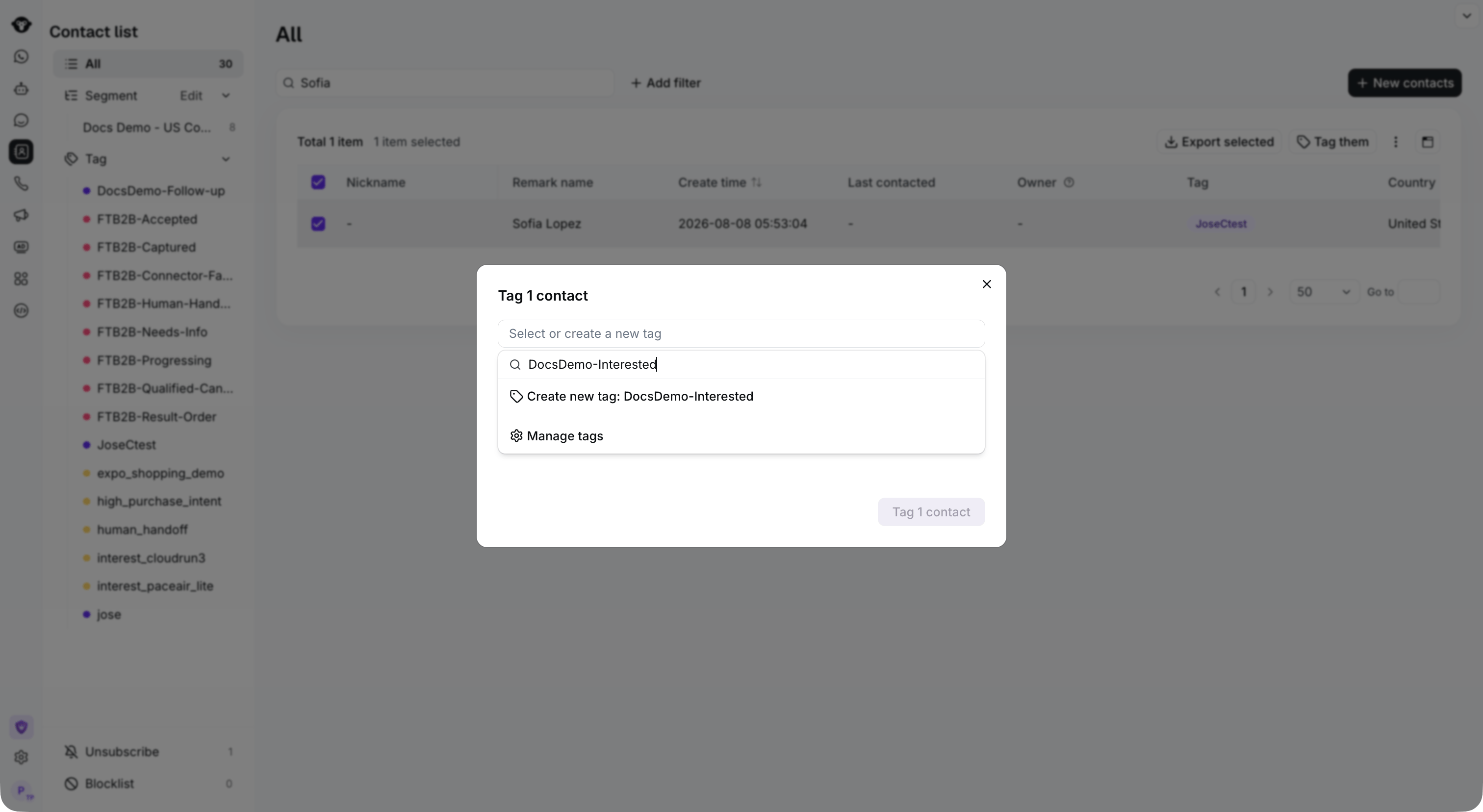
Search for an existing tag, or enter a new name and select Create new tag.