

AI 总结
人工坐席之间或从 AI Agent 到人工坐席之间经常发生会话流转。接收会话的坐席需要足够的上下文信息来继续为客户提供帮助。AI 总结能够从会话中提取结构化摘要,方便坐席快速查阅。会话流转时总结
在人工之间流转以及 AI 流转给人工时使用总结。手动总结
当会话被转接时,接收坐席会在系统流转日志旁看到 [AI 总结] 按钮。如需 AI 总结当前会话内容,可手动点击此按钮触发 AI 总结。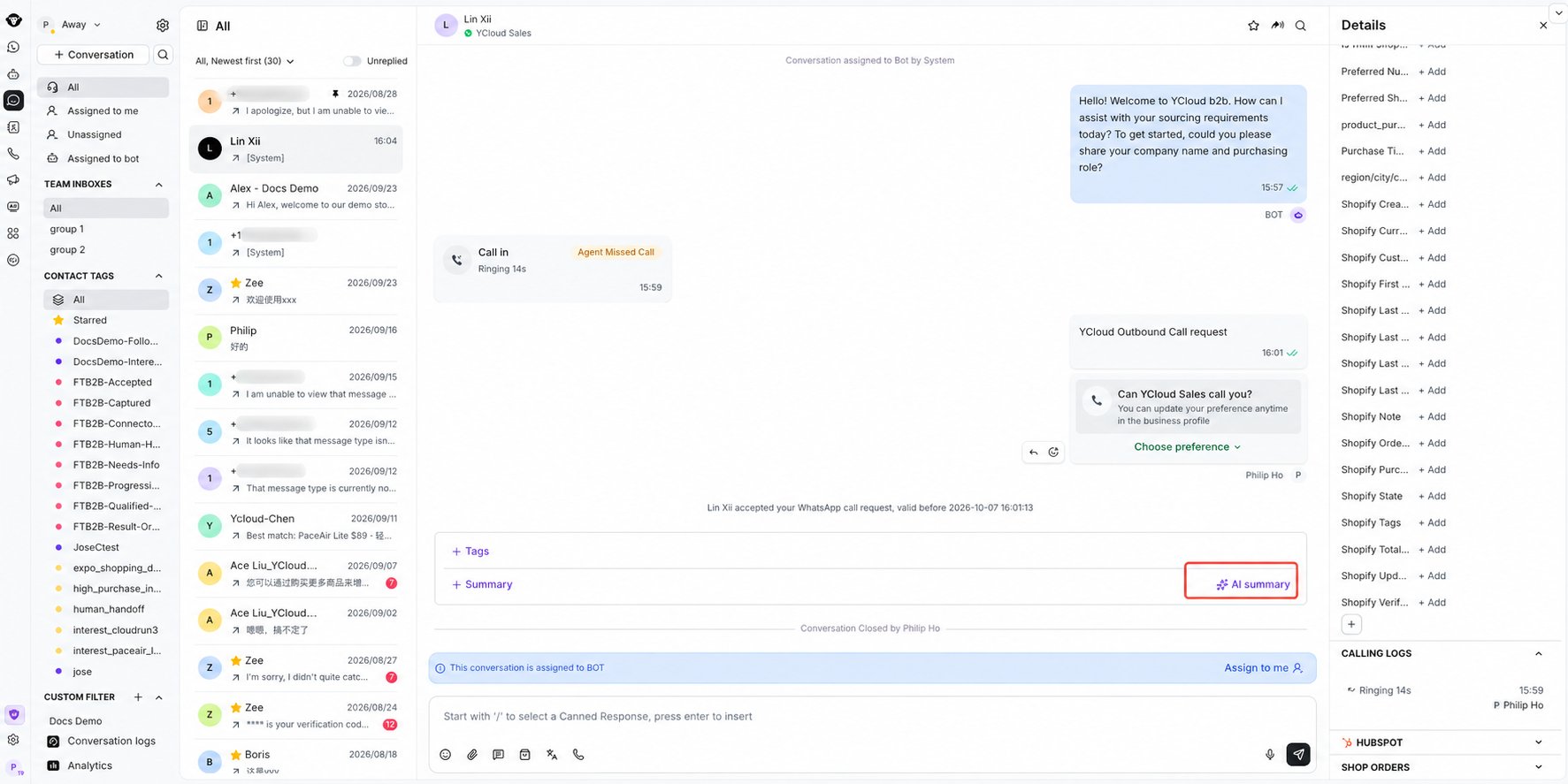
Select AI summary below the conversation to generate a handover summary.
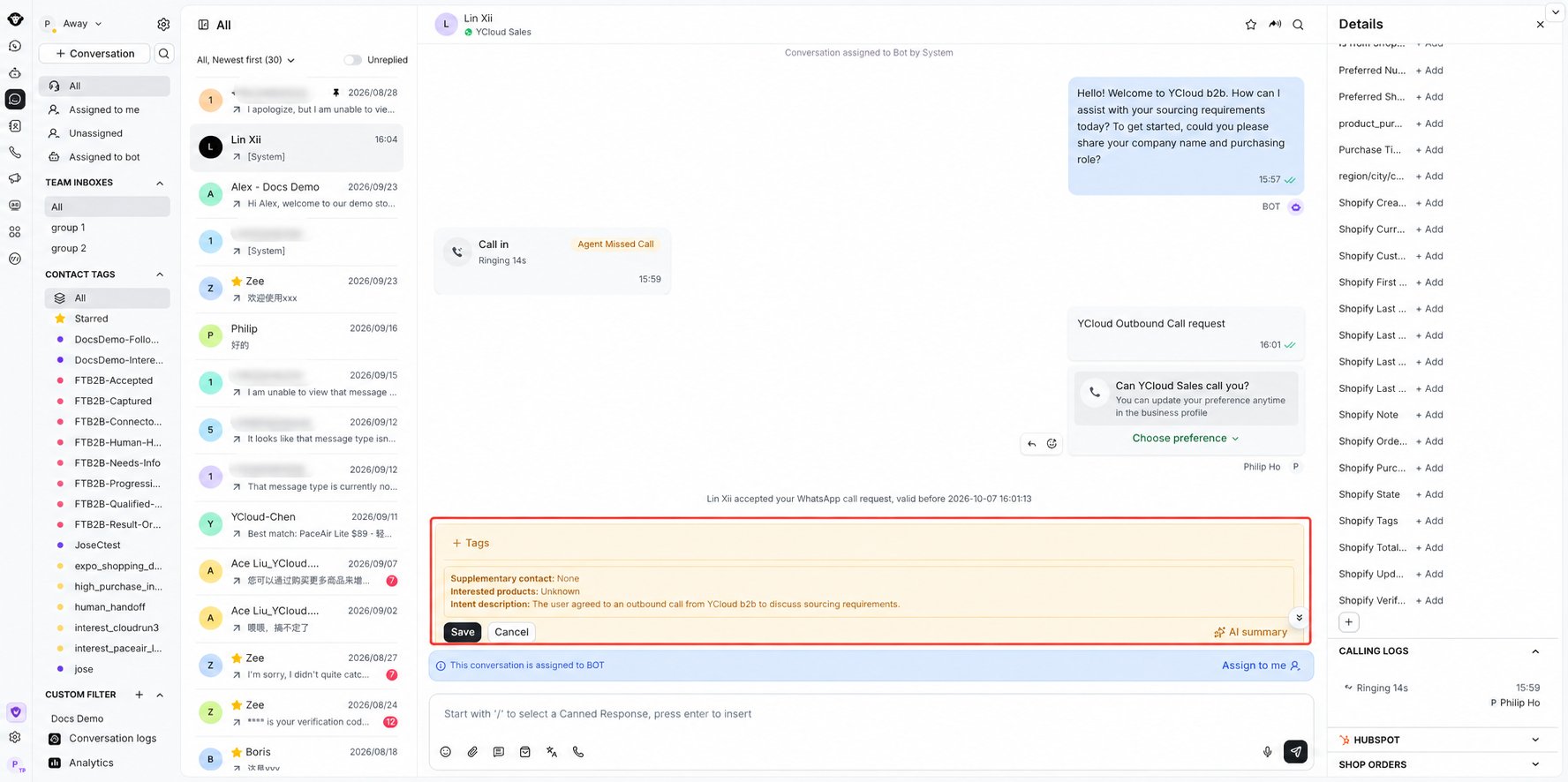
Review and save the generated conversation summary.
自动总结
通过左侧边栏顶部的齿轮图标打开 收件箱设置 ,然后选择 AI Copilot。
Open Inbox settings using the gear at the top of the left sidebar.

Open AI Copilot and use Auto-summarize conversations upon transfer.
会话结束时总结
主要用于主管查看会话总结。手动总结
在会话结束时,在需要总结的会话中手动点击 [AI 总结] 按钮以触发 AI 总结。
Select AI summary below the closed conversation to generate a summary.
自动总结
在页面左下角的“设置”中,找到收件箱 AI Copilot 菜单,并开启会话关闭时的自动总结。此设置全局生效。启用后,收件箱中的所有会话在关闭时都会自动生成 AI 总结。
Find Auto-summarize conversations upon closure under Settings > Inbox > AI Copilot.
注意事项
- AI 点数不足可能导致总结生成失败,请注意关注您的余额;
- AI 总结会自动判断您的业务场景,并根据会话内容生成售前总结或售后总结。