

回复客户消息
当客户向您发送消息时,您可以立即回复并开始聊天对话。 通过左侧的筛选器,会话列表将显示进行中的会话。选择其中一个会话,右侧将展开会话窗口。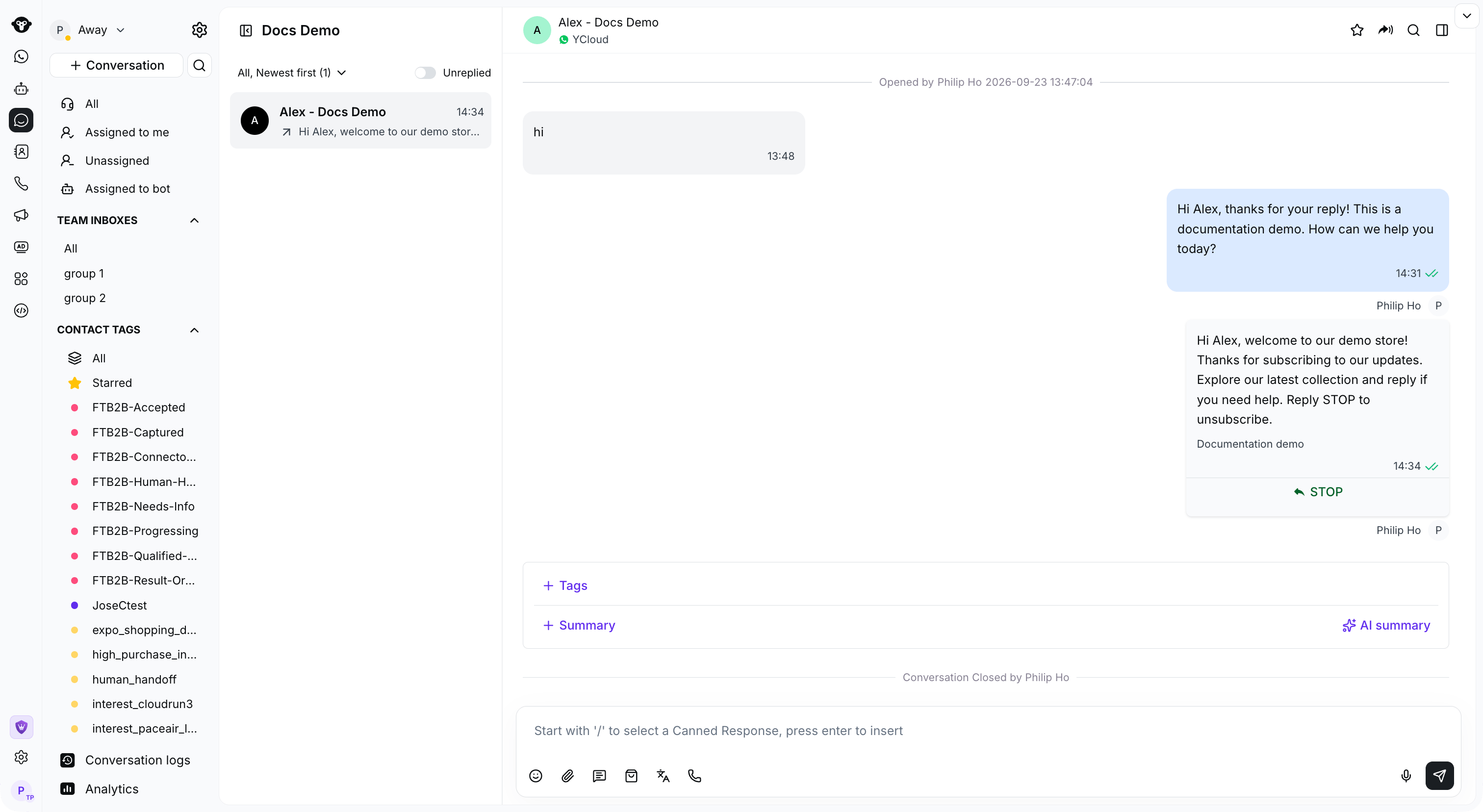
Select a customer conversation to view its history and reply in the message box.
将对话分配给自己
点击消息框上方的 分配给我 将对话分配给自己。
Click Assign to me above the message box to take ownership of an unassigned conversation.
与任意用户发起对话
如果您想向未保存在 Inbox 中的联系人发送消息,可以搜索该联系人并发送 WhatsApp 模板作为首次互动。步骤 1:搜索客户的电话号码
点击 会话 旁边的搜索图标,选择 联系人,然后输入电话号码。
Open Contact search and enter the customer phone number.
步骤 2:点击“+ 发起新会话”下方的按钮创建新会话

Click Create a new conversation below the search results.
步骤 3:选择用于发送消息的 WhatsApp Business 号码
选择您的发送号码,然后点击 下一步。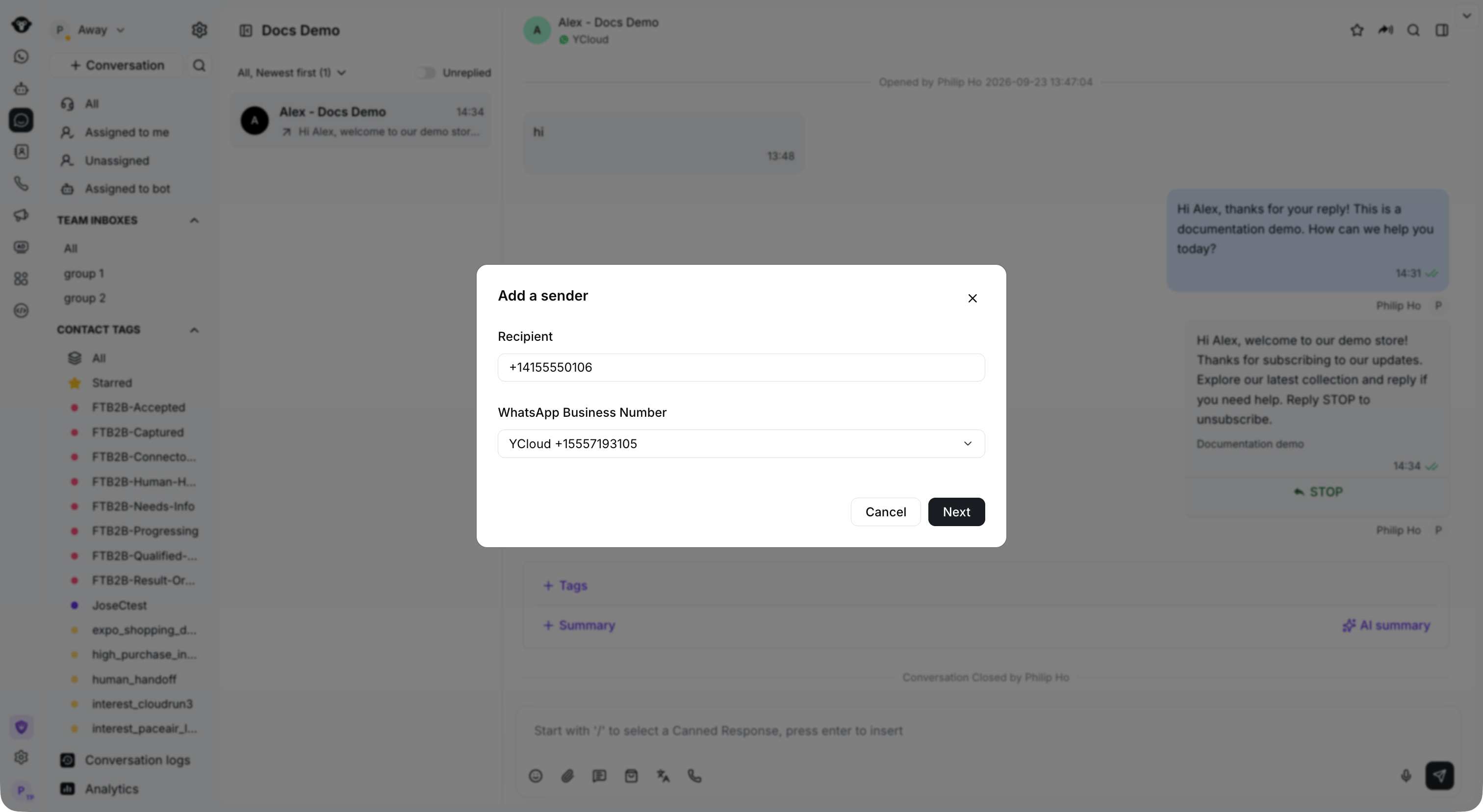
Enter the recipient and select your WhatsApp Business Number.
步骤 4:选择要发送的模板
按模板名称或正文搜索,或按分类、语言或创建者筛选模板。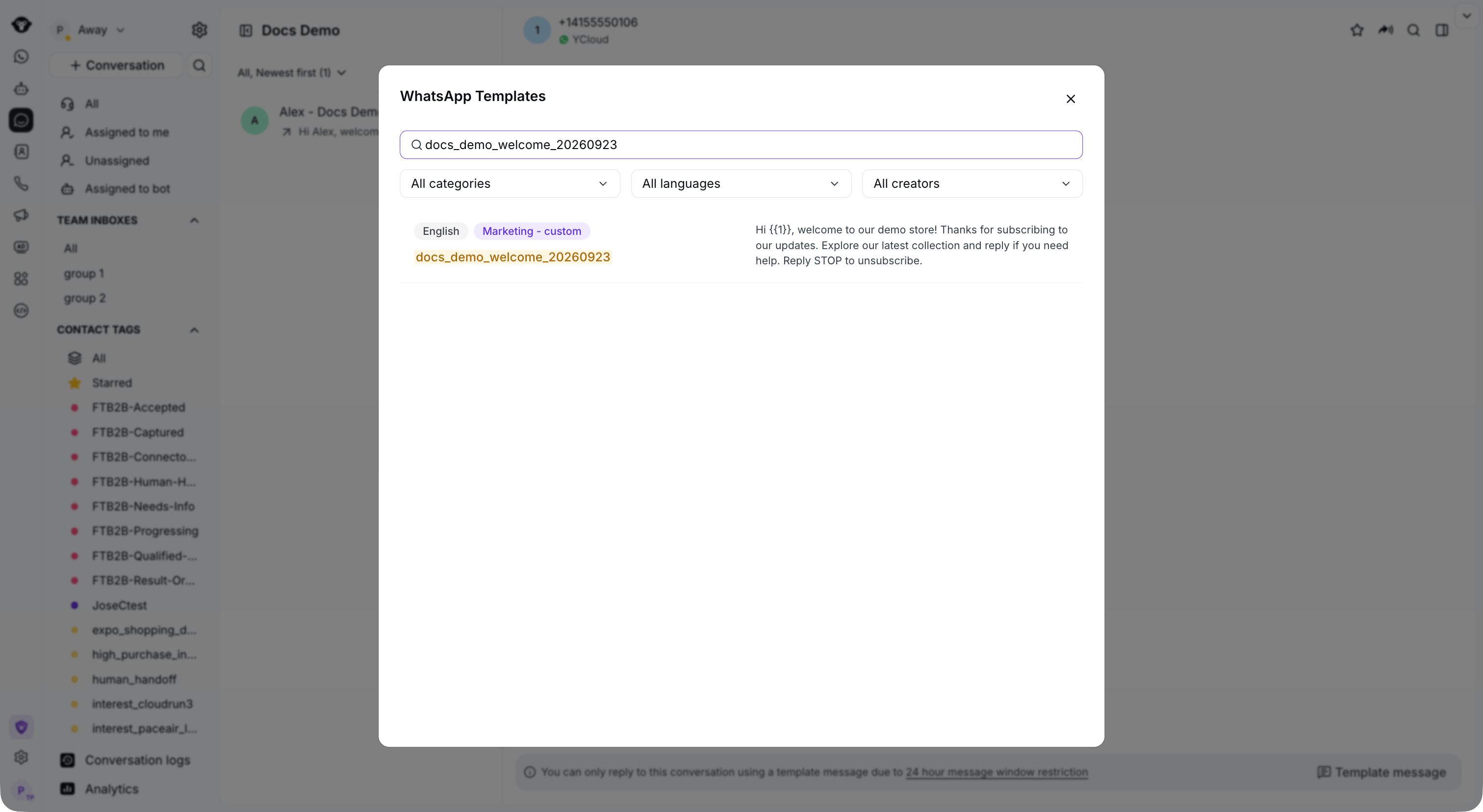
Search for an approved template and filter by category or language.
步骤 5:确认模板内容/设置模板变量
检查预览和变量值,然后点击 发送。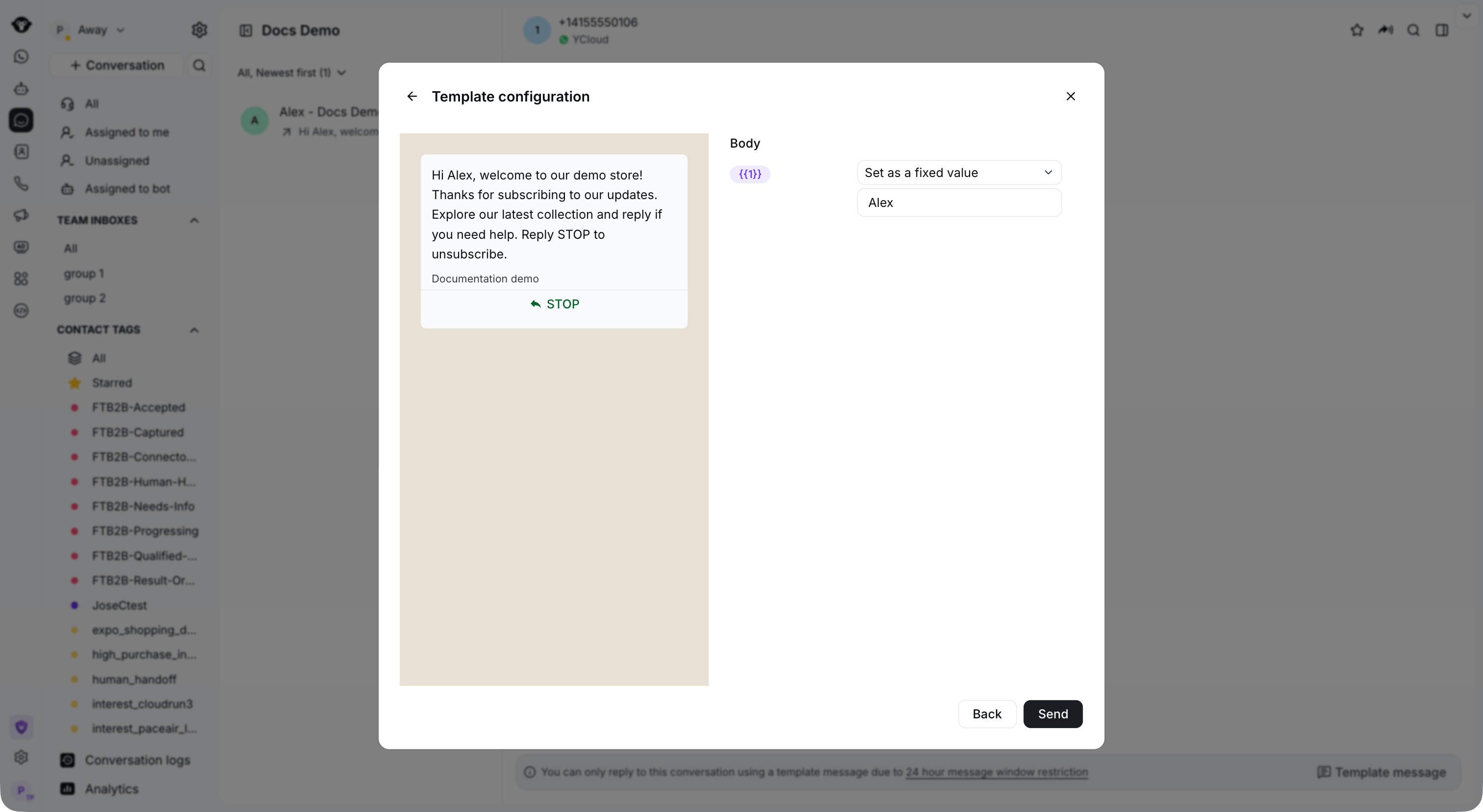
Set the template variables and review the message before sending.