

邀请客户呼入
当沟通过程中文本消息无法满足需求时,您可以邀请客户发起语音通话,从而更快速、更高效地解决问题。呼入通话完全免费。
1. 发送通话邀请
入口: 点击 WhatsApp 通话 > 邀请客户呼入
Open WhatsApp calling and choose Ask customer to call in.
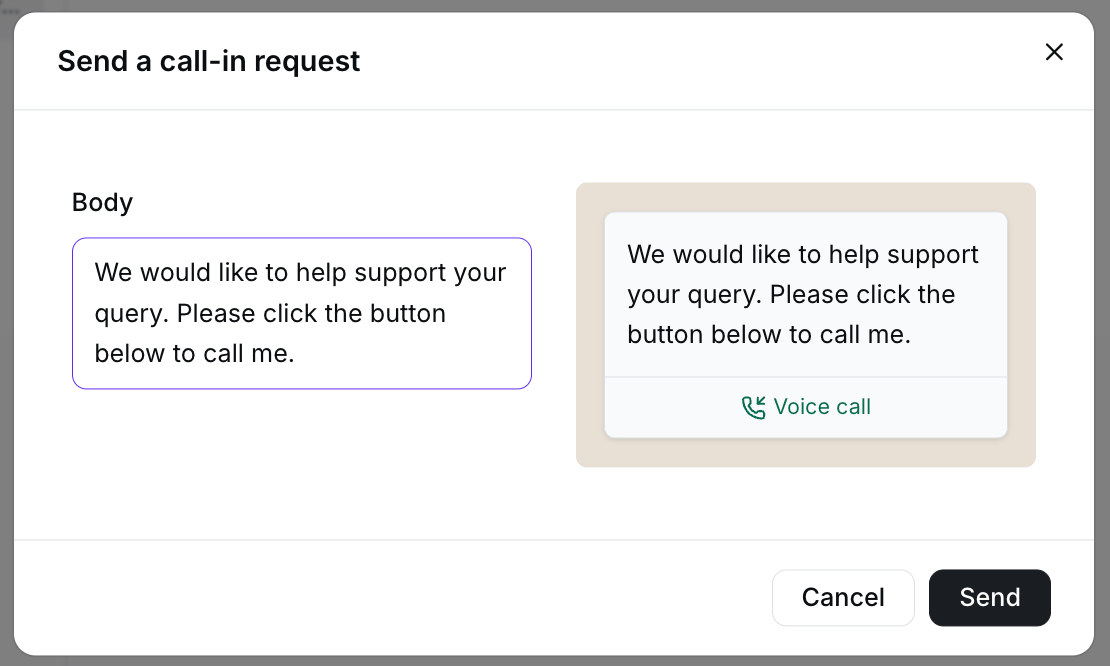
Edit the invitation text and review the preview before sending.
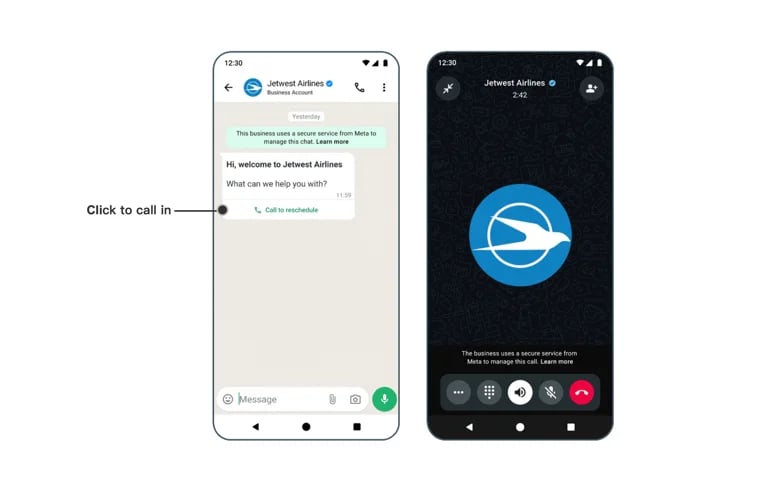
The customer can use the invitation to start a WhatsApp voice call.
2. 接听来电
当客户通过您发送的邀请链接发起语音通话时,您将在收件箱中看到通知。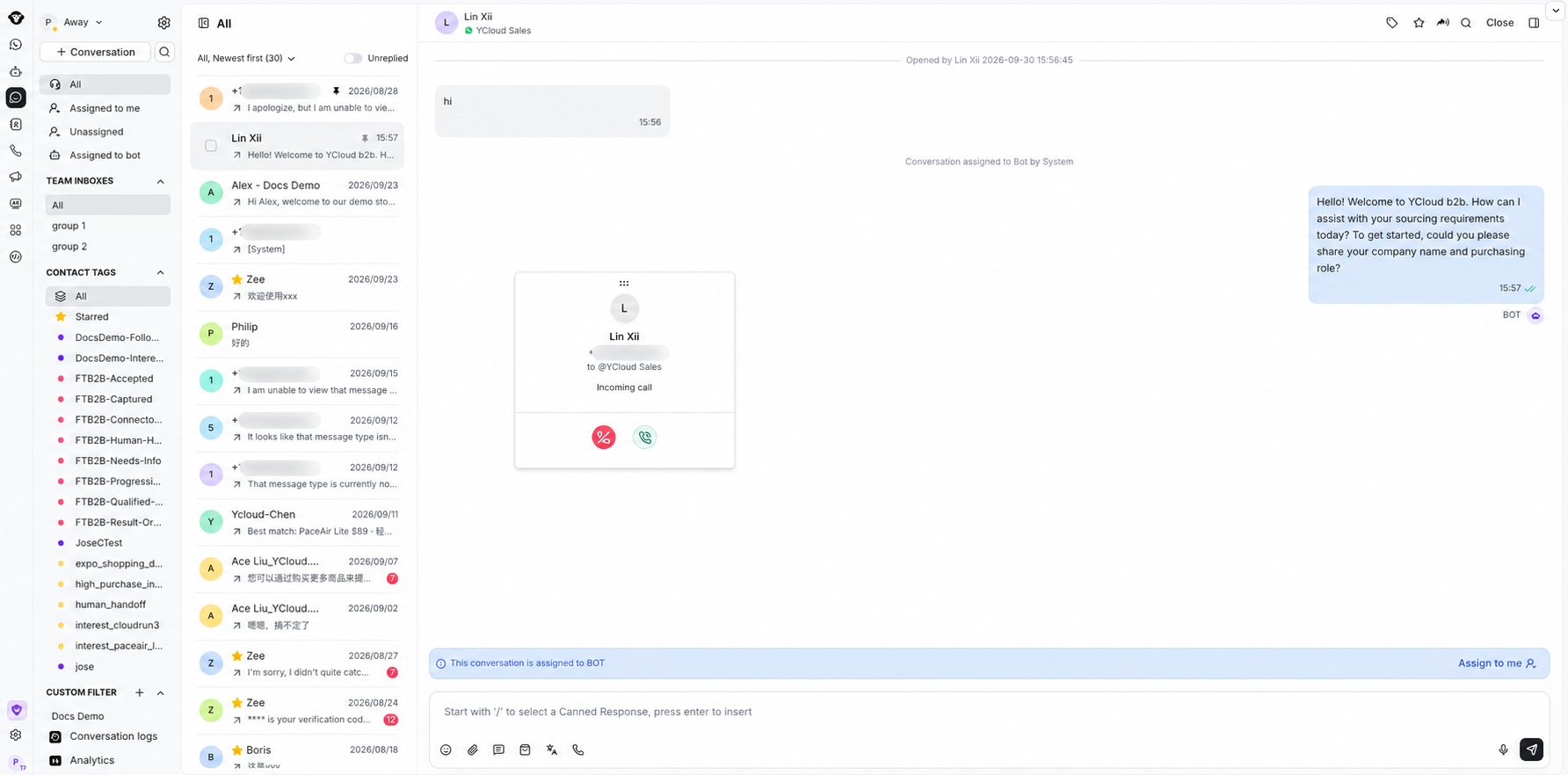
Answer or decline an incoming WhatsApp call from Inbox.
拨打外呼电话
在进行外呼之前,您必须拥有使用该商业电话号码拨打电话的权限。更多详情请参阅相关文档。 ⚠️ 外呼语音通话为收费项目。 有关价格详情,请访问:https://www.ycloud.com/pricing#price-table1. 申请通话权限
入口: 点击 WhatsApp 通话 > 呼出
Open WhatsApp calling and choose Call out to continue the outbound calling workflow.
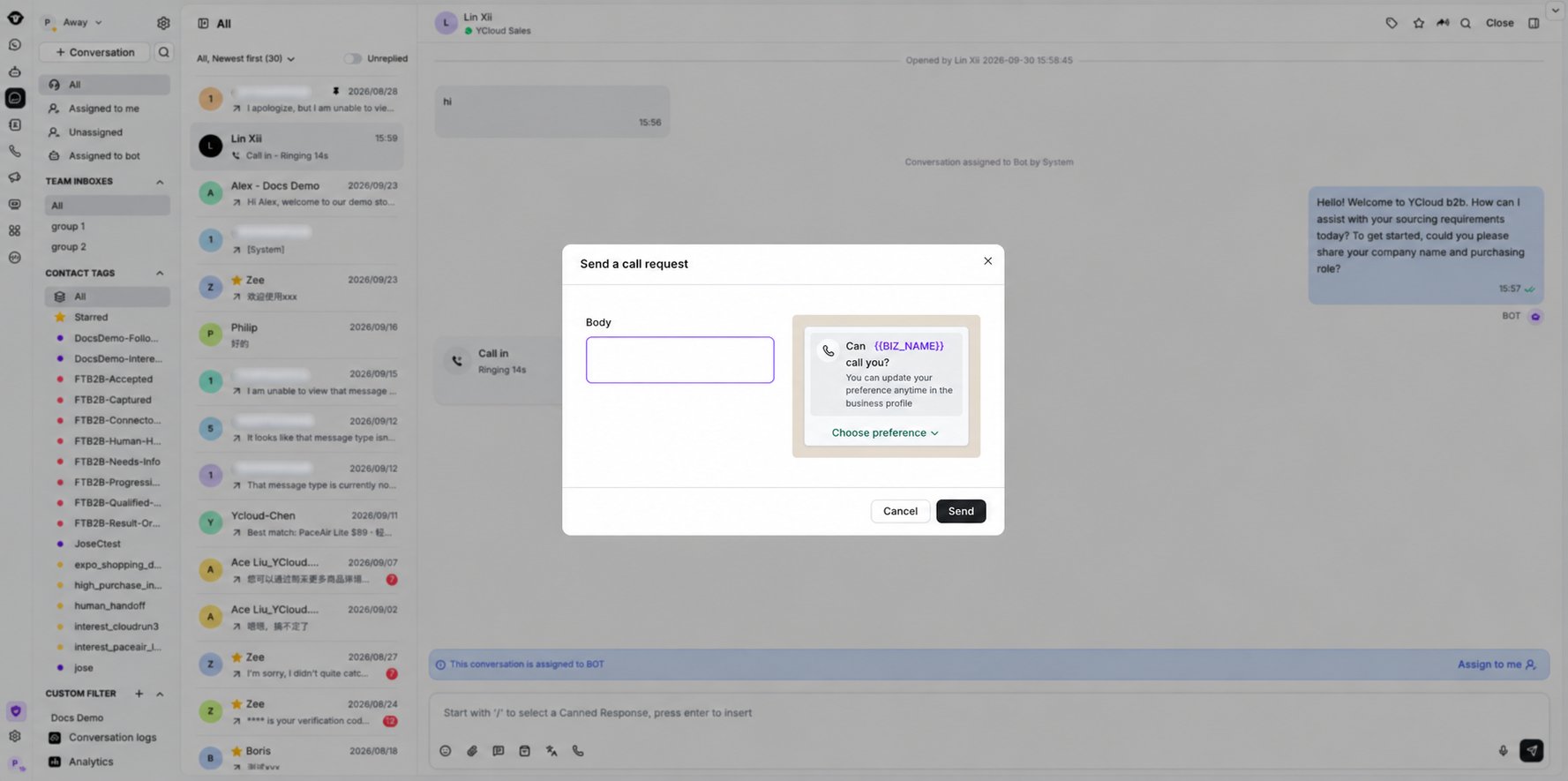
Review the call request message, then select Send.
2. 获取授权
客户同意授权后,您将在收件箱中收到系统通知。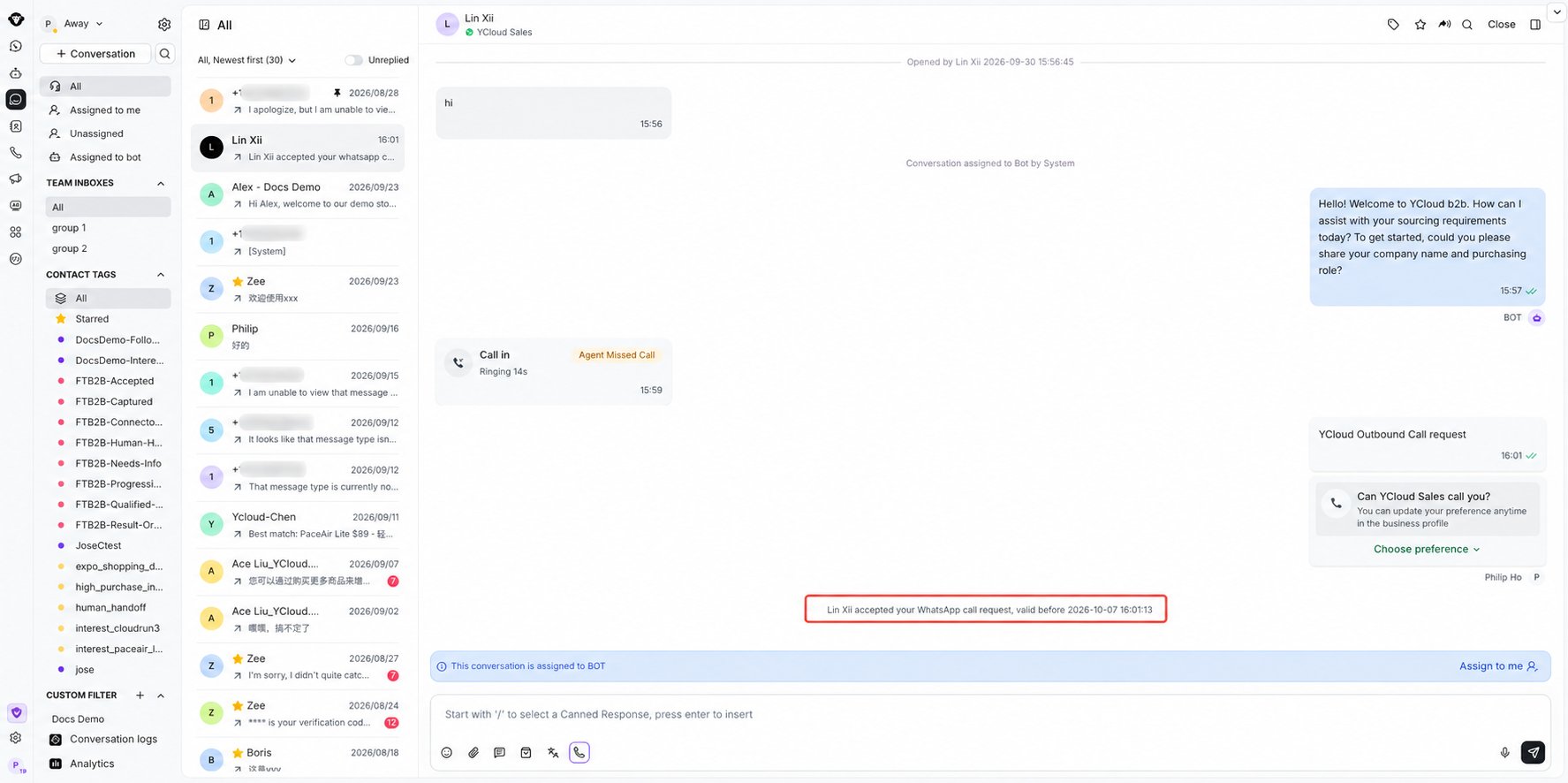
Inbox confirms when the customer accepts the WhatsApp call request.
3. 开始外呼通话
获得授权后,再次点击呼出按钮即可发起外呼语音通话。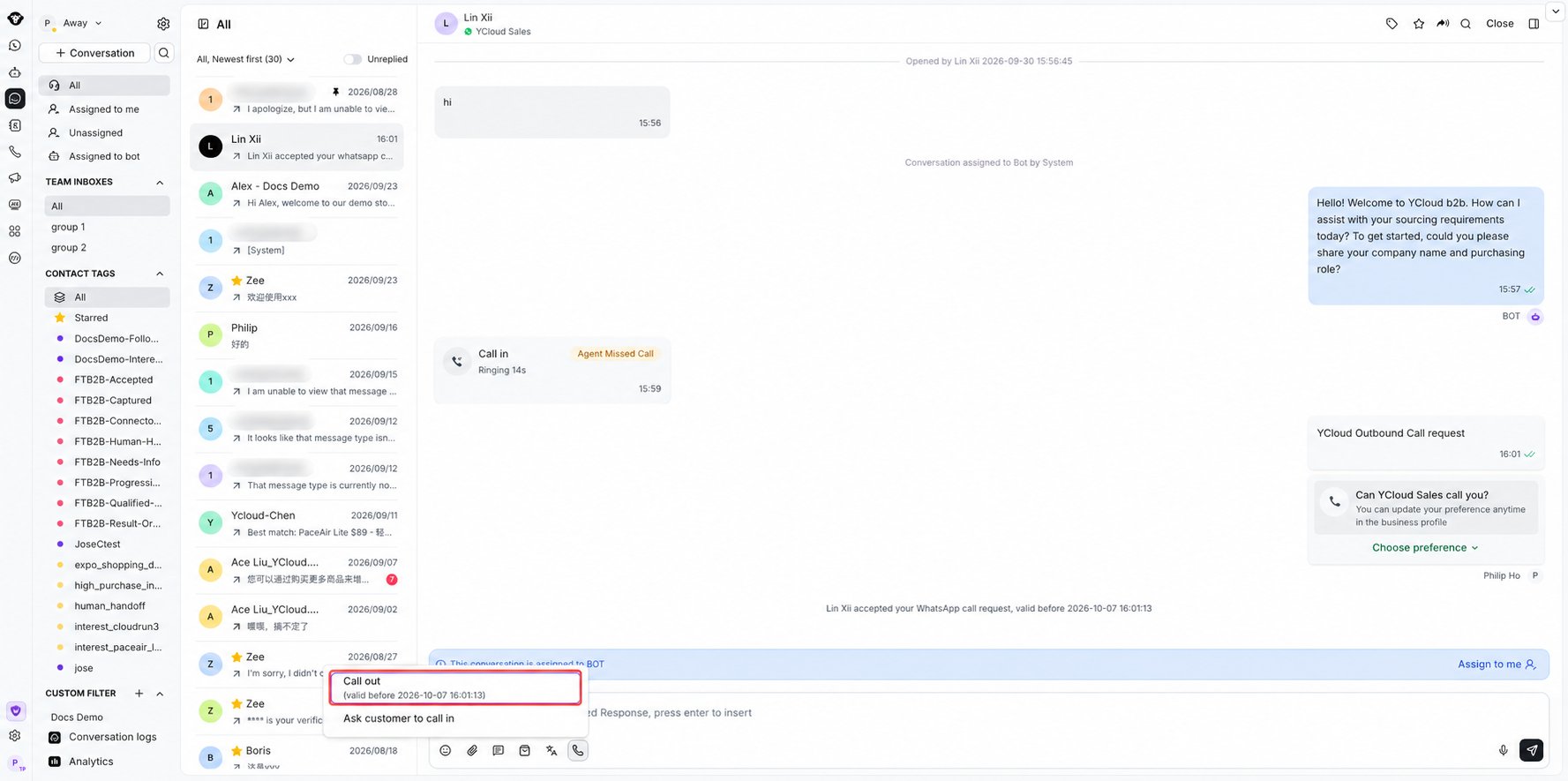
Open WhatsApp calling and select Call out after authorization is granted.
查看通话记录
打开收件箱右侧的通话记录面板,即可查看详细的通话日志,包括通话状态和通话时长。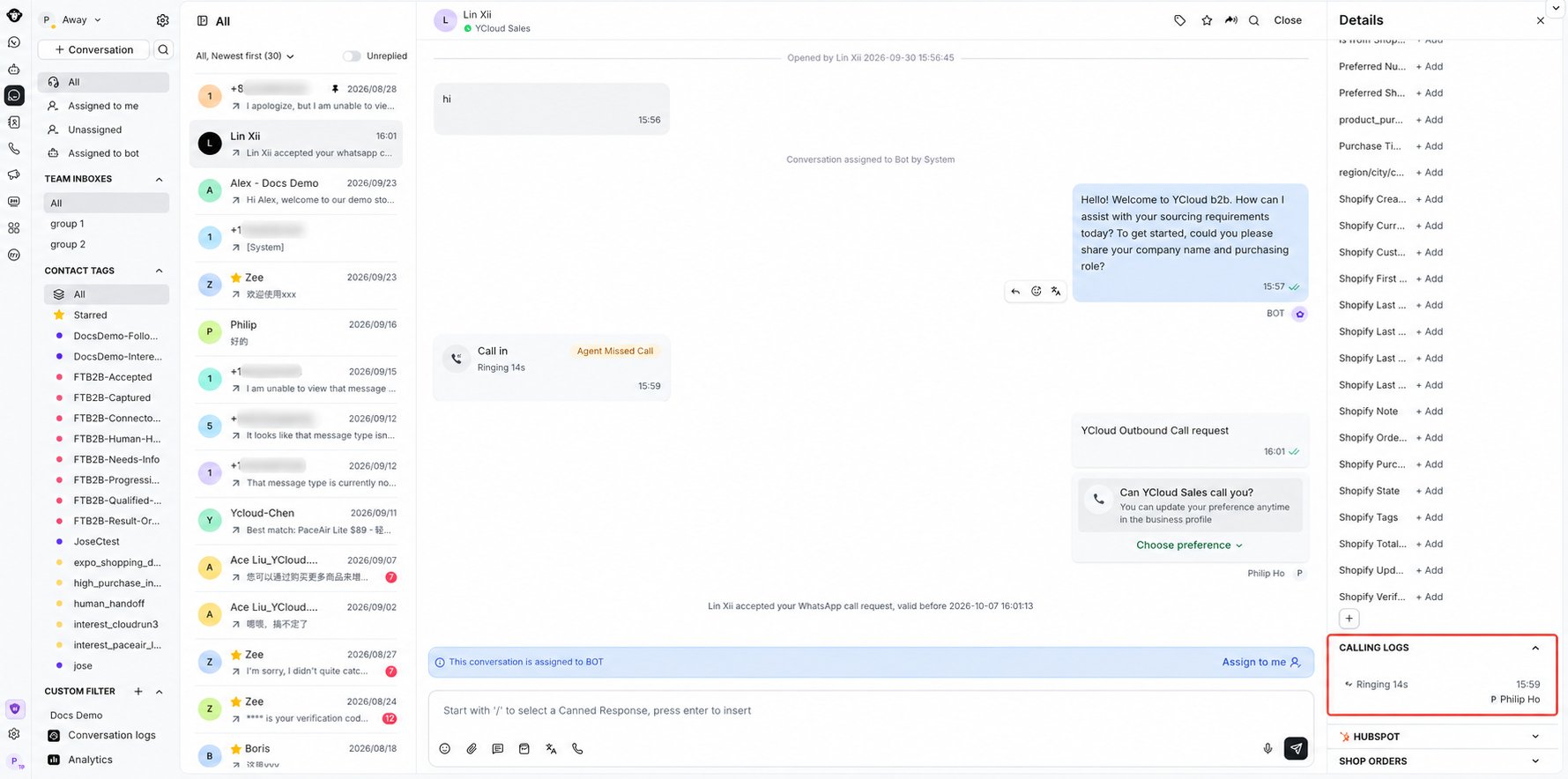
Review call status and duration under Calling logs in the contact details panel.