

Open AI Performance
- Open the AI Agent you want to review.
- Select Performance in the left sidebar.
- Choose a Time range and, if needed, one or more WhatsApp business numbers.
-- means comparison data is unavailable.
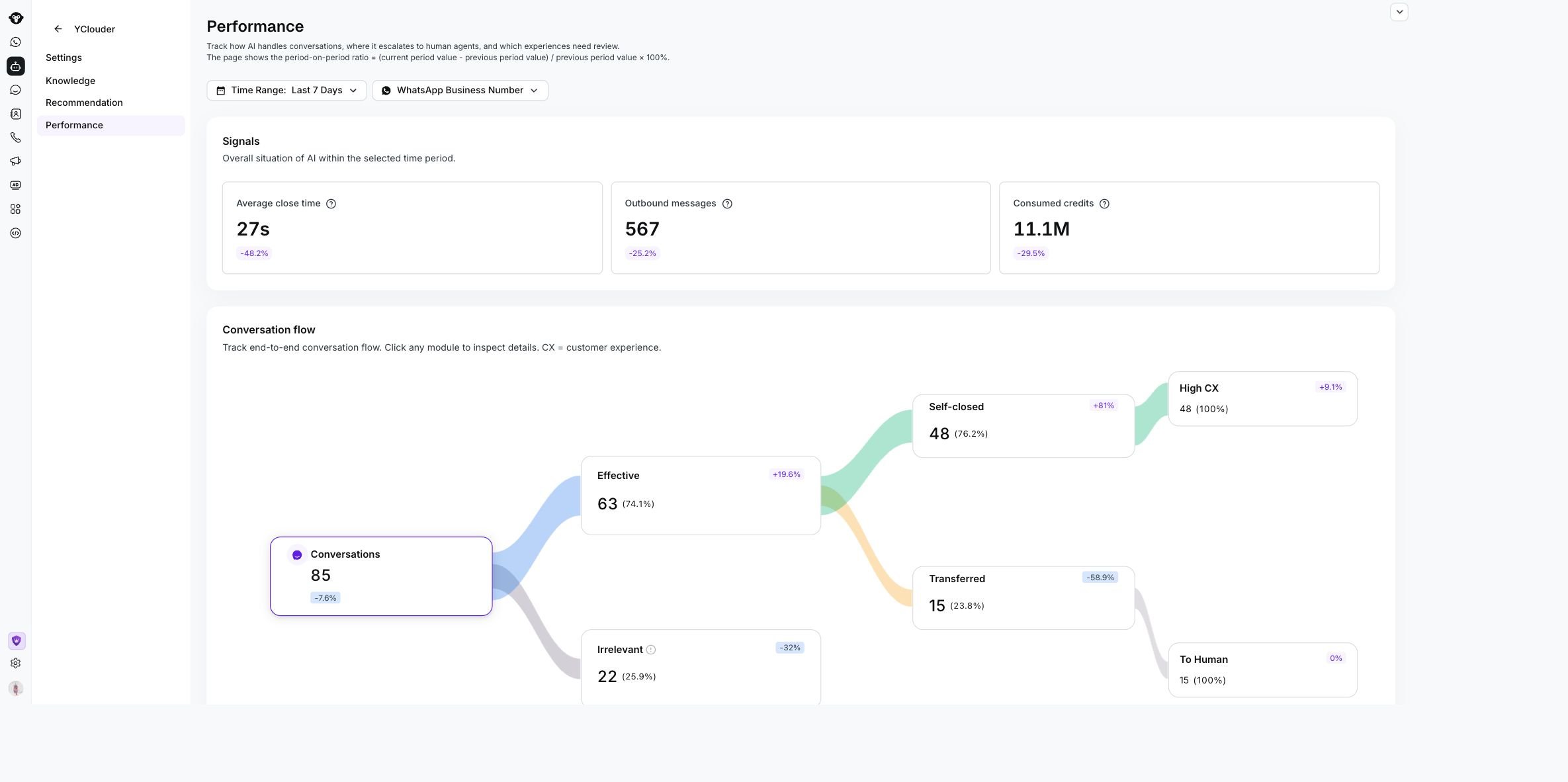
The Performance page shows selected filters, Signals, and the Conversation flow for the YClouder AI Agent.
Review the signals
Signals summarizes the AI Agent’s activity and resource use.Follow conversation outcomes
Conversation flow shows how conversations move through the AI Agent. It includes the total conversation count and the outcomes available for the selected data, such as Effective, Irrelevant, Self-closed, Transferred, High CX, and To Human. Click any conversation node to open the matching conversation list. Use the list to review the contact, conversation summary, and date, then open a conversation for its full history.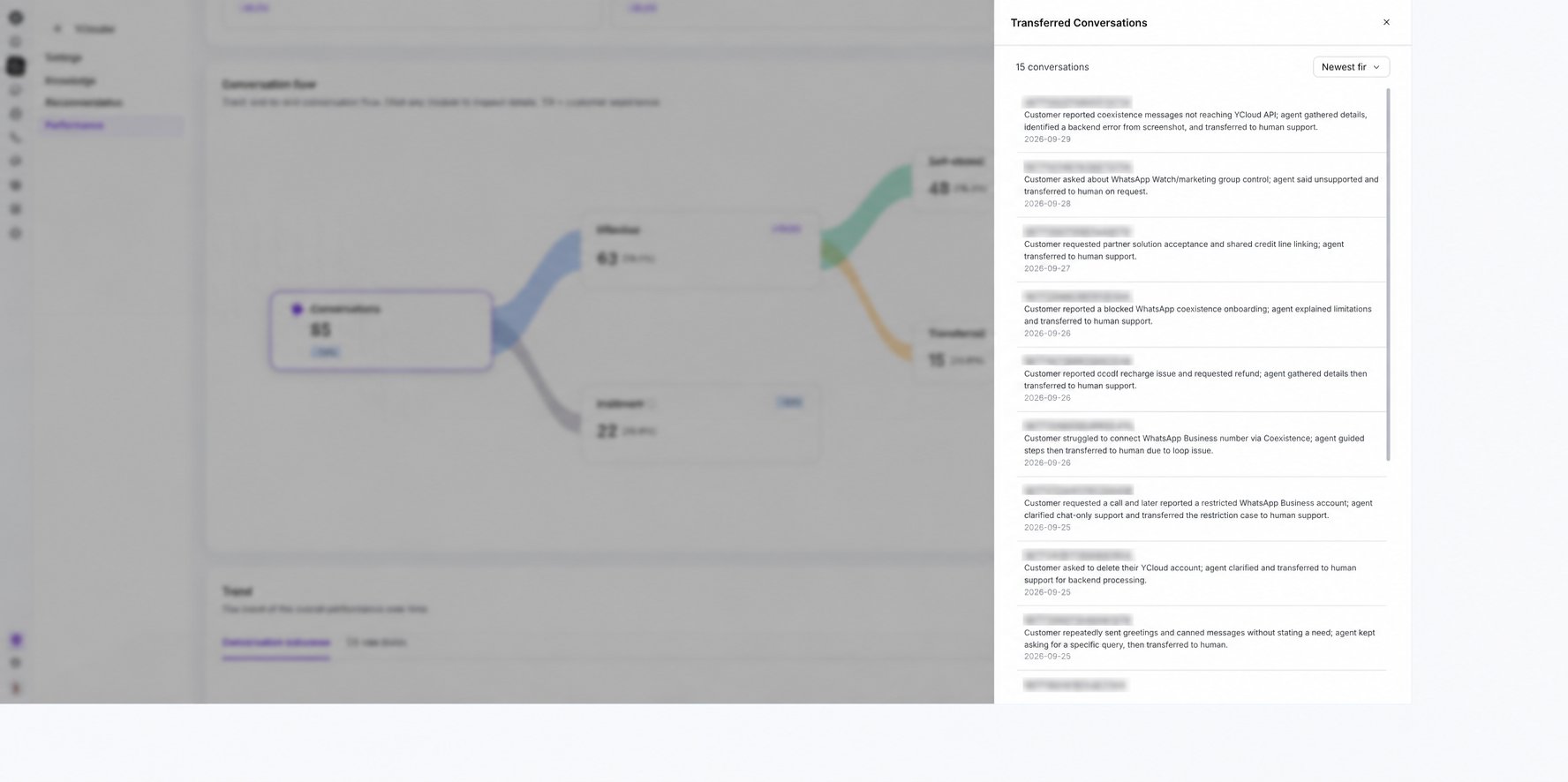
Select a Conversation flow node to review the matching conversations.
Compare trends
Use Trend to see how results change over time.- Switch between Rate and Volume.
- Use Conversation outcomes to compare self-closed and transferred rates.
- Use CX rate levels to review customer-experience trends.
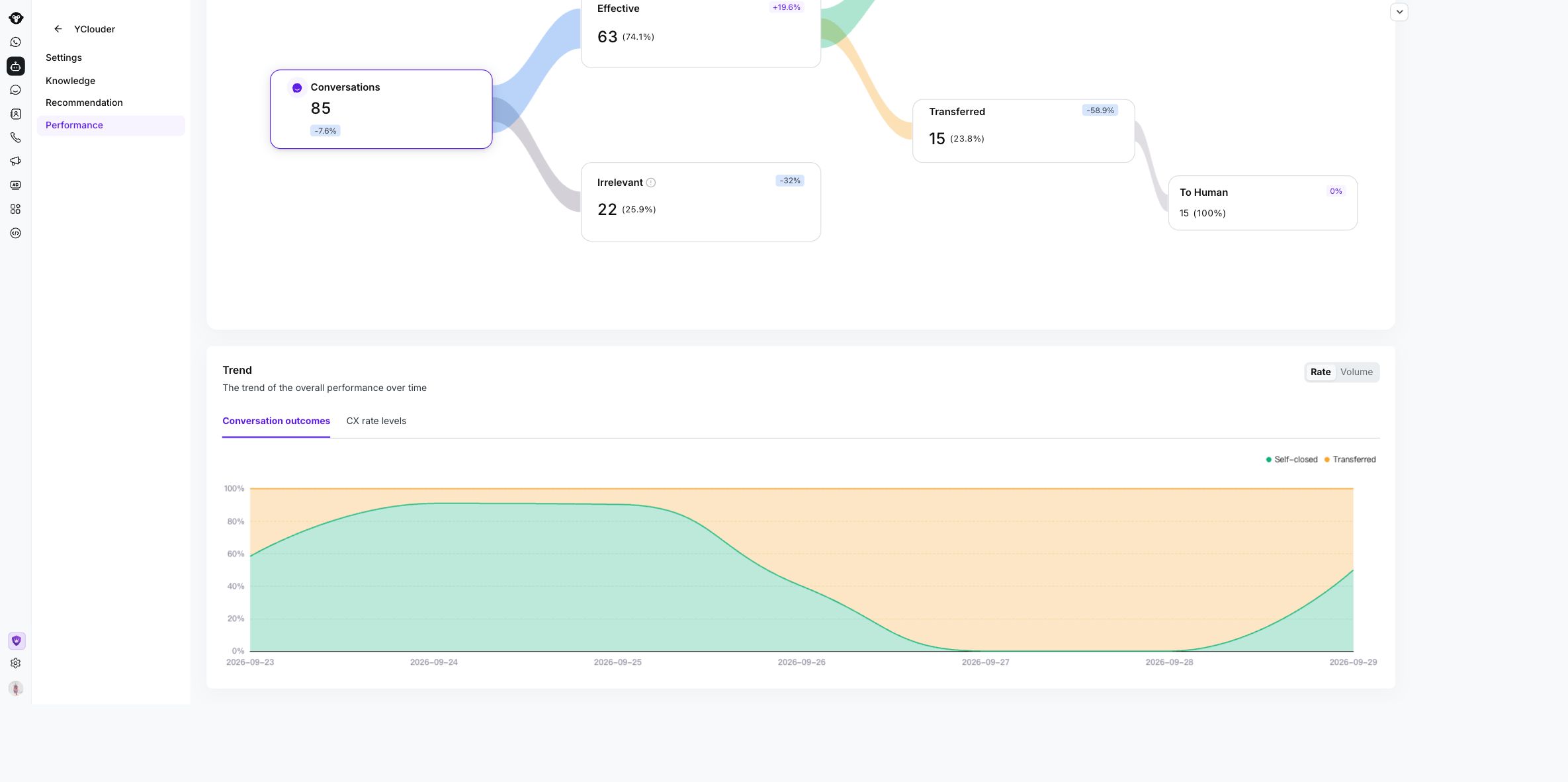
Use the Trend controls to compare conversation outcomes by rate or volume over time.